

Copper
Requisitos
Plan de HubSpot Permisos de cuenta de HubSpot No se requieren permisos Tipo de acceso Compartida Suscripción: Copper - Suscripción: Review Copper's Pricing Page
Vista general
1/2
Sync data between Copper (Prosperworks) and HubSpot without manual data entry or messy, time-consuming imports.
Here’s what you get with Data Sync by HubSpot:
- Two-way sync: Data is shared between Copper and HubSpot in real time
- Default field mappings: Set-up is quick with out-of-the-box field mappings already created for you
- Historical syncing: Your existing data will sync right away, and updates will sync as they happen
Note: Please review the "Shared Data" section below to see which objects sync
Características
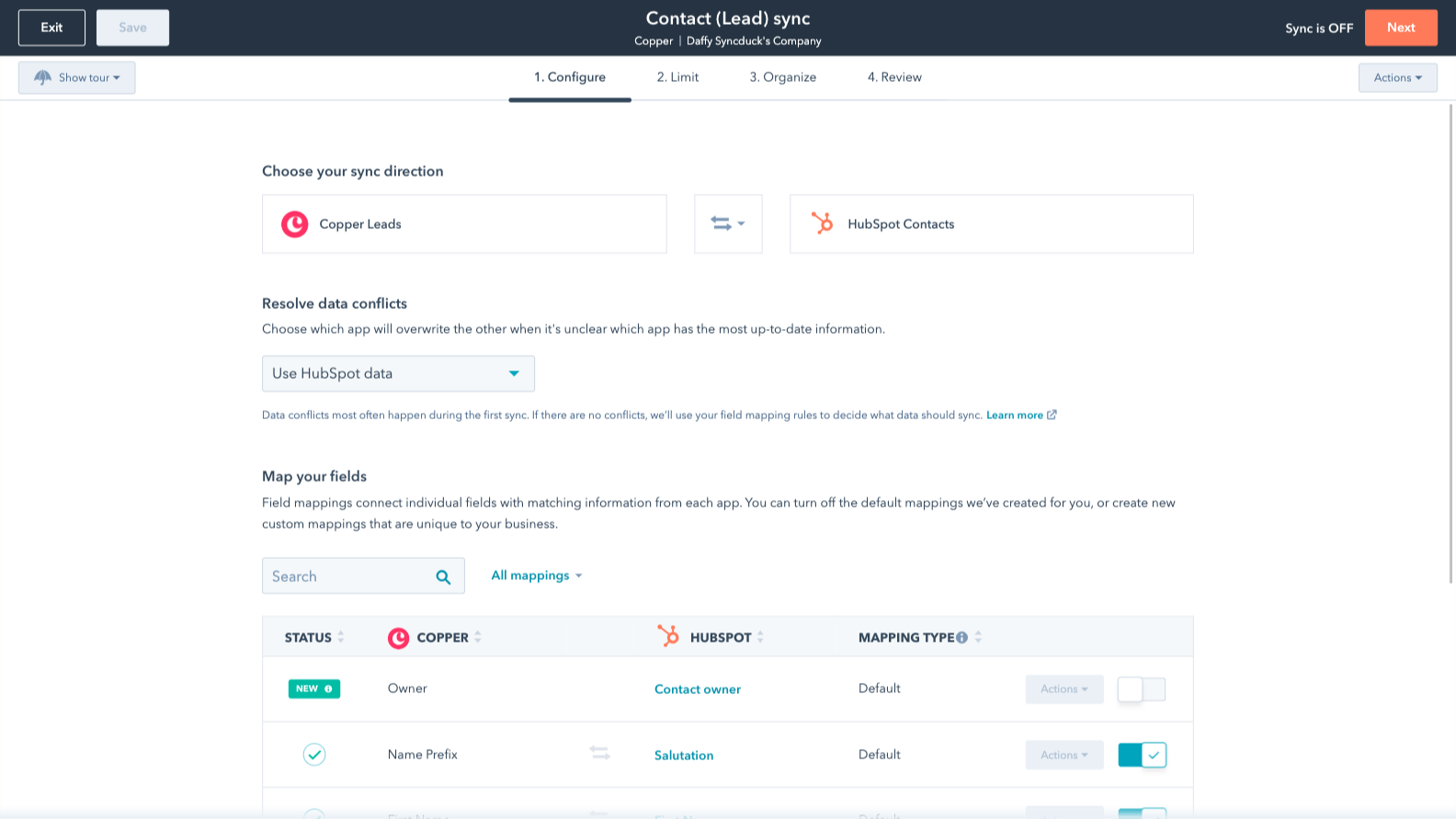
Sync Copper and HubSpot data
Make manual data entry a thing of the past by syncing opportunities, companies, people & leads between HubSpot and Copper (Prosperworks). When records are created or updated in either app, that information will be automatically shared with the other one.

Custom field mappings
Custom field mappings are available with Data Hub Starter or up. Custom mappings add the flexibility to create your own mappings or make changes to your default ones.
Funcionalidad de la aplicación
Datos compartidos
Each object has field mappings that connect matching information from each app. Default mappings are listed below. If you want to change these default mappings or create your own, custom field mappings are available with Data Hub Starter and up.
Phone Call Activities | ||
Companies | ||
People | ||
Leads | ||
Meeting Activities | ||
Notes | ||
Opportunities | ||
Tasks |
Valoraciones
2,8
5
2,8
5
- 27 de may. de 2026
Sólo un punto de partida básico
Trae lo básico, cualquier cosa más, usted tiene que hacer usted mismo o pagar extra
Facilita mucho el punto de partida
Por ejemplo, puede traer una nota, pero no traerá a la persona que la creó y HubSpot impide la edición de una nota a través de las importaciones, o traerá el registro de Copper, pero tienes que pagar para que Data Hub asigne el ID de registro de Copper al ID de HubSpot - no sucede automáticamente.
Guirgis, M.
- 6 de mar. de 2026
Gran potencial, pero le faltan herramientas de marketing esenciales y su precio es excesivo en comparación con otras alternativas mejores que ofrecen más por menos.
Copper funciona bien, el problema es que un CRM necesita algún tipo de plataforma de marcado real. ¿Qué sentido tiene toda esa organización sin una forma de actuar en consecuencia? Funciona muy bien con el espacio de trabajo, lo cual es bueno, pero la falta de marketing no puede pasarse por alto. Si todo lo que necesito es una libreta de direcciones organizada, ya la tengo con mi cuenta de workspace. Pero el mayor problema para nosotros fue la imposibilidad de cambiar del correo electrónico personal al correo electrónico general dentro de Copper. Copper tiene muchas cosas buenas, pero falla en algunos puntos clave.
Se integra muy bien, interfaz de usuario limpia. Funciona, pero es más una libreta de direcciones personal que una verdadera plataforma crm empresarial.
Debido a que Copper tiene capacidades limitadas para las habilidades de marketing, me mudé todo a HubSpot. Las interfaces de usuario son similares y el plan de 9 dólares al mes de HubSpot hace más por mí que lo que hace Copper. Copper es mucho más por mes que el plan de pago de HubSpot, pero HubSpot ofrece más integraciones y herramientas más avanzadas para ir junto con el crm. Aunque HubSpot puede no estar tan integrado en Google, en realidad es mejor de lo que la mayoría piensa.
Broekemier, J.
Review Copper's Pricing Page
0 US$
Use the 'See all pricing options' link on the righthand side
Make sure to confirm the HubSpot subscription and the Copper subscription needed to install this integration
Note: "Free" is referring to the cost of the integration, not the app subscriptions
Review Copper's Pricing Page
0 US$
Use the 'See all pricing options' link on the righthand side
Make sure to confirm the HubSpot subscription and the Copper subscription needed to install this integration
Note: "Free" is referring to the cost of the integration, not the app subscriptions
* El precio que aparece aquí es solo para fines de visualización. Los precios no incluyen impuestos, incentivos, descuentos u otras variables. Debes comunicarte con nuestro partner para obtener la información de precios más actualizada y correcta. HubSpot no se hace responsable de los precios que proporcionan nuestros partners. Precios actualizados por última vez: 15/12/2025