

Copper
Requirements
HubSpot Plan HubSpot Account permissions No permissions required Access Type Shared Copper Subscription - Review Copper's Pricing Page plan
Overview
1/2
Sync data between Copper (Prosperworks) and HubSpot without manual data entry or messy, time-consuming imports.
Here’s what you get with Data Sync by HubSpot:
- Two-way sync: Data is shared between Copper and HubSpot in real time
- Default field mappings: Set-up is quick with out-of-the-box field mappings already created for you
- Historical syncing: Your existing data will sync right away, and updates will sync as they happen
Note: Please review the "Shared Data" section below to see which objects sync
Features
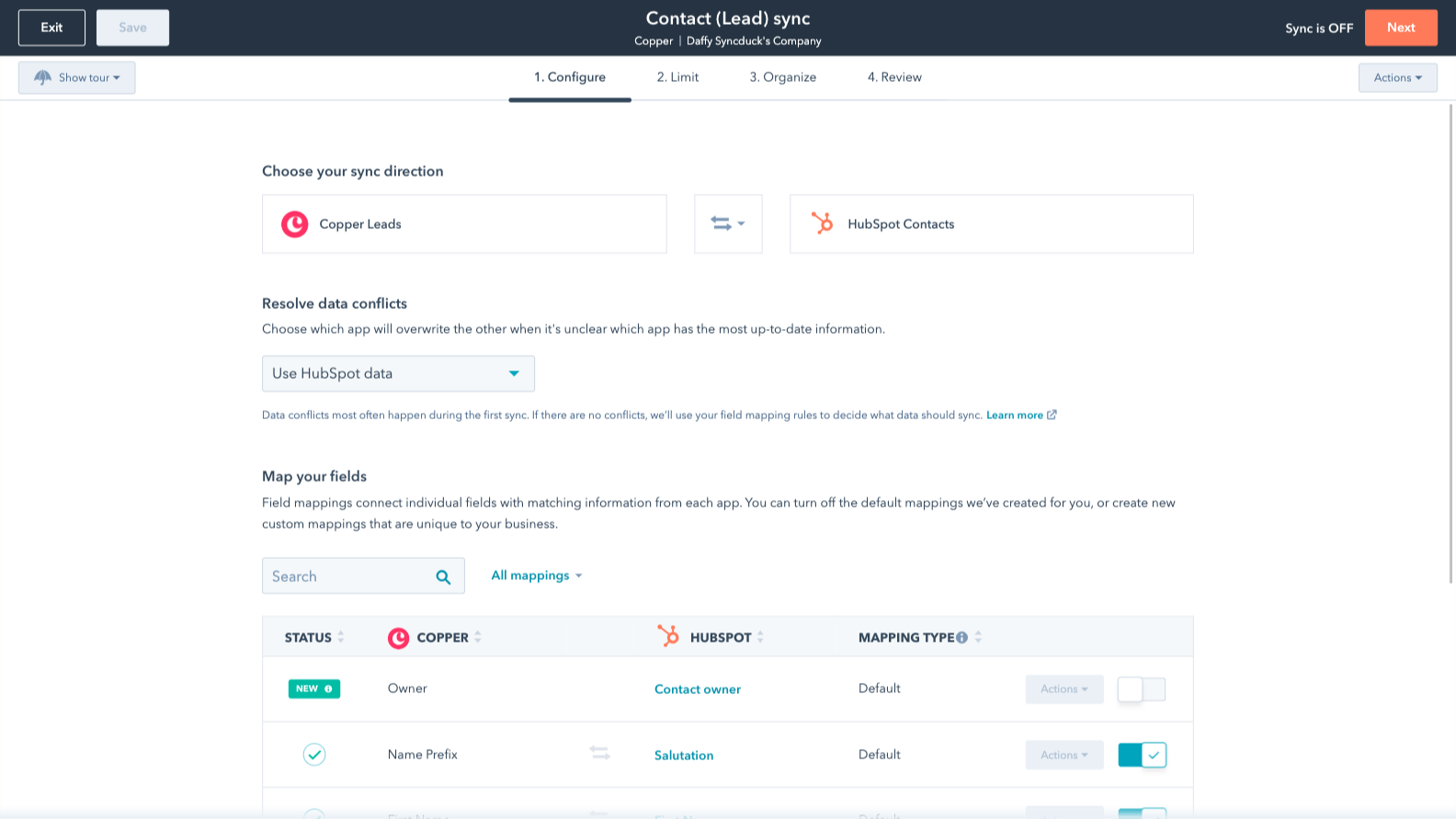
Sync Copper and HubSpot data
Make manual data entry a thing of the past by syncing opportunities, companies, people & leads between HubSpot and Copper (Prosperworks). When records are created or updated in either app, that information will be automatically shared with the other one.

Custom field mappings
Custom field mappings are available with Data Hub Starter or up. Custom mappings add the flexibility to create your own mappings or make changes to your default ones.
App Functionality
Shared Data
Each object has field mappings that connect matching information from each app. Default mappings are listed below. If you want to change these default mappings or create your own, custom field mappings are available with Data Hub Starter and up.
Phone Call Activities | ||
Companies | ||
People | ||
Leads | ||
Meeting Activities | ||
Notes | ||
Opportunities | ||
Tasks |
Reviews
2.8
5
2.8
5
- May 27, 2026
A Basic Starting Point Only
It brings in the basics, anything more, you have to do yourself or pay extra
It makes the starting point a lot easier
Lots of back end work, data clean-up, and spreadsheets. For example, it can bring in a note, but will not bring in the person who created it and HubSpot prevents editing a note through Imports, or it will bring in the record from Copper but you need to pay for Data Hub to map the Copper record ID to the HubSpot ID - it does not happen automatically.
Guirgis, M.
- Mar 6, 2026
Great potential but missing essential marketing tools and overpriced compared to better alternatives that offer more for less.
Copper works fine, the problem is a CRM needs some kind of real marking platform. What's the point of all that organization without a way to act on it? It works great with workspace which is good, but the lack of marketing just cannot be overlooked. If all I need is an organized address book, I already have that with my workspace account. But the biggest deal killer for us, was the abilities to NOT switch from personal email to a general email within Copper itself. Copper has so many things going right, but drops the ball in some key places.
It integrates so nicely, Clean UI. It works but is more of a personal address book vs true business platform crm.
Because Copper has limited abilities for marketing abilities, I moved everything over to HubSpot. The UIs are similar and HubSpot's $9 a month plan does more for me than what Copper does. Copper is a lot more per month for than HubSpot's lower tier paid plan but yet HubSpot offers more integrations and more advanced tools to go along with the crm. While HubSpot may not be quite as integrated into Google, it's actually better than most think.
Broekemier, J.
Pricing
Review Copper's Pricing Page
$0
Use the 'See all pricing options' link on the righthand side
Make sure to confirm the HubSpot subscription and the Copper subscription needed to install this integration
Note: "Free" is referring to the cost of the integration, not the app subscriptions
Review Copper's Pricing Page
$0
Use the 'See all pricing options' link on the righthand side
Make sure to confirm the HubSpot subscription and the Copper subscription needed to install this integration
Note: "Free" is referring to the cost of the integration, not the app subscriptions
* The pricing here is for display purposes only. All prices do not include taxes, incentives, discounts, or other pricing variables. You should contact the partner for the most up to date and correct pricing information. HubSpot does not take any responsibility for this pricing information, which is provided by our partners. Pricing last updated: 12/15/2025
Getting attention today

Fortnox
Convert deals to Fortnox invoices, see invoice status, and track customer revenue without leaving HubSpot.
Microsoft SharePoint & OneDrive
Link files and folders from SharePoint & OneDrive to CRM records, and automate file management through workflows.
