

Copper
Requisiti
Piano HubSpot Autorizzazioni dell'account HubSpot Nessuna autorizzazione richiesta Tipo di accesso Condiviso Abbonamento Copper - Piano Review Copper's Pricing Page
Panoramica
1/2
Sync data between Copper (Prosperworks) and HubSpot without manual data entry or messy, time-consuming imports.
Here’s what you get with Data Sync by HubSpot:
- Two-way sync: Data is shared between Copper and HubSpot in real time
- Default field mappings: Set-up is quick with out-of-the-box field mappings already created for you
- Historical syncing: Your existing data will sync right away, and updates will sync as they happen
Note: Please review the "Shared Data" section below to see which objects sync
Funzionalità
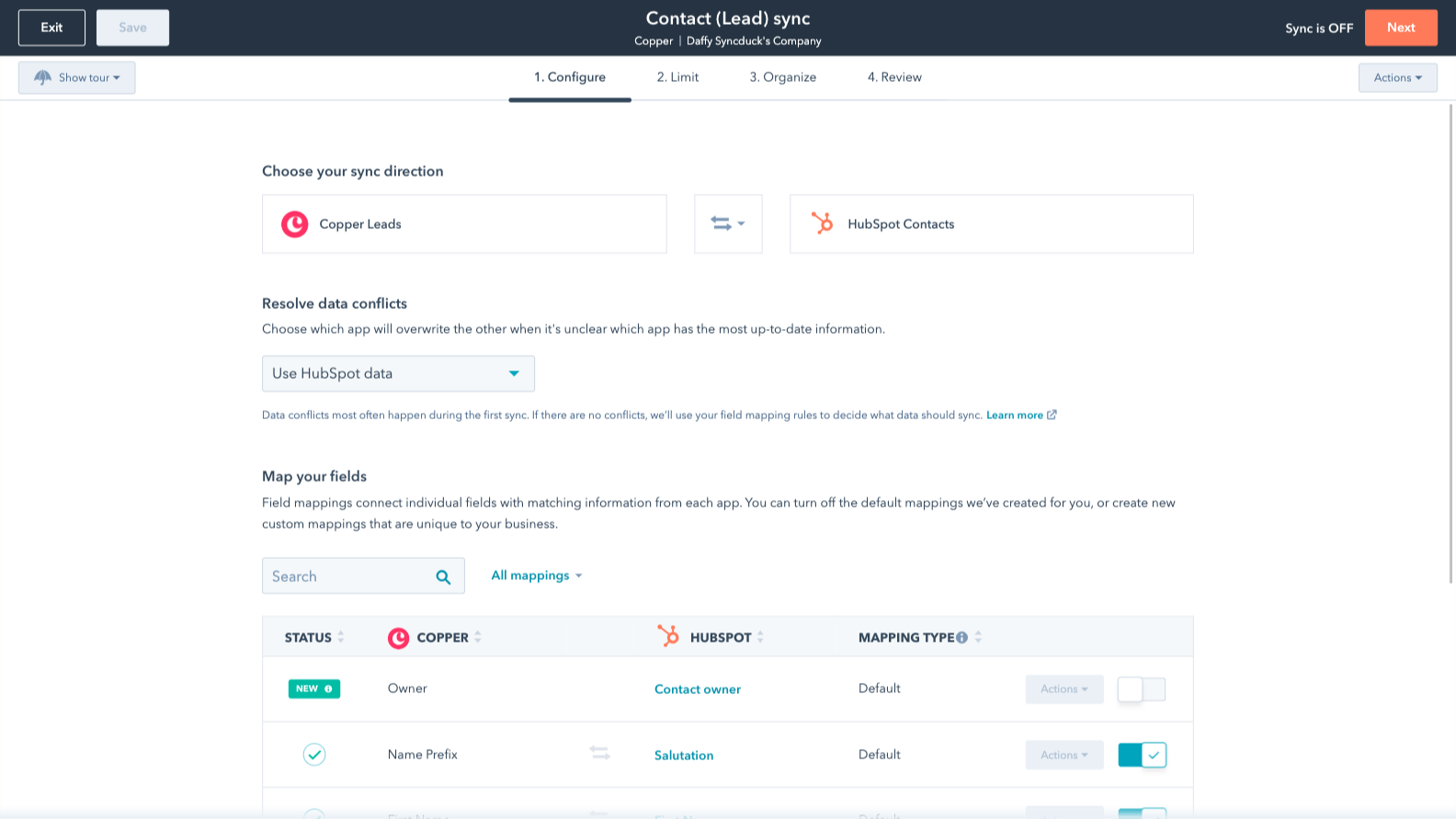
Sync Copper and HubSpot data
Make manual data entry a thing of the past by syncing opportunities, companies, people & leads between HubSpot and Copper (Prosperworks). When records are created or updated in either app, that information will be automatically shared with the other one.

Custom field mappings
Custom field mappings are available with Data Hub Starter or up. Custom mappings add the flexibility to create your own mappings or make changes to your default ones.
Funzionalità dell'app
Dati condivisi
Each object has field mappings that connect matching information from each app. Default mappings are listed below. If you want to change these default mappings or create your own, custom field mappings are available with Data Hub Starter and up.
Phone Call Activities | ||
Companies | ||
People | ||
Leads | ||
Meeting Activities | ||
Notes | ||
Opportunities | ||
Tasks |
Recensioni
2,8
5
2,8
5
- 27 mag 2026
Solo un punto di partenza di base
Fornisce le nozioni di base, tutto ciò che è in più lo devi fare da solo o pagare un extra.
Rende il punto di partenza molto più semplice
Per esempio, può inserire una nota, ma non la persona che l'ha creata e HubSpot impedisce la modifica di una nota attraverso le importazioni, oppure inserisce il record da Copper, ma è necessario pagare Data Hub per mappare l'ID del record Copper con l'ID di HubSpot - non avviene automaticamente.
Guirgis, M.
- 6 mar 2026
Grande potenziale, ma mancano strumenti di marketing essenziali e il prezzo è eccessivo rispetto ad alternative migliori che offrono di più a meno.
Il rame funziona bene, ma il problema è che un CRM ha bisogno di una sorta di piattaforma di marcatura reale. A cosa serve tutta questa organizzazione senza un modo per agire? Funziona benissimo con lo spazio di lavoro, il che è positivo, ma la mancanza di marketing non può essere trascurata. Se mi serve solo una rubrica organizzata, ce l'ho già con il mio account workspace. Ma il problema più grande per noi è stata la possibilità di NON passare dalla posta elettronica personale a quella generale all'interno di Copper stesso. Copper ha tante cose che vanno bene, ma perde la palla in alcuni punti chiave.
Si integra bene, l'interfaccia utente è pulita. Funziona, ma è più una rubrica personale che una vera piattaforma crm aziendale.
Poiché Copper ha capacità limitate per quanto riguarda le abilità di marketing, ho spostato tutto su HubSpot. Le interfacce utente sono simili e il piano di HubSpot, che costa 9 dollari al mese, mi permette di fare di più rispetto a Copper. Copper costa molto di più al mese rispetto al piano a pagamento di livello inferiore di HubSpot, ma HubSpot offre più integrazioni e strumenti più avanzati da affiancare al crm. Sebbene HubSpot non sia così integrato in Google, è in realtà migliore di quanto molti pensino.
Broekemier, J.
Review Copper's Pricing Page
0 USD
Use the 'See all pricing options' link on the righthand side
Make sure to confirm the HubSpot subscription and the Copper subscription needed to install this integration
Note: "Free" is referring to the cost of the integration, not the app subscriptions
Review Copper's Pricing Page
0 USD
Use the 'See all pricing options' link on the righthand side
Make sure to confirm the HubSpot subscription and the Copper subscription needed to install this integration
Note: "Free" is referring to the cost of the integration, not the app subscriptions
* I prezzi riportati sono a scopo informativo. I prezzi non includono tasse, incentivi, sconti o altre variabili. Contatta il partner per ricevere il tariffario aggiornato. HubSpot declina qualsiasi responsabilità circa le informazioni di prezzo fornite dai propri partner. Ultimo aggiornamento tariffario: 15/12/2025
Maggiori informazioni
Ottenere l'attenzione oggi

Slack
Gestite i record del CRM, ricevete l'assistenza AI di Breeze, inviate notifiche in tempo reale e collaborate con il vostro team, senza lasciare Slack.

Zoom
Utilizza Zoom con le riunioni, i flussi di lavoro, le schede dei contatti e altre funzionalità di HubSpot.
