

Copper
Exigences
Abonnement HubSpot Autorisations de compte HubSpot Aucune autorisation requise Type d'accès Partagé Abonnement à Copper - Abonnement : Review Copper's Pricing Page
Vue d'ensemble
1/2
Sync data between Copper (Prosperworks) and HubSpot without manual data entry or messy, time-consuming imports.
Here’s what you get with Data Sync by HubSpot:
- Two-way sync: Data is shared between Copper and HubSpot in real time
- Default field mappings: Set-up is quick with out-of-the-box field mappings already created for you
- Historical syncing: Your existing data will sync right away, and updates will sync as they happen
Note: Please review the "Shared Data" section below to see which objects sync
Fonctionnalités
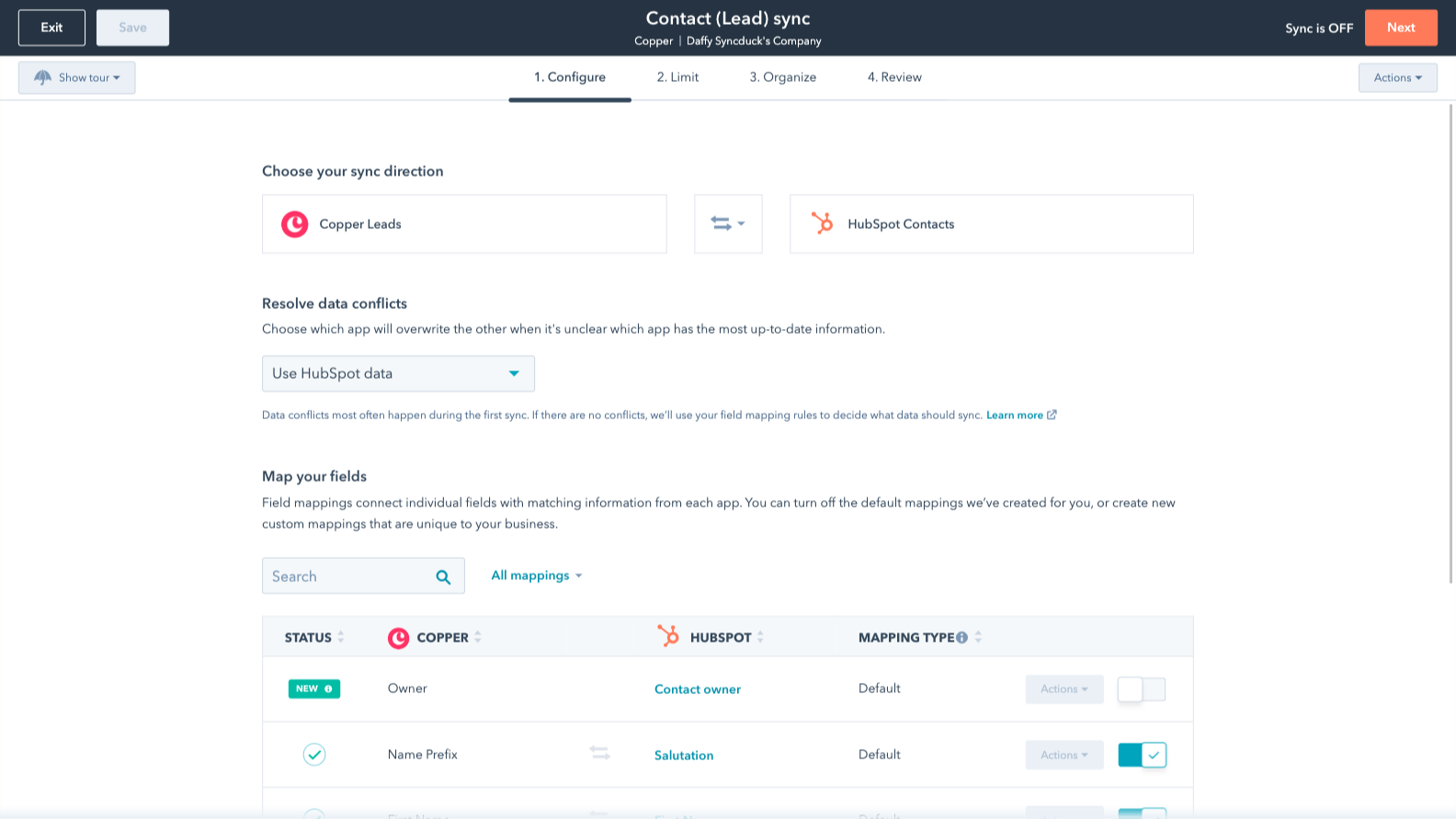
Sync Copper and HubSpot data
Make manual data entry a thing of the past by syncing opportunities, companies, people & leads between HubSpot and Copper (Prosperworks). When records are created or updated in either app, that information will be automatically shared with the other one.

Custom field mappings
Custom field mappings are available with Data Hub Starter or up. Custom mappings add the flexibility to create your own mappings or make changes to your default ones.
Fonctionnalité de l'application
Données partagées
Each object has field mappings that connect matching information from each app. Default mappings are listed below. If you want to change these default mappings or create your own, custom field mappings are available with Data Hub Starter and up.
Phone Call Activities | ||
Companies | ||
People | ||
Leads | ||
Meeting Activities | ||
Notes | ||
Opportunities | ||
Tasks |
2,8
5
2,8
5
- 27 mai 2026
Un simple point de départ
Il apporte l'essentiel, tout ce qui est supplémentaire doit être fait par vous-même ou payé en sus.
Cela facilite grandement le point de départ
Par exemple, il peut apporter une note, mais n'apportera pas la personne qui l'a créée et HubSpot empêche la modification d'une note par le biais des importations, ou il apportera l'enregistrement de Copper mais vous devez payer pour que Data Hub mette en correspondance l'ID de l'enregistrement de Copper avec l'ID de HubSpot - cela ne se fait pas automatiquement.
Guirgis, M.
- 6 mars 2026
Grand potentiel mais manque d'outils marketing essentiels et prix excessif par rapport à d'autres solutions qui offrent plus pour moins cher.
Le cuivre fonctionne bien, mais le problème est qu'un CRM a besoin d'une sorte de plateforme de marquage réel. Quel est l'intérêt de toute cette organisation sans moyen d'action ? Cela fonctionne très bien avec l'espace de travail, ce qui est une bonne chose, mais le manque de marketing ne peut pas être négligé. Si tout ce dont j'ai besoin, c'est d'un carnet d'adresses organisé, je l'ai déjà avec mon compte workspace. Mais ce qui nous a le plus gênés, c'est la possibilité de NE PAS passer d'une messagerie personnelle à une messagerie générale au sein même de Copper. Copper a tellement de bonnes choses à offrir, mais il laisse tomber à certains endroits clés.
Il s'intègre très bien, l'interface utilisateur est propre. Il fonctionne mais il s'agit plus d'un carnet d'adresses personnel que d'une véritable plateforme crm d'entreprise.
Comme Copper a des capacités limitées en matière de marketing, j'ai tout transféré sur HubSpot. Les interfaces sont similaires et le plan HubSpot à 9$ par mois me permet de faire plus que ce que Copper fait. Copper est beaucoup plus cher par mois que le plan payant de niveau inférieur de HubSpot, mais HubSpot offre plus d'intégrations et d'outils plus avancés pour aller de pair avec le CRM. HubSpot n'est peut-être pas aussi intégré à Google, mais il est en fait meilleur que ce que l'on pense.
Broekemier, J.
Tarification
Review Copper's Pricing Page
0 $US
Use the 'See all pricing options' link on the righthand side
Make sure to confirm the HubSpot subscription and the Copper subscription needed to install this integration
Note: "Free" is referring to the cost of the integration, not the app subscriptions
Review Copper's Pricing Page
0 $US
Use the 'See all pricing options' link on the righthand side
Make sure to confirm the HubSpot subscription and the Copper subscription needed to install this integration
Note: "Free" is referring to the cost of the integration, not the app subscriptions
* Les prix mentionnés ici sont uniquement présentés à titre indicatif. Tous les prix n'incluent pas les taxes, les offres spéciales, les réductions ni les autres facteurs pouvant affecter les tarifs. Vous devez contacter le partenaire pour obtenir les tarifs les plus récents. HubSpot n'assume aucune responsabilité pour les informations de tarification fournies par ses partenaires. Dernière mise à jour des prix : 15/12/2025
Informations supplémentaires
Les plus populaires

Gmail
Intégrez HubSpot à votre boîte de réception grâce à l'intégration Gmail.

Google Calendar
Réservez des réunions rapidement et facilement avec HubSpot et Google Calendar.
