

Intercom
Exigences
Abonnement HubSpot Autorisations de compte HubSpot - Afficher les autorisations de compte requises
Type d'accès Partagé Abonnement à Intercom - Abonnements : Starter, Support, Engage ou Convert
Vue d'ensemble
1/4
Capture more leads from your website with Intercom's automation and live chat, and then sync new leads and conversations with HubSpot so you can:
- Keep your CRM up-to-date by automatically sending leads to HubSpot as you capture and qualify them with Intercom
- Know who your leads are as you chat by accessing key HubSpot data about a lead right from the Intercom Inbox
- Get the complete picture of every lead’s journey by automatically logging your conversations with a lead in their activity timeline
- Automatically set lead owners in HubSpot to be the same as they are in Intercom
You can explore the top use cases of this integration'
Watch our demo video to explore the most popular use cases of the Intercom and HubSpot integration.
Fonctionnalités
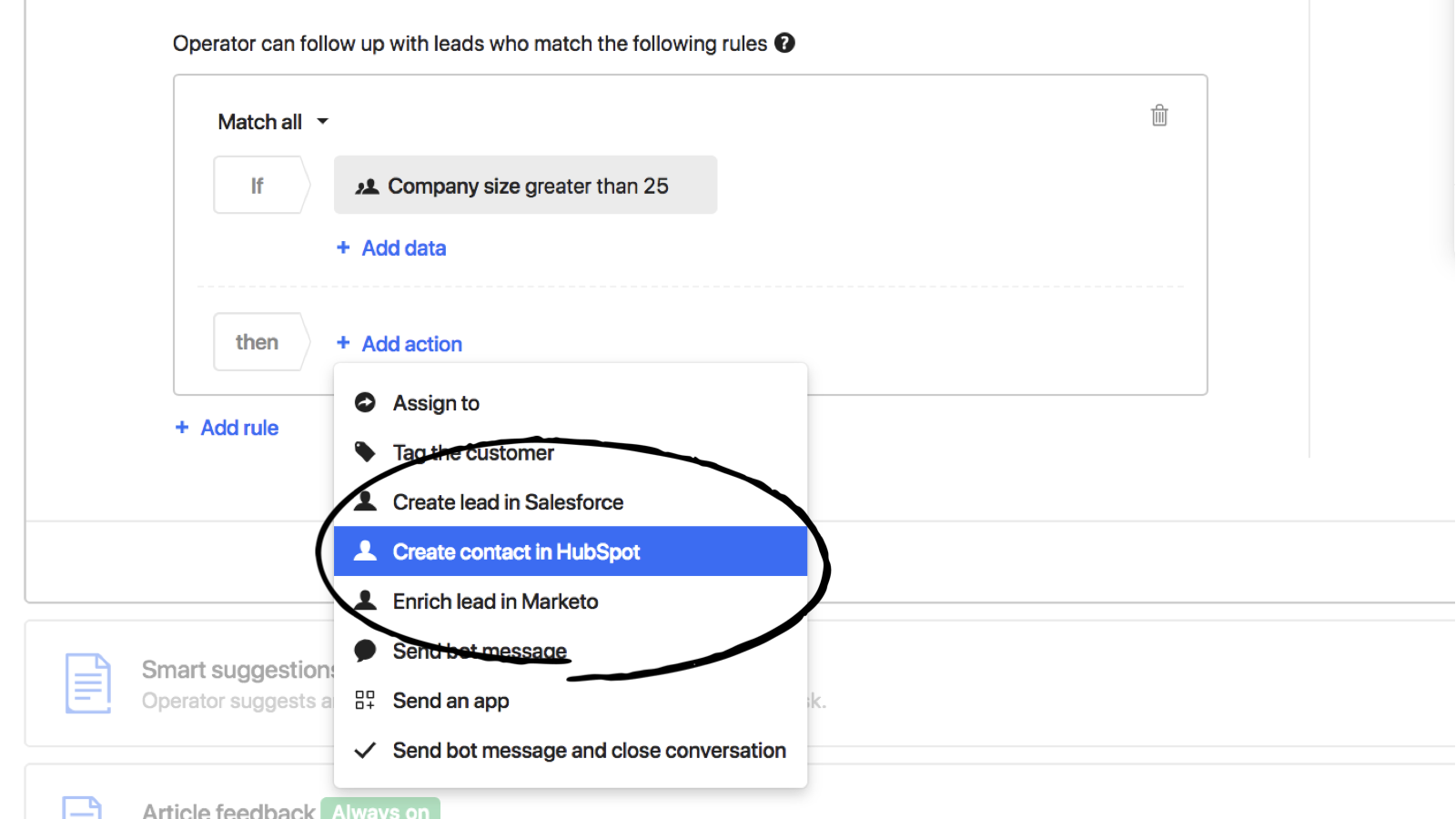
Widen your funnel by capturing leads 24/7 with bots
Automatically qualify leads with chatbots in Intercom, and send your best leads to HubSpot to nurture. Plus, sync all subsequent conversations in Intercom to leads' activity timelines in HubSpot, so you can continue a sale right where you left off.
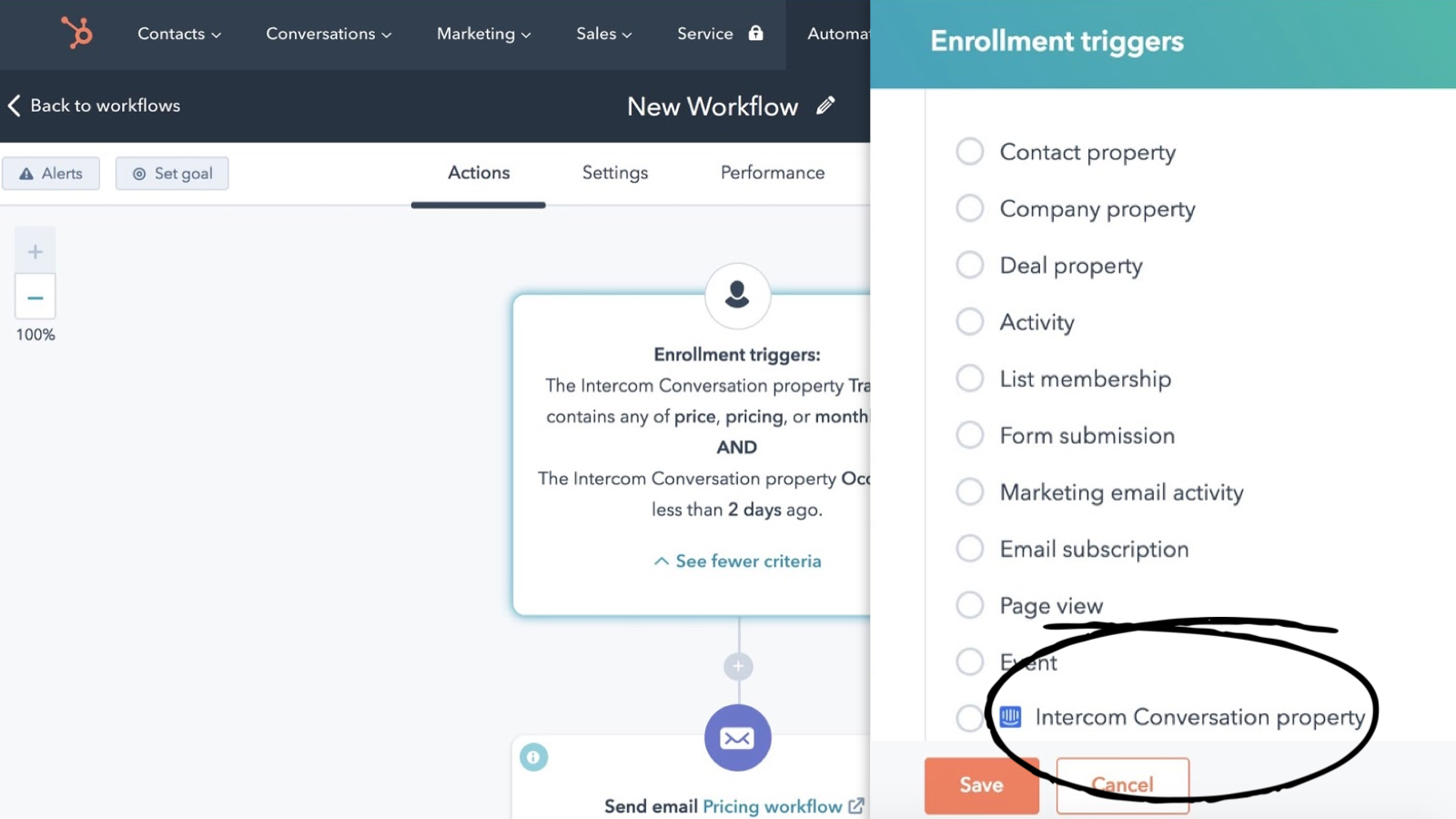
Trigger workflows in HubSpot from Intercom conversations
Use an Intercom conversation's date, keywords or URL to trigger a workflow in HubSpot. For example, you can create a workflow to automatically nurture new leads who mention "pricing" or "monthly plan" in their conversations.
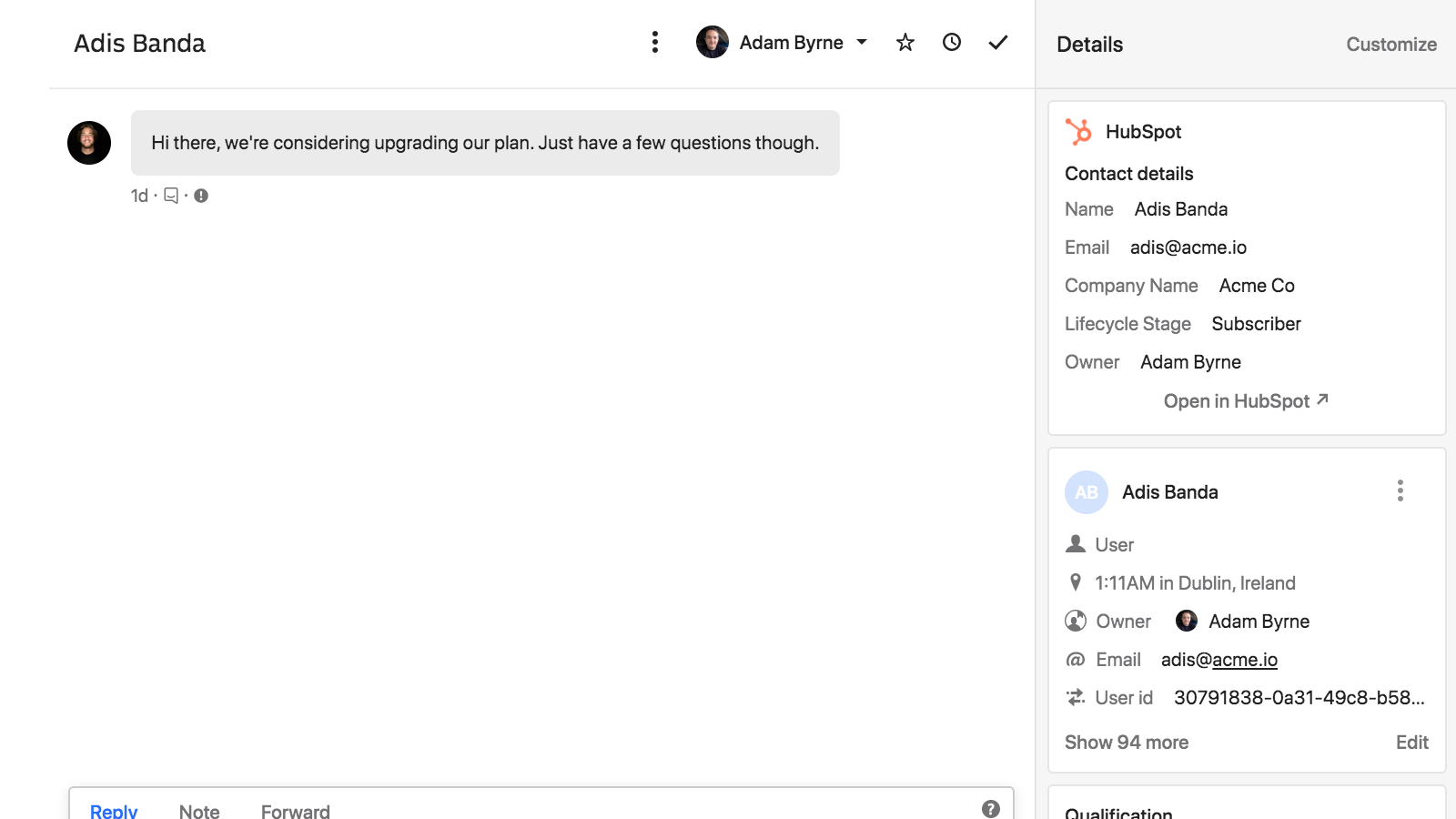
Get every lead to the right owner
When a lead chats in, you can easily see who the lead's HubSpot owner is, so you can quickly route the lead to the right person. Plus, you can view their lifecycle stage and deal status — giving you the context you need alongside every conversation.
Fonctionnalité de l'application
Données partagées
Leads | ||
Qualification Details | ||
Conversations | ||
Contact Owners | ||
Stage | ||
Status |
2,2
30
2,2
30
- 25 févr. 2026
Fonctionne parfaitement et comble les lacunes de HubSpot avec d'excellentes fonctionnalités de chatbot IA, bien qu'il manque la création automatique de tickets.
Il fonctionne comme un charme et offre des fonctionnalités de support avancées que nous ne pouvions pas obtenir directement via HubSpot.
Chatbot AI et flux de travail pour l'attribution des tickets
Pas de création automatique de ticket dans HubSpot
Klaiber, S.
- 18 févr. 2026
Une mauvaise intégration crée des journaux HubSpot désordonnés avec des conversations fragmentées au lieu de fils organisés.
L'enregistrement des conversations Intercom dans HubSpot n'a aucun sens. Chaque message est enregistré comme un message séparé et non comme un fil de discussion. Très bruyant.
L'enregistrement des conversations Intercom dans HubSpot n'a aucun sens. Chaque message est enregistré comme un message séparé et non comme un fil de discussion. Très bruyant.
Slimani, T.
Tarification
Starter
74 $US
/moisFor very small businesses
Chat & email support
Targeted outbound email
In-product messages
Shared Inbox
Help center
Conversation routing bot
And more
Starter
74 $US
/moisFor very small businesses
Chat & email support
Targeted outbound email
In-product messages
Shared Inbox
Help center
Conversation routing bot
And more
* Les prix mentionnés ici sont uniquement présentés à titre indicatif. Tous les prix n'incluent pas les taxes, les offres spéciales, les réductions ni les autres facteurs pouvant affecter les tarifs. Vous devez contacter le partenaire pour obtenir les tarifs les plus récents. HubSpot n'assume aucune responsabilité pour les informations de tarification fournies par ses partenaires. Dernière mise à jour des prix : 08/08/2025