

Task Assistant
Built by - Growth Operations
Installs - 200+ installs
Rating 5
(3)

Leading
Requirements
HubSpot Plan HubSpot Account permissions - View the required account permissions
Access Type Shared Task Assistant Subscription - Free, Starter, Professional, Enterprise, or Enterprise+ plans
Overview
1/4
Finally, you can STOP fumbling over irrelevant tasks.
Task Assistant allows you to easily automate tasks updates using any type of HubSpot workflow.
Three common use cases:
- When a ticket closes, mark open tasks as complete
- If a record owner changes, update the task owner
- When a deal is won, delete remaining sales tasks
Key features:
- With one app install you'll unlock three new workflow actions
- Task Assistant actions are available in ANY type of workflow
- Advanced features allow you to filter which tasks you update
Start cleaning up your tasks today for FREE.
Features
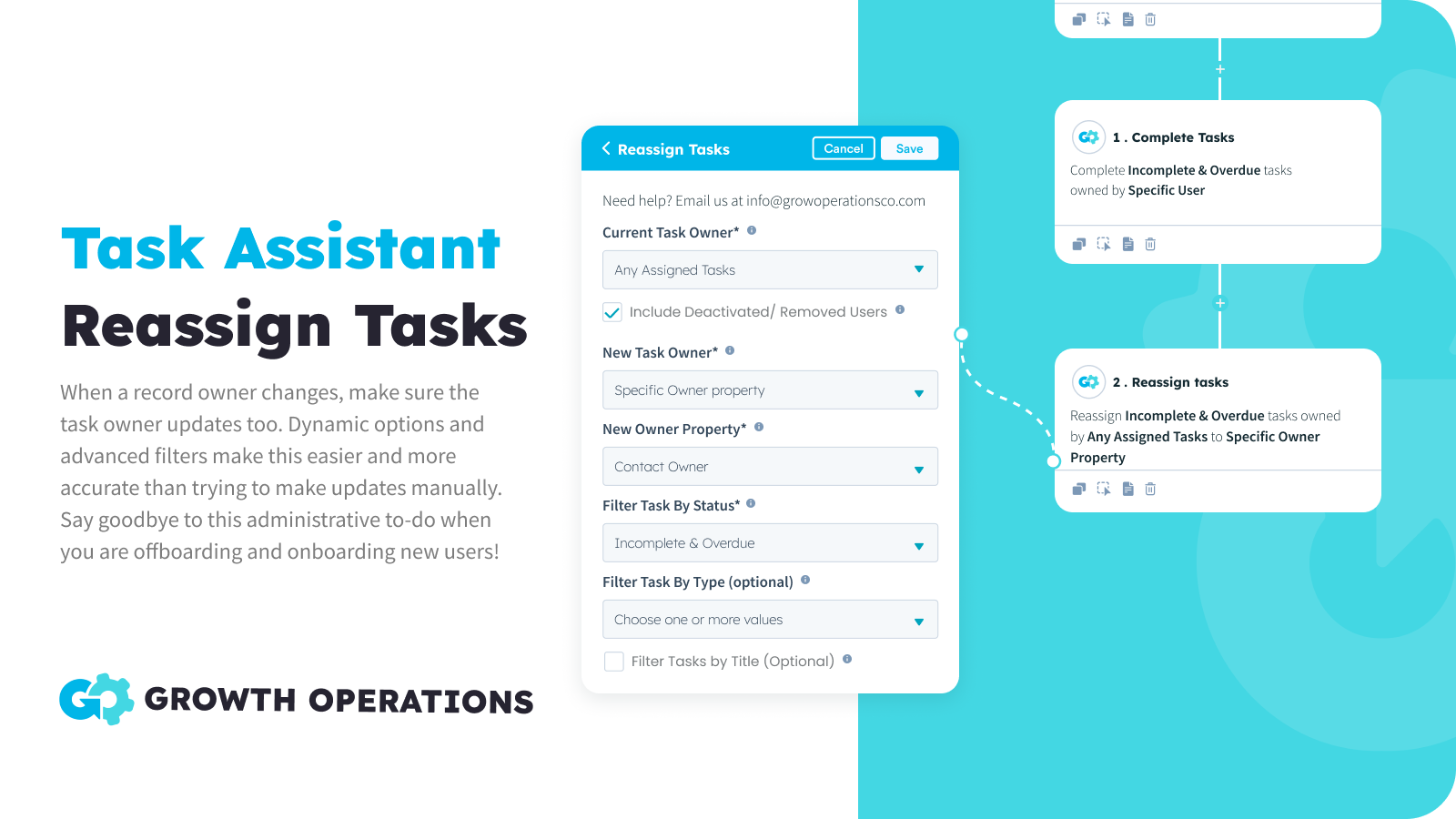
Bulk Reassign Tasks
When a record owner changes, make sure the task owner updates too. Dynamic options make this easy to automate, and advanced filters make this more accurate than trying to do updates manually. Say goodbye to this administrative to-do when you are offboarding and onboarding new users!
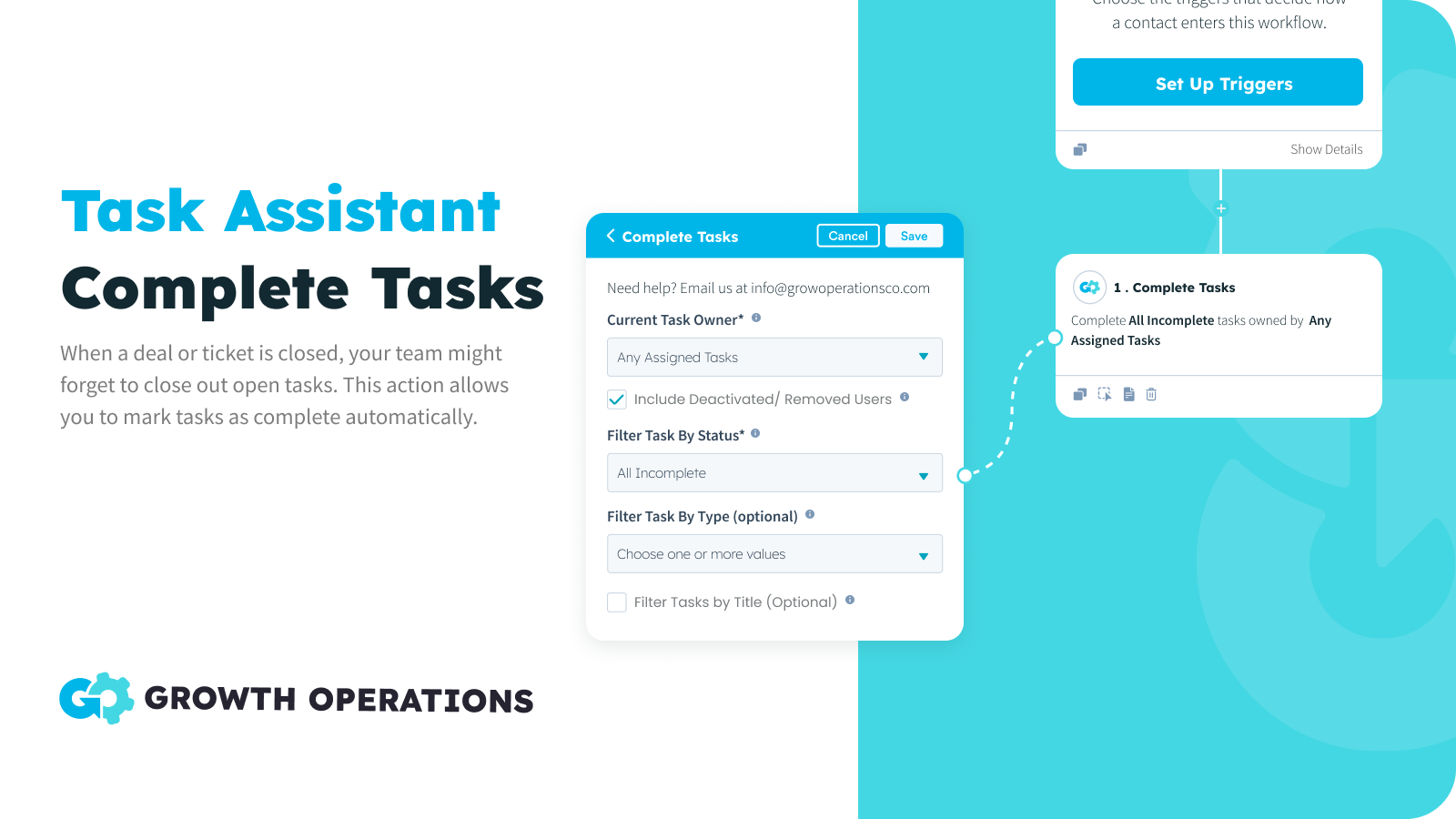
Bulk Complete Tasks
When a deal or ticket is closed, your team might forget to close out open tasks. This action allows you to mark tasks as complete automatically, ensuring your team stays focused on tasks that are relevant.
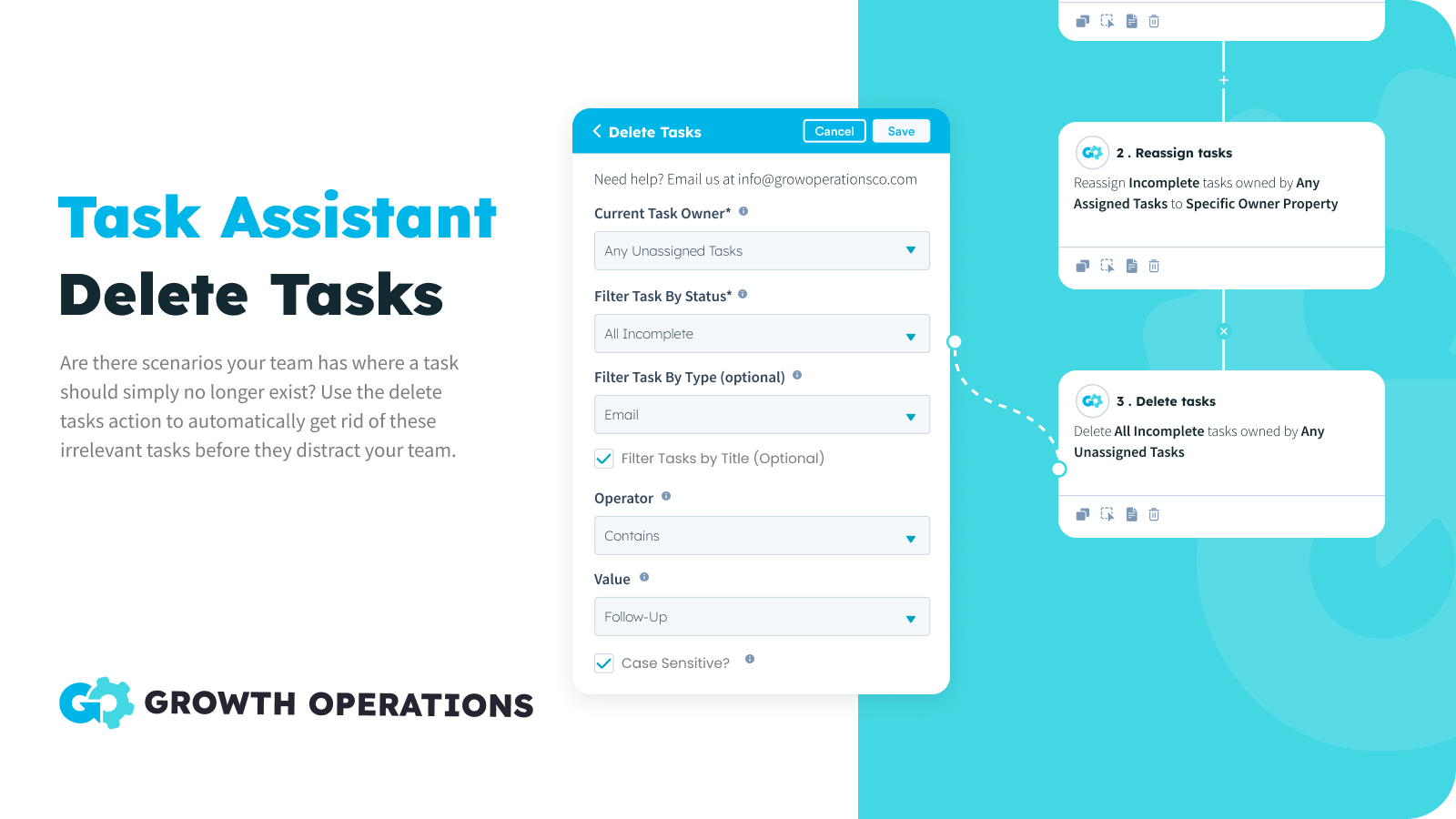
Bulk Delete Tasks
Sometimes there are tasks that you simply no longer need. You don't want to mark the task complete, because no action has been taken. You just don't want it, period. Now you can put those scenarios on auto-pilot, ensuring your team's tasks are accurate.
App Functionality
Tasks | ||
Contacts | ||
Companies | ||
Deals | ||
Tickets |
Reviews
- Sep 16, 2024
Great for reassigning contacts during annual leave
I was looking for a solution to making sure MQLs weren't slipping through the net while a team member was on a two-week holiday, but I didn't want to change contact owner. Task Assistant was great for this. Andrew was super helpful too, supporting me in getting my "OOO" task reassignment set up, saving me a big headache. We: 1) Created a list of records that target the tasks (incomplete / newly created tasks for the 2-week period). 2) Used Task Assistant to reassign specific tasks on those records to a specific user (the person covering for my person on hols.)
Rose, K.
Retail - 11 to 25 employees
- Jan 7, 2024
Keeps the pipeline clean!
Plenty of uses for this one and easy for any workflow novice to utilise We have integrated using task assistant to close off tasks as the stage is completed and HS tasks to open the next stage. This means all opens deals have tasks on them and changes of leakage is minimised. It’s also great if you want to delete a redundant task or re-allocate tasks as a deal owner changes We also use this as a fix for another issue or limitation in HubSpot, where Marketing do not show up in deal activity and are only visible in Contact activity…. Since our sales team predominantly uses deal view, it’s a pain having to keep going into the Contact to see any marking emails, SMS, etc. As a marketing email is sent, we have HS create an immediate task saying “Marking Email Sent - <template name>, and then put a link to the email preview in the Task notes. Sames goes for SMS or any other activity you want to stamp do the deal.. Task Assistant can then close that task immediately and you now have marketing information from the deal
Plenty of uses for this one 1) Reallocate any tasks when a deal owner changes 2) Close off or delete any tasks Using workflows we have integrated using task assistant to close off tasks as the stage is completed and HS tasks to open the next stage. This means all opens deals have taks on them and changes of leakage is minimised Also fixes another issue or limitation in HubSpot where Marketing Emails are not time stamped to deals, but only show up in Contact activity - Since our sales team predominetly uses
Zentner, D.
Banking/Financial Services - 26 to 50 employees
Pricing
Free
$0
50x Per Month For FREE
All Task Actions
All Workflow Types
50 Actions Per Month
Free
$0
50x Per Month For FREE
All Task Actions
All Workflow Types
50 Actions Per Month
* The pricing here is for display purposes only. All prices do not include taxes, incentives, discounts, or other pricing variables. You should contact the partner for the most up to date and correct pricing information. HubSpot does not take any responsibility for this pricing information, which is provided by our partners. Pricing last updated: 05/26/2026
More info
Built by - Growth Operations
Installs - 200+ installs
Categories Languages this app is available in English
Getting attention today
-1.png)
HubSpot connector for Claude
Access your HubSpot context in Claude to get personalized insights, visualizations, and to create and update your CRM records.

Microsoft Teams
Use Microsoft Teams and HubSpot for meetings, conversations, and more!
