

SurveyMonkey
Requirements
HubSpot Plan HubSpot Account permissions No permissions required Access Type Shared SurveyMonkey Subscription - Individual Advantage or Team Advantage plans
Overview
1/4 - SurveyMonkey app for HubSpot demo video
Monitor sentiment and take action on survey data
Segment email lists and create automated workflows* based on survey responses, so you can trigger follow-ups for satisfaction surveys and alert account managers when customers respond with critical feedback.
Get smart about your content
Send a content preference survey. Use smart CTAs, smart content, and active lists to ensure survey respondents only get the content types they say they like best.
Bring context to every conversation
Reps can view survey responses directly on CRM records, so they bring full context to every conversation. Plus, use survey information as scoring criteria to help prioritize follow-up.
* list segmentation and workflows for Professional and Enterprise users
Features
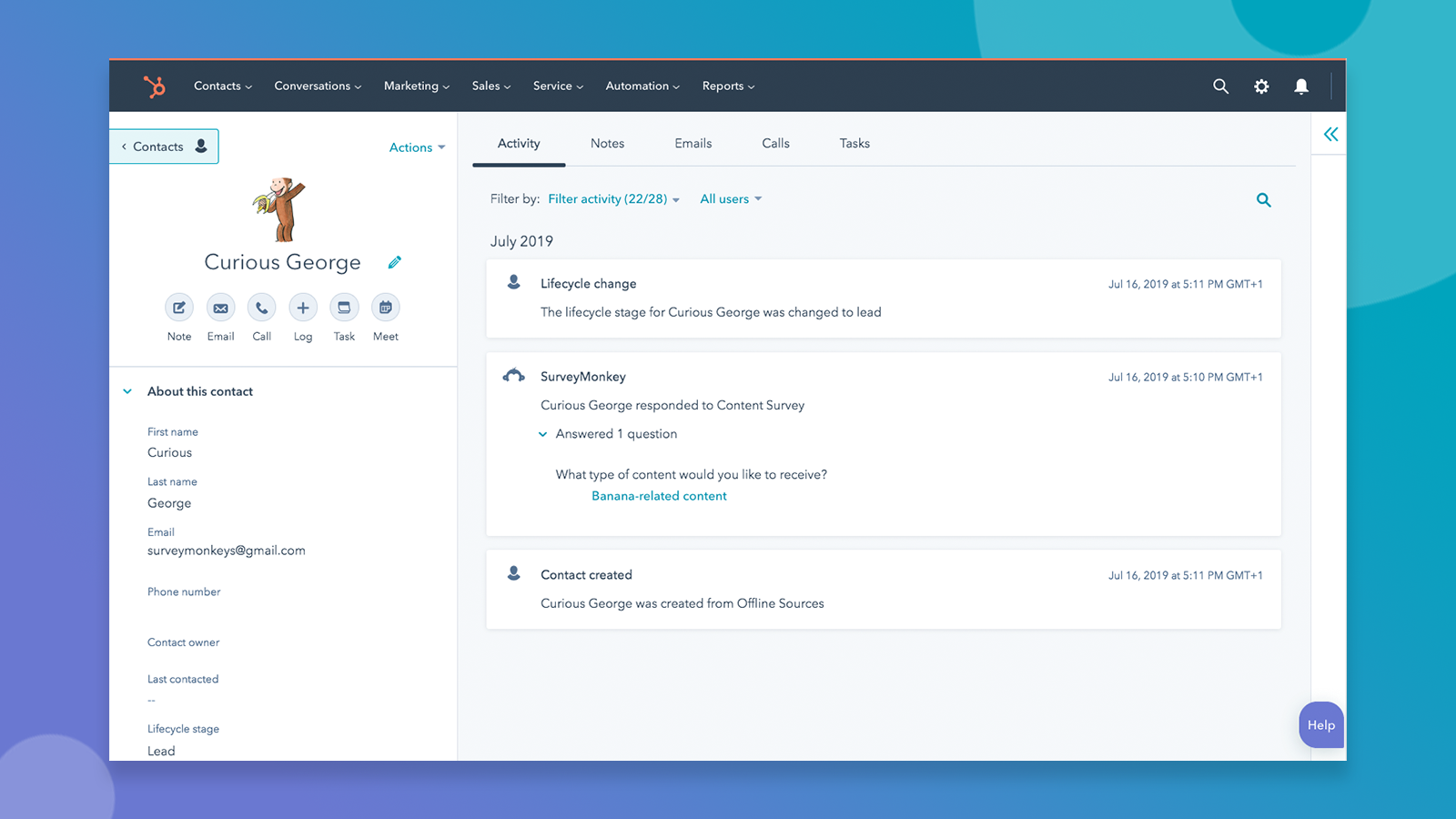
Sync survey responses to HubSpot automatically
When someone fills out a survey you’ve synced with HubSpot, you'll see a SurveyMonkey response on that contact's timeline. If the person filling out the survey is not yet in your database, a new contact will be automatically created for you.
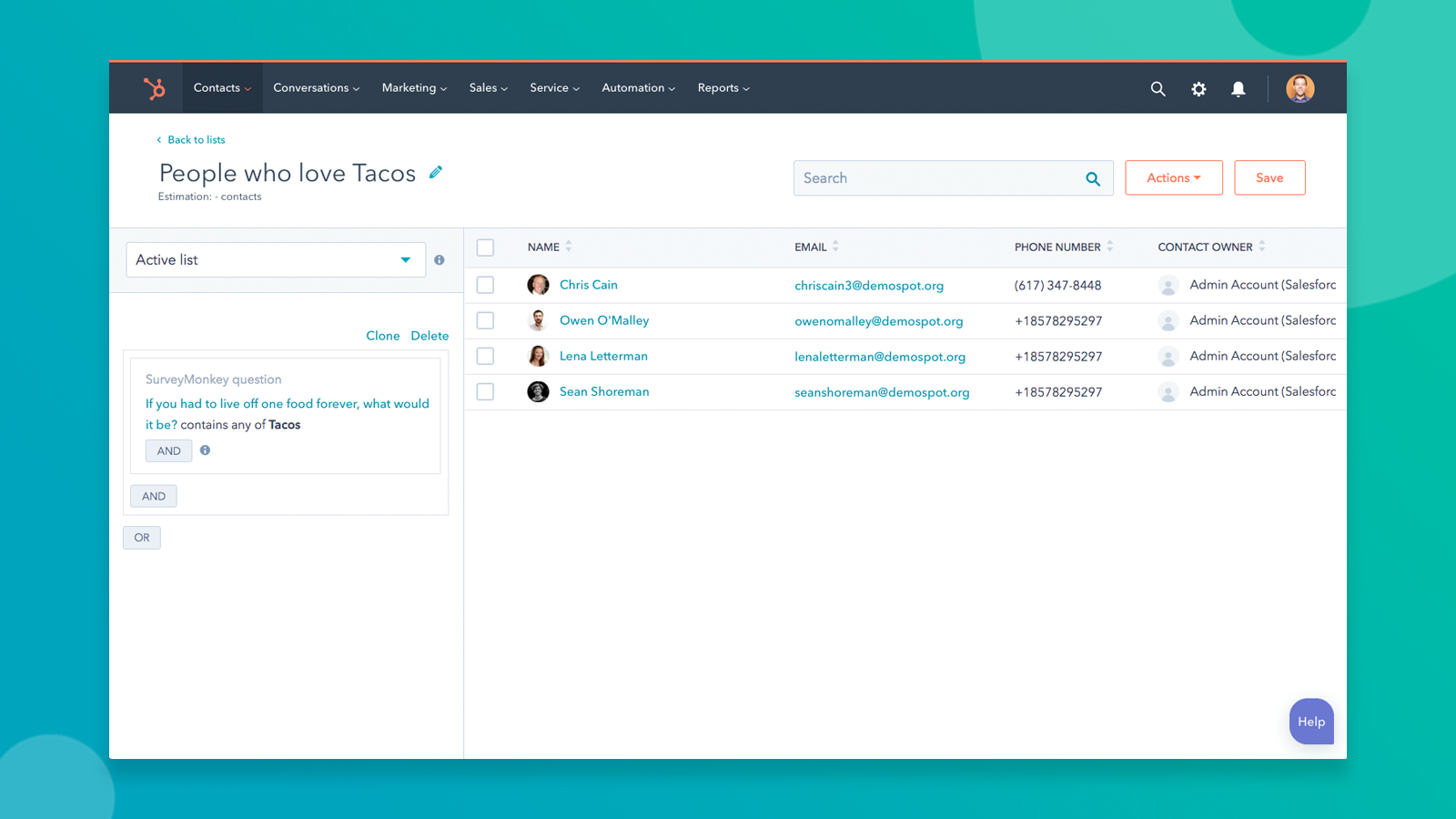
Segment based on survey responses
Create lists, set workflow triggers, update scoring criteria, and more based on survey responses.
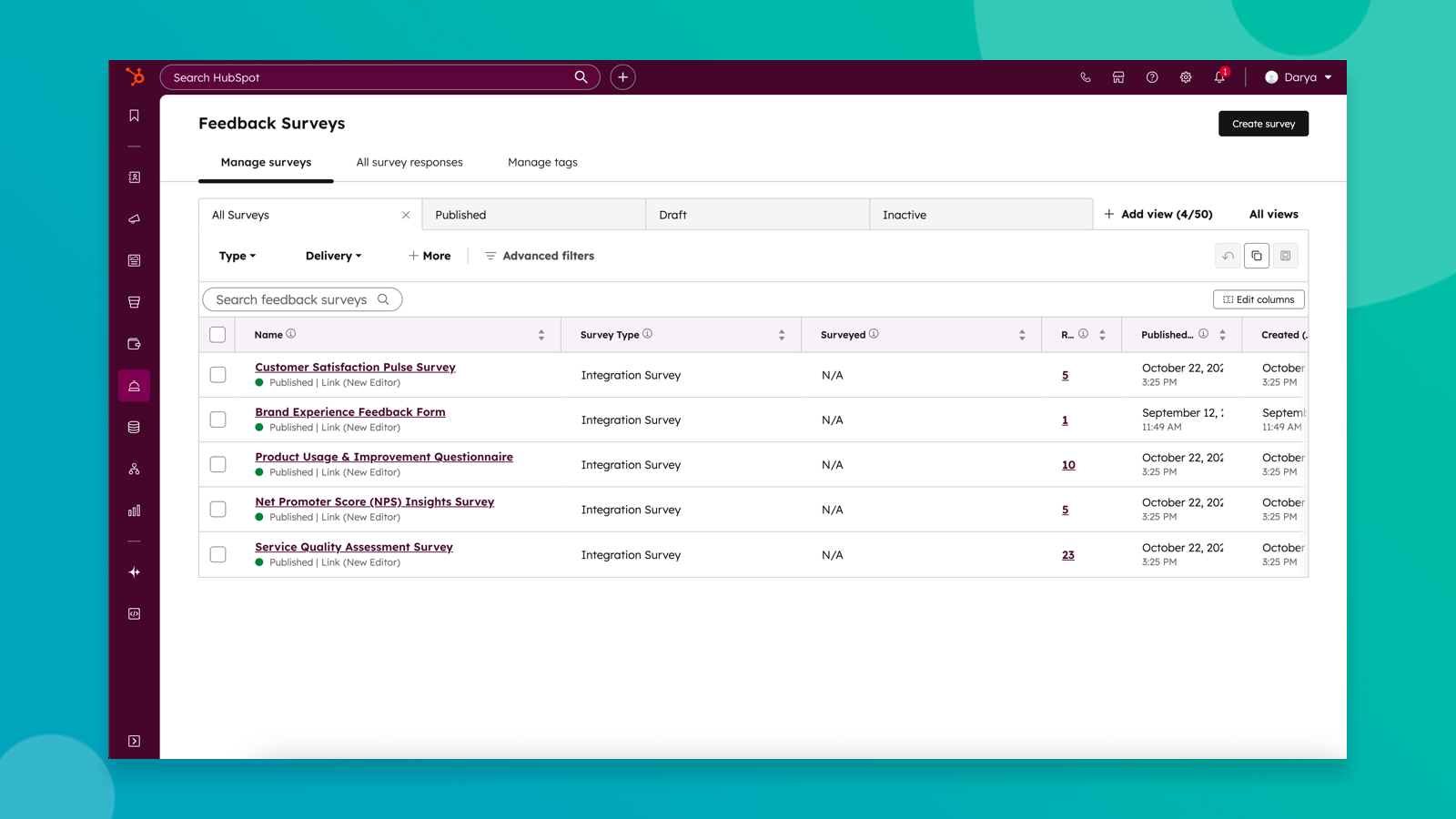
Sync SurveyMonkey surveys to HubSpot feedback surveys
Bring survey data from SurveyMonkey directly to HubSpot surveys to unlock Breeze-powered survey insights and more powerful reporting, segmentation, and automation.
App Functionality
Respondents | ||
Respondents | ||
Survey Respondent | ||
Survey Responses |
Reviews
2.7
58
2.7
58
Users report that survey responses do not map to HubSpot properties for reporting and note they cannot customize email invitations. Despite these data mapping issues, some appreciate the straightforward setup and the ability to view feedback directly on individual contact records.
- Sep 30, 2026
Housing Bank
100%
ALEJAWI, E.
- Sep 10, 2026
Easy Survey Management and Useful HubSpot Integration
SurveyMonkey has been a very useful tool for collecting feedback, surveys, and customer information. The integration with HubSpot makes it easier to connect survey responses with my customer and business workflows. It helps me understand customer needs, gather valuable feedback, and make better business decisions based on responses.
The biggest advantage is the ease of creating and sharing professional surveys. The HubSpot integration also helps streamline customer data and feedback management, reducing the need for manual work. The platform is user-friendly and makes it easy to organize and analyze responses.
Some advanced features and customization options may take a little time to understand, especially when setting up more complex workflows and integrations.
John, O.
Pricing
Individual Advantage
$32
/monthFor individuals sending professional surveys
Unlimited number of surveys
Unlimited questions per survey
Unlimited responses per survey
24/7 expedited email support
...and more!
Individual Advantage
$32
/monthFor individuals sending professional surveys
Unlimited number of surveys
Unlimited questions per survey
Unlimited responses per survey
24/7 expedited email support
...and more!
* The pricing here is for display purposes only. All prices do not include taxes, incentives, discounts, or other pricing variables. You should contact the partner for the most up to date and correct pricing information. HubSpot does not take any responsibility for this pricing information, which is provided by our partners. Pricing last updated: 10/26/2026
Getting attention today

Microsoft Teams
Use Microsoft Teams and HubSpot for meetings, conversations, and more!

Slack
Manage CRM records, get AI-powered assistance from Breeze, send real-time notifications, and collaborate with your team — without leaving Slack.
