
SurveyMonkey
Wymagania
Plan HubSpot Uprawnienia konta HubSpot Nie wymaga uprawnień Typ dostępu Udostępniono Subskrypcja SurveyMonkey - Indywidualna przewaga lub Przewaga zespołu planu
Przegląd
1/4 - Wideo demonstracyjne aplikacji SurveyMonkey dla HubSpot
Monitorowanie nastrojów i podejmowanie działań na podstawie danych z ankiet
Segmentuj listy e-mailowe i twórz zautomatyzowane przepływy pracy* w oparciu o odpowiedzi na ankiety, dzięki czemu możesz wyzwalać działania następcze w przypadku ankiet satysfakcji i ostrzegać menedżerów kont, gdy klienci odpowiadają krytycznymi opiniami.
Inteligentne podejście do treści
Wyślij ankietę dotyczącą preferencji treści. Korzystaj z inteligentnych wezwań do działania, inteligentnych treści i aktywnych list, aby upewnić się, że respondenci ankiety otrzymują tylko te typy treści, które według nich najbardziej im się podobają.
Nadaj kontekst każdej rozmowie
Przedstawiciele mogą przeglądać odpowiedzi na ankiety bezpośrednio w rekordach CRM, dzięki czemu wnoszą pełny kontekst do każdej rozmowy. Dodatkowo, informacje z ankiet mogą posłużyć jako kryteria oceny, które pomogą ustalić priorytety dalszych działań.
* segmentacja list i przepływy pracy dla użytkowników Professional i Enterprise
Cechy
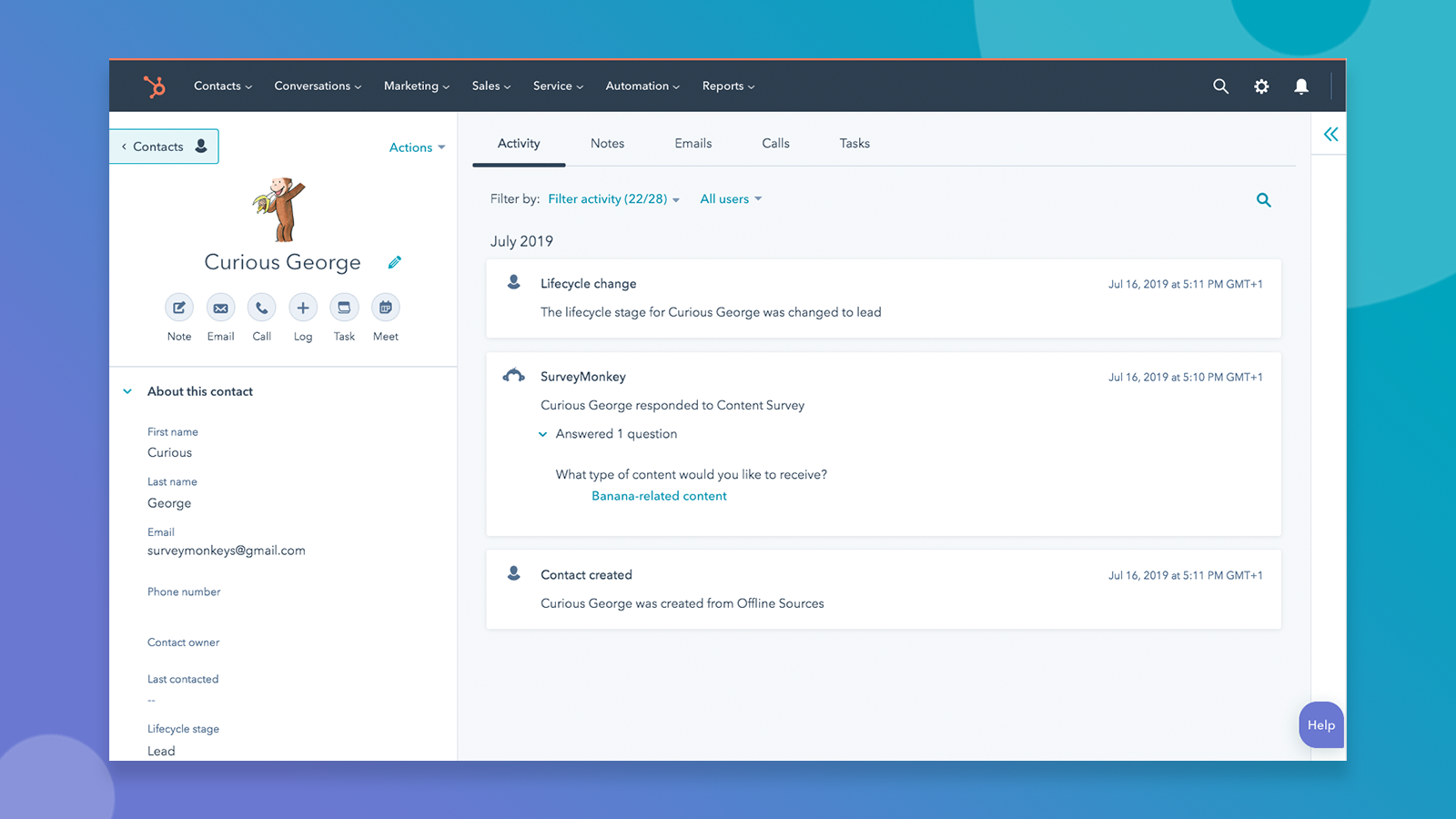
Automatyczna synchronizacja odpowiedzi z HubSpot
Gdy ktoś wypełni ankietę, którą zsynchronizowałeś z HubSpot, zobaczysz odpowiedź SurveyMonkey na osi czasu tego kontaktu. Jeśli osoba wypełniająca ankietę nie znajduje się jeszcze w Twojej bazie danych, automatycznie zostanie utworzony nowy kontakt.
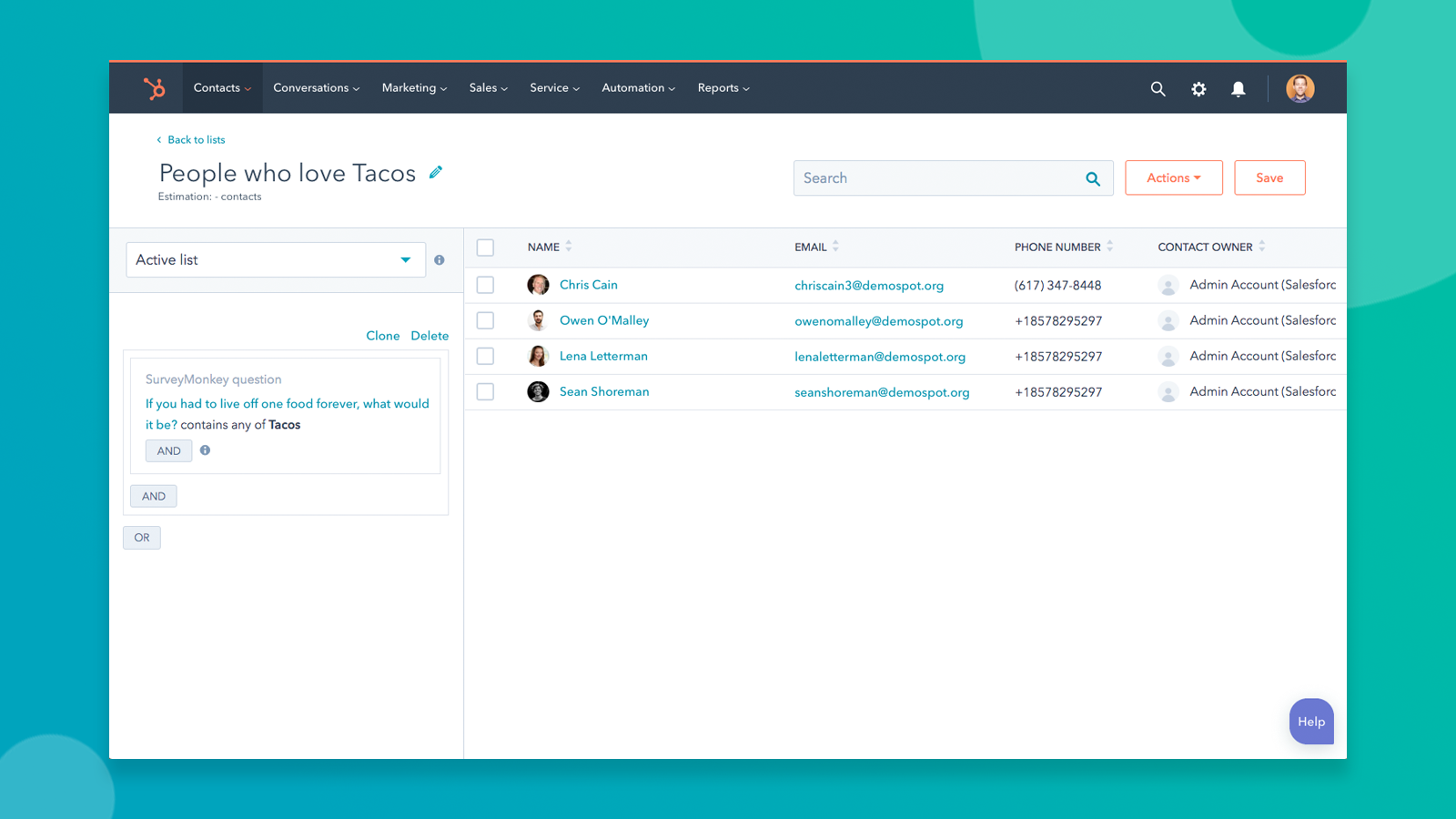
Segment na podstawie odpowiedzi udzielonych w ankiecie
Twórz listy, ustawiaj wyzwalacze przepływu pracy, aktualizuj kryteria oceny i nie tylko na podstawie odpowiedzi na ankiety.
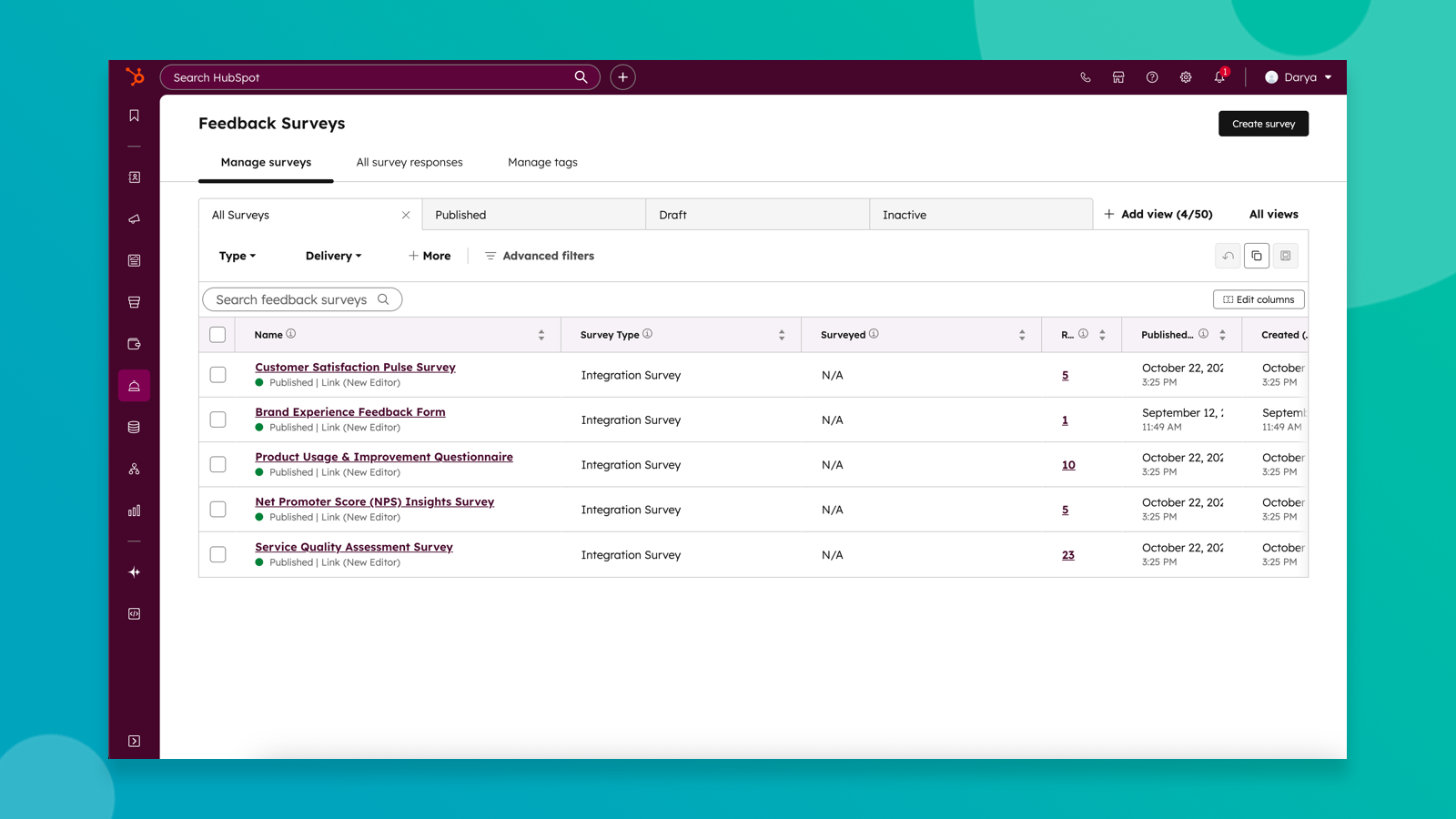
Synchronizacja ankiet SurveyMonkey z ankietami opinii HubSpot
Przenieś dane ankietowe z SurveyMonkey bezpośrednio do ankiet HubSpot, aby odblokować wgląd w ankiety oparte na Breeze oraz bardziej zaawansowane raportowanie, segmentację i automatyzację.
Funkcjonalność aplikacji
Udostępnione dane
Respondents | ||
Respondents | ||
Survey Respondent | ||
Survey Responses |
Recenzje
2,7
55
2,7
55
Integracja ta umożliwia szybką konfigurację wyświetlania odpowiedzi z ankiet na osiach czasu kontaktów, choć nie pozwala na przypisywanie danych do niestandardowych właściwości w celu tworzenia bardziej szczegółowych raportów. Chociaż zaproszeń e-mailowych wysyłanych za pośrednictwem platformy nie da się w pełni dostosować, niektórzy użytkownicy podkreślają, że narzędzie to nadal jest przydatne do porządkowania przefiltrowanych list kontaktów na podstawie odpowiedzi uczestników.
- 3 lut 2026
Przyzwoity do wysyłania ankiet, ale fatalna integracja z HubSpot sprawia, że przeglądanie wyników jest zagmatwane.
Nie mam pojęcia, jak wyświetlić wyniki ankiety w HubSpot - link nie jest intuicyjny, jeśli chodzi o wyniki poza Survey Mondey
Łatwe wysyłanie próśb o wypełnienie ankiety
Trudno dostrzec korzyści z używania HubSpot do ułatwiania.
Juarez, V.
- 15 sty 2026
Funkcjonalne, ale z pewnymi ograniczeniami – problemy z połączeniem udało się rozwiązać dzięki pomocy, jednak pełna funkcjonalność wymaga aktualizacji do Service Hub, a nawet po aktualizacji niektóre typy pytań nie są poprawnie przenoszone.
Działa. Początkowo nie mogliśmy nawiązać połączenia, ale po uzyskaniu pomocy udało nam się rozwiązać ten problem. Połączenie pojawi się w historii kontaktów i możemy je przeglądać w razie potrzeby. Nie mamy jednak dostępu do analiz odpowiedzi z ankiet, chyba że korzystamy z Service Hub. Ponadto nie wszystkie pytania z ankiet można przenieść do HubSpot. Nadal wymaga to ulepszeń.
W ramach podstawowej wersji HubSpot (bez Service Hub) nadal możemy przeglądać historię zdarzeń w rekordzie kontaktu oraz przeprowadzać zapytania dotyczące tych danych. Ta możliwość wglądu jest pomocna dla pracowników podczas oceny odpowiedzi.
Aby uzyskać dostęp do danych analitycznych, potrzebujemy Service Hub. Samo połączenie nie jest idealne, ponieważ HubSpot nie może zaimportować szablonu NPS z SurveyMonkey, a ponadto nie obsługuje pytań z przyciskami opcji, które zawierają opcję „Inne (proszę określić)”.
Poedyasmara, I.
Indywidualna przewaga
32 USD
/mies.Dla osób wysyłających profesjonalne ankiety
Nieograniczona liczba ankiet
Nieograniczona liczba pytań na ankietę
Nieograniczona liczba odpowiedzi na ankietę
Przyspieszone wsparcie e-mail 24/7
...i nie tylko!
Indywidualna przewaga
32 USD
/mies.Dla osób wysyłających profesjonalne ankiety
Nieograniczona liczba ankiet
Nieograniczona liczba pytań na ankietę
Nieograniczona liczba odpowiedzi na ankietę
Przyspieszone wsparcie e-mail 24/7
...i nie tylko!
* Powyższe ceny zostały podane wyłącznie w celach informacyjnych. Nie zawierają one podatków, premii, zniżek lub innych zmiennych cenowych. Skontaktuj się z partnerem w celu uzyskania najbardziej aktualnych i poprawnych informacji o cenach. HubSpot nie ponosi żadnej odpowiedzialności za informacje cenowe, które są dostarczane przez naszych partnerów. Ostatnia aktualizacja cen: 29.04.2026