

Task Assistant
Gebruik workflows om taken te voltooien, taken opnieuw toe te wijzen…
Gemaakt door - Growth Operations
Installaties - 200+ installaties
Beoordeling 5
(3)
Vereisten
HubSpot-abonnement HubSpot-accountmachtigingen - Bekijk de vereiste accountmachtigingen
Task Assistant-abonnement - Voor altijd gratis, Starter, Professioneel, Onderneming of Onderneming+ plannen
Overzicht
1/4
Eindelijk kun je stoppen met rommelen over irrelevante taken.
Met Task Assistant kun je eenvoudig updates van taken automatiseren met behulp van elk type HubSpot workflow.
Drie veelvoorkomende use cases:
- Wanneer een ticket sluit, markeer openstaande taken als voltooid
- Als de eigenaar van een record verandert, werk dan de eigenaar van de taak bij
- Wanneer een deal is gewonnen, verwijder de resterende verkooptaken
Belangrijkste functies:
- Met één app-installatie ontgrendel je drie nieuwe workflowacties
- Task Assistant-acties zijn beschikbaar in ELK type workflow
- Met geavanceerde functies kun je filteren welke taken je bijwerkt
Begin vandaag GRATIS met het opschonen van je taken.
Functies
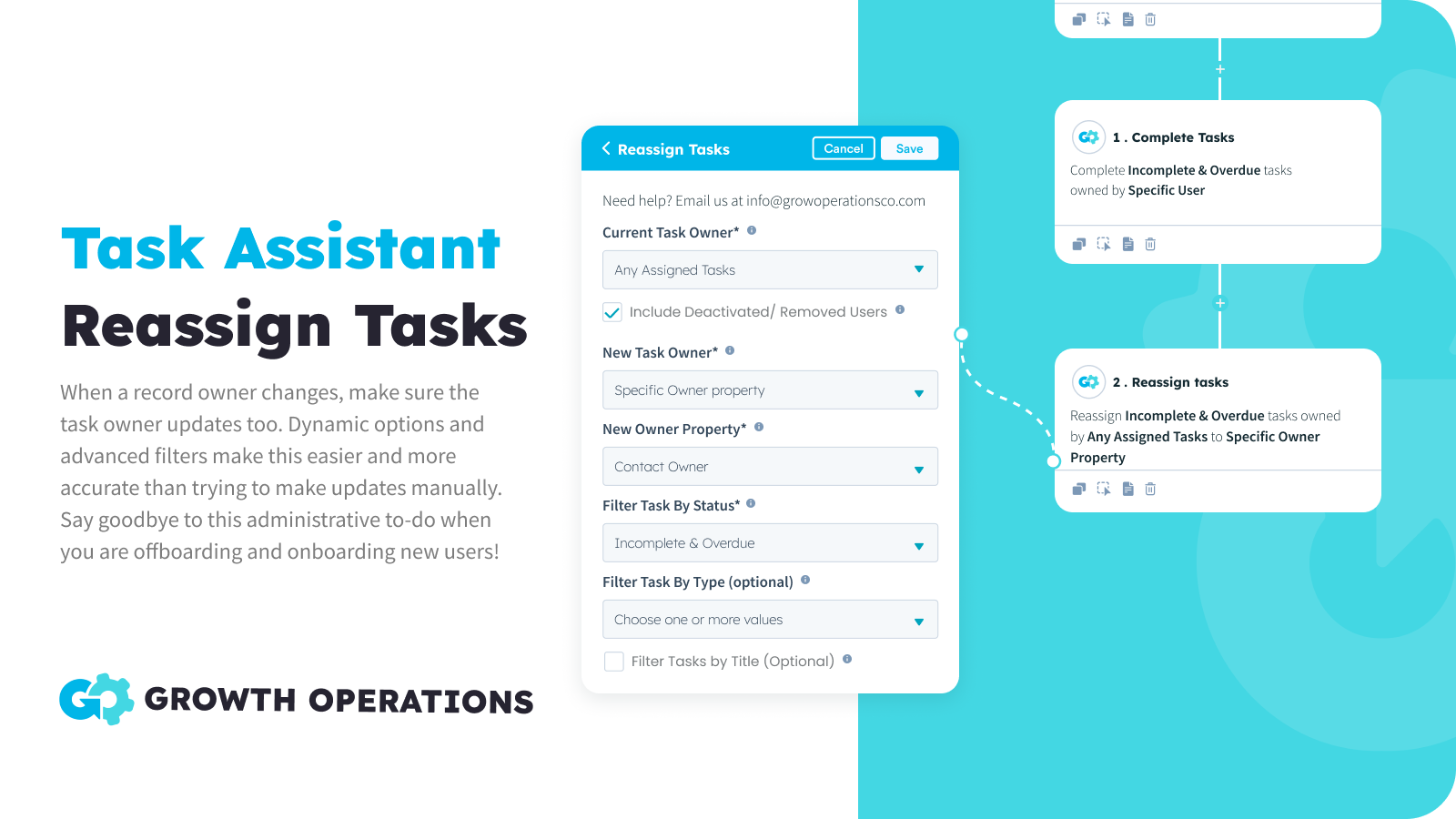
Taken in bulk opnieuw toewijzen
Wanneer de eigenaar van een record verandert, zorg er dan voor dat de eigenaar van de taak ook wordt bijgewerkt. Dynamische opties maken dit eenvoudig te automatiseren en geavanceerde filters maken dit nauwkeuriger dan wanneer je handmatig updates probeert uit te voeren. Zeg vaarwel tegen deze administratieve klus bij het offboarden en onboarden van nieuwe gebruikers!
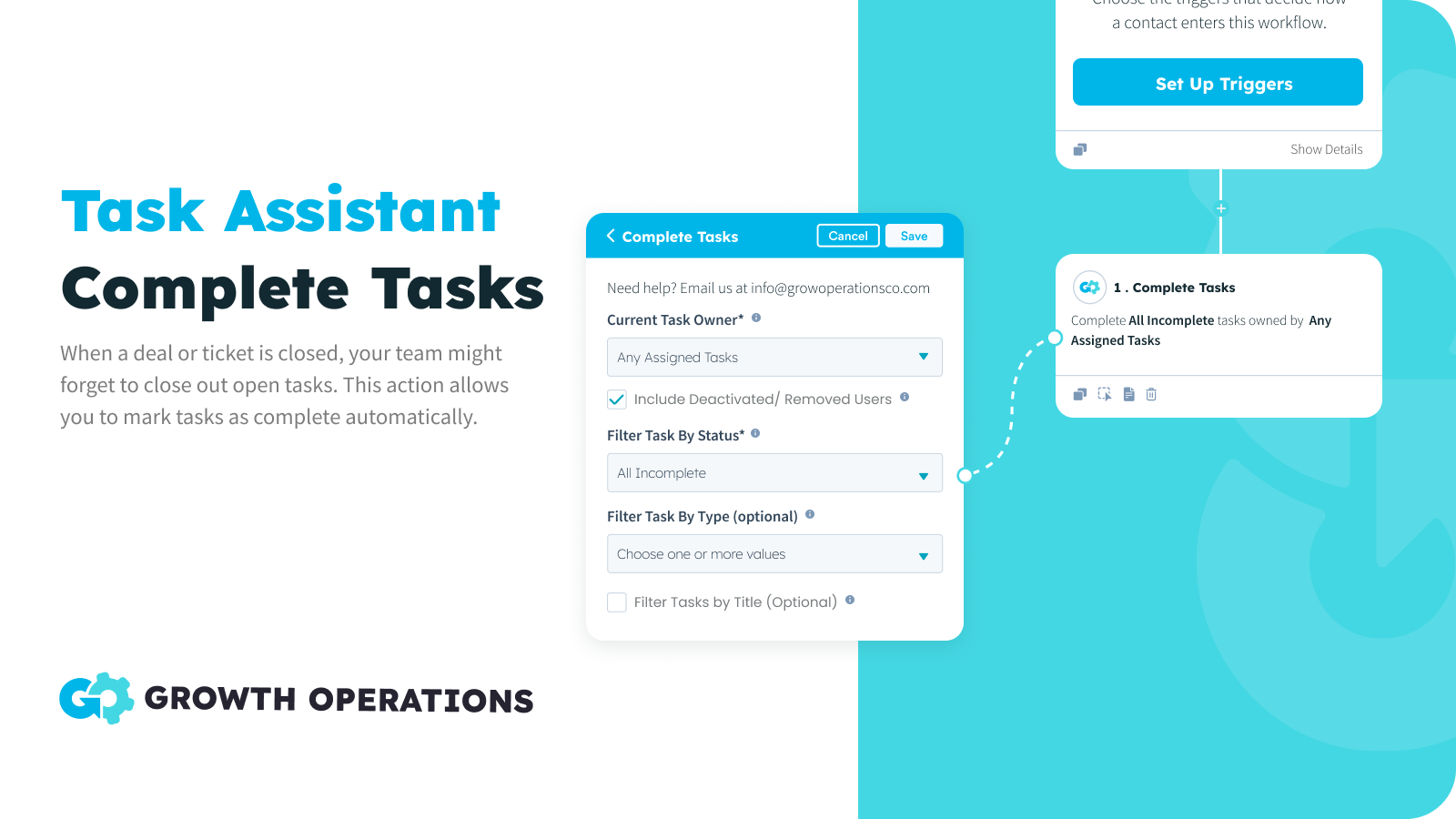
Taken in bulk voltooien
Wanneer een deal of ticket wordt gesloten, kan je team vergeten om openstaande taken af te sluiten. Met deze actie kun je taken automatisch als voltooid markeren, zodat je team gefocust blijft op taken die relevant zijn.
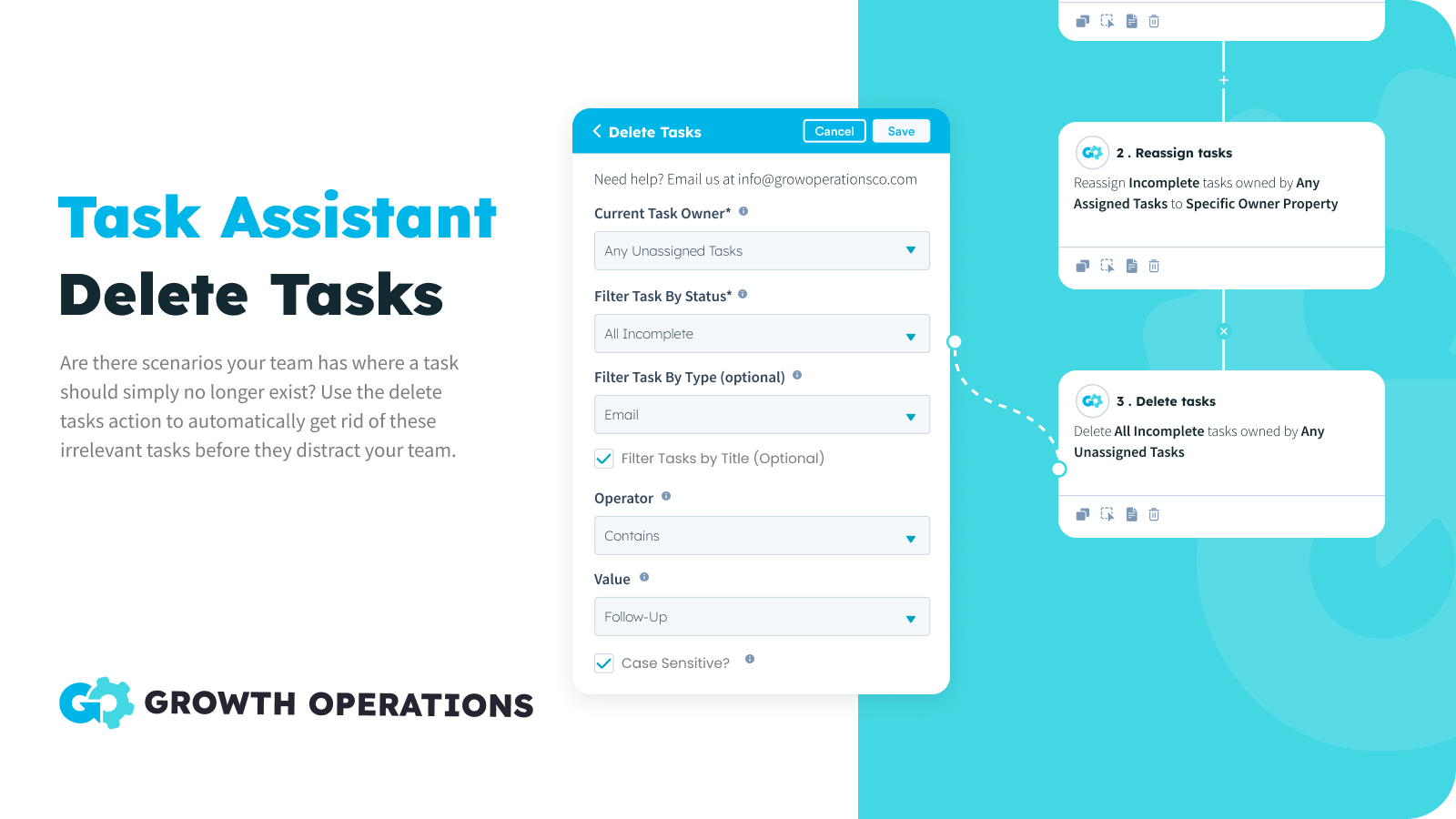
Taken in bulk verwijderen
Soms zijn er taken die je gewoon niet meer nodig hebt. Je wilt de taak niet als voltooid markeren, omdat er geen actie is ondernomen. Je wilt het gewoon niet, punt. Nu kun je die scenario's op de automatische piloot zetten, zodat de taken van je team nauwkeurig zijn.
App-functionaliteit
Gedeelde gegevens
Aanbiedingen | ||
Bedrijven | ||
Contacten | ||
Taken | ||
Tickets |
Reviews
- 16 sep. 2024
Great for reassigning contacts during annual leave
I was looking for a solution to making sure MQLs weren't slipping through the net while a team member was on a two-week holiday, but I didn't want to change contact owner. Task Assistant was great for this. Andrew was super helpful too, supporting me in getting my "OOO" task reassignment set up, saving me a big headache. We: 1) Created a list of records that target the tasks (incomplete / newly created tasks for the 2-week period). 2) Used Task Assistant to reassign specific tasks on those records to a specific user (the person covering for my person on hols.)
Rose, K.
Winkels - 11 tot 25 werknemers
- 7 jan. 2024
Keeps the pipeline clean!
Plenty of uses for this one and easy for any workflow novice to utilise We have integrated using task assistant to close off tasks as the stage is completed and HS tasks to open the next stage. This means all opens deals have tasks on them and changes of leakage is minimised. It’s also great if you want to delete a redundant task or re-allocate tasks as a deal owner changes We also use this as a fix for another issue or limitation in HubSpot, where Marketing do not show up in deal activity and are only visible in Contact activity…. Since our sales team predominantly uses deal view, it’s a pain having to keep going into the Contact to see any marking emails, SMS, etc. As a marketing email is sent, we have HS create an immediate task saying “Marking Email Sent - <template name>, and then put a link to the email preview in the Task notes. Sames goes for SMS or any other activity you want to stamp do the deal.. Task Assistant can then close that task immediately and you now have marketing information from the deal
Plenty of uses for this one 1) Reallocate any tasks when a deal owner changes 2) Close off or delete any tasks Using workflows we have integrated using task assistant to close off tasks as the stage is completed and HS tasks to open the next stage. This means all opens deals have taks on them and changes of leakage is minimised Also fixes another issue or limitation in HubSpot where Marketing Emails are not time stamped to deals, but only show up in Contact activity - Since our sales team predominetly uses
Zentner, D.
Bankwezen/financiële diensten - 26 tot 50 werknemers
Prijzen
Voor altijd gratis
US$ 0
50x per maand GRATIS
Alle taakacties
Alle werkstroomtypen
50 acties per maand
Voor altijd gratis
US$ 0
50x per maand GRATIS
Alle taakacties
Alle werkstroomtypen
50 acties per maand
* De hier vermelde prijzen dienen alleen ter illustratie. Alle prijzen zijn exclusief belasting, bonussen, kortingen of andere prijsvariabelen. Neem contact op met de partner voor de meest recente en correcte prijsinformatie. HubSpot erkent geen verantwoordelijkheid voor deze prijsinformatie, die wordt verstrekt door onze partners. Prijzen laatst bijgewerkt: 18-02-2026
Meer info
Gemaakt door - Growth Operations
Installaties - 200+ installaties
Categorieën Talen waarin deze app beschikbaar is Engels
Vandaag de aandacht trekken


