

Data Bridge - Bring Any (Sync) Data into CRM Objects

Dirigir
Requisitos
Plan de HubSpot Permisos de cuenta de HubSpot - Ver los permisos de cuenta requeridos
Tipo de acceso Compartida Suscripción: Data Bridge - Bring Any (Sync) Data into CRM Objects - Suscripciones: Básico o Profesional 🔥
Vista general
-1.png)
1/6 - Añade Google Workspace, vídeos, texto, enlaces iframed - y muéstralos basándote en condiciones, o reglas personalizadas - dentro de HubSpot.
¡Mejora tus registros de HubSpot con Data Bridge! Sincroniza contenido externo - sitios web, imágenes, videos, Google Sheets, Docs y más - todo mostrado justo donde trabaja tu equipo. Sincroniza Data Bridge App - te ayuda a añadir contenido relevante donde más importa, haciendo que tu CRM sea más fácil de usar y más informativo. Integra HubSpot con tus aplicaciones favoritas en sólo 1 clic.
Obtén Onboarding en vivo gratis - Contáctanos para programar
Todos los usuarios de Data Bridge reciben una sesión de formación gratuita con nuestro equipo de producto/soporte. Estarás totalmente equipado desde el primer día - ¡con la confianza para construir exactamente lo que tu negocio necesita! ¡Mostrar datos externos en los registros de HubSpot! ¡Incrusta Google Sheets! ¿Buscas una forma sencilla de gestionar la integración y sincronización de datos en HubSpot? Data Bridge te permite conectar datos externos, incrustar cuadros de mando e incluso gestionar objetos personalizados directamente dentro de tus registros de HubSpot. Ya sea la migración de datos, un conector personalizado o la capacidad de importar/exportar datos desde Google Sheets, Excel o bases de datos, Data Bridge hace que la automatización, la integración de informes y ETL para HubSpot se realicen sin esfuerzo. Crea cuadrículas personalizables, incrusta/muestra los datos que necesites y convierte tus registros de HubSpot en un verdadero centro de mando.
Características principales de Data Bridge
Incrusta imágenes con enlaces directamente en los registros de HubSpot
Añade fotos de productos, materiales de marketing o cualquier activo visual directamente en Contactos, Empresas, Tratos, Tickets u Objetos Personalizados. Mantén a tu equipo alineado con los elementos visuales justo donde trabajan.
Integración de Google Sheets y Docs
Incrusta e iframe Google Sheets dentro de los registros de HubSpot para mostrar informes en tiempo real, rastreadores o cuadros de mando. Perfecto para el seguimiento del progreso, los indicadores clave de rendimiento o los datos compartidos de los clientes.
Videos de YouTube
Incorpora tutoriales, demostraciones de productos o actualizaciones de clientes directamente en los registros de HubSpot. Los equipos obtienen acceso instantáneo al contenido de vídeo adecuado sin salir del CRM.
Creador de cuadrículas personalizadas
Diseña cuadrículas totalmente personalizables dentro de los registros de HubSpot. Añade etiquetas, texto, indicadores de estado, enlaces, imágenes, iconos, correos electrónicos o alertas. Utilice variantes codificadas por colores (Éxito, Advertencia, Error, Información) y notas adicionales para que los datos complejos sean fáciles de interpretar y actuar en consecuencia.
Reglas de visualización condicionales
Muestre u oculte módulos en función de la fase de la operación, los valores de las propiedades o condiciones personalizadas, para que cada miembro del equipo vea sólo lo que es relevante en el momento adecuado.
Integración perfecta con HubSpot
Funciona de forma nativa con todos los objetos estándar de HubSpot (Contactos, Empresas, Tratos, Tickets) y Objetos Personalizados - sin codificación o inicios de sesión adicionales requeridos.
Soporte para archivos y medios
Cargue y muestre imágenes, archivos PDF o archivos multimedia dentro de los registros para una colaboración más rápida y un contexto centralizado.
Dónde puede colocar el contenido
Todos los registros: muestre contenido en todo su CRM.
Registro específico: añada contenido a un único registro que esté visualizando.
Registrosfiltrados: seleccione los registros que coincidan con los criterios elegidos.
Los filtros funcionan para cualquier tipo de contenido, por lo que la información correcta aparece en el lugar adecuado.
Por qué es útil - El contenido correcto, en el lugar correcto.
Mantén el contenido externo accesible sin salir de HubSpot.
Reduce el cambio de pestañas y la dispersión de datos.
¿Podrías dar a tu equipo visuales actualizados e información en contexto?
Mejora los registros con contenido procesable que tu equipo pueda consultar al instante.
Top 5 casos prácticos de uso empresarial donde brilla:
1. Customer Onboarding Hub (Saas / Tech)
Incruste listas de comprobación, guías y grabaciones de llamadas iniciales directamente en el registro de la empresa o del acuerdo.
Muestra instrucciones diferentes en función de la fase de incorporación (por ejemplo, "Pendiente de configuración" frente a "Activo").
Los CSM actualizan el progreso directamente dentro de HubSpot sin cambiar de herramienta.
2. Seguimiento del estado y el éxito de la cuenta (Éxito del cliente)
Añade una hoja de Google o un panel de control con KPI, fechas de renovación y resultados de NPS.
Muestra advertencias cuando el uso caiga, la renovación del contrato esté cerca o ciertas propiedades indiquen riesgos.
Mantenga a los CSM alineados con enlaces rápidos (mailto propietario de la cuenta, plantillas de oferta de renovación).
3. Guías y manuales de ventas (equipos de ventas)
Muestra instrucciones dinámicas en función de la fase del acuerdo ("Descubrimiento" = muestra las preguntas de cualificación, "Propuesta enviada" = muestra la lista de comprobación del contrato).
Añada accesos directos, como enlaces de correo electrónico, para la aprobación legal o financiera.
Reduzca el tiempo de preparación de los representantes haciendo que la información correcta aparezca sólo cuando sea necesaria.
4. Servicio de campo e instalaciones (fabricación / servicios)
Incorpore una lista de comprobación de la instalación en un ticket.
Los técnicos suben fotos del antes y el después, vídeos o documentos firmados.
Muestre instrucciones de seguridad o notas de conformidad sólo si se selecciona un determinado tipo de producto.
5. Revisiones de activos creativos / de marketing (agencias o equipos internos)
Almacene resúmenes creativos, cargue borradores de diseño y previsualice vídeos en un solo registro.
Muestra un aviso de "Revisión pendiente" hasta que el cliente marque la aprobación.
Los gestores de cuentas pueden cargar archivos, mientras que los directores controlan la estructura y las plantillas.
En resumen: Sync Data Bridge reduce el cambio de herramientas y lleva el contenido adecuado, en el momento adecuado, directamente a los registros de HubSpot. #¡Conector HubSpot nº1!
Características
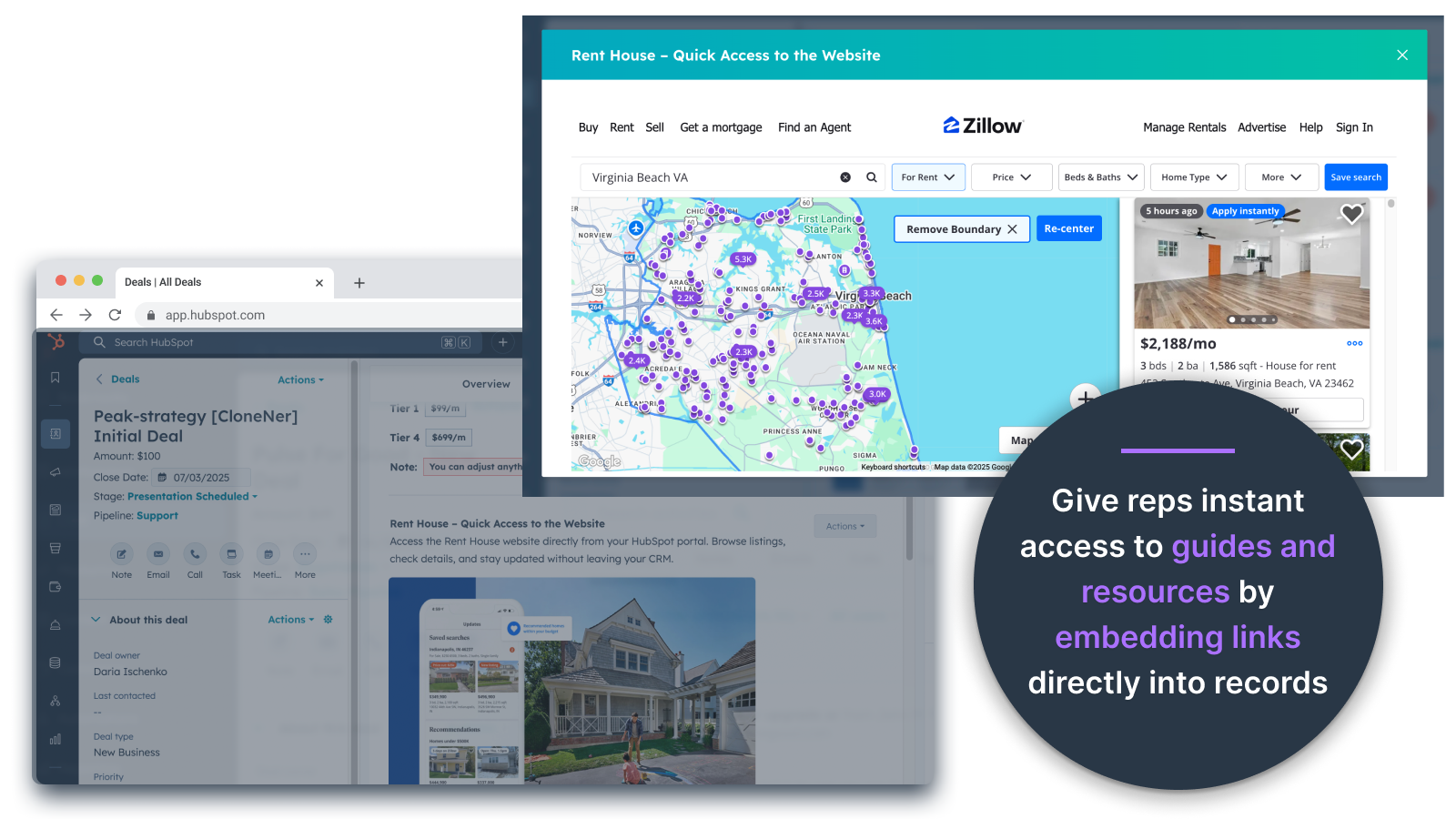
Incrustar imágenes directamente en ofertas, entradas y otras vistas de registros
Añada fotos de productos, materiales de marketing o cualquier recurso visual directamente en Contactos, Empresas, Ofertas, Entradas u Objetos personalizados. Mantén a tu equipo alineado con los elementos visuales justo donde trabajan.
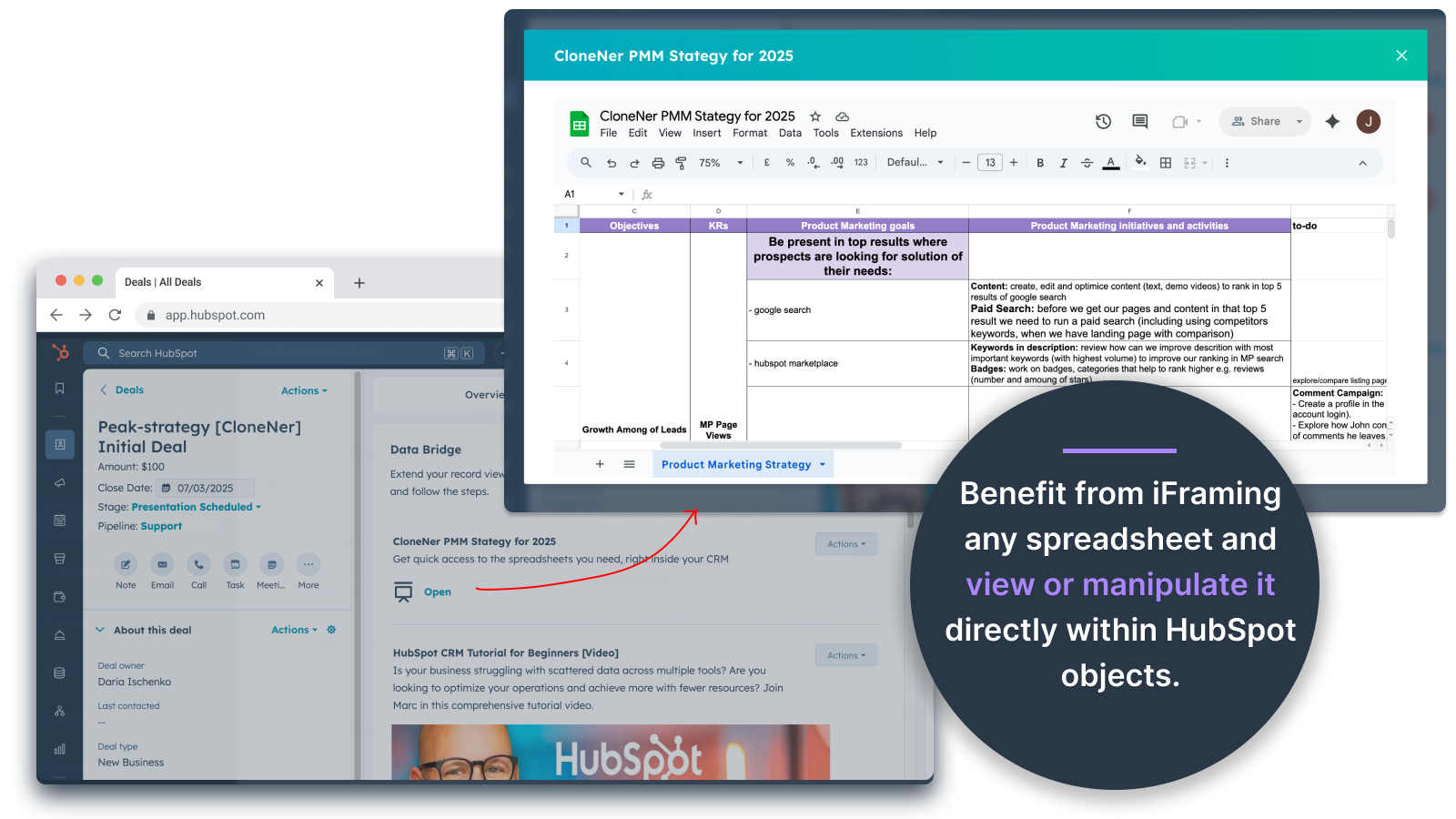
Hojas de cálculo y documentos de Google: visualización directa en Ofertas, Entradas, etc.
Incrusta e iframe Google Sheets dentro de los registros de HubSpot para mostrar informes, rastreadores o cuadros de mando en tiempo real. Perfecto para el seguimiento del progreso, los KPI o los datos compartidos de los clientes.
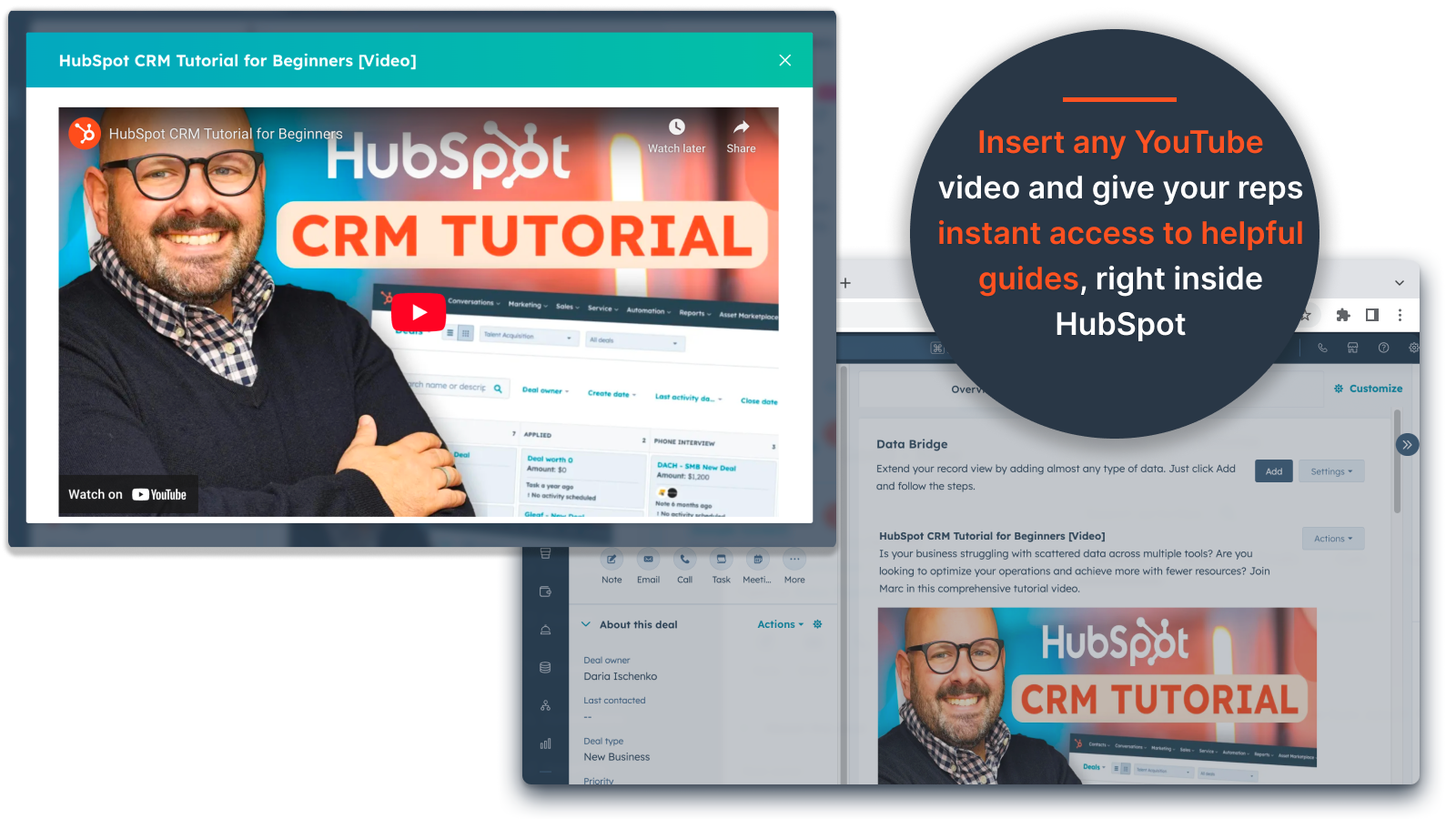
Vídeos incrustados en YouTube
Lleva tutoriales, demostraciones de productos o actualizaciones de clientes directamente a los registros de HubSpot. Los equipos obtienen acceso instantáneo al contenido de vídeo adecuado sin salir del CRM.
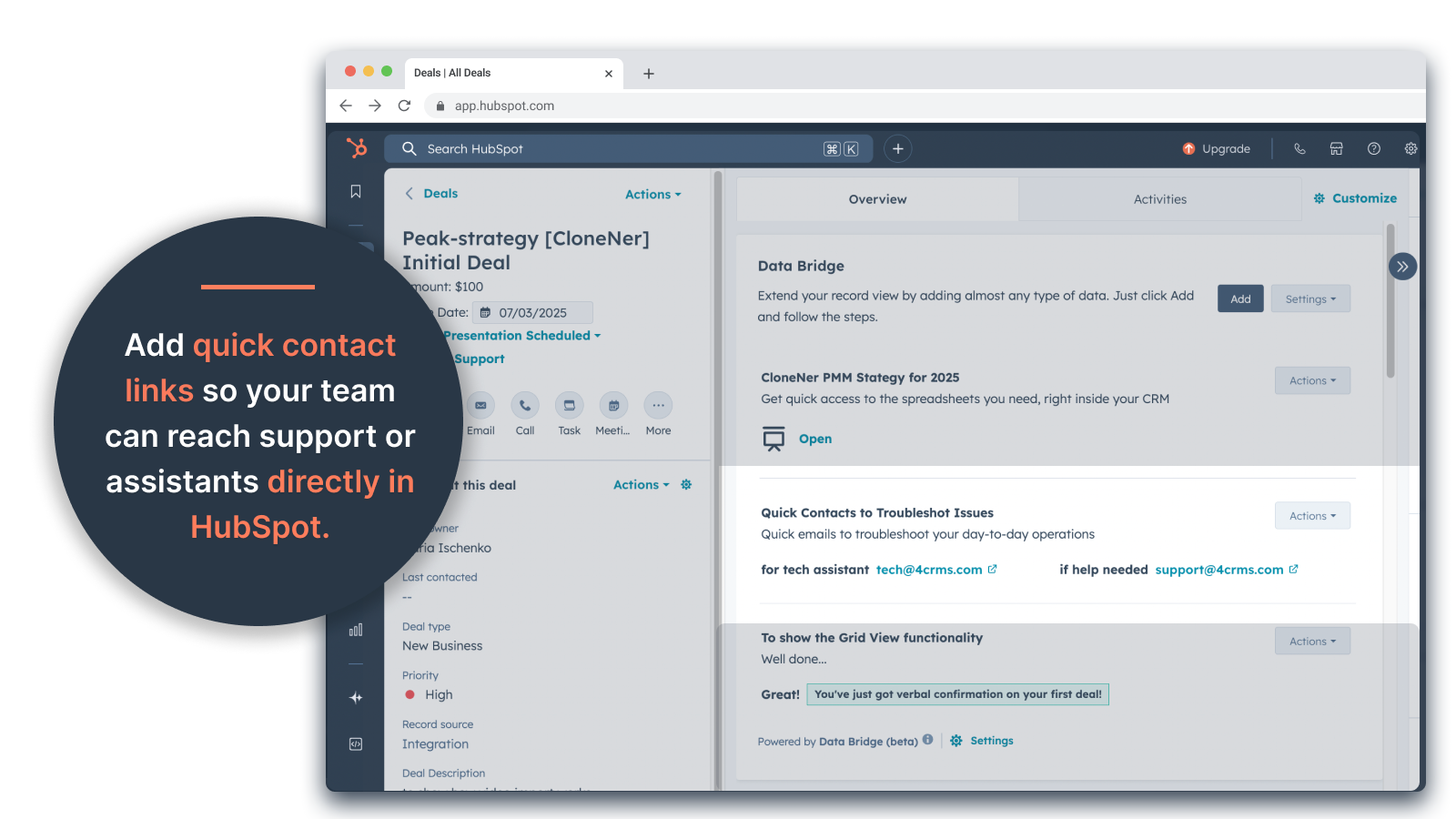
Creador de cuadrículas personalizadas
Diseña cuadrículas totalmente personalizables dentro de los registros de HubSpot. Añade etiquetas, texto, indicadores de estado, enlaces, imágenes, iconos, correos electrónicos o alertas. Utiliza variantes codificadas por colores (Éxito, Advertencia, Error, Información) y notas adicionales para que los datos complejos sean fáciles de interpretar y actuar en consecuencia.
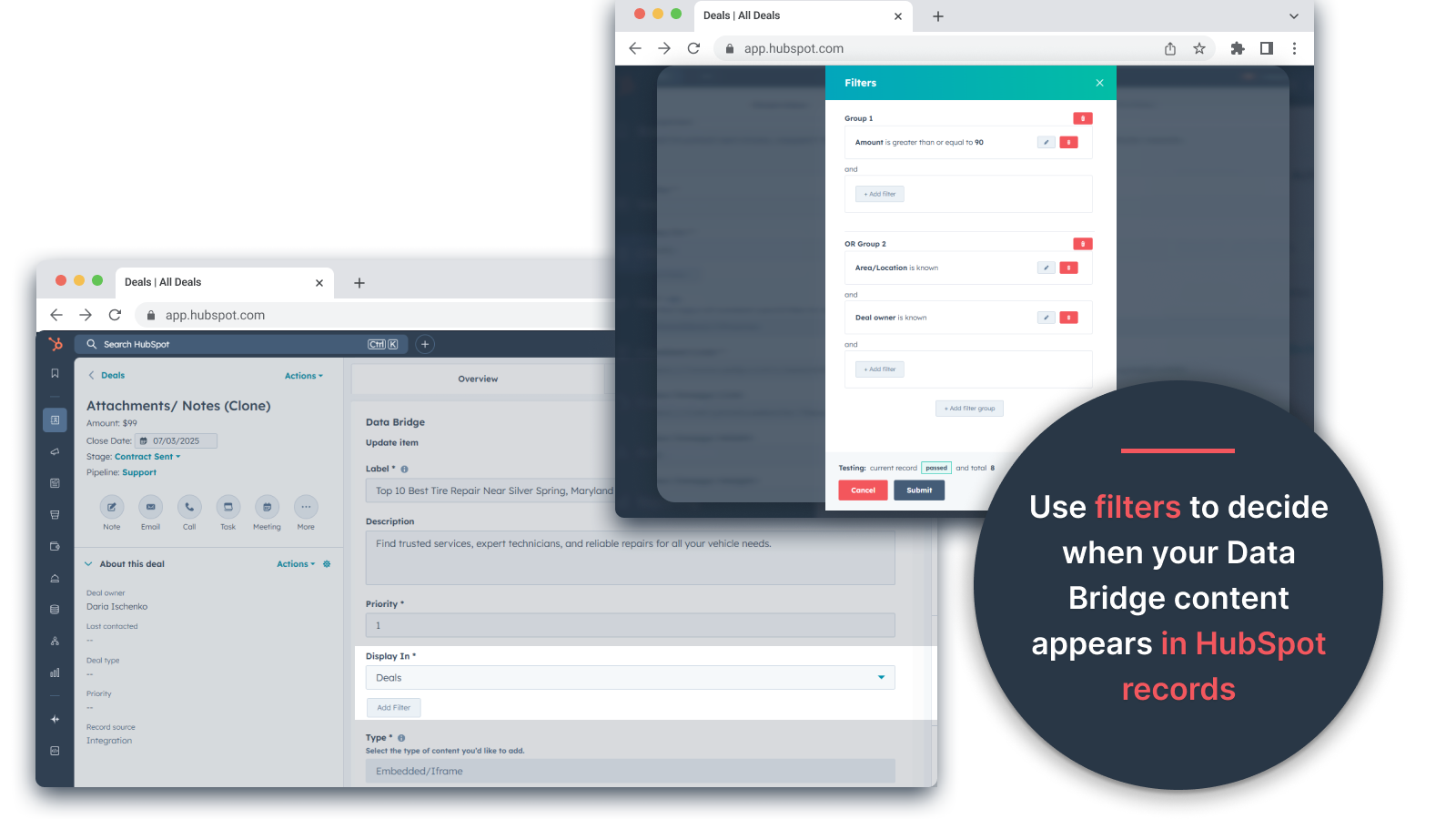
Reglas de visualización condicionales
Muestre u oculte módulos en función de la fase de la operación, los valores de las propiedades o condiciones personalizadas, para que cada miembro del equipo vea sólo lo que es relevante en el momento adecuado.
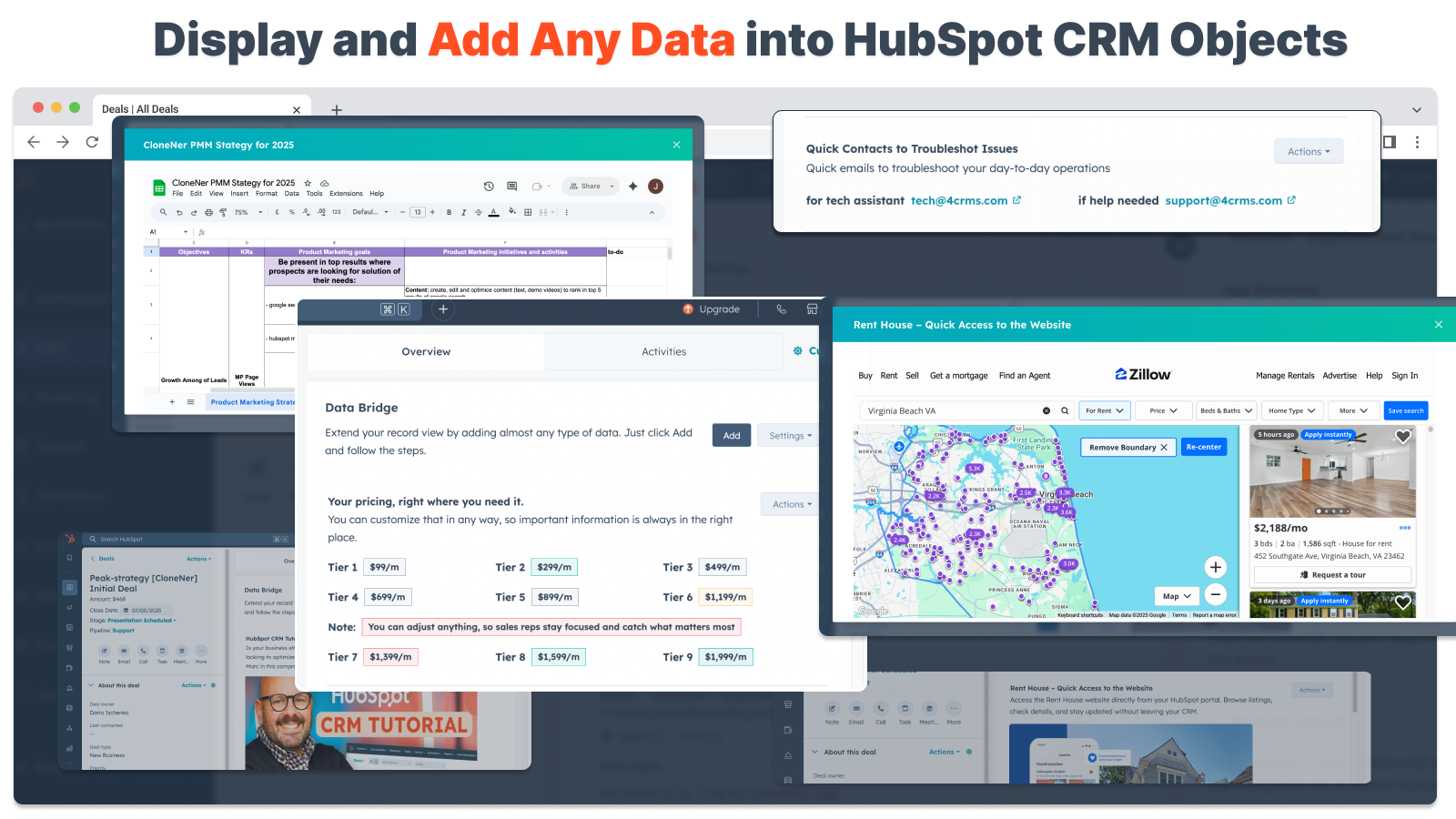
Integración perfecta con HubSpot
Funciona de forma nativa con todos los objetos estándar de HubSpot (Contactos, Empresas, Tratos, Tickets) y Objetos Personalizados - sin necesidad de codificación o inicios de sesión adicionales.
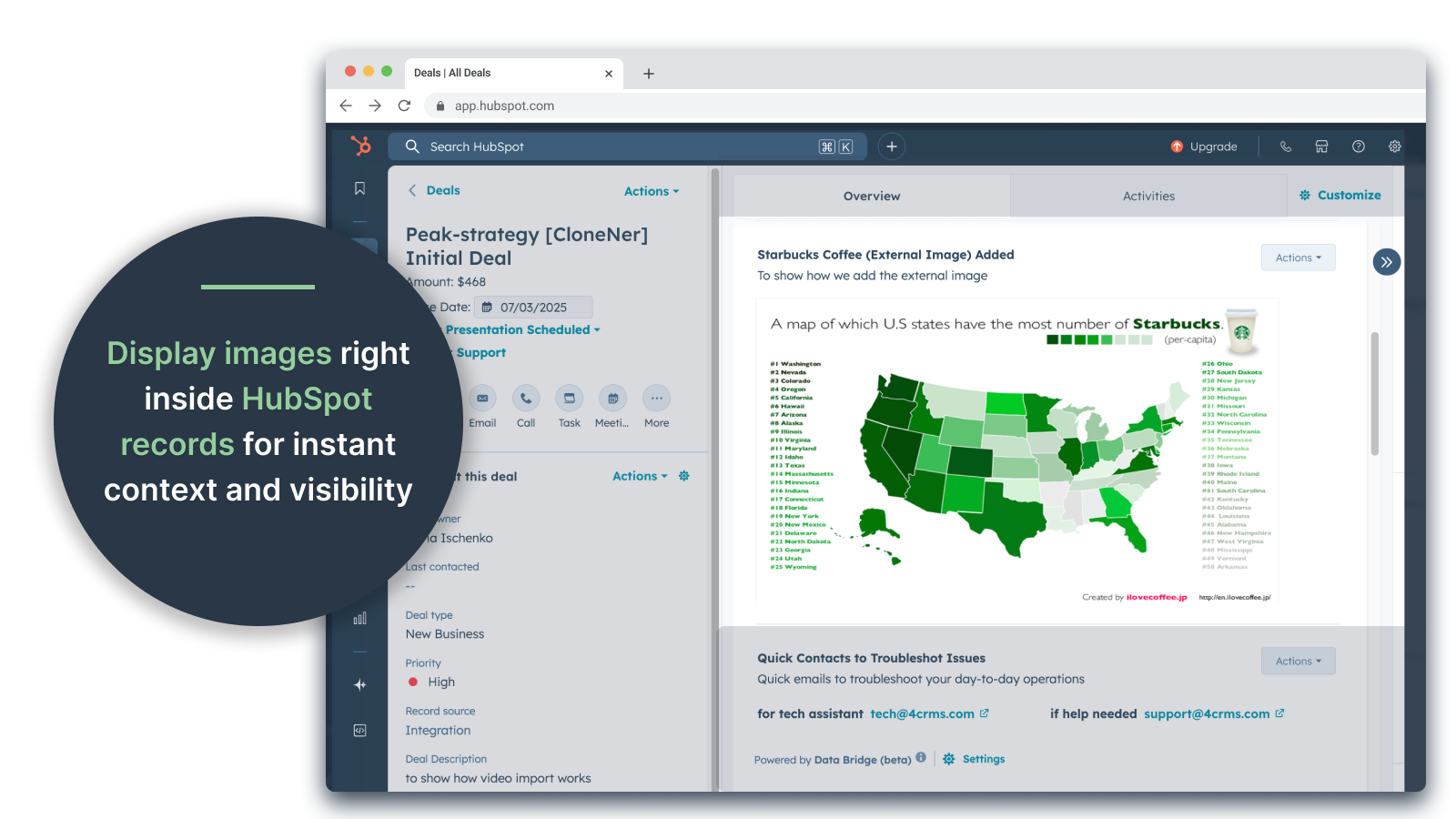
Soporte de archivos y soportes
Cargue y muestre imágenes, PDF o archivos multimedia dentro de los registros para una colaboración más rápida y un contexto centralizado.
Funcionalidad de la aplicación
Datos compartidos
Contacts | ||
Custom Objects | ||
Company | ||
Deal | ||
Ticket | ||
Owners | ||
Deal Pipelines |
Valoraciones
- 25 de sep. de 2025
Un gran ahorro de tiempo que elimina la molestia de gestionar archivos dispersos y lleva todo directamente donde lo necesitas.
¡Puente de datos para la victoria! Necesitábamos una manera fácil de extraer los informes de gastos alojados en Excel en HubSpot y esto resolvió ese dolor sin tener que gestionar toneladas de carpetas de Google Drive. Ahora los representantes pueden clonar fácilmente los informes de gastos, incrustarlos directamente en sus ofertas relacionadas y acceder a ellos fácilmente sin tener que buscar en Google Drive. ¡Un gran ahorro de tiempo y estrés!
Fácil configuración, lleva los recursos externos directamente a HubSpot para facilitar el acceso
¡todavía no se ha encontrado ninguno!
Estey, Z.
- 19 de sep. de 2025
Transforma HubSpot en un centro de mando
Nuestro equipo empezó a utilizar Data Bridge de 4CRM hace poco y ya ha agilizado nuestro flujo de trabajo de forma significativa. La capacidad de incrustar hojas de cálculo de Google, documentos, vídeos y otros recursos externos directamente en los registros de HubSpot ha eliminado un montón de idas y venidas y ha hecho que nuestro CRM sea mucho más procesable. Es intuitivo, flexible y aporta los datos adecuados al lugar adecuado en el momento adecuado.
- Super fácil de configurar y empezar a usar - Incrusta contenido crítico de ventas (como hojas en vivo, materiales de referencia, documentos de incorporación) directamente en HubSpot - Cuadrículas personalizables hacen que sea fácil de organizar y mostrar los datos más relevantes - Ideal para hacer que los registros se sientan como un verdadero "centro de mando" - Aumento de la eficiencia y la reducción de saltar de pestaña
- Algunos contenidos incrustados (por ejemplo, determinados reproductores de vídeo) pueden presentar problemas de visualización en función de la configuración del navegador.
Stern, D.
Precios
Básico
19 US$
/mes👉 Obtén 45 días gratis - 🔓 desbloquea todas las funciones. Haz que los registros de HubSpot sean más inteligentes con elementos de interfaz de usuario justo donde trabajas. Lleva datos a contactos, empresas y tratos.
3 Elementos de IU: Cada elemento añadido cuenta como 1 elemento (por ejemplo, una imagen o un vídeo, etc.).
Contactos: Mostrar elementos de la interfaz de usuario de Data Bridge dentro de los registros de contactos
Empresas: Mostrar elementos de la interfaz de usuario de Data Bridge dentro de los registros de empresas.
Operaciones: Mostrar elementos de la interfaz de usuario de Data Bridge dentro de los registros de operaciones.
Incrusta imágenes, YouTube, Google Docs, Slides & Sheets con iFrames - todo mostrado directamente dentro de los registros de HubSpot.
Filtros: ⚠️ No disponible (sólo por objeto o se aplican todos los objetos)
Creador de cuadrículas personalizadas: ⚠️ No disponible. No se pueden crear cuadrículas con etiquetas, enlaces, imágenes y notas.
Básico
19 US$
/mes👉 Obtén 45 días gratis - 🔓 desbloquea todas las funciones. Haz que los registros de HubSpot sean más inteligentes con elementos de interfaz de usuario justo donde trabajas. Lleva datos a contactos, empresas y tratos.
3 Elementos de IU: Cada elemento añadido cuenta como 1 elemento (por ejemplo, una imagen o un vídeo, etc.).
Contactos: Mostrar elementos de la interfaz de usuario de Data Bridge dentro de los registros de contactos
Empresas: Mostrar elementos de la interfaz de usuario de Data Bridge dentro de los registros de empresas.
Operaciones: Mostrar elementos de la interfaz de usuario de Data Bridge dentro de los registros de operaciones.
Incrusta imágenes, YouTube, Google Docs, Slides & Sheets con iFrames - todo mostrado directamente dentro de los registros de HubSpot.
Filtros: ⚠️ No disponible (sólo por objeto o se aplican todos los objetos)
Creador de cuadrículas personalizadas: ⚠️ No disponible. No se pueden crear cuadrículas con etiquetas, enlaces, imágenes y notas.
* El precio que aparece aquí es solo para fines de visualización. Los precios no incluyen impuestos, incentivos, descuentos u otras variables. Debes comunicarte con nuestro partner para obtener la información de precios más actualizada y correcta. HubSpot no se hace responsable de los precios que proporcionan nuestros partners. Precios actualizados por última vez: 05/05/2026