Logo - Full (Color)

建立

Data Bridge - Bring Any (Sync) Data into CRM Objects

Data Bridge - Bring Any (Sync) Data into CRM Objects-icon
應用程式

Data Bridge - Bring Any (Sync) Data into CRM Objects

Sync 🔥 Access external data instantly, right inside HubSpot records!…

建立者
4CRMs
安裝次數
超過 50 次安裝
評分

5(2)

登入以進行安裝需要 Data Bridge - Bring Any (Sync) Data into CRM Objects 訂閱

要求

HubSpot 版本
HubSpot 帳戶權限
檢視所需的帳戶權限
Data Bridge - Bring Any (Sync) Data into CRM Objects 訂閱
BasicProfessional 🔥 版本

總覽

Supercharge your HubSpot records with Data Bridge! Sync external content - websites, images, videos, Google Sheets, Docs, and more - all displayed right where your team works. Sync Data Bridge App - helps you add relevant content where it matters most, making your CRM easier to use and more informative. Integrate HubSpot with your favorite apps in just 1 click.


Get Free Live Onboarding - Contact Us to Schedule

Every Data Bridge user gets a free live onboarding session with our product/support team. You’ll be fully equipped from day one — confident to build exactly what your business needs.! Display external data in HubSpot records! Embed Google Sheets! Looking for a simple way to handle data integration and data sync in HubSpot? Data Bridge lets you connect external data, embed dashboards, and even manage custom objects right inside your HubSpot records. Whether it’s data migration, a custom connector, or the ability to import/export data from Google Sheets, Excel, or databases, Data Bridge makes automation, reporting integration, and ETL for HubSpot effortless. Create customizable grids, embed/show data you need, and turn your HubSpot records into a true command center.


Key Features of Data Bridge

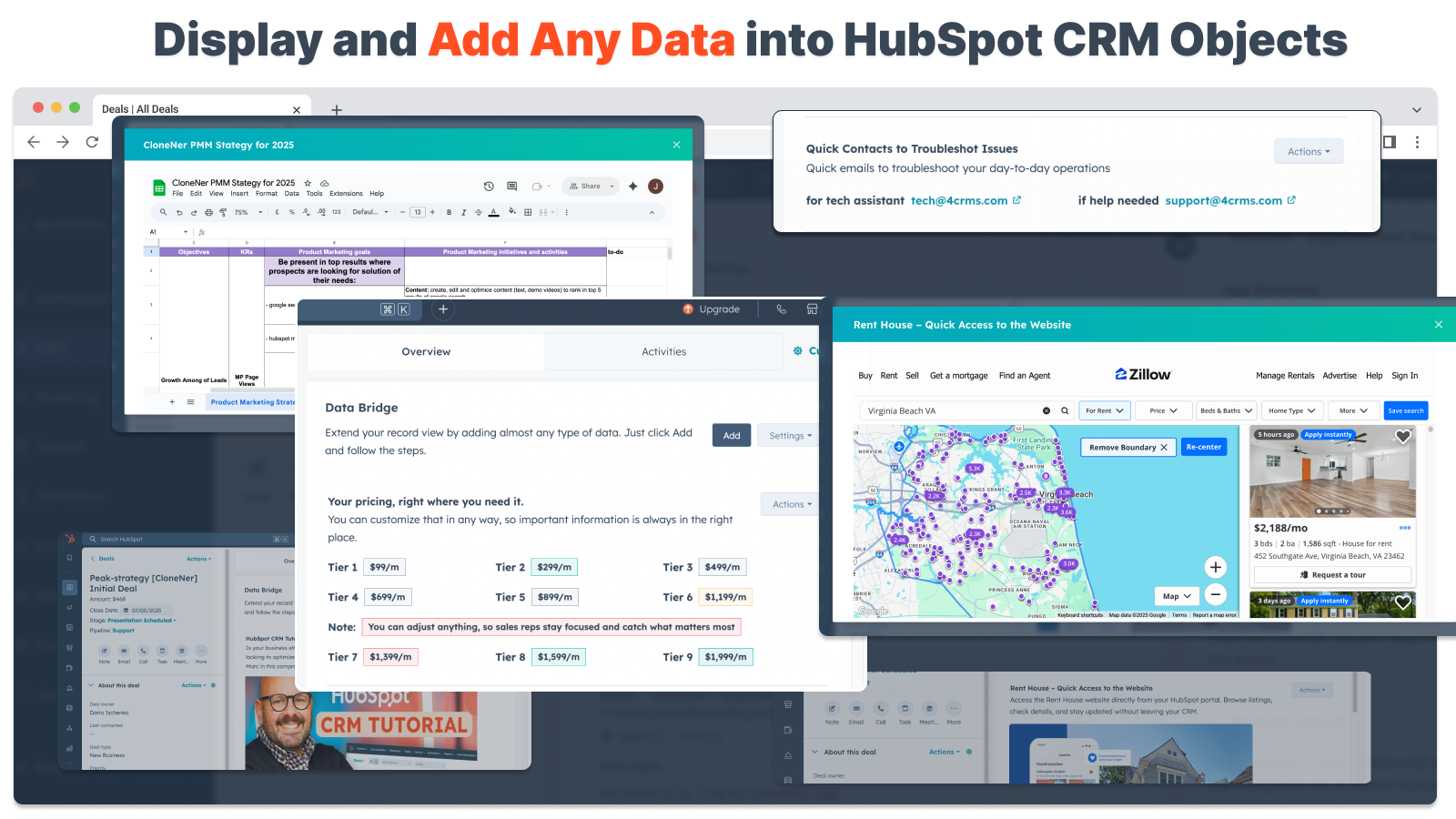
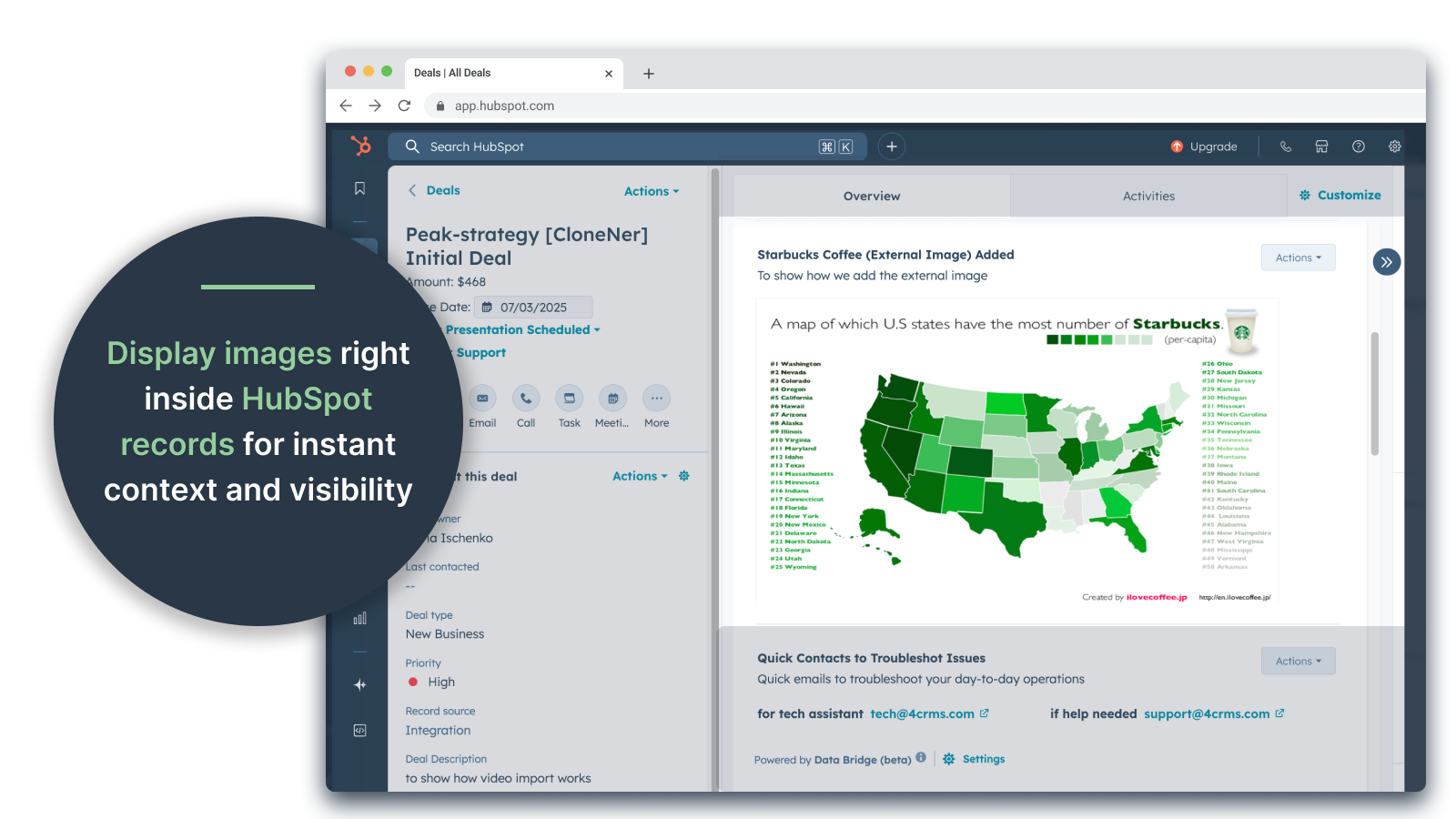
Embed Images with Links directly into HubSpot records

  • Add product photos, marketing materials, or any visual assets directly into Contacts, Companies, Deals, Tickets, or Custom Objects. Keep your team aligned with visuals right where they work.

Live Google Sheets, Docs Integration

  • Embed and iframe Google Sheets inside HubSpot records to display real-time reports, trackers, or dashboards. Perfect for progress tracking, KPIs, or shared client data.

YouTube Video Embeds

  • Bring tutorials, product demos, or client updates directly into HubSpot records. Teams get instant access to the right video content without leaving the CRM

Custom Grid Builder

  • Design fully customizable grids inside HubSpot records. Add tags, text, status indicators, links, images, icons, emails, or alerts. Use color-coded variants (Success, Warning, Error, Info) and extra notes to make complex data easy to interpret and act on.

Conditional Display Rules

  • Show or hide modules based on deal stage, property values, or custom conditions — so each team member sees only what’s relevant at the right time.

Seamless HubSpot Integration

  • Works natively with all HubSpot standard objects (Contacts, Companies, Deals, Tickets) and Custom Objects — no coding or extra logins required.

File & Media Support

  • Upload and display images, PDFs, or media files inside records for faster collaboration and centralized context.

Where You Can Place Content

  • All records – show content across your CRM.

  • Specific record – add content to a single record you are viewing.

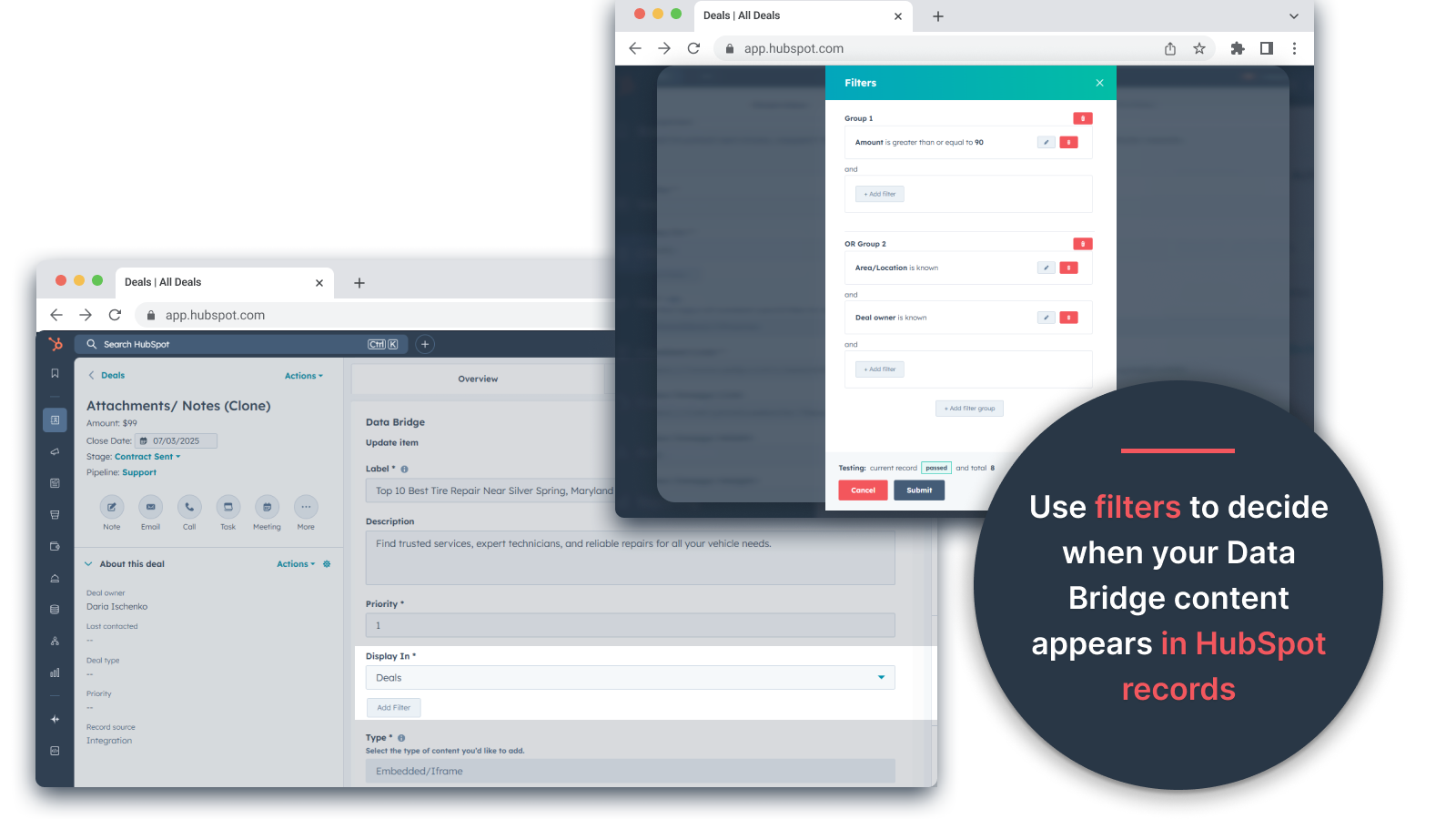
  • Filtered records – target records that match your chosen criteria.

Filters work for any content type, so the right info appears in the right place.


Why It’s Useful — The Right Content, in the Right Place.

  • Keep external content accessible without leaving HubSpot.

  • Reduce tab-switching and scattered data.

  • Could you give your team up-to-date visuals and information in context?

  • Enhance records with actionable content your team can reference instantly.

Top 5 practical business use cases where it shines:

1. Customer Onboarding Hub (Saas / Tech)

  • Embed onboarding checklists, playbooks, and kickoff call recordings directly in the deal or company record.

  • Show different instructions depending on the onboarding stage (e.g., “Setup Pending” vs. “Live”).

  • CSMs update progress directly inside HubSpot without switching tools.

2. Account Health & Success Tracking (Customer Success)

  • Add a live Google Sheet or dashboard with KPIs, renewal dates, and NPS results.

  • Display warnings when usage drops, contract renewal is near, or certain properties flag risks.

  • Keep CSMs aligned with quick links (mailto account owner, renewal offer templates).

3. Sales Playbooks & Guidance (Sales Teams)

  • Show dynamic instructions based on deal stage (“Discovery” = show qualifying questions, “Proposal Sent” = show contract checklist).

  • Add shortcuts like mailto links for legal or finance approval.

  • Reduce rep ramp-up time by making the right info appear only when needed.

4. Field Service & Installations (Manufacturing / Services)

  • Embed an installation checklist inside a ticket.

  • Techs upload before/after photos, videos, or signed documents.

  • Show safety instructions or compliance notes only if a certain product type is selected.

5. Creative / Marketing Asset Reviews (Agencies or In-House Teams)

  • Store creative briefs, upload design drafts, and preview videos all in one record.

  • Show a “Review Pending” notice until the client marks approval.

  • Account managers can upload files, while directors control the structure and templates.

In short: Sync Data Bridge reduces tool-switching and brings the right content, at the right time, directly into HubSpot records. #1 HubSpot connector!

功能

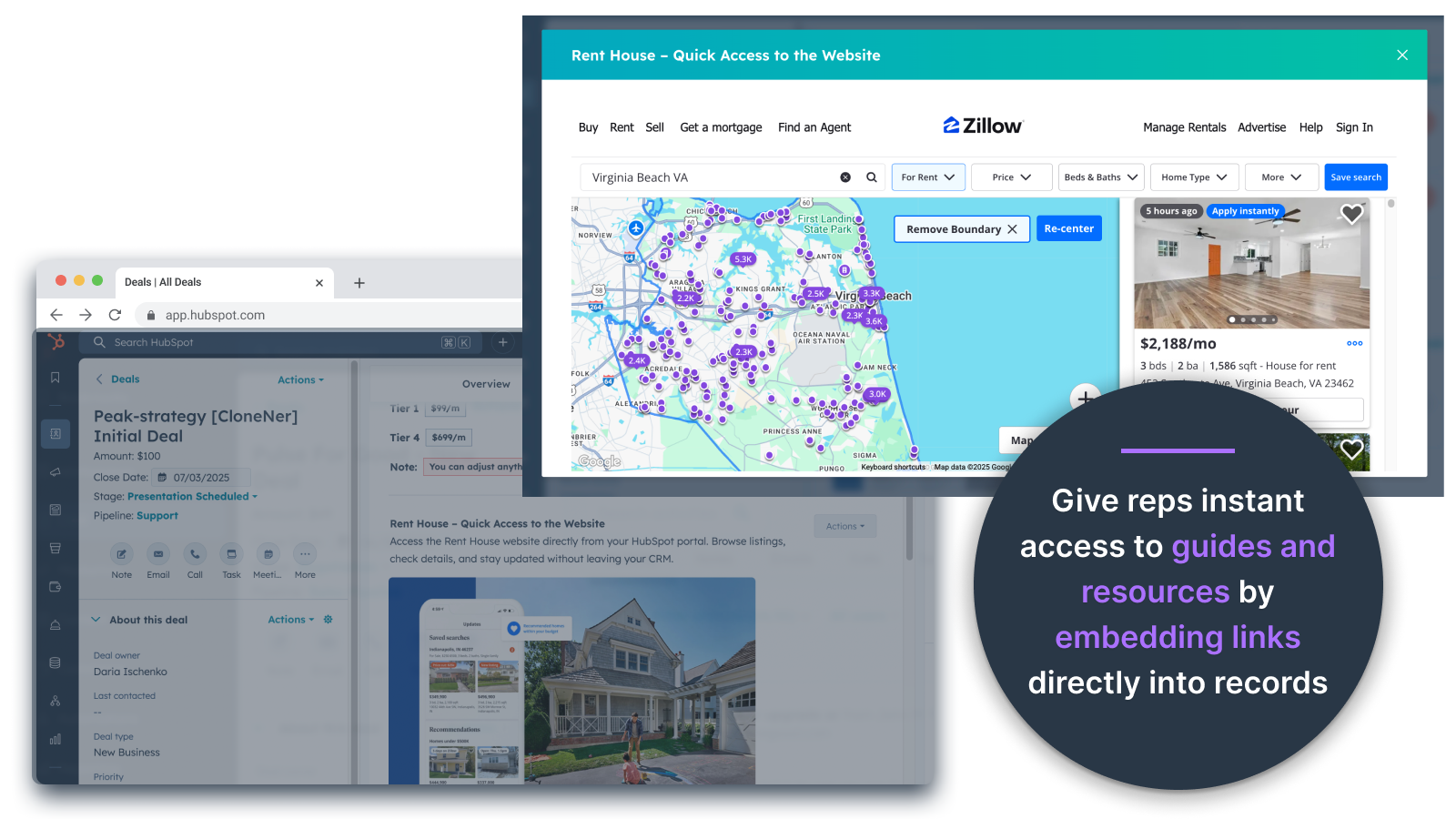
Embed Images

Embed Images Directly in Deals, Tickets, and Other Record Views

Add product photos, marketing materials, or any visual assets directly into Contacts, Companies, Deals, Tickets, or Custom Objects. Keep your team aligned with visuals right where they work.

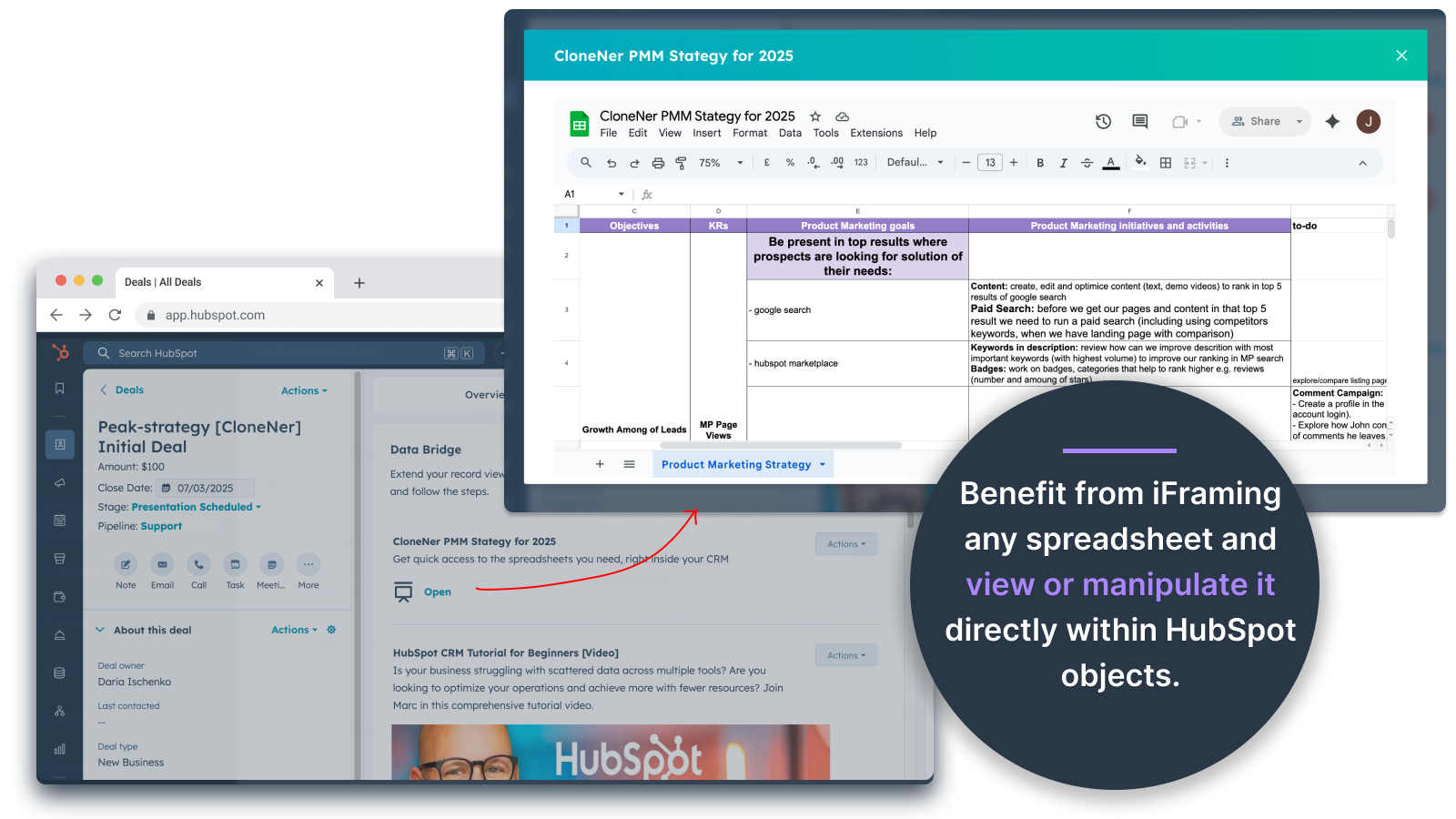
Embed and Iframe Google Spreadsheets

Google Sheets and Docs - view directly inside Deals, Tickets, etc

Embed and iframe Google Sheets inside HubSpot records to display real-time reports, trackers, or dashboards. Perfect for progress tracking, KPIs, or shared client data.

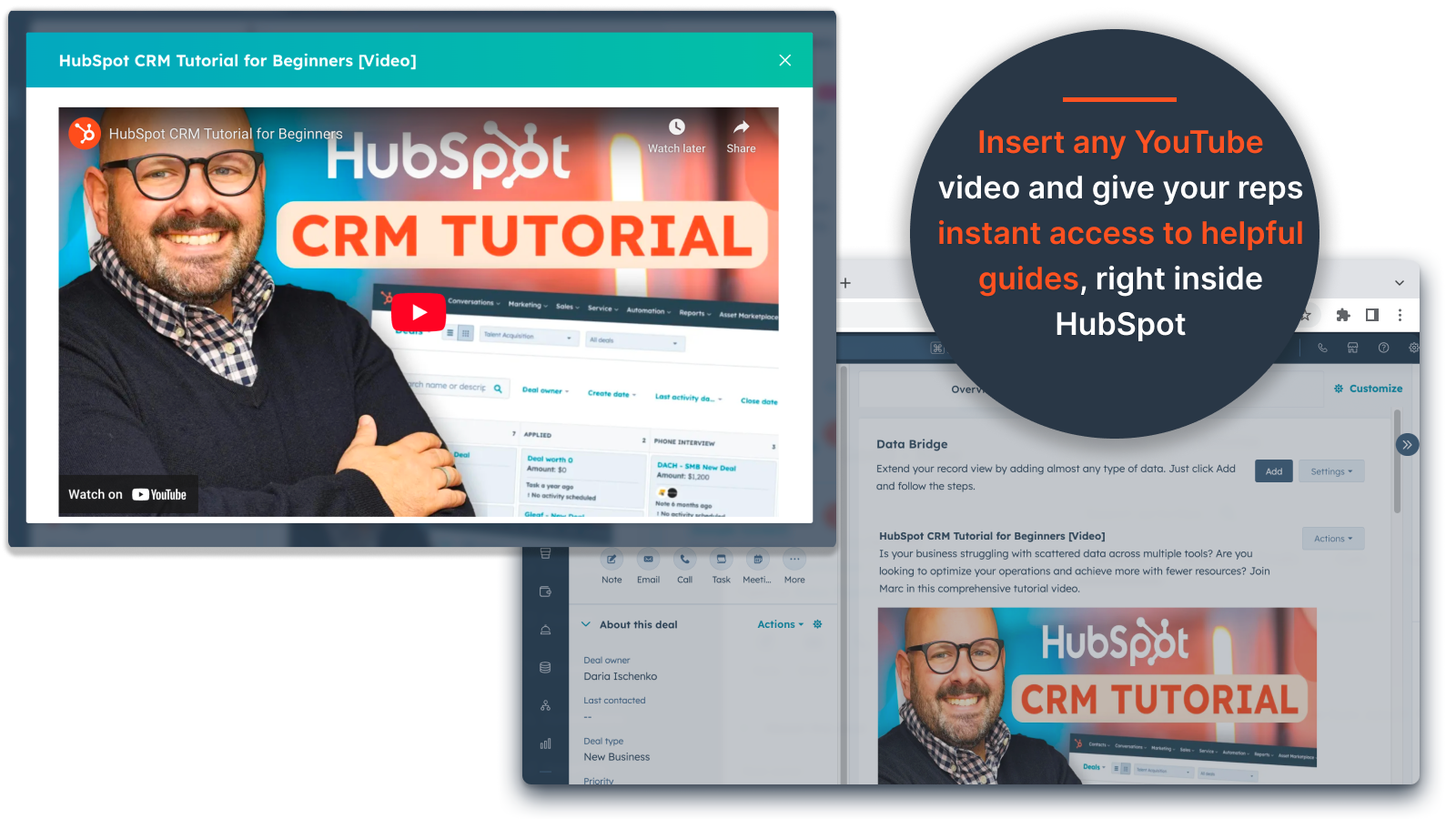
Add YouTube Videos

YouTube Video Embeds

Bring tutorials, product demos, or client updates directly into HubSpot records. Teams get instant access to the right video content without leaving the CRM.

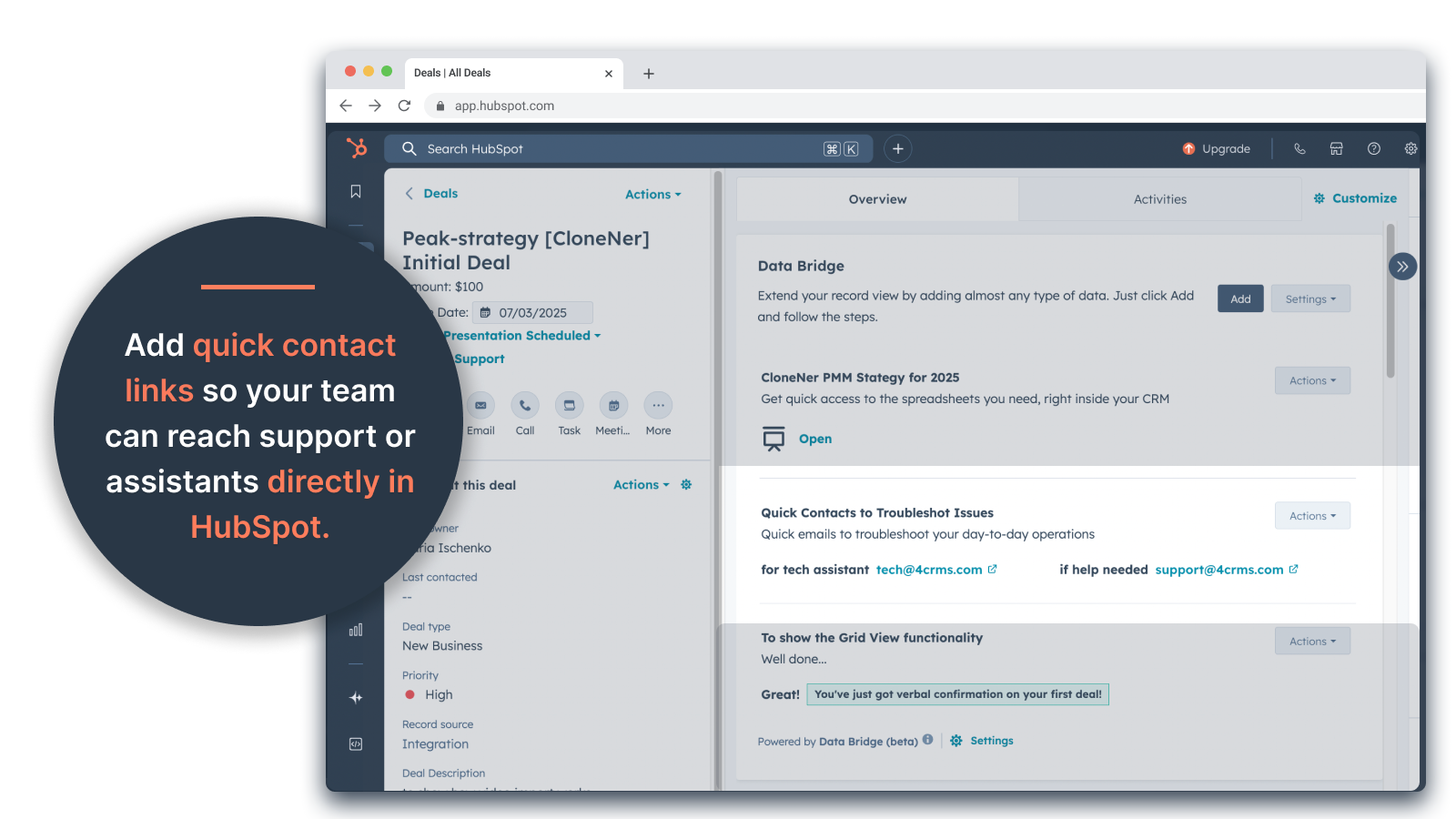
Create a Grid

Custom Grid Builder

Design fully customizable grids inside HubSpot records. Add tags, text, status indicators, links, images, icons, emails, or alerts. Use color-coded variants (Success, Warning, Error, Info) and extra notes to make complex data easy to interpret and act on.

Conditional Display Rules

Conditional Display Rules

Show or hide modules based on deal stage, property values, or custom conditions — so each team member sees only what’s relevant at the right time.

Seamless HubSpot Integration

Seamless HubSpot Integration

Works natively with all HubSpot standard objects (Contacts, Companies, Deals, Tickets) and Custom Objects — no coding or extra logins required.

File & Media Support

File & Media Support

Upload and display images, PDFs, or media files inside records for faster collaboration and centralized context.

應用程式功能

共用資料
資料來源
同步方向
在 HubSpot 中
在 HubSpot 中

Company

公司

公司

Contacts

連絡人

連絡人

Custom Objects

自訂物件

自訂物件

Deal

交易

交易

Deal Pipelines

交易管道

交易管道

Owners

擁有者

擁有者

Ticket

服務票證

服務票證

評論

篩選評論:

排序:


5/5
    2025年9月25日

它节省了大量时间,消除了管理零散文件的麻烦,并能将所有文件直接送到您需要的地方!

数据桥的胜利!我们需要一种简单的方法将 Excel 中的支出报告导入 HubSpot,而这解决了我们的痛点,无需管理大量的谷歌驱动器文件夹。现在,代表们可以轻松克隆费用报告,将其直接嵌入到相关交易中,无需在谷歌驱动器中查找,就能轻松访问这些报告。大大节省了时间和压力

你喜歡什麼?

设置简单,将外部资源直接引入 HubSpot,方便访问

你不喜歡什麼?

尚未发现!

  • Estey, Z.

已翻譯 from English。 檢視 original 文字

來自4CRMsBilynska, Y.的回覆2025年9月26日
非常感谢您的评价!很高兴 Data Bridge 帮助您的团队保持组织有序并节省时间,这正是我们在构建 Data Bridge 时所希望的!"!

5/5
    2025年9月19日

将 HubSpot 转变为指挥中心

我们的团队最近开始使用 4CRM 的 Data Bridge!它能够将 Google Sheets、Docs、视频和其他外部资源直接嵌入到 HubSpot 记录中,省去了大量的来回奔波,使我们的 CRM 更具可操作性。它直观、灵活,能在正确的时间将正确的数据带到正确的地方。

你喜歡什麼?

- 设置和使用超级简单 - 直接在 HubSpot 中嵌入重要的销售内容(如实时表、参考资料、入职文档) - 可自定义网格,轻松组织和显示最相关的数据 - 让记录感觉像真正的 "指挥中心 "一样 - 提高效率,减少跳标签的次数

你不喜歡什麼?

- 希望随着时间的推移,能添加更多的本地集成 - 某些嵌入内容(如某些视频播放器)可能会因浏览器设置不同而出现显示怪异的情况

  • Stern, D.

已翻譯 from English。 檢視 original 文字

來自4CRMsBilynska, Y.的回覆2025年9月26日
感谢您的精彩反馈!我们很高兴 Data Bridge 帮助您的团队更高效地使用 HubSpot。您对集成和显示怪癖的说明非常有价值。我们会继续努力。感谢您与我们合作!

價格

此應用程式需要下列其中一個 Data Bridge - Bring Any (Sync) Data into CRM Objects 訂閱版本。

Basic

US$49

/ 月

👉 Get 45 days free - 🔓unlock all features. Make HubSpot Records Smarter with UI Elements Right Where You Work. Bring Data to Contacts, Companies & Deals.

  • 3 UI Elements: Each added item counts as 1 element (e.g., an image or a video, etc.).

  • Contacts: Display Data Bridge UI elements inside contact records

  • Companies: Display Data Bridge UI elements inside company records.

  • Deals: Display Data Bridge UI elements inside deal records.

  • Embed images, YouTube, Google Docs, Slides & Sheets with iFrames - all displayed directly inside HubSpot records.

  • Filters: ⚠️ Not available (only per object or all objects apply

  • Custom Grid Builder: ⚠️ Not available. Can't create grids with tags, links, images, and notes.

Basic

US$49

/ 月

👉 Get 45 days free - 🔓unlock all features. Make HubSpot Records Smarter with UI Elements Right Where You Work. Bring Data to Contacts, Companies & Deals.

  • 3 UI Elements: Each added item counts as 1 element (e.g., an image or a video, etc.).

  • Contacts: Display Data Bridge UI elements inside contact records

  • Companies: Display Data Bridge UI elements inside company records.

  • Deals: Display Data Bridge UI elements inside deal records.

  • Embed images, YouTube, Google Docs, Slides & Sheets with iFrames - all displayed directly inside HubSpot records.

  • Filters: ⚠️ Not available (only per object or all objects apply

  • Custom Grid Builder: ⚠️ Not available. Can't create grids with tags, links, images, and notes.

* 此處顯示的價格僅供參考。所有價格均不包含稅金、獎勵、折扣或其他價格變數。如需最新的正確價格資訊,請連絡合作夥伴。HubSpot 對合作夥伴所提供的價格資訊不承擔任何責任。上次更新價格時間:2025/09/15

更多資訊

建立者
4CRMs
安裝次數
超過 50 次安裝
類別
此應用程式可用的語言
英語

Now trending

HubSpot solutions partner illustration
需要更多協助嗎?

與 HubSpot 解決方案合作夥伴攜手,合力打造自訂解決方案。

根據你的業務需求,聯繫 HubSpot 解決方案合作夥伴。瀏覽建議事項,聘用合適人選,隨即啟動你的專案!