

Data Bridge - Bring Any (Sync) Data into CRM Objects

Toonaangevend
Vereisten
HubSpot-abonnement HubSpot-accountmachtigingen - Bekijk de vereiste accountmachtigingen
Toegangstype Gedeeld Data Bridge - Bring Any (Sync) Data into CRM Objects-abonnement - Basis of Professioneel 🔥 plannen
Overzicht
-1.png)
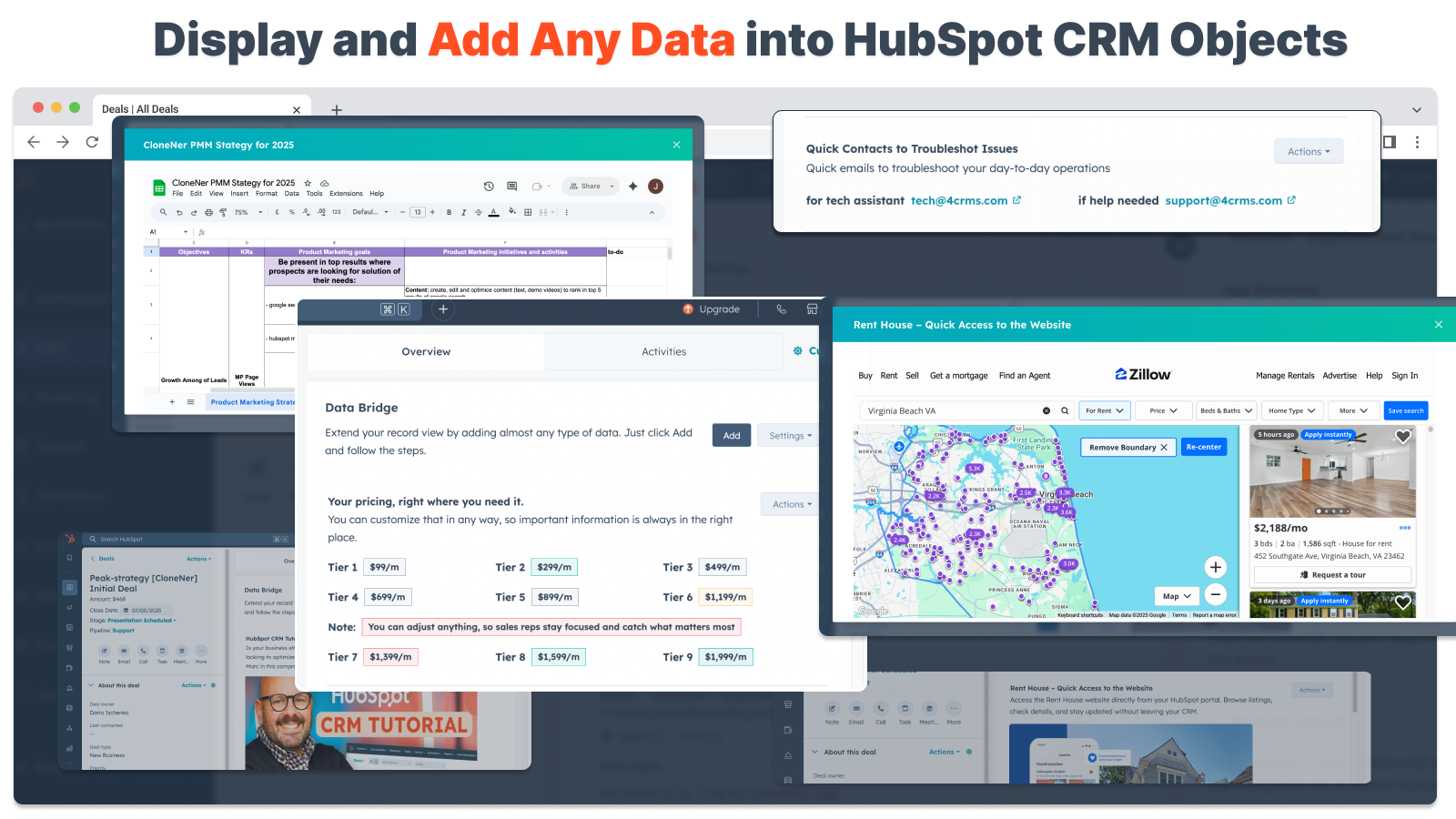
1/6 - Voeg Google Workspace, video's, tekst, iframed links toe - en toon ze op basis van voorwaarden of aangepaste regels - binnen HubSpot.
Verbeter je HubSpot records met Data Bridge! Synchroniseer externe content - websites, afbeeldingen, video's, Google Sheets, Documenten en meer - allemaal weergegeven op de plek waar je team werkt. Synchroniseer Data Bridge App - helpt je relevante content toe te voegen waar het er het meest toe doet, waardoor je CRM gebruiksvriendelijker en informatiever wordt. Integreer HubSpot met je favoriete apps in slechts 1 klik.
Gratis live inwerken - Neem contact met ons op voor een afspraak
Elke Data Bridge gebruiker krijgt een gratis live onboarding sessie met ons product/support team. Je zult vanaf dag één volledig uitgerust zijn - vol vertrouwen om precies te bouwen wat jouw bedrijf nodig heeft! Toon externe gegevens in HubSpot records! Google Sheets integreren! Op zoek naar een eenvoudige manier om data-integratie en datasynchronisatie in HubSpot te regelen? Met Data Bridge kun je externe gegevens koppelen, dashboards insluiten en zelfs aangepaste objecten beheren in je HubSpot-records. Of het nu gaat om gegevensmigratie, een aangepaste connector of de mogelijkheid om gegevens te importeren/exporteren vanuit Google Sheets, Excel of databases, Data Bridge maakt automatisering, rapportage-integratie en ETL voor HubSpot moeiteloos. Maak aanpasbare rasters, insluit/ toon gegevens die je nodig hebt en verander je HubSpot records in een echt commandocentrum.
Belangrijkste functies van Data Bridge
Afbeeldingen met links direct insluiten in HubSpot records
Voeg productfoto's, marketingmateriaal of andere visuele middelen direct toe aan Contacten, Bedrijven, Deals, Tickets of Aangepaste Objecten. Houd je team op één lijn met visuals op de plek waar ze werken.
Live integratie van Google Sheets en Docs
Integreer en iframe Google Sheets in HubSpot records om real-time rapporten, trackers of dashboards weer te geven. Perfect voor voortgangscontrole, KPI's of gedeelde klantgegevens.
YouTube Video Insluitingen
Voeg tutorials, productdemo's of klantupdates direct toe aan HubSpot records. Teams krijgen direct toegang tot de juiste video content zonder de CRM te verlaten.
Aangepaste rasterbouwer
Ontwerp volledig aanpasbare rasters in HubSpot records. Voeg tags, tekst, statusindicatoren, links, afbeeldingen, pictogrammen, e-mails of waarschuwingen toe. Gebruik kleurgecodeerde varianten (Succes, Waarschuwing, Fout, Info) en extra notities om complexe gegevens eenvoudig te interpreteren en op te volgen.
Regels voor voorwaardelijke weergave
Toon of verberg modules op basis van dealfase, eigenschapwaarden of aangepaste voorwaarden - zodat elk teamlid alleen ziet wat relevant is op het juiste moment.
Naadloze HubSpot integratie
Werkt native met alle HubSpot standaardobjecten (Contacten, Bedrijven, Deals, Tickets) en aangepaste objecten - geen codering of extra aanmeldingen nodig.
Bestand & Media Ondersteuning
Upload en toon afbeeldingen, PDF's of mediabestanden in records voor snellere samenwerking en gecentraliseerde context.
Waar u inhoud kunt plaatsen
Alle records - toon inhoud in heel uw CRM.
Specifieke records - voeg content toe aan één record dat u bekijkt.
Gefilterde records - doelrecords die voldoen aan de door u gekozen criteria.
Filters werken voor elk type content, zodat de juiste informatie op de juiste plaats verschijnt.
Waarom het nuttig is - De juiste inhoud op de juiste plaats.
Houd externe inhoud toegankelijk zonder HubSpot te verlaten.
Verminder het wisselen tussen tabbladen en verspreide gegevens.
Kun je je team up-to-date visuals en informatie in context geven?
Verrijk records met bruikbare content waar je team direct naar kan verwijzen.
Top 5 praktische zakelijke gebruikssituaties waarin het uitblinkt:
1. Hub voor het inwerken van klanten (Saas / Tech)
Embed onboarding checklists, playbooks en opnames van kickoff calls direct in het deal- of bedrijfsrecord.
Toon verschillende instructies afhankelijk van het onboardingstadium (bijv. "Setup Pending" vs. "Live").
CSM's werken de voortgang direct in HubSpot bij zonder van tool te hoeven wisselen.
2. Account gezondheid en succes volgen (Customer Success)
Voeg een live Google Sheet of dashboard toe met KPI's, vernieuwingsdata en NPS resultaten.
Toon waarschuwingen wanneer het gebruik daalt, contractverlenging nabij is of bepaalde eigenschappen risico's markeren.
Houd CSM's op één lijn met snelkoppelingen (mailto accounteigenaar, sjablonen voor verlengingsaanbiedingen).
3. Verkoopdraaiboeken en begeleiding (verkoopteams)
Toon dynamische instructies op basis van dealfase ("Discovery" = kwalificatievragen tonen, "Proposal Sent" = contractchecklist tonen).
Voeg snelkoppelingen toe zoals mailto-links voor juridische of financiële goedkeuring.
Verkort de opstarttijd van vertegenwoordigers door de juiste informatie alleen te laten verschijnen wanneer dat nodig is.
4. Buitendienst & Installaties (Productie / Diensten)
Voeg een installatiechecklist toe aan een ticket.
Techneuten uploaden voor/na foto's, video's of ondertekende documenten.
Toon veiligheidsinstructies of opmerkingen over naleving alleen als een bepaald producttype is geselecteerd.
5. Creatieve / marketingactiva beoordelen (bureaus of interne teams)
Sla creatieve briefings op, upload ontwerpontwerpen en bekijk video's in één record.
Laat een melding "Review Pending" zien totdat de klant zijn goedkeuring geeft.
Accountmanagers kunnen bestanden uploaden, terwijl directeuren de structuur en sjablonen beheren.
Kortom: Sync Data Bridge vermindert het wisselen tussen tools en brengt de juiste content, op het juiste moment, direct in HubSpot records. #1 HubSpot connector!
Functies
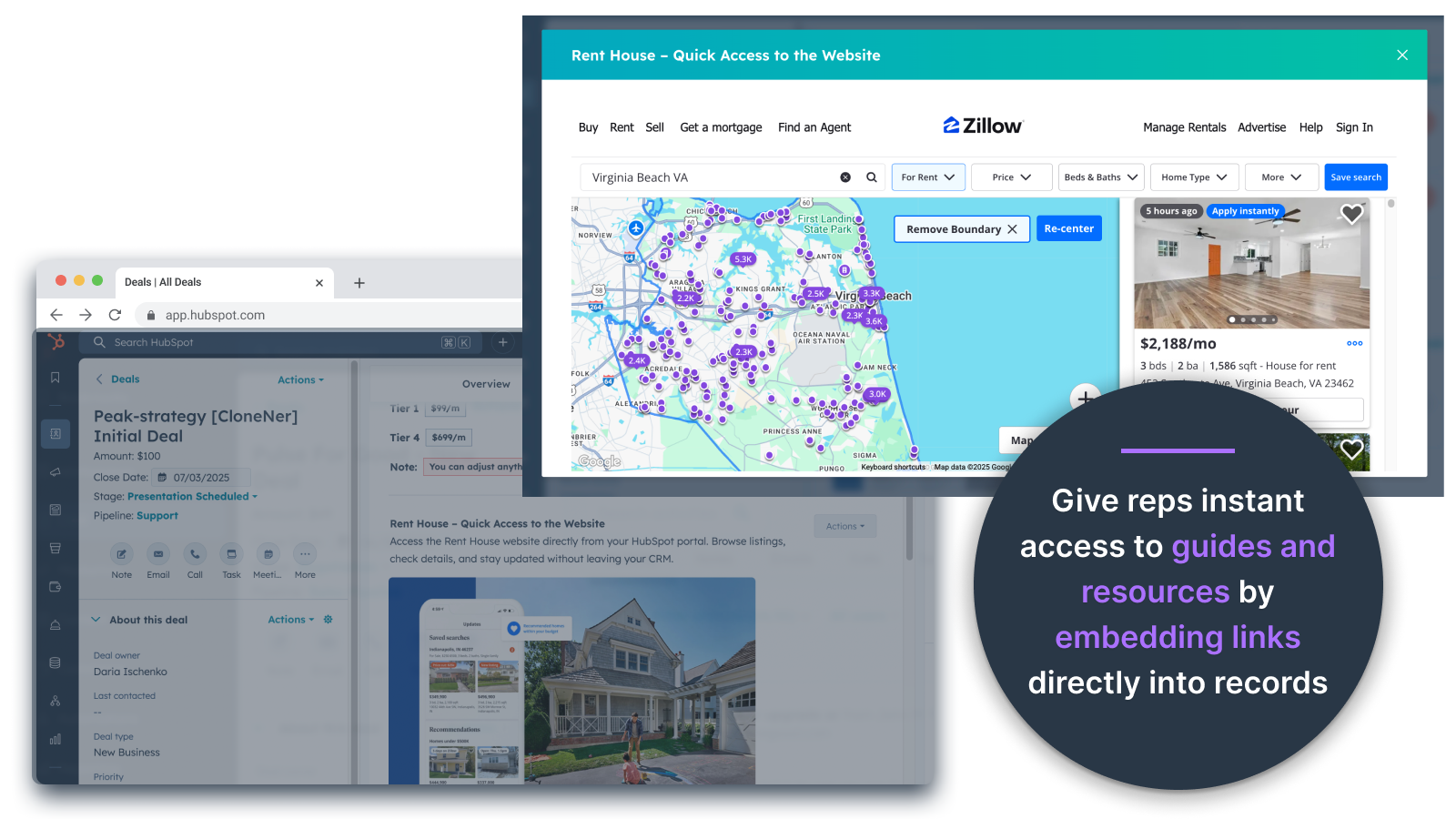
Afbeeldingen direct insluiten in aanbiedingen, tickets en andere recordweergaven
Voeg productfoto's, marketingmateriaal of andere visuele middelen direct toe aan Contactpersonen, Bedrijven, Deals, Tickets of Aangepaste objecten. Houd je team op één lijn met visuals op de plek waar ze werken.
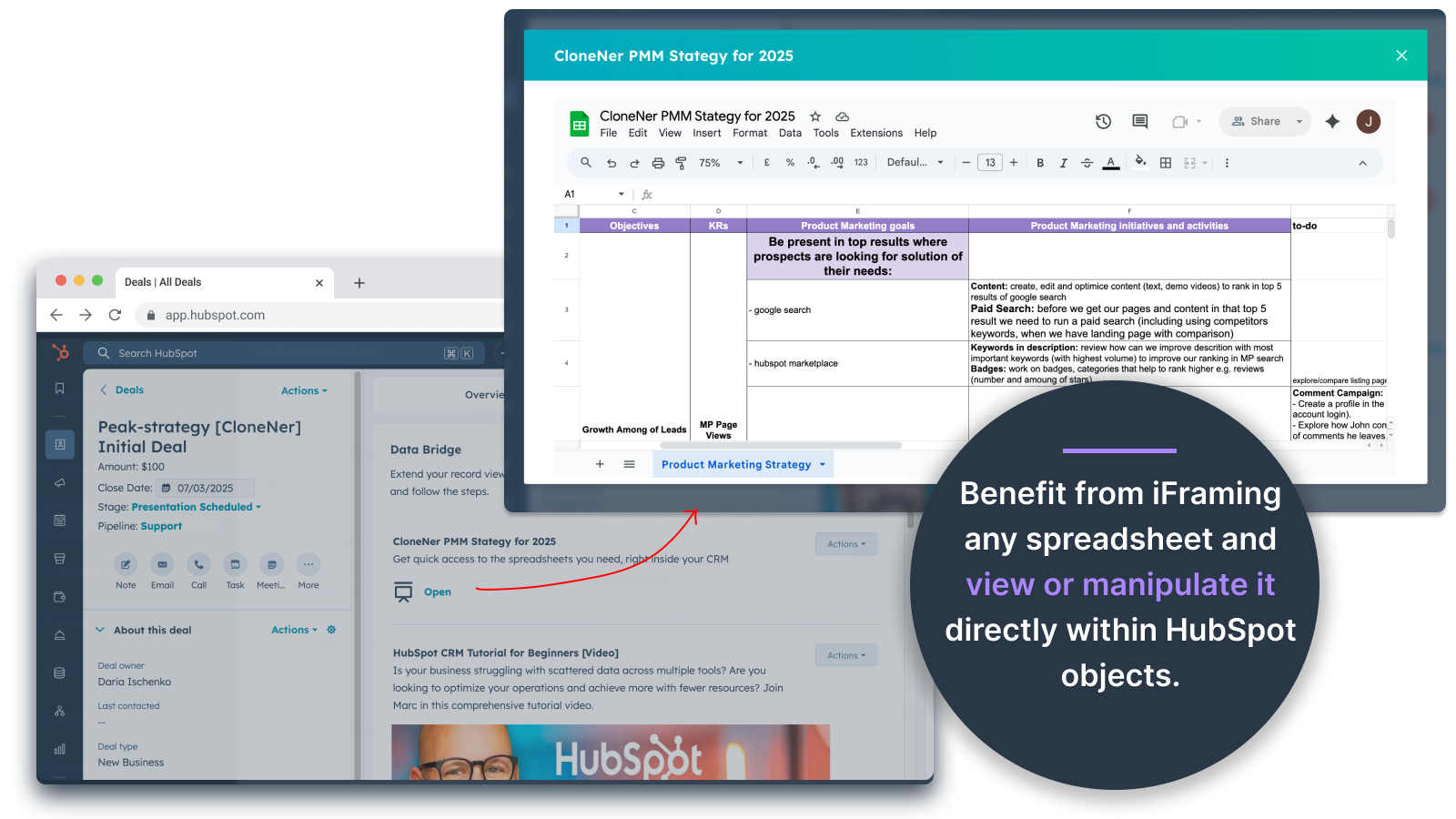
Google Sheets en Docs - direct bekijken in Deals, Tickets, enz.
Integreer en iframe Google Sheets in HubSpot records om real-time rapporten, trackers of dashboards weer te geven. Perfect voor het bijhouden van voortgang, KPI's of gedeelde klantgegevens.
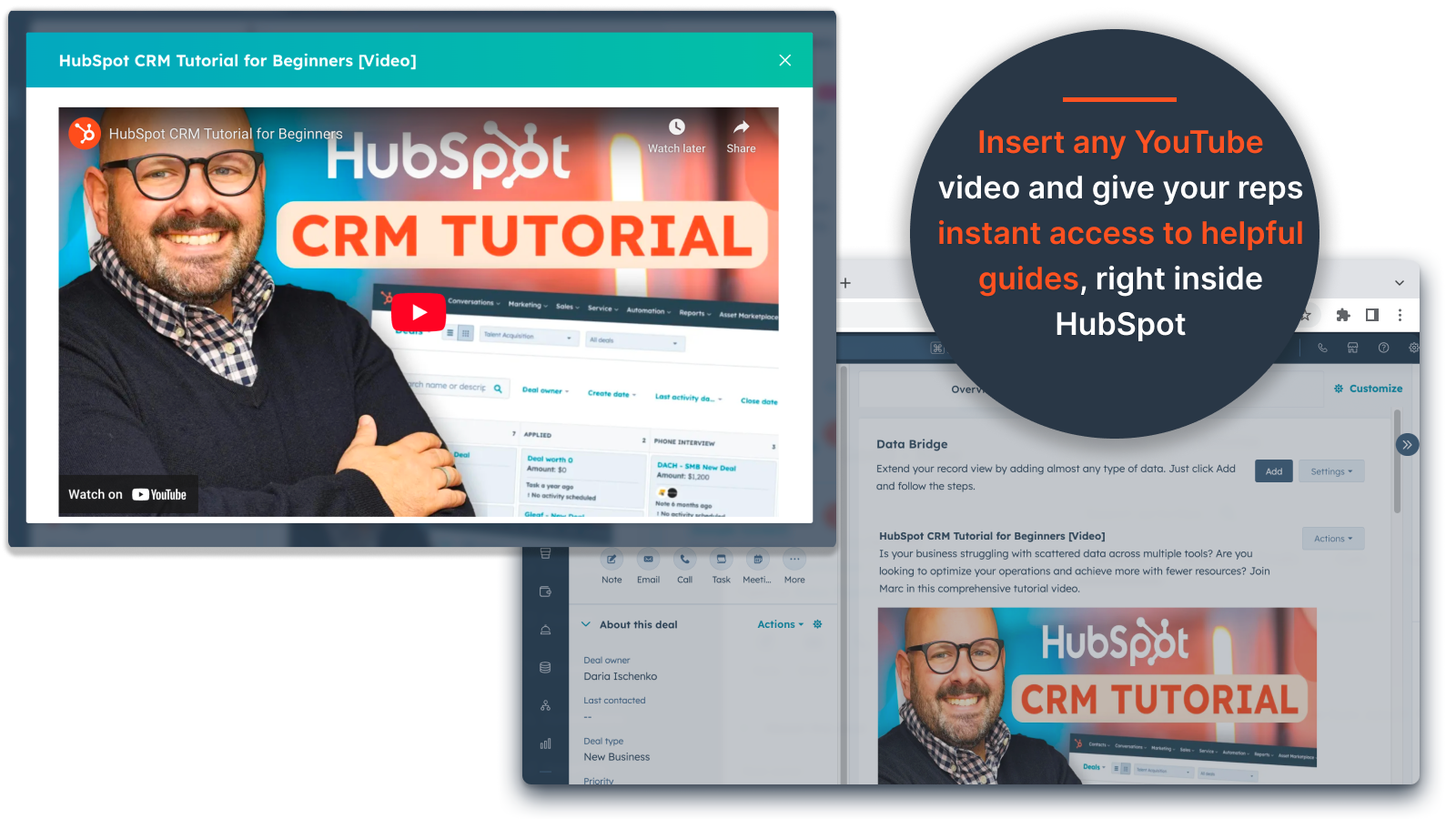
YouTube-video's invoegen
Breng tutorials, productdemo's of klantupdates rechtstreeks naar HubSpot records. Teams krijgen direct toegang tot de juiste video content zonder de CRM te verlaten.
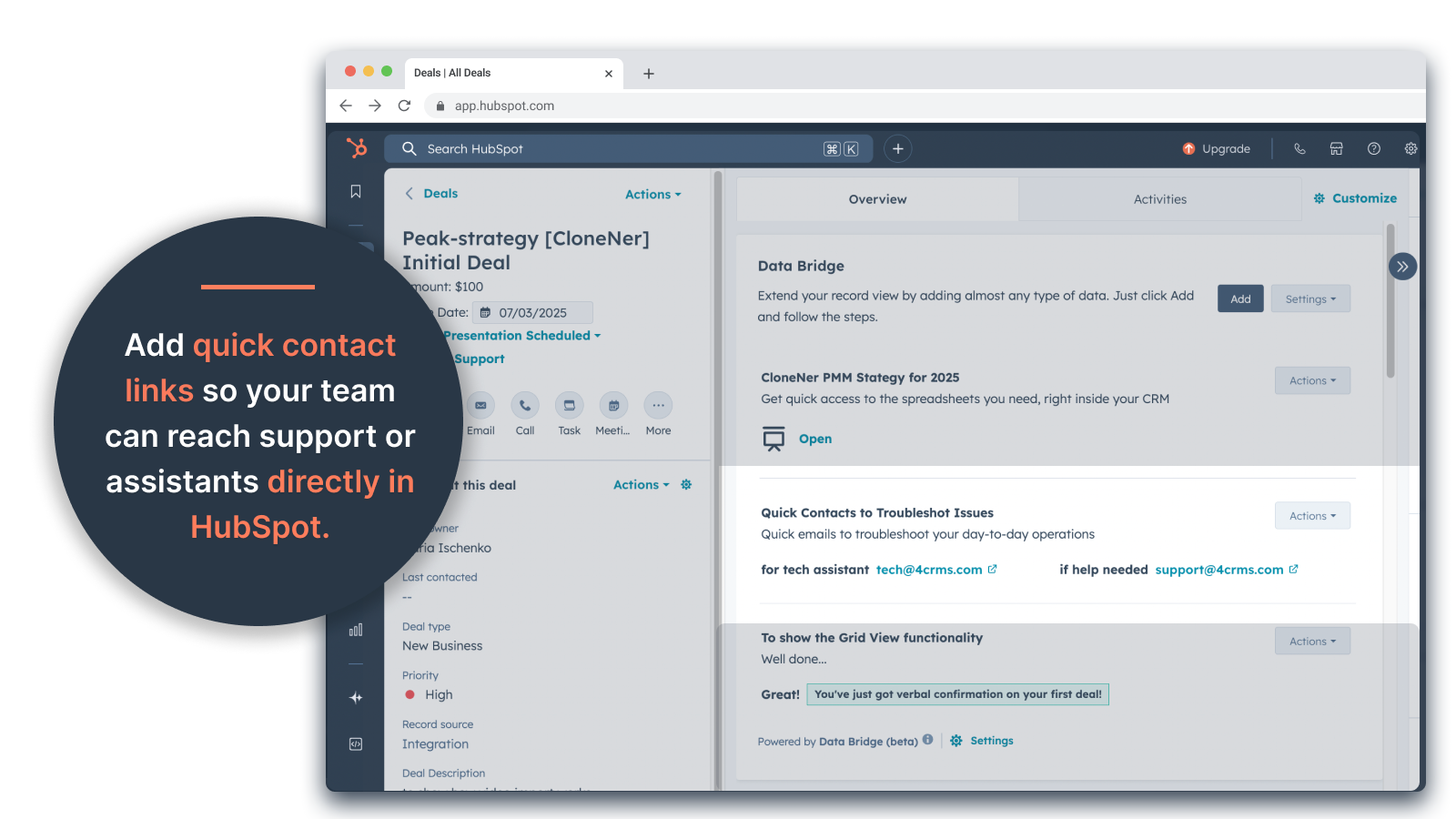
Aangepaste rasterbouwer
Ontwerp volledig aanpasbare rasters binnen HubSpot records. Voeg tags, tekst, statusindicatoren, koppelingen, afbeeldingen, pictogrammen, e-mails of waarschuwingen toe. Gebruik kleurgecodeerde varianten (Succes, Waarschuwing, Fout, Info) en extra notities om complexe gegevens eenvoudig te interpreteren en er actie op te ondernemen.
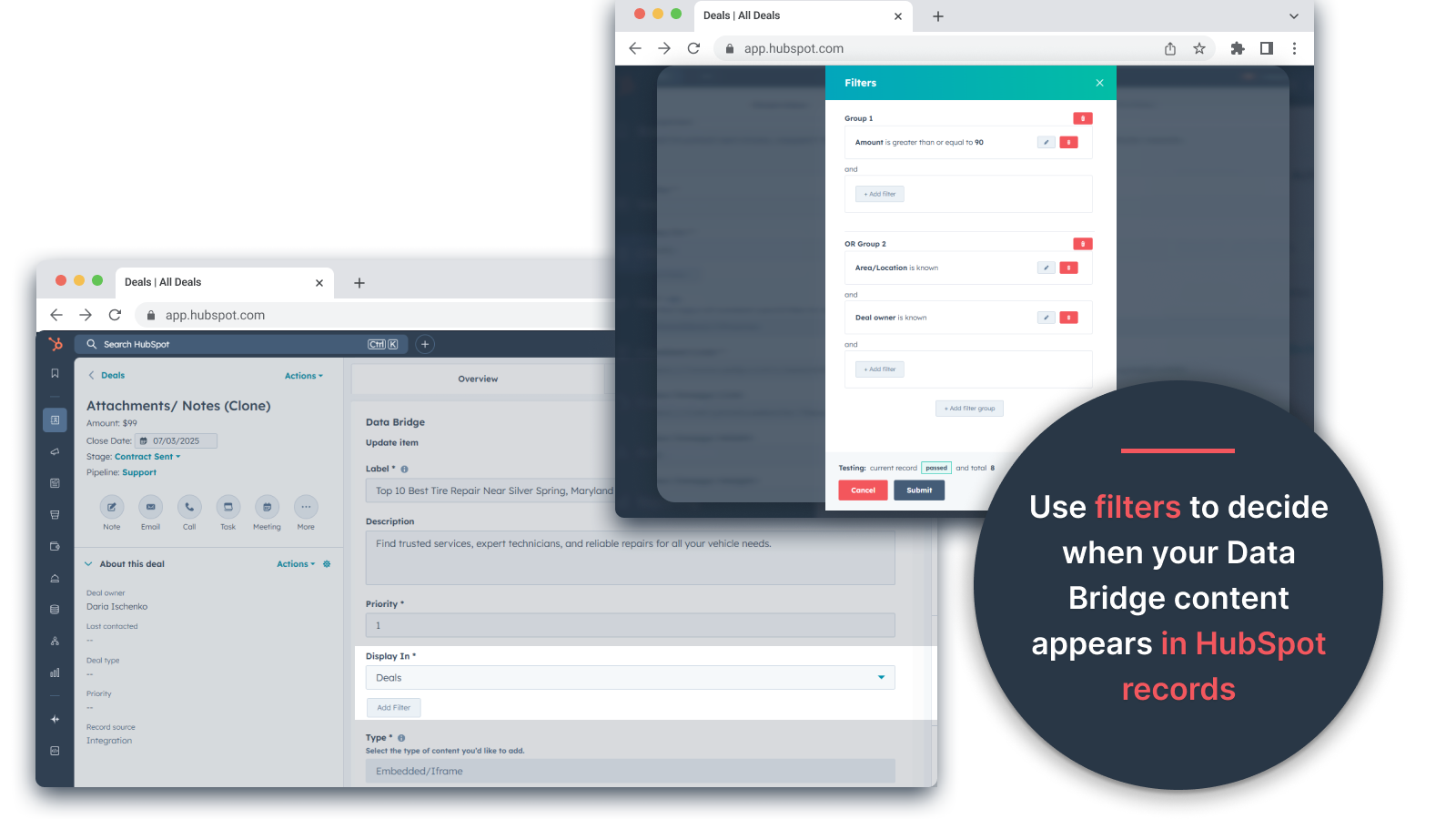
Regels voor voorwaardelijke weergave
Modules tonen of verbergen op basis van dealfase, vastgoedwaarden of aangepaste voorwaarden - zodat elk teamlid alleen ziet wat relevant is op het juiste moment.
Naadloze integratie met HubSpot
Werkt native met alle HubSpot standaardobjecten (Contacten, Bedrijven, Deals, Tickets) en aangepaste objecten - geen codering of extra aanmeldingen nodig.
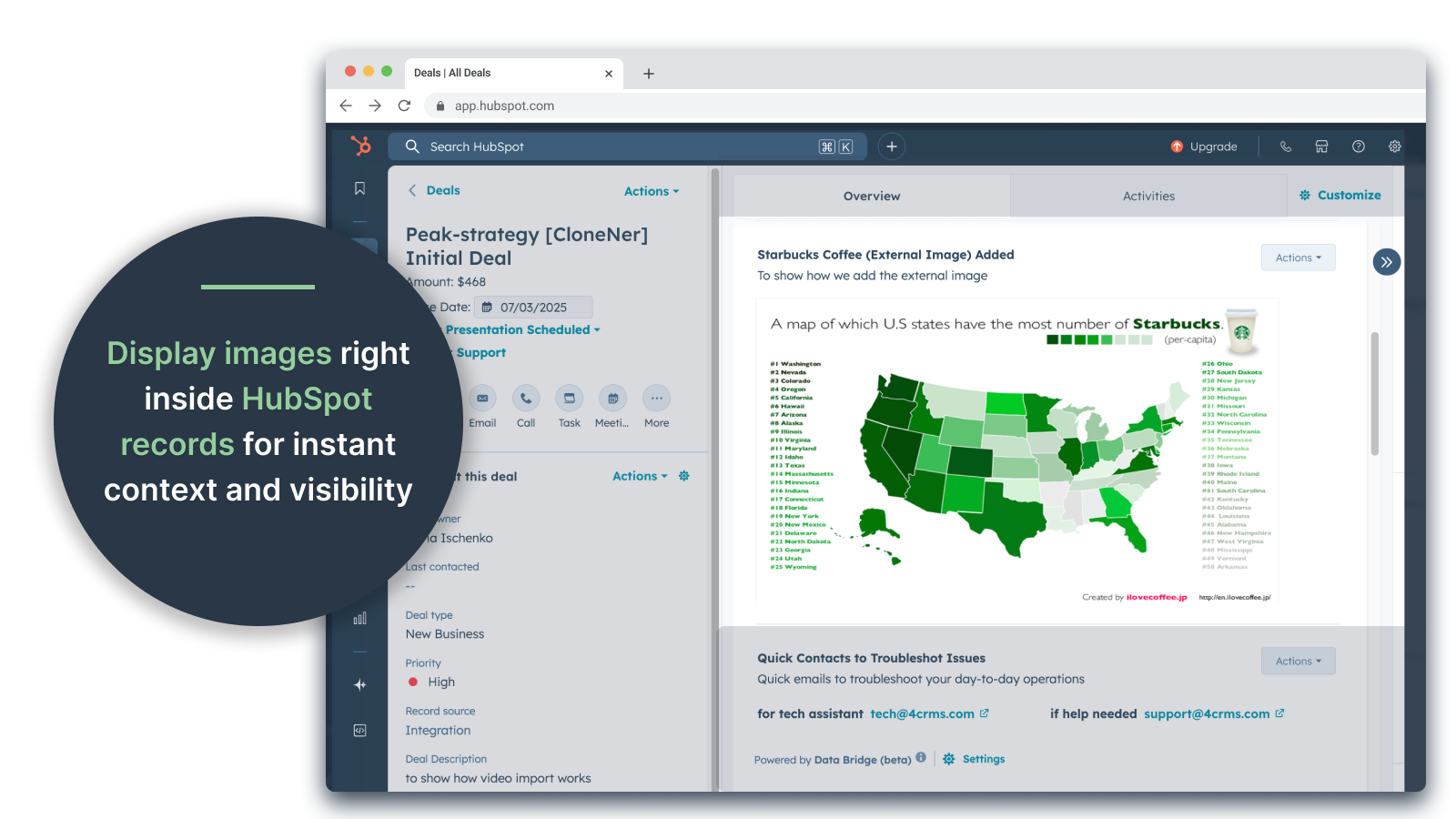
Ondersteuning voor bestanden en media
Upload en toon afbeeldingen, PDF's of mediabestanden in dossiers voor snellere samenwerking en gecentraliseerde context.
App-functionaliteit
Gedeelde gegevens
Contacts | ||
Custom Objects | ||
Company | ||
Deal | ||
Ticket | ||
Owners | ||
Deal Pipelines |
Reviews
- 25 sep. 2025
Grote tijdsbesparing die het gedoe van het beheren van verspreide bestanden elimineert en alles direct brengt waar je het nodig hebt!
Gegevensbrug voor de overwinning! We hadden een gemakkelijke manier nodig om onkostendeclaraties in Excel in HubSpot te krijgen en dit loste dat probleem op zonder dat we tonnen mappen op google drive hoefden te beheren. Nu kunnen vertegenwoordigers eenvoudig onkostendeclaraties klonen, ze direct opnemen in hun gerelateerde deals en ze eenvoudig openen zonder in Google Drive te hoeven graven. Dit bespaart veel tijd en stress!
Eenvoudige installatie, brengt externe bronnen direct naar HubSpot voor eenvoudige toegang
nog niets gevonden!
Estey, Z.
- 19 sep. 2025
Verandert HubSpot in een commandocentrum
Ons team maakt sinds kort gebruik van Data Bridge! by 4CRM en het heeft onze workflow al op een krachtige manier gestroomlijnd. De mogelijkheid om Google Sheets, Docs, video's en andere externe bronnen direct in te sluiten in HubSpot records heeft een hoop heen-en-weergeloop voorkomen en ons CRM veel beter bruikbaar gemaakt. Het is intuïtief, flexibel en brengt de juiste gegevens op het juiste moment op de juiste plaats.
- Super eenvoudig in te stellen en te gebruiken - Sluit cruciale verkoopinhoud (zoals live sheets, referentiemateriaal, onboardingdocumenten) direct in HubSpot in - Aanpasbare rasters maken het eenvoudig om de meest relevante gegevens te ordenen en weer te geven - Geweldig om dossiers te laten aanvoelen als een echt "commandocentrum" - Verhoogde efficiëntie en minder tabblad-hoppen
- Zou graag zien dat er in de loop der tijd nog meer native integraties worden toegevoegd - Sommige ingesloten inhoud (bijv. bepaalde videospelers) kan eigenaardigheden vertonen, afhankelijk van de browserinstellingen
Stern, D.
Prijzen
Basis
US$ 19
/maand👉 Ontvang 45 dagen gratis - 🔓 ontgrendel alle functies. Maak HubSpot Records slimmer met UI-elementen op de plek waar je werkt. Breng gegevens naar Contacten, Bedrijven & Deals.
3 UI-elementen: Elk toegevoegd item telt als 1 element (bijvoorbeeld een afbeelding of een video, enz.).
Contacten: UI-elementen van Data Bridge weergeven in contactpersonen
Bedrijven: Geef Data Bridge UI-elementen weer in bedrijfsrecords.
Deals: Geef Data Bridge UI-elementen weer in dealrecords.
Embed afbeeldingen, YouTube, Google Docs, Slides & Sheets met iFrames - allemaal direct weergegeven in HubSpot records.
Filters: ⚠️ Niet beschikbaar (alleen per object of alle objecten van toepassing)
Custom Grid Builder: ⚠️ Niet beschikbaar. Kan geen rasters maken met tags, links, afbeeldingen en notities.
Basis
US$ 19
/maand👉 Ontvang 45 dagen gratis - 🔓 ontgrendel alle functies. Maak HubSpot Records slimmer met UI-elementen op de plek waar je werkt. Breng gegevens naar Contacten, Bedrijven & Deals.
3 UI-elementen: Elk toegevoegd item telt als 1 element (bijvoorbeeld een afbeelding of een video, enz.).
Contacten: UI-elementen van Data Bridge weergeven in contactpersonen
Bedrijven: Geef Data Bridge UI-elementen weer in bedrijfsrecords.
Deals: Geef Data Bridge UI-elementen weer in dealrecords.
Embed afbeeldingen, YouTube, Google Docs, Slides & Sheets met iFrames - allemaal direct weergegeven in HubSpot records.
Filters: ⚠️ Niet beschikbaar (alleen per object of alle objecten van toepassing)
Custom Grid Builder: ⚠️ Niet beschikbaar. Kan geen rasters maken met tags, links, afbeeldingen en notities.
* De hier vermelde prijzen dienen alleen ter illustratie. Alle prijzen zijn exclusief belasting, bonussen, kortingen of andere prijsvariabelen. Neem contact op met de partner voor de meest recente en correcte prijsinformatie. HubSpot erkent geen verantwoordelijkheid voor deze prijsinformatie, die wordt verstrekt door onze partners. Prijzen laatst bijgewerkt: 05-05-2026