

Data Bridge - Bring Any (Sync) Data into CRM Objects

Ledende
Krav
HubSpot-abonnement Tilladelser til HubSpot-konto - Se de nødvendige kontotilladelser
Adgangstype Delt Data Bridge - Bring Any (Sync) Data into CRM Objects abonnement - Grundlæggende eller Professionel 🔥 planer
Oversigt
-1.png)
1/6 - Tilføj Google Workspace, videoer, tekst, iframed-links - og vis dem baseret på betingelser eller brugerdefinerede regler - inde i HubSpot.
Giv dine HubSpot-poster et løft med Data Bridge! Synkroniser eksternt indhold - hjemmesider, billeder, videoer, Google Sheets, Docs og meget mere - alt sammen vist lige der, hvor dit team arbejder. Synkroniser Data Bridge-appen - hjælper dig med at tilføje relevant indhold, hvor det betyder mest, og gør dit CRM nemmere at bruge og mere informativt. Integrer HubSpot med dine yndlingsapps med kun 1 klik.
Få gratis live onboarding - kontakt os for at planlægge
Alle Data Bridge-brugere får en gratis live onboarding-session med vores produkt- og supportteam. Du vil være fuldt udrustet fra første dag - sikker på at kunne bygge præcis det, din virksomhed har brug for! Vis eksterne data i HubSpot-poster! Integrer Google Sheets! Leder du efter en enkel måde at håndtere dataintegration og datasynkronisering på i HubSpot? Data Bridge giver dig mulighed for at forbinde eksterne data, integrere dashboards og endda administrere brugerdefinerede objekter direkte i dine HubSpot-poster. Uanset om det er datamigrering, en brugerdefineret connector eller muligheden for at importere/eksportere data fra Google Sheets, Excel eller databaser, gør Data Bridge automatisering, rapporteringsintegration og ETL til HubSpot ubesværet. Opret gitre, der kan tilpasses, indlejr/vis de data, du har brug for, og gør dine HubSpot-poster til et ægte kommandocenter.
Nøglefunktioner i Data Bridge
Integrer billeder med links direkte i HubSpot-poster
Tilføj produktbilleder, marketingmaterialer eller andre visuelle aktiver direkte til kontakter, virksomheder, tilbud, billetter eller brugerdefinerede objekter. Hold dit team på linje med det visuelle lige der, hvor de arbejder.
Live integration af Google Sheets og Docs
Integrer og iframe Google Sheets i HubSpot-poster for at vise rapporter, trackere eller dashboards i realtid. Perfekt til sporing af fremskridt, KPI'er eller delte kundedata.
Indlejring af YouTube-videoer
Bring vejledninger, produktdemonstrationer eller kundeopdateringer direkte ind i HubSpot-poster. Teams får øjeblikkelig adgang til det rigtige videoindhold uden at forlade CRM.
Brugerdefineret gitterbygger
Design fuldt tilpassede gitre i HubSpot-poster. Tilføj tags, tekst, statusindikatorer, links, billeder, ikoner, e-mails eller advarsler. Brug farvekodede varianter (Succes, Advarsel, Fejl, Info) og ekstra noter for at gøre komplekse data nemme at fortolke og handle på.
Regler for betinget visning
Vis eller skjul moduler baseret på aftalestadie, ejendomsværdier eller brugerdefinerede betingelser - så hvert teammedlem kun ser det, der er relevant på det rigtige tidspunkt.
Problemfri integration med HubSpot
Fungerer naturligt med alle HubSpot-standardobjekter (kontakter, virksomheder, tilbud, billetter) og brugerdefinerede objekter - ingen kodning eller ekstra logins er påkrævet.
Understøttelse af filer og medier
Upload og vis billeder, PDF'er eller mediefiler inde i poster for hurtigere samarbejde og centraliseret kontekst.
Hvor du kan placere indhold
Alle poster - vis indhold på tværs af dit CRM.
Specifik post - tilføj indhold til en enkelt post, du ser på.
Filtrerede poster - målret poster, der matcher dine valgte kriterier.
Filtre fungerer for enhver indholdstype, så den rigtige information vises på det rigtige sted.
Hvorfor det er nyttigt - det rigtige indhold på det rigtige sted.
Hold eksternt indhold tilgængeligt uden at forlade HubSpot.
Reducer antallet af faneskift og spredte data.
Kan du give dit team opdaterede billeder og information i kontekst?
Forbedr poster med handlingsorienteret indhold, som dit team kan referere til med det samme.
Top 5 praktiske business use cases, hvor det skinner:
1. Onboarding-hub for kunder (Saas / Tech)
Integrer onboarding-tjeklister, drejebøger og optagelser af kickoff-opkald direkte i aftalen eller virksomhedsoptegnelsen.
Vis forskellige instruktioner afhængigt af onboarding-stadiet (f.eks. "Setup Pending" vs. "Live").
CSM'er opdaterer fremskridt direkte i HubSpot uden at skifte værktøj.
2. Sporing af kontosundhed og succes (kundesucces)
Tilføj et live Google Sheet eller dashboard med KPI'er, fornyelsesdatoer og NPS-resultater.
Vis advarsler, når brugen falder, kontraktfornyelsen nærmer sig, eller visse egenskaber viser risici.
Hold CSM'erne på linje med hurtige links (mail til kontoejer, skabeloner til fornyelsestilbud).
3. Salgsplaybooks og vejledning (salgsteams)
Vis dynamiske instruktioner baseret på aftalens stadie ("Discovery" = vis kvalificerende spørgsmål, "Proposal Sent" = vis kontraktcheckliste).
Tilføj genveje som mailto-links til juridisk eller finansiel godkendelse.
Reducer opstartstiden for repræsentanter ved kun at vise de rigtige oplysninger, når der er brug for dem.
4. Feltservice og installationer (produktion/service)
Integrer en installationstjekliste i en billet.
Teknikere uploader før/efter-fotos, videoer eller underskrevne dokumenter.
Vis kun sikkerhedsinstruktioner eller bemærkninger om overholdelse, hvis der er valgt en bestemt produkttype.
5. Gennemgang af kreative/marketingaktiver (bureauer eller interne teams)
Gem kreative briefs, upload designudkast og få vist videoer i én post.
Vis en "Review Pending"-meddelelse, indtil kunden markerer godkendelse.
Account managers kan uploade filer, mens direktører styrer strukturen og skabelonerne.
Kort sagt: Sync Data Bridge reducerer værktøjsskift og bringer det rigtige indhold, på det rigtige tidspunkt, direkte ind i HubSpot-poster. #1 HubSpot-forbindelse!
Funktioner
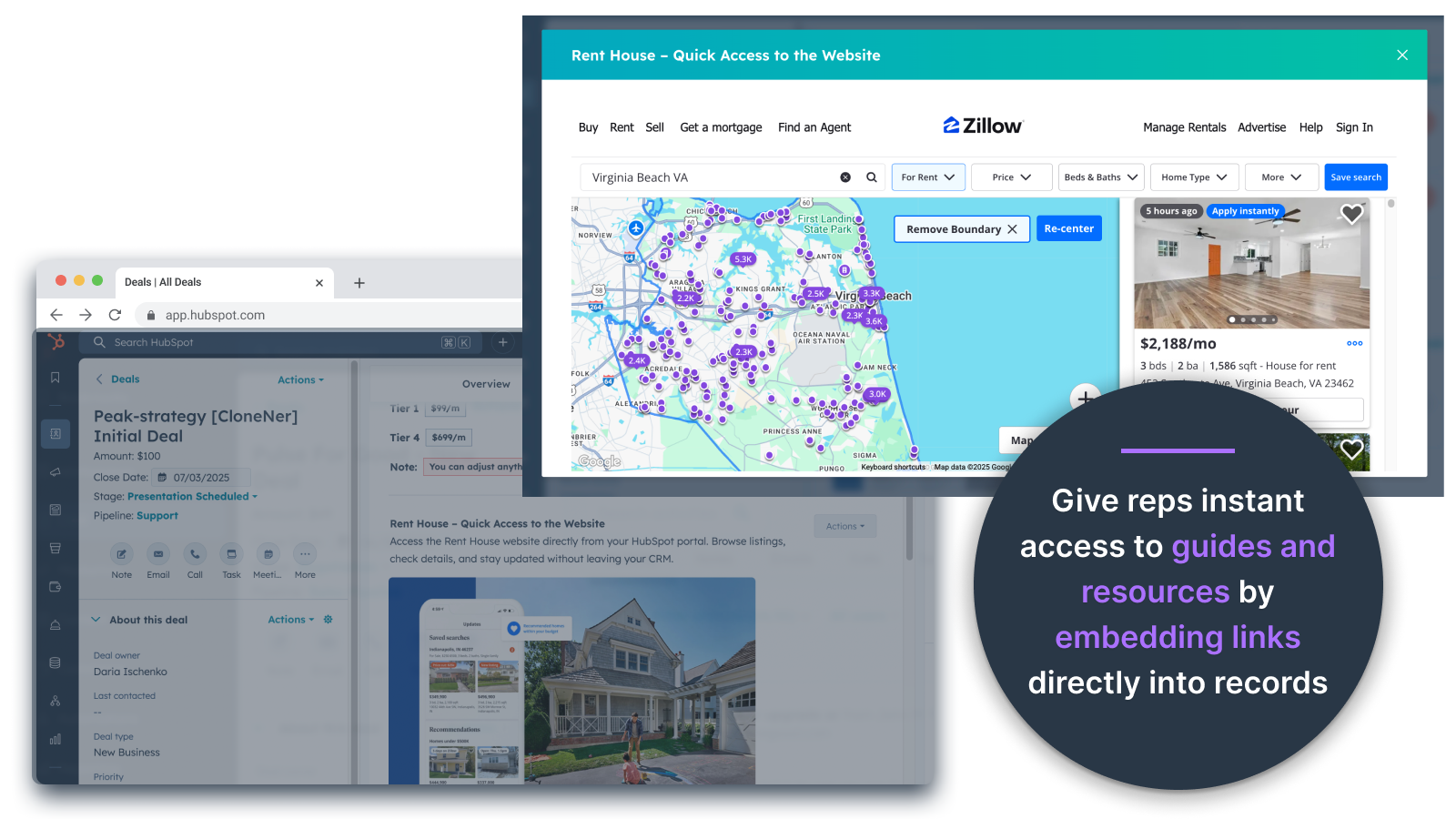
Integrer billeder direkte i tilbud, billetter og andre postvisninger
Tilføj produktbilleder, marketingmaterialer eller andre visuelle aktiver direkte til kontakter, virksomheder, tilbud, billetter eller brugerdefinerede objekter. Hold dit team på linje med det visuelle lige der, hvor de arbejder.
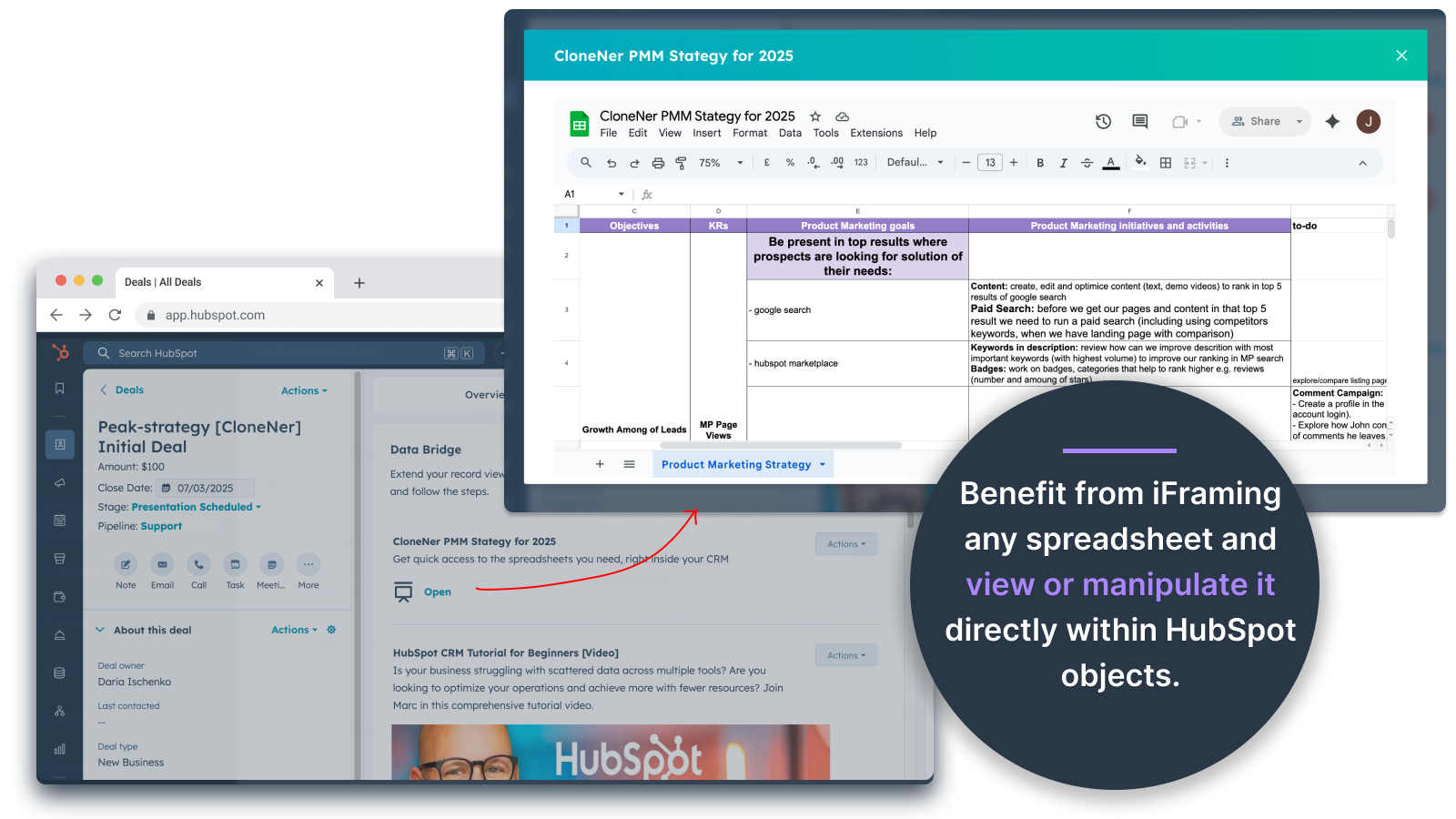
Google Sheets og Docs - se direkte i tilbud, billetter osv.
Integrer og iframe Google Sheets i HubSpot-poster for at vise rapporter, trackere eller dashboards i realtid. Perfekt til sporing af fremskridt, KPI'er eller delte kundedata.
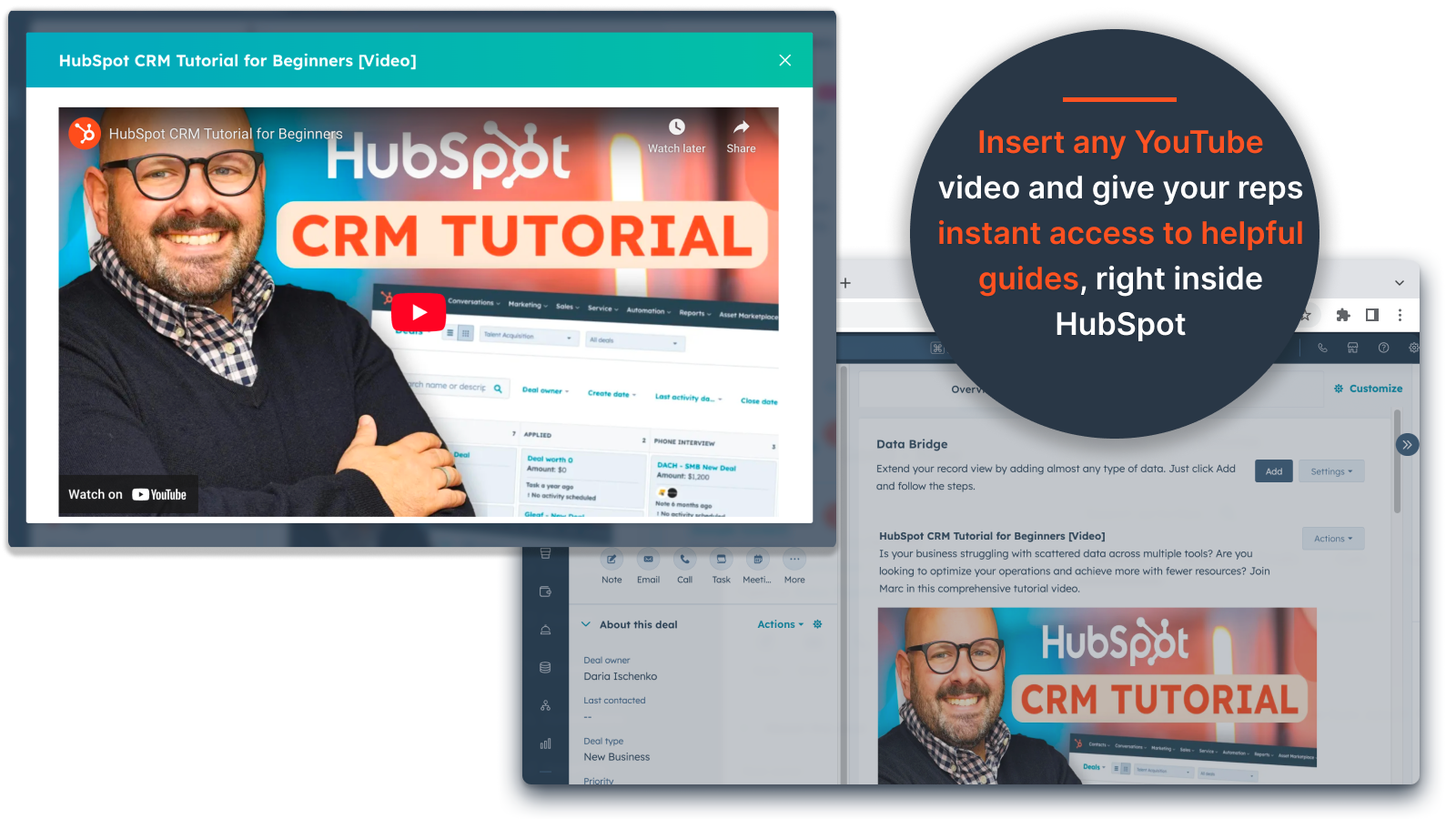
Indlejring af YouTube-videoer
Bring vejledninger, produktdemonstrationer eller kundeopdateringer direkte ind i HubSpot-poster. Teams får øjeblikkelig adgang til det rigtige videoindhold uden at forlade CRM.
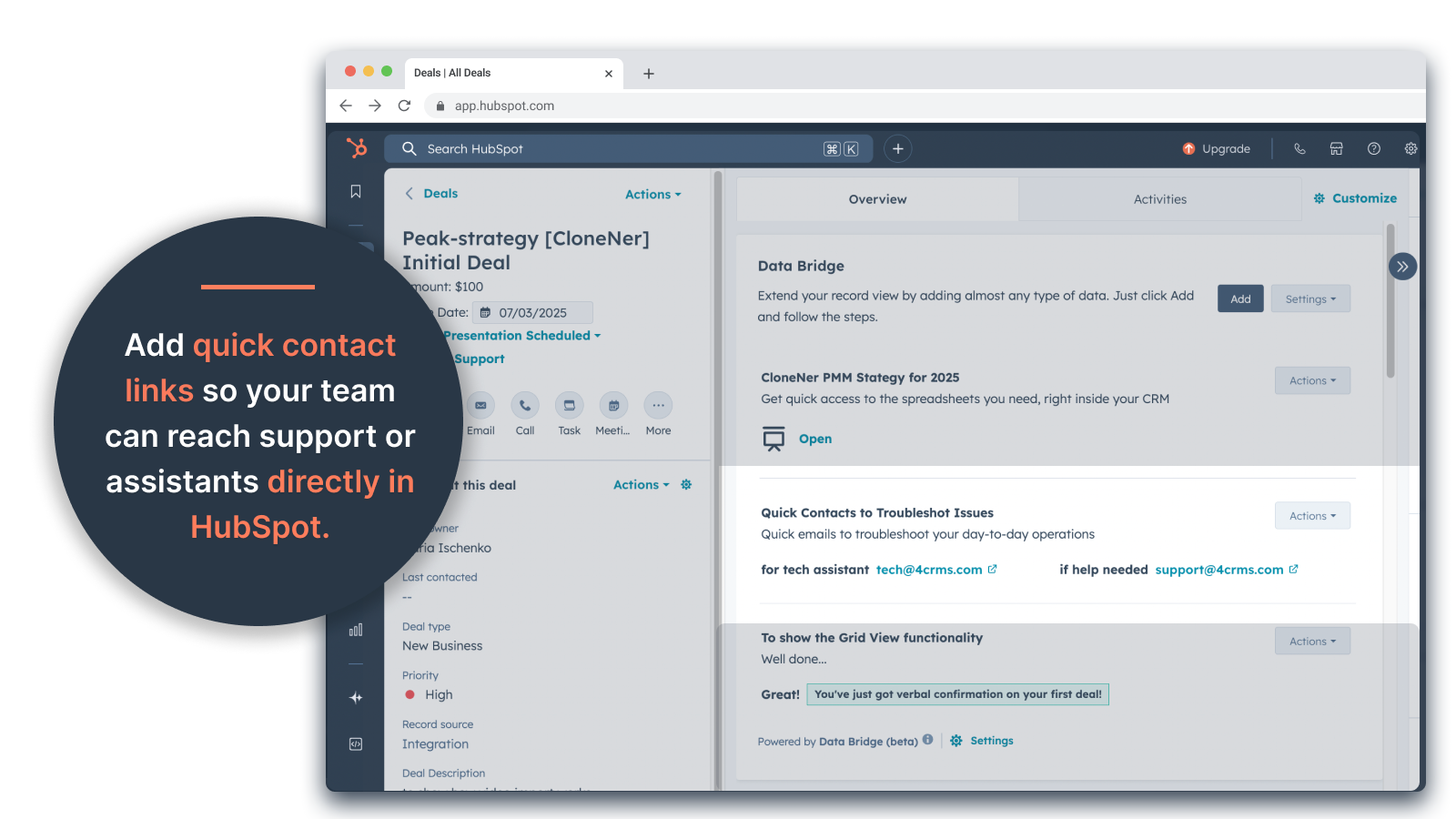
Brugerdefineret gitterbygger
Design fuldt tilpassede gitre i HubSpot-poster. Tilføj tags, tekst, statusindikatorer, links, billeder, ikoner, e-mails eller advarsler. Brug farvekodede varianter (Succes, Advarsel, Fejl, Info) og ekstra noter for at gøre komplekse data nemme at fortolke og handle på.
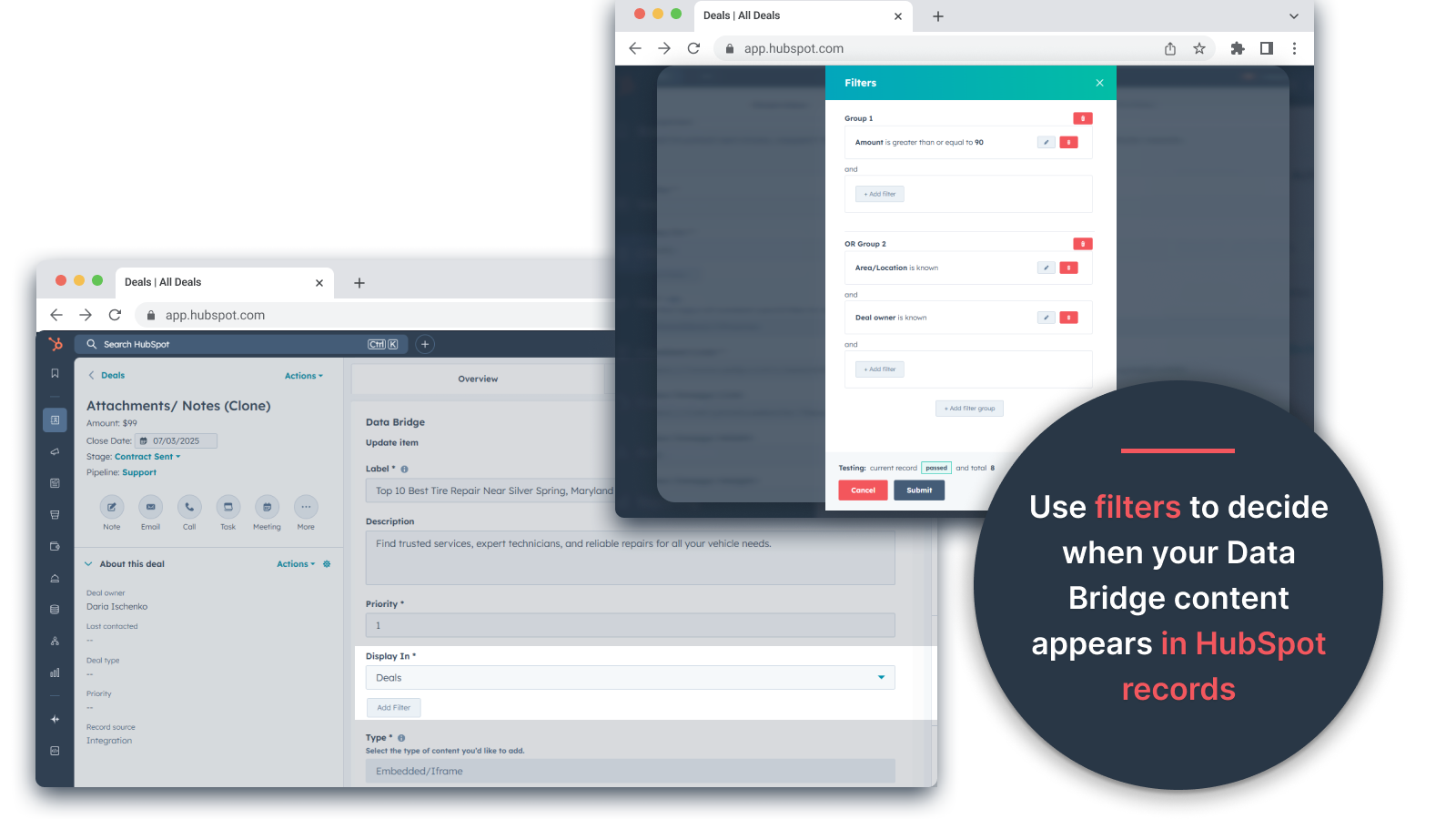
Regler for betinget visning
Vis eller skjul moduler baseret på handelsstadie, ejendomsværdier eller brugerdefinerede betingelser - så hvert teammedlem kun ser det, der er relevant på det rigtige tidspunkt.
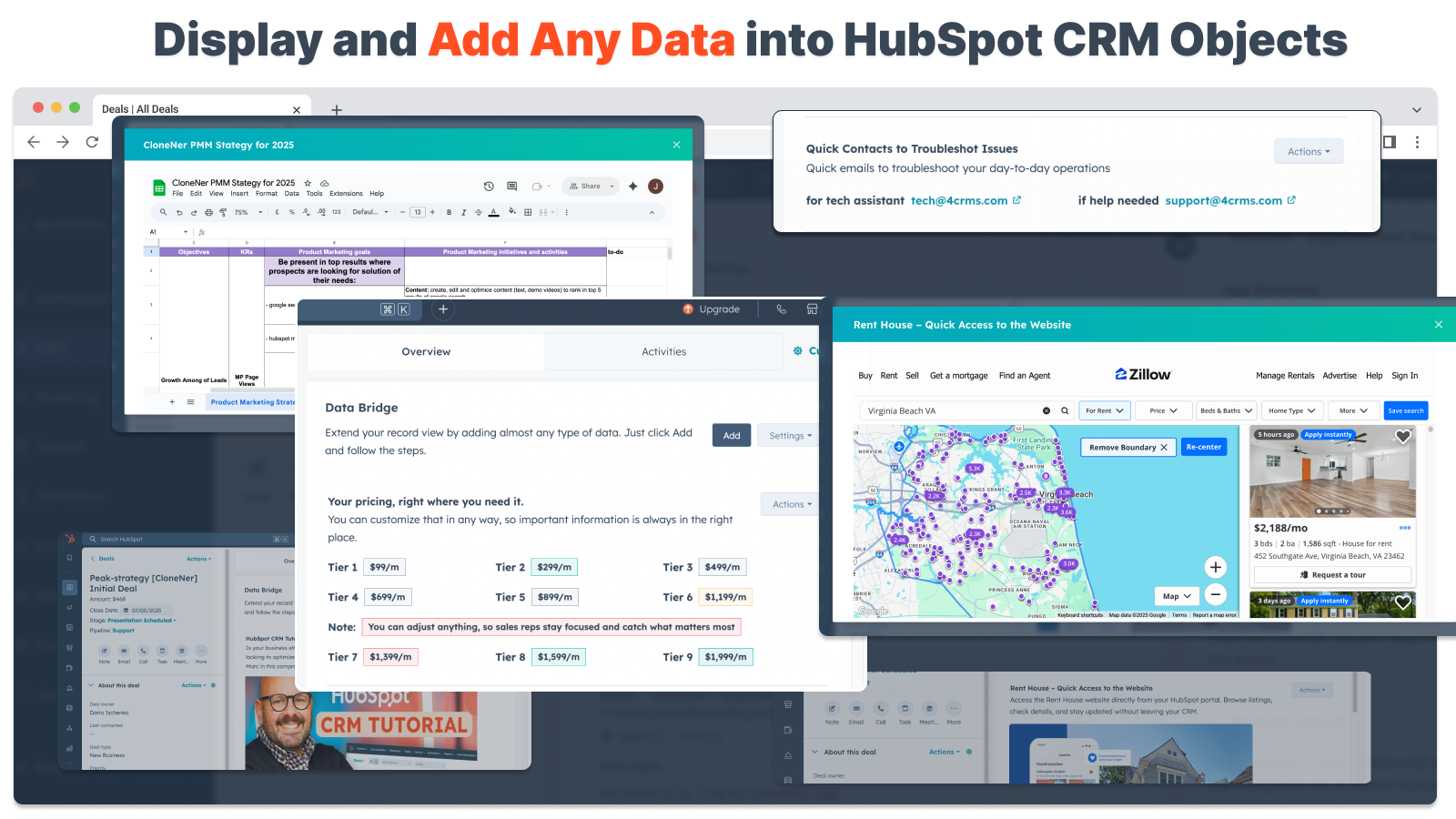
Problemfri integration af HubSpot
Fungerer naturligt med alle HubSpot-standardobjekter (kontakter, virksomheder, tilbud, billetter) og brugerdefinerede objekter - ingen kodning eller ekstra logins kræves.
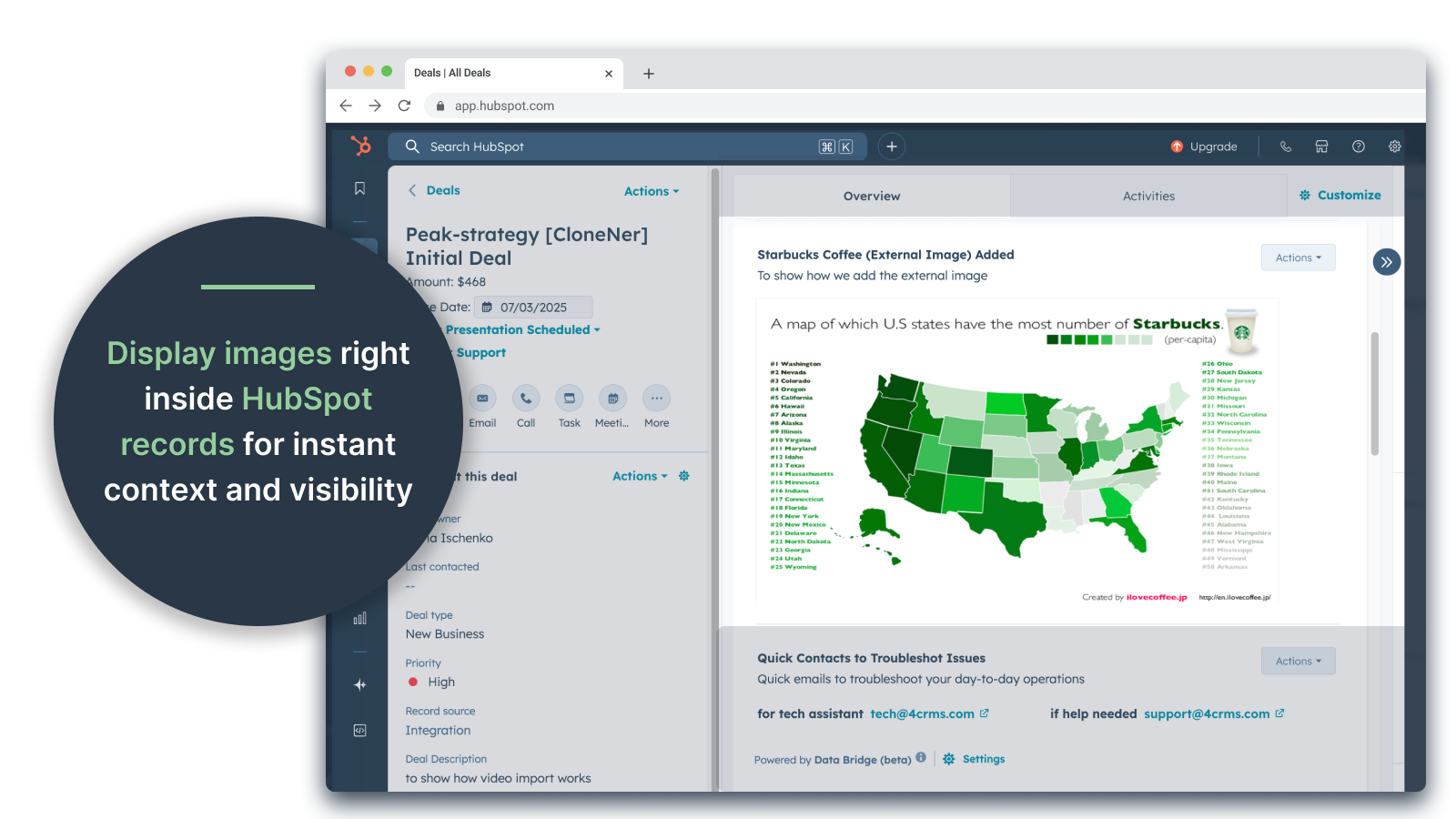
Støtte til filer og medier
Upload og vis billeder, PDF'er eller mediefiler i optegnelser for hurtigere samarbejde og centraliseret kontekst.
Appfunktionalitet
Delte data
Contacts | ||
Custom Objects | ||
Company | ||
Deal | ||
Ticket | ||
Owners | ||
Deal Pipelines |
Anmeldelser
- 25. sep 2025
Stor tidsbesparelse, der eliminerer besværet med at håndtere spredte filer og bringer alt direkte derhen, hvor du har brug for det!
Data-bro for at vinde! Vi havde brug for en nem måde at trække udgiftsrapporter i Excel ind i HubSpot, og dette løste problemet uden at skulle administrere tonsvis af Google Drive-mapper. Nu kan sælgerne nemt klone udgiftsrapporter, integrere dem direkte i deres relaterede aftaler og få nem adgang til dem uden at skulle grave i Google Drive. Stor tids- og stressbesparelse!
Nem opsætning, bringer eksterne ressourcer direkte ind i HubSpot for nem adgang
Ingen fundet endnu!
Estey, Z.
- 19. sep 2025
Forvandler HubSpot til et kommandocenter
Vores team begyndte at bruge Data Bridge! fra 4CRM for nylig, og det har allerede strømlinet vores arbejdsgang på effektive måder. Muligheden for at integrere Google Sheets, Docs, videoer og andre eksterne ressourcer direkte i HubSpot-poster har elimineret en masse frem og tilbage og gjort vores CRM langt mere handlingsorienteret. Det er intuitivt, fleksibelt og bringer de rigtige data til det rigtige sted på det rigtige tidspunkt.
- Super nemt at sætte op og komme i gang med at bruge - Integrerer kritisk salgsindhold (som live sheets, referencematerialer, onboarding-dokumenter) direkte i HubSpot - Brugerdefinerede gitre gør det nemt at organisere og vise de mest relevante data - Fantastisk til at få poster til at føles som et ægte "kommandocenter" - Øget effektivitet og reduceret tab-hopping
- Vil gerne se endnu flere indbyggede integrationer tilføjet med tiden - Noget indlejret indhold (f.eks. visse videoafspillere) kan have visningsfejl afhængigt af browserindstillingerne
Stern, D.
Priser
Grundlæggende
19 US$
/måned👉 Få 45 dage gratis - 🔓 lås alle funktioner op. Gør HubSpot Records smartere med UI-elementer lige der, hvor du arbejder. Bring data til kontakter, virksomheder og tilbud.
3 UI-elementer: Hvert tilføjet element tæller som 1 element (f.eks. et billede eller en video osv.).
Kontakter: Vis Data Bridge UI-elementer inde i kontaktoptegnelser
Virksomheder: Vis Data Bridge UI-elementer inde i virksomhedsposter.
Tilbud: Vis Data Bridge UI elementer inde i deal records.
Integrer billeder, YouTube, Google Docs, Slides & Sheets med iFrames - alt sammen vises direkte i HubSpot-poster.
Filtre: ⚠️ Ikke tilgængelig (kun pr. objekt eller alle objekter gælder)
Custom Grid Builder: ⚠️ Ikke tilgængelig. Kan ikke oprette gitre med tags, links, billeder og noter.
Grundlæggende
19 US$
/måned👉 Få 45 dage gratis - 🔓 lås alle funktioner op. Gør HubSpot Records smartere med UI-elementer lige der, hvor du arbejder. Bring data til kontakter, virksomheder og tilbud.
3 UI-elementer: Hvert tilføjet element tæller som 1 element (f.eks. et billede eller en video osv.).
Kontakter: Vis Data Bridge UI-elementer inde i kontaktoptegnelser
Virksomheder: Vis Data Bridge UI-elementer inde i virksomhedsposter.
Tilbud: Vis Data Bridge UI elementer inde i deal records.
Integrer billeder, YouTube, Google Docs, Slides & Sheets med iFrames - alt sammen vises direkte i HubSpot-poster.
Filtre: ⚠️ Ikke tilgængelig (kun pr. objekt eller alle objekter gælder)
Custom Grid Builder: ⚠️ Ikke tilgængelig. Kan ikke oprette gitre med tags, links, billeder og noter.
* Priserne her er kun til visningsformål. Alle priser er ekskl. afgifter, incitamenter, rabatter eller andre prisvariabler. Du bør kontakte partneren for at få de mest ajourførte og korrekte prisoplysninger. HubSpot påtager sig intet ansvar for disse prisoplysninger, som leveres af vores partnere. Priser sidst opdateret: 05.05.2026