

Data Bridge - Bring Any (Sync) Data into CRM Objects

Ledande
Krav
HubSpot-plan Behörigheter för HubSpot-konto - Visa de obligatoriska kontobehörigheterna
Åtkomsttyp Delade Data Bridge - Bring Any (Sync) Data into CRM Objects prenumeration - Grundläggande eller Professionell 🔥 planer
Översikt
-1.png)
1/6 - Lägg till Google Workspace, videor, text, iframed-länkar - och visa dem baserat på villkor eller anpassade regler - inuti HubSpot.
Ladda upp dina HubSpot-poster med Data Bridge! Synkronisera externt innehåll - webbplatser, bilder, videor, Google Sheets, Docs och mer - allt visas precis där ditt team arbetar. Synkronisera Data Bridge-appen - hjälper dig att lägga till relevant innehåll där det är viktigast, vilket gör ditt CRM enklare att använda och mer informativt. Integrera HubSpot med dina favoritappar med bara 1 klick.
Få gratis Live Onboarding - Kontakta oss för att schemalägga
Varje Data Bridge-användare får en gratis live onboarding-session med vårt produkt- / supportteam. Du kommer att vara fullt utrustad från dag ett - säker på att bygga exakt vad ditt företag behöver! Visa externa data i HubSpot-poster! Bädda in Google Sheets! Letar du efter ett enkelt sätt att hantera dataintegration och datasynkronisering i HubSpot? Med Data Bridge kan du ansluta externa data, bädda in instrumentpaneler och till och med hantera anpassade objekt direkt i dina HubSpot-poster. Oavsett om det är datamigrering, en anpassad anslutning eller möjligheten att importera / exportera data från Google Sheets, Excel eller databaser, gör Data Bridge automatisering, rapporteringsintegration och ETL för HubSpot enkelt. Skapa anpassningsbara rutnät, bädda in / visa data du behöver och förvandla dina HubSpot-poster till ett riktigt kommandocenter.
Viktiga funktioner i Data Bridge
Bädda in bilder med länkar direkt i HubSpot-poster
Lägg till produktfoton, marknadsföringsmaterial eller andra visuella tillgångar direkt i kontakter, företag, erbjudanden, biljetter eller anpassade objekt. Håll ditt team i linje med visuella bilder precis där de arbetar.
Integration av Google Sheets och Docs i realtid
Bädda in och iframe Google Sheets i HubSpot-poster för att visa rapporter, spårare eller instrumentpaneler i realtid. Perfekt för att spåra framsteg, KPI:er eller delad kunddata.
Inbäddning av YouTube-video
Ta med handledning, produktdemonstrationer eller klientuppdateringar direkt till HubSpot-poster. Team får omedelbar tillgång till rätt videoinnehåll utan att lämna CRM
Byggare av anpassade rutnät
Designa helt anpassningsbara rutnät i HubSpot-poster. Lägg till taggar, text, statusindikatorer, länkar, bilder, ikoner, e-postmeddelanden eller varningar. Använd färgkodade varianter (Success, Warning, Error, Info) och extra anteckningar för att göra komplexa data lätta att tolka och agera på.
Villkorliga regler för visning
Visa eller dölj moduler baserat på affärsstadium, fastighetsvärden eller anpassade villkor - så att varje teammedlem bara ser det som är relevant vid rätt tidpunkt.
Sömlös HubSpot-integration
Fungerar nativt med alla HubSpot-standardobjekt (kontakter, företag, erbjudanden, biljetter) och anpassade objekt - ingen kodning eller extra inloggningar krävs.
Stöd för filer och media
Ladda upp och visa bilder, PDF-filer eller mediefiler i poster för snabbare samarbete och centraliserad kontext.
Var du kan placera innehåll
Alla poster - visa innehåll i hela ditt CRM-system.
Specifik post - lägg till innehåll i en enskild post som du tittar på.
Filtrerade poster - rikta in dig på poster som matchar dina valda kriterier.
Filter fungerar för alla typer av innehåll, så att rätt information visas på rätt plats.
Varför det är användbart - rätt innehåll på rätt plats.
Håll externt innehåll tillgängligt utan att lämna HubSpot.
Minska antalet flikbyten och spridda data.
Kan du ge ditt team uppdaterade bilder och information i sitt sammanhang?
Förbättra poster med handlingsbart innehåll som ditt team kan referera till direkt.
Topp 5 praktiska affärsanvändningsfall där det lyser:
1. Hubb för ombordstigning av kunder (Saas / Tech)
Bädda in checklistor, spelböcker och inspelningar av kickoff-samtal för onboarding direkt i affären eller företagsposten.
Visa olika instruktioner beroende på onboarding-stadiet (t.ex. "Setup Pending" vs. "Live").
CSM:er uppdaterar framstegen direkt i HubSpot utan att byta verktyg.
2. Spårning av kontohälsa och framgång (Customer Success)
Lägg till ett live Google Sheet eller en dashboard med KPI:er, förnyelsedatum och NPS-resultat.
Visa varningar när användningen sjunker, kontraktsförnyelsen är nära eller vissa egenskaper flaggar för risker.
Håll CSM:erna uppdaterade med snabblänkar (mailto kontoägare, mallar för förnyelseerbjudanden).
3. Playbooks och vägledning för försäljning (säljteam)
Visa dynamiska instruktioner baserat på affärsstadiet ("Discovery" = visa kvalificeringsfrågor, "Proposal Sent" = visa checklista för avtal).
Lägg till genvägar, t.ex. mailto-länkar för godkännande av jurister eller ekonomer.
Minska uppstartstiden för representanterna genom att rätt information bara visas när den behövs.
4. Fältservice och installationer (tillverkning / tjänster)
Bädda in en checklista för installation i en biljett.
Tekniker laddar upp före/efter-foton, videor eller undertecknade dokument.
Visa säkerhetsinstruktioner eller anteckningar om efterlevnad endast om en viss produkttyp har valts.
5. Granskning av kreativa / marknadsföringstillgångar (byråer eller interna team)
Lagra kreativa briefs, ladda upp designutkast och förhandsgranska videor i en och samma post.
Visa meddelandet "Review Pending" tills kunden markerar godkännande.
Kundansvariga kan ladda upp filer, medan cheferna kontrollerar strukturen och mallarna.
Kort sagt: Sync Data Bridge minskar antalet verktygsbyten och ger rätt innehåll, vid rätt tidpunkt, direkt till HubSpot-poster. #1 HubSpot-anslutning!
Egenskaper
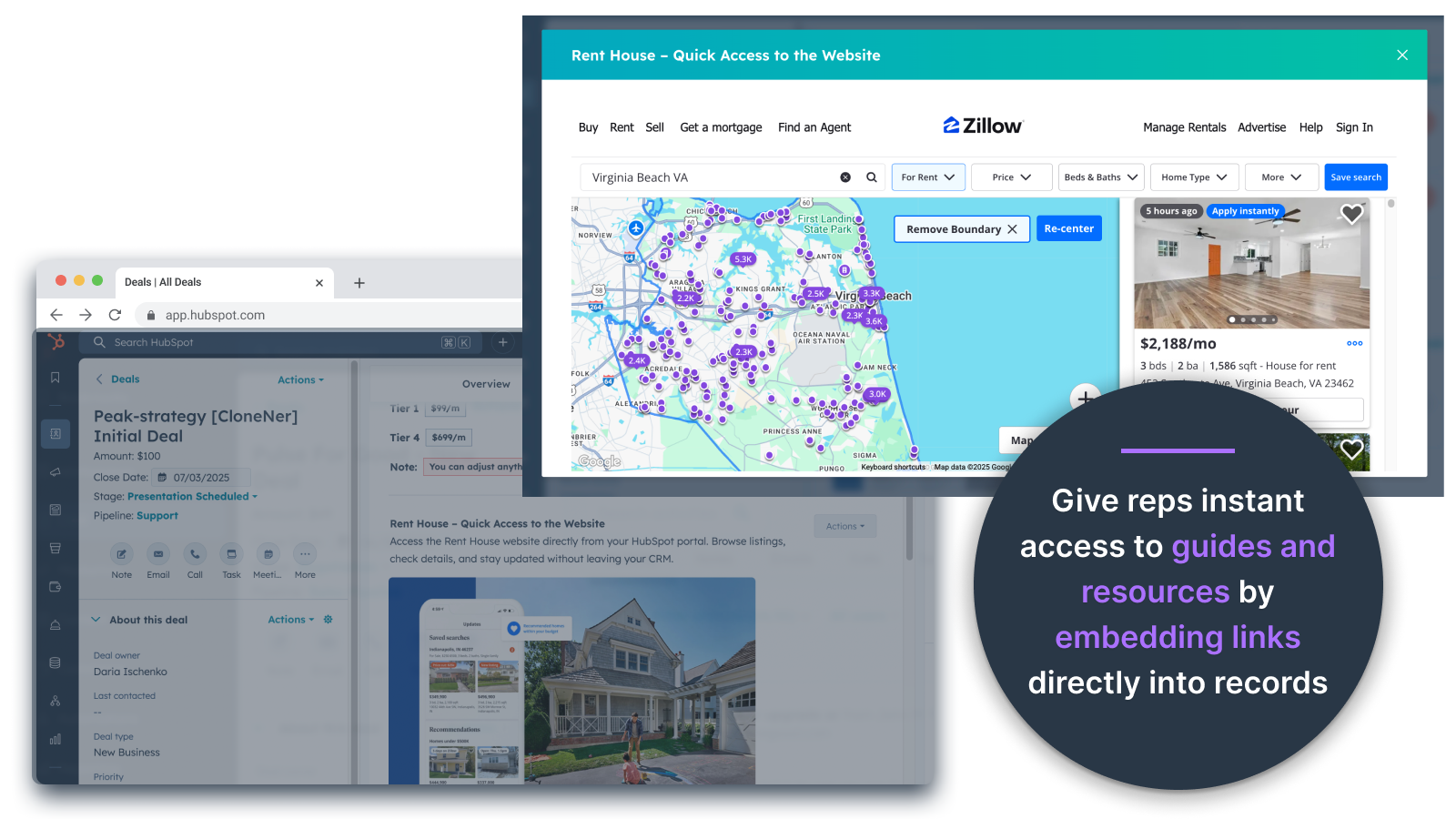
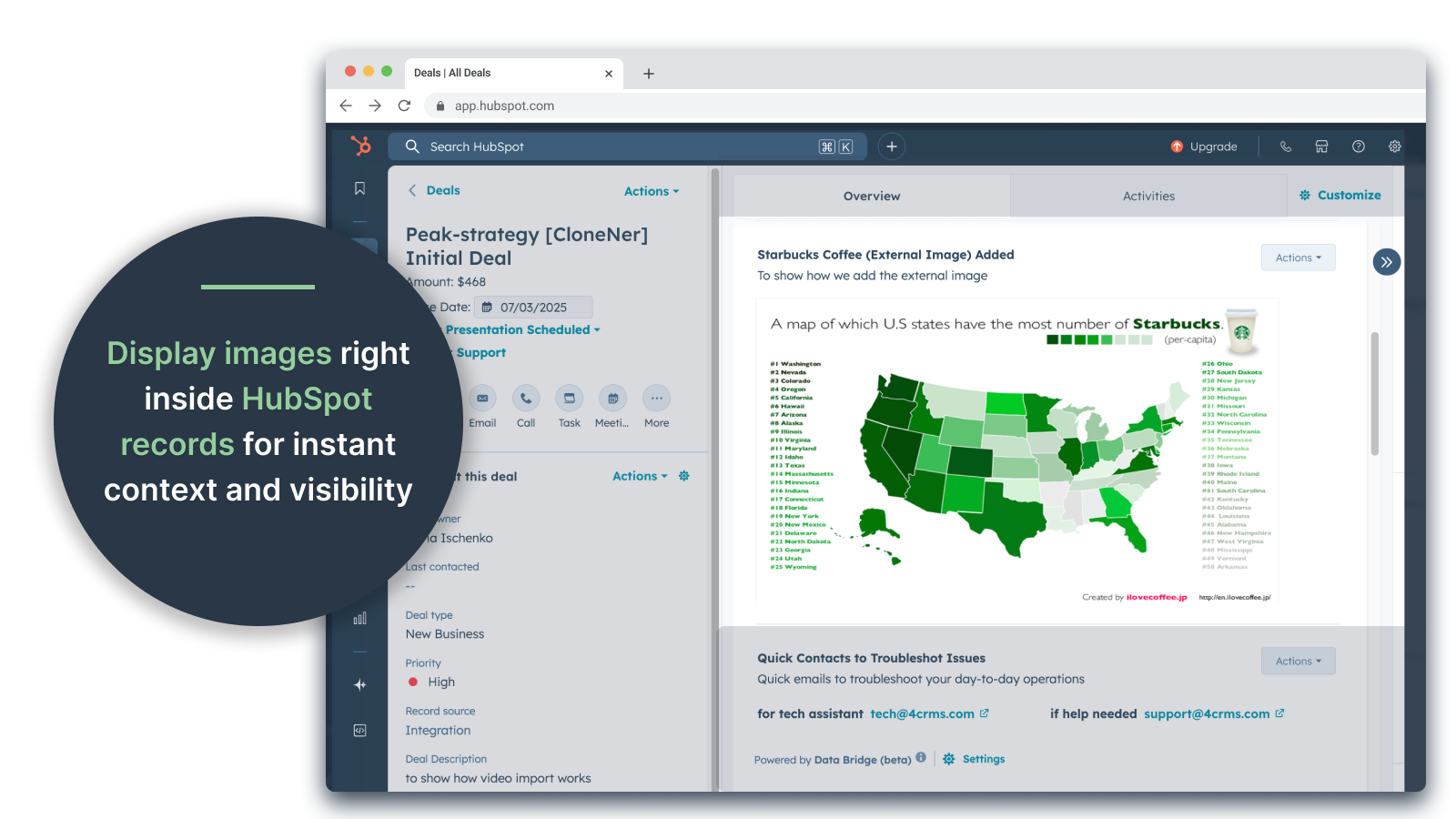
Bädda in bilder direkt i erbjudanden, biljetter och andra postvyer
Lägg till produktfoton, marknadsföringsmaterial eller andra visuella tillgångar direkt i kontakter, företag, erbjudanden, biljetter eller anpassade objekt. Håll ditt team i linje med visuella bilder precis där de arbetar.
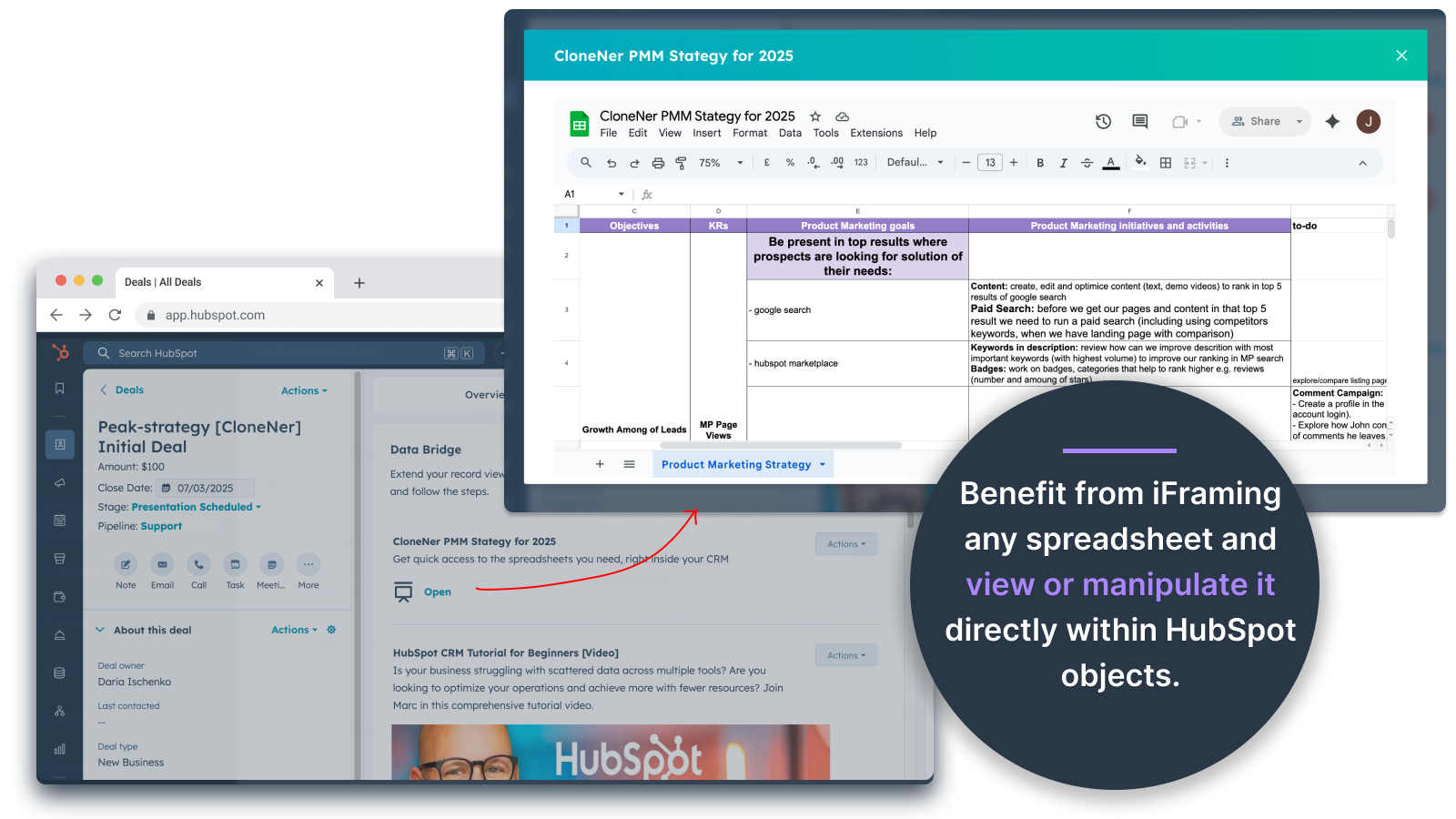
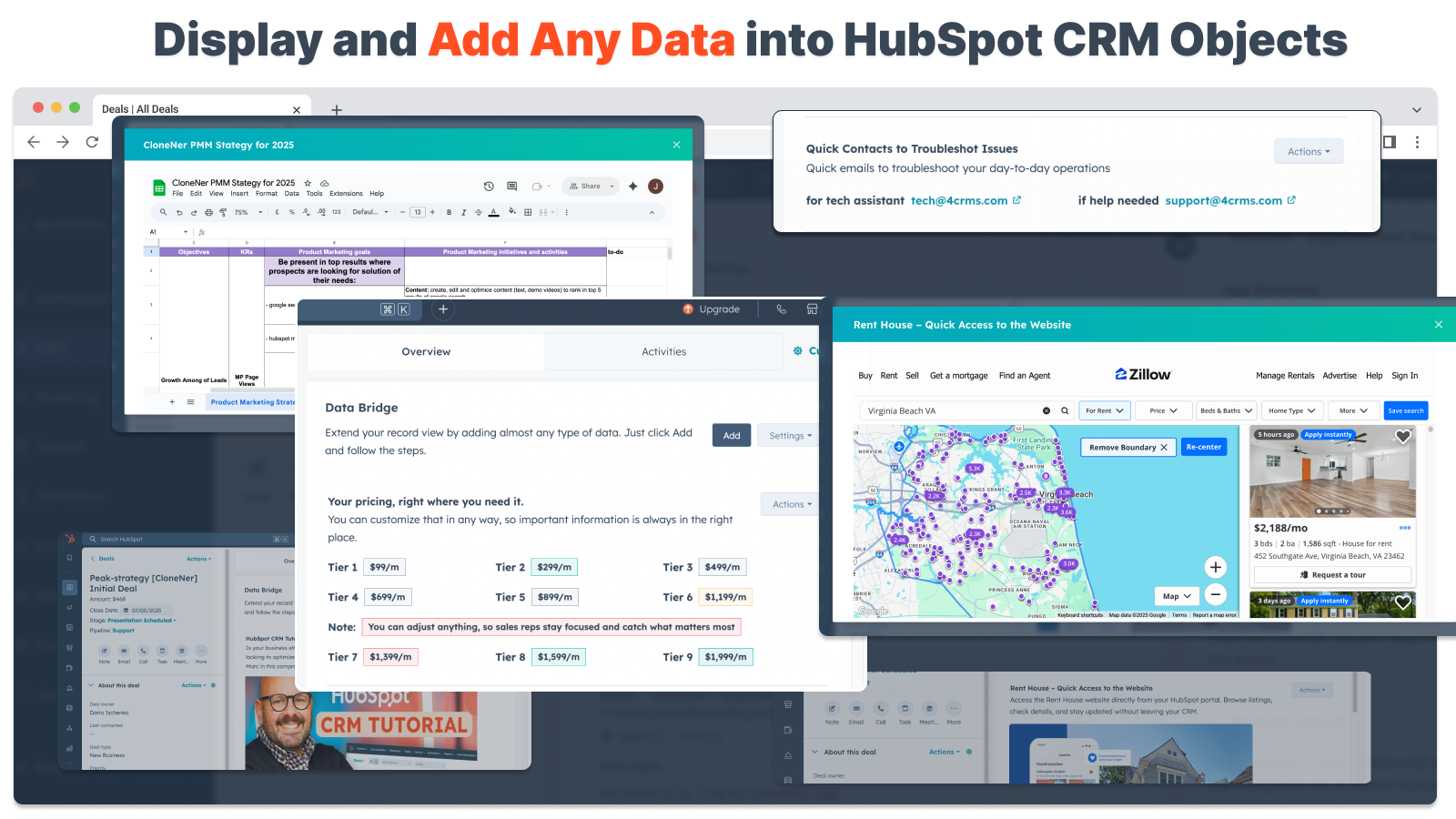
Google Sheets och Docs - visa direkt i erbjudanden, biljetter etc.
Bädda in och iframe Google Sheets i HubSpot-poster för att visa rapporter, spårare eller instrumentpaneler i realtid. Perfekt för framstegsspårning, KPI:er eller delad kunddata.
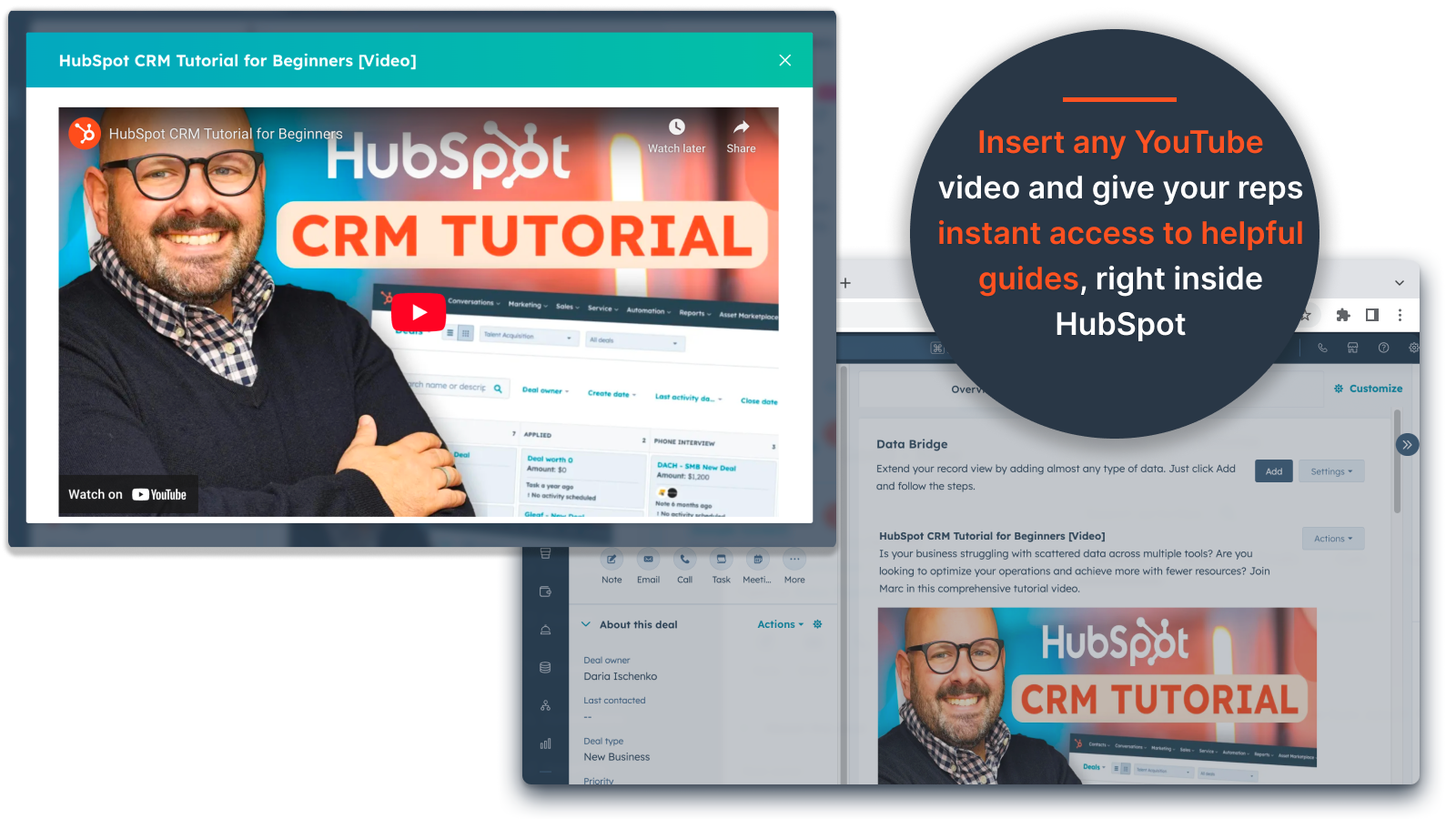
Inbäddning av YouTube-video
Ta med handledning, produktdemonstrationer eller klientuppdateringar direkt till HubSpot-poster. Teamen får omedelbar tillgång till rätt videoinnehåll utan att lämna CRM-systemet.
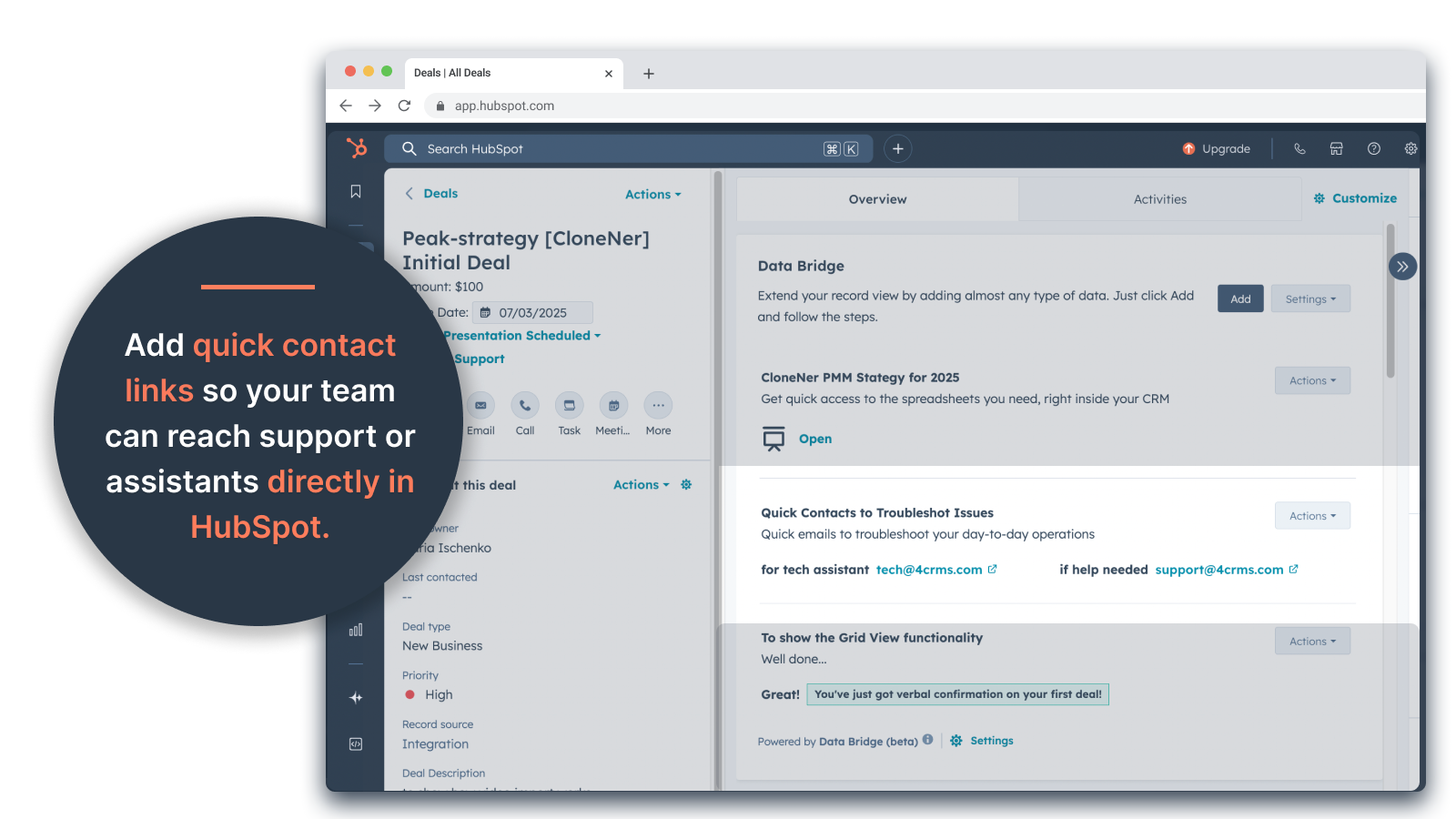
Anpassad Grid Builder
Designa helt anpassningsbara rutnät inuti HubSpot-poster. Lägg till taggar, text, statusindikatorer, länkar, bilder, ikoner, e-postmeddelanden eller varningar. Använd färgkodade varianter (Success, Warning, Error, Info) och extra anteckningar för att göra komplexa data lätta att tolka och agera på.
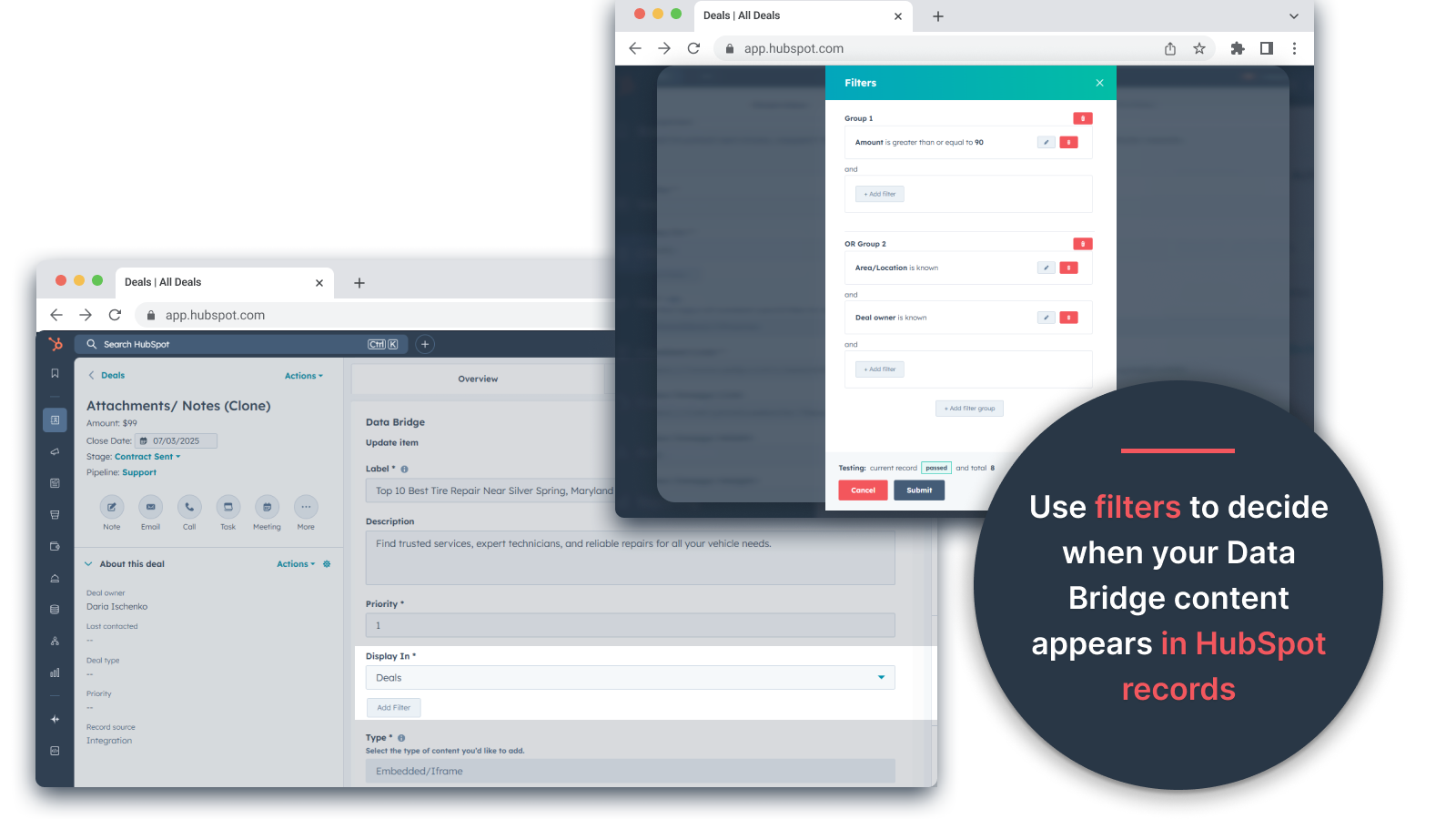
Regler för villkorlig visning
Visa eller dölj moduler baserat på affärsstadium, fastighetsvärden eller anpassade villkor - så att varje teammedlem bara ser det som är relevant vid rätt tidpunkt.
Sömlös HubSpot-integration
Fungerar nativt med alla HubSpots standardobjekt (kontakter, företag, erbjudanden, biljetter) och anpassade objekt - ingen kodning eller extra inloggningar krävs.
Stöd för filer och media
Ladda upp och visa bilder, PDF-filer eller mediefiler i dokument för snabbare samarbete och centraliserad kontext.
Appfunktionalitet
Delade data
Contacts | ||
Custom Objects | ||
Company | ||
Deal | ||
Ticket | ||
Owners | ||
Deal Pipelines |
Recensioner
- 25 sep 2025
Stor tidsbesparing som eliminerar besväret med att hantera spridda filer och ger allt direkt där du behöver det!
Databrygga för vinsten! Vi behövde ett enkelt sätt att dra in utgiftsrapporter i Excel till HubSpot och det här löste problemet utan att behöva hantera massor av Google Drive-mappar. Nu kan representanter enkelt klona utgiftsrapporter, bädda in dem direkt på sina relaterade erbjudanden och komma åt dem enkelt utan att behöva gräva i Google Drive. Stor tid och stressbesparare !!!
Enkel installation, tar externa resurser direkt in i HubSpot för enkel åtkomst
ingen hittad ännu!
Estey, Z.
- 19 sep 2025
Förvandlar HubSpot till en kommandocentral
Vårt team började använda Data Bridge! av 4CRM nyligen och det har redan effektiviserat vårt arbetsflöde på kraftfulla sätt. Möjligheten att bädda in Google Sheets, Docs, videor och andra externa resurser direkt i HubSpot-poster har eliminerat massor av fram och tillbaka och gjort vårt CRM mycket mer handlingsbart. Det är intuitivt, flexibelt och ger rätt data till rätt plats vid rätt tidpunkt.
- Superenkelt att konfigurera och börja använda - Bäddar in kritiskt säljinnehåll (som live sheets, referensmaterial, onboarding-dokument) direkt i HubSpot - Anpassningsbara rutnät gör det enkelt att organisera och visa de mest relevanta uppgifterna - Perfekt för att få register att kännas som en riktig "kommandocentral" - Ökad effektivitet och minskat flikhoppande
- Skulle gärna se att ännu fler inbyggda integrationer läggs till med tiden - Visst inbäddat innehåll (t.ex. vissa videospelare) kan ha visningsproblem beroende på webbläsarinställningar
Stern, D.
Prissättning
Grundläggande
19 US$
/månad👉 Få 45 dagar gratis - 🔓låsa upp alla funktioner. Gör HubSpot Records smartare med UI-element precis där du arbetar. Ta med data till kontakter, företag och erbjudanden.
3 användargränssnittselement: Varje tillagt objekt räknas som 1 element (t.ex. en bild eller en video, etc.).
Kontakter: Visa Data Bridge UI-element i kontaktposter
Företag: Visa Data Bridge-gränssnittselement i företagsregister.
Erbjudanden: Visa Data Bridge-gränssnittselement i affärsposter.
Bädda in bilder, YouTube, Google Docs, Slides & Sheets med iFrames - allt visas direkt i HubSpot-poster.
Filter: ⚠️ Ej tillgängligt (endast per objekt eller alla objekt gäller)
Custom Grid Builder: ⚠️ Inte tillgängligt. Det går inte att skapa rutnät med taggar, länkar, bilder och anteckningar.
Grundläggande
19 US$
/månad👉 Få 45 dagar gratis - 🔓låsa upp alla funktioner. Gör HubSpot Records smartare med UI-element precis där du arbetar. Ta med data till kontakter, företag och erbjudanden.
3 användargränssnittselement: Varje tillagt objekt räknas som 1 element (t.ex. en bild eller en video, etc.).
Kontakter: Visa Data Bridge UI-element i kontaktposter
Företag: Visa Data Bridge-gränssnittselement i företagsregister.
Erbjudanden: Visa Data Bridge-gränssnittselement i affärsposter.
Bädda in bilder, YouTube, Google Docs, Slides & Sheets med iFrames - allt visas direkt i HubSpot-poster.
Filter: ⚠️ Ej tillgängligt (endast per objekt eller alla objekt gäller)
Custom Grid Builder: ⚠️ Inte tillgängligt. Det går inte att skapa rutnät med taggar, länkar, bilder och anteckningar.
*Priserna här är endast avsedda som exempel. I priserna ingår inte skatter, incitament, rabatter eller andra prisvariabler. Ta kontakt med partnern för den senaste och mest uppdaterade prisinformationen. HubSpot har inget ansvar för den här prisinformationen, vilken tillhandahålls av våra partner. Priserna uppdaterades senast: 2026-05-05