
Data Bridge - Bring Any (Sync) Data into CRM Objects

Guida
Requisiti
Piano HubSpot Autorizzazioni dell'account HubSpot - Visualizza le autorizzazioni dell'account richieste
Tipo di accesso Condiviso Abbonamento Data Bridge - Bring Any (Sync) Data into CRM Objects - Piani Base o Professionale 🔥
Panoramica
-1.png)
1/6 - Aggiungete Google Workspace, video, testo, link iframed e visualizzateli in base a condizioni o regole personalizzate all'interno di HubSpot.
Potenziate i vostri record HubSpot con Data Bridge! Sincronizzate i contenuti esterni - siti web, immagini, video, fogli di Google, documenti e altro ancora - tutti visualizzati proprio dove lavora il vostro team. Sincronizzazione dell'app Data Bridge - vi aiuta ad aggiungere contenuti rilevanti dove sono più importanti, rendendo il vostro CRM più facile da usare e più informativo. Integrate HubSpot con le vostre app preferite in un solo clic.
Onboarding dal vivo gratuito - Contattateci per programmarlo
Ogni utente di Data Bridge riceve una sessione gratuita di onboarding dal vivo con il nostro team di prodotto/assistenza. Sarete completamente equipaggiati fin dal primo giorno, sicuri di poter costruire esattamente ciò di cui la vostra azienda ha bisogno! Visualizzazione di dati esterni nei record di HubSpot! Incorporare Google Sheets! Cercate un modo semplice per gestire l'integrazione e la sincronizzazione dei dati in HubSpot? Data Bridge vi consente di collegare dati esterni, incorporare dashboard e persino gestire oggetti personalizzati direttamente nei vostri record HubSpot. Che si tratti di migrazione dei dati, di un connettore personalizzato o della possibilità di importare/esportare dati da Google Sheets, Excel o database, Data Bridge rende semplice l'automazione, l'integrazione dei report e l'ETL per HubSpot. Create griglie personalizzabili, incorporate/mostrate i dati di cui avete bisogno e trasformate i vostri record HubSpot in un vero e proprio centro di comando.
Caratteristiche principali di Data Bridge
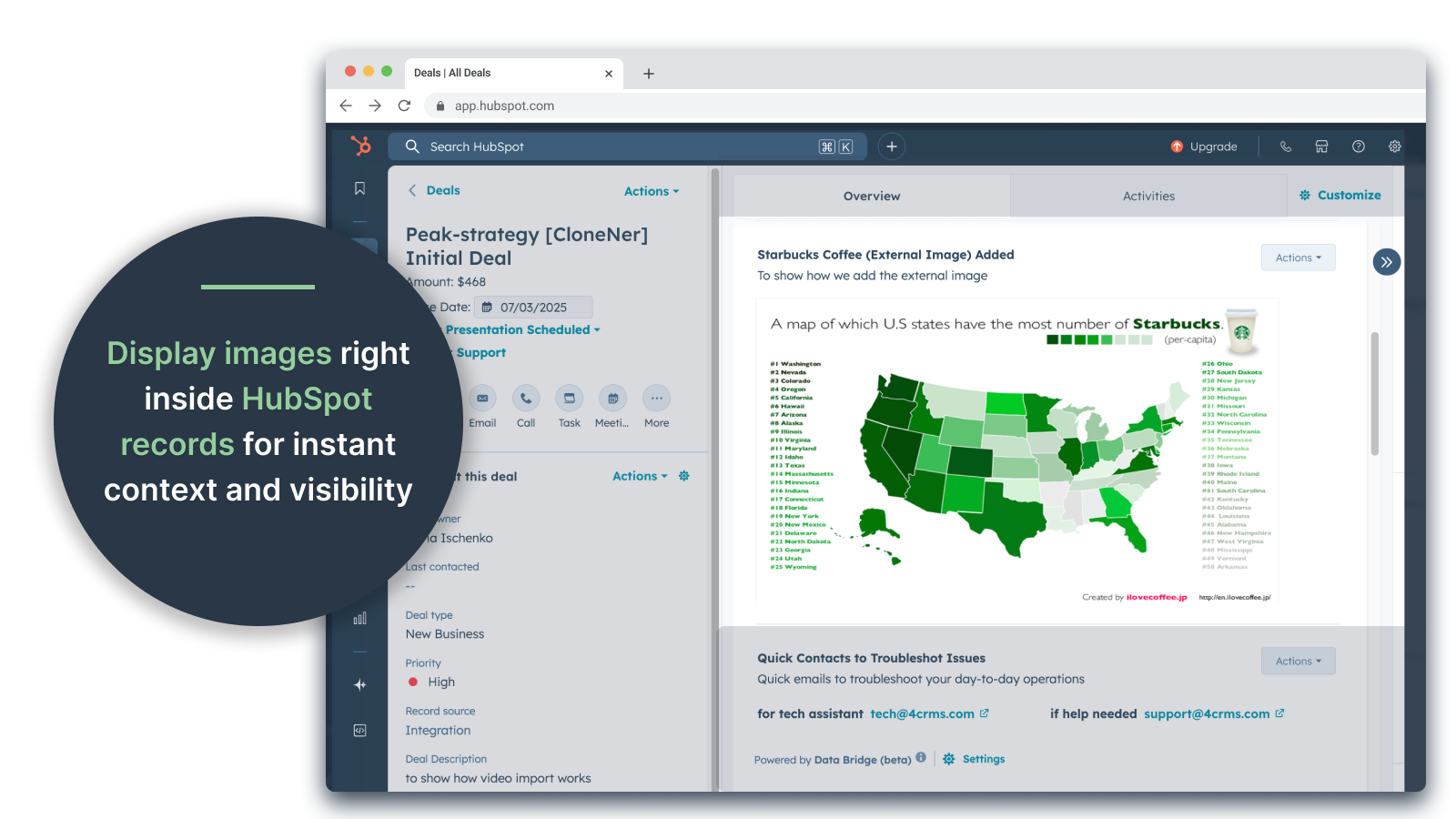
Incorporamento di immagini con link direttamente nei record HubSpot
Aggiungete foto di prodotti, materiali di marketing o qualsiasi risorsa visiva direttamente nei contatti, nelle aziende, nelle trattative, nei biglietti o negli oggetti personalizzati. Mantenete il vostro team allineato con le immagini proprio dove lavorano.
Integrazione con Google Sheets e Docs
Incorporate e iframe Google Sheets all'interno dei record di HubSpot per visualizzare report, tracker o dashboard in tempo reale. Perfetto per il monitoraggio dei progressi, i KPI o i dati condivisi con i clienti.
Incorporazione di video YouTube
Portate tutorial, demo di prodotti o aggiornamenti dei clienti direttamente nei record di HubSpot. I team hanno accesso immediato ai contenuti video senza dover lasciare il CRM.
Creatore di griglie personalizzate
Progettate griglie completamente personalizzabili all'interno dei record HubSpot. Aggiungete tag, testo, indicatori di stato, link, immagini, icone, e-mail o avvisi. Utilizzate varianti codificate per colore (Successo, Avviso, Errore, Info) e note aggiuntive per rendere i dati complessi facili da interpretare e da gestire.
Regole di visualizzazione condizionale
Mostrate o nascondete i moduli in base alla fase dell'affare, ai valori delle proprietà o a condizioni personalizzate, in modo che ogni membro del team veda solo ciò che è rilevante al momento giusto.
Integrazione perfetta con HubSpot
Funziona in modo nativo con tutti gli oggetti standard di HubSpot (contatti, aziende, trattative, ticket) e con gli oggetti personalizzati, senza necessità di codifica o di login aggiuntivi.
Supporto per file e media
Caricate e visualizzate immagini, PDF o file multimediali all'interno dei record per una collaborazione più rapida e un contesto centralizzato.
Dove è possibile inserire i contenuti
Tutti i record: mostra i contenuti in tutto il CRM.
Record specifici: aggiungere contenuti a un singolo record che si sta visualizzando.
Record filtrati - per visualizzare i record che corrispondono ai criteri scelti.
I filtri funzionano per qualsiasi tipo di contenuto, in modo che le informazioni giuste appaiano nel posto giusto.
Perché è utile - Il contenuto giusto, nel posto giusto.
Mantenere i contenuti esterni accessibili senza lasciare HubSpot.
Riducete il passaggio da una scheda all'altra e la dispersione dei dati.
Potreste fornire al vostro team immagini aggiornate e informazioni contestualizzate?
Migliorate i record con contenuti fruibili che il vostro team può consultare all'istante.
I 5 principali casi d'uso pratici in cui si rivela:
1. Hub per l'onboarding dei clienti (Saas / Tech)
Incorporare liste di controllo per l'onboarding, playbook e registrazioni delle chiamate di avvio direttamente nel record dell'accordo o dell'azienda.
Mostrare istruzioni diverse a seconda della fase di onboarding (ad esempio, "Setup Pending" o "Live").
I CSM aggiornano i progressi direttamente all'interno di HubSpot senza dover cambiare strumento.
2. Monitoraggio della salute e del successo dell'account (Customer Success)
Aggiungete un foglio di Google o una dashboard con KPI, date di rinnovo e risultati NPS.
Visualizzare avvisi quando l'utilizzo cala, il rinnovo del contratto è vicino o alcune proprietà segnalano rischi.
Mantenete i CSM allineati con collegamenti rapidi (mailto account owner, modelli di offerta di rinnovo).
3. Playbook e guida alle vendite (team di vendita)
Mostrare istruzioni dinamiche in base alla fase della trattativa ("Discovery" = mostrare le domande di qualificazione, "Proposal Sent" = mostrare la lista di controllo del contratto).
Aggiungere scorciatoie come collegamenti mailto per l'approvazione legale o finanziaria.
Riducete il tempo di preparazione dei rappresentanti facendo apparire le informazioni giuste solo quando sono necessarie.
4. Assistenza sul campo e installazioni (produzione/servizi)
Incorporare una lista di controllo per l'installazione all'interno di un ticket.
I tecnici caricano foto, video o documenti firmati prima/dopo.
Mostrare le istruzioni di sicurezza o le note di conformità solo se si seleziona un determinato tipo di prodotto.
5. Revisione delle risorse creative e di marketing (agenzie o team interni)
Archiviate i brief creativi, caricate le bozze di design e visualizzate le anteprime dei video in un unico record.
Mostra un avviso di "Revisione in sospeso" fino a quando il cliente non segna l'approvazione.
Gli account manager possono caricare i file, mentre i direttori controllano la struttura e i modelli.
In breve: Sync Data Bridge riduce il passaggio da uno strumento all'altro e porta i contenuti giusti, al momento giusto, direttamente nei record di HubSpot. Connettore HubSpot #1!
Funzionalità
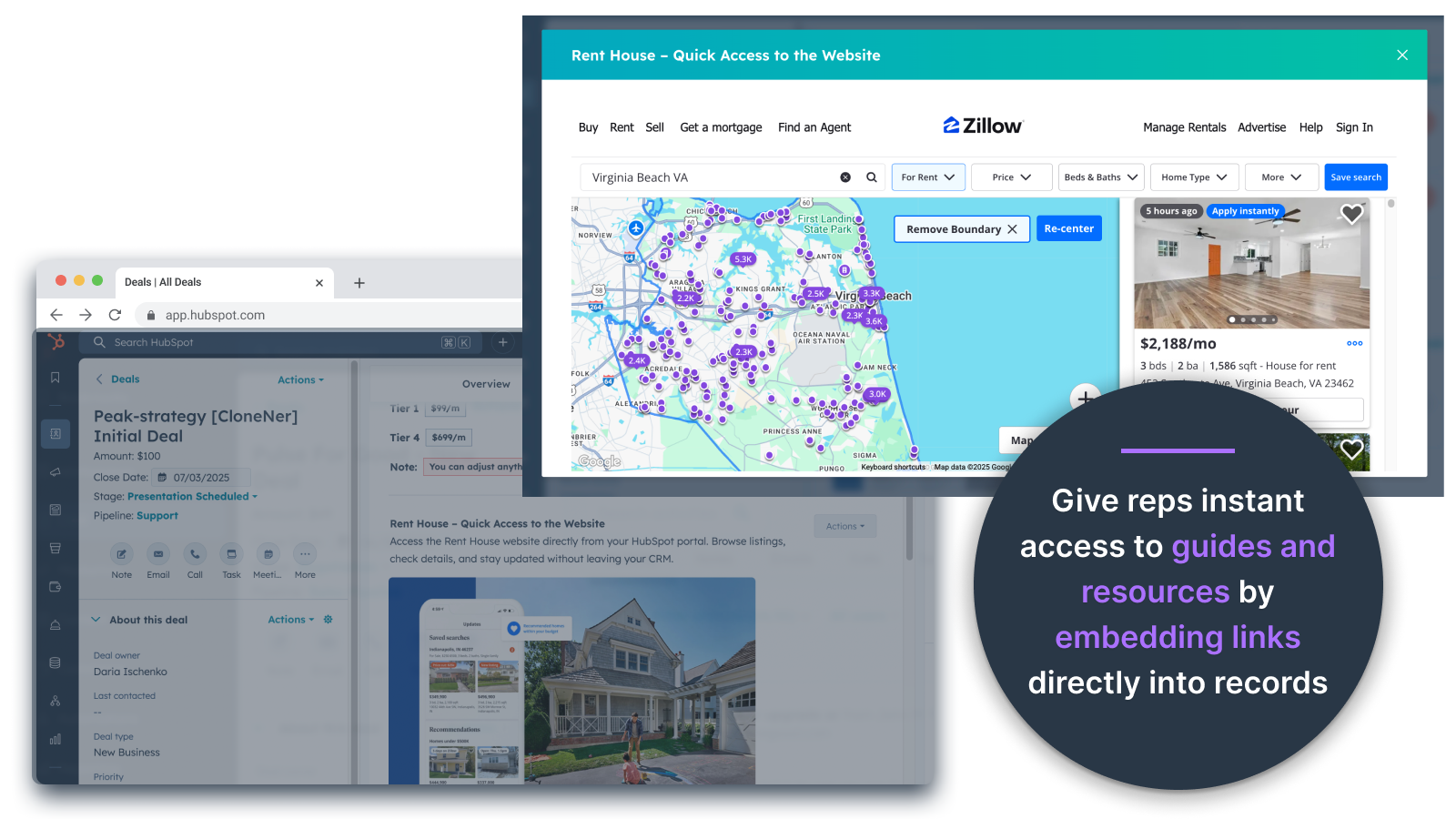
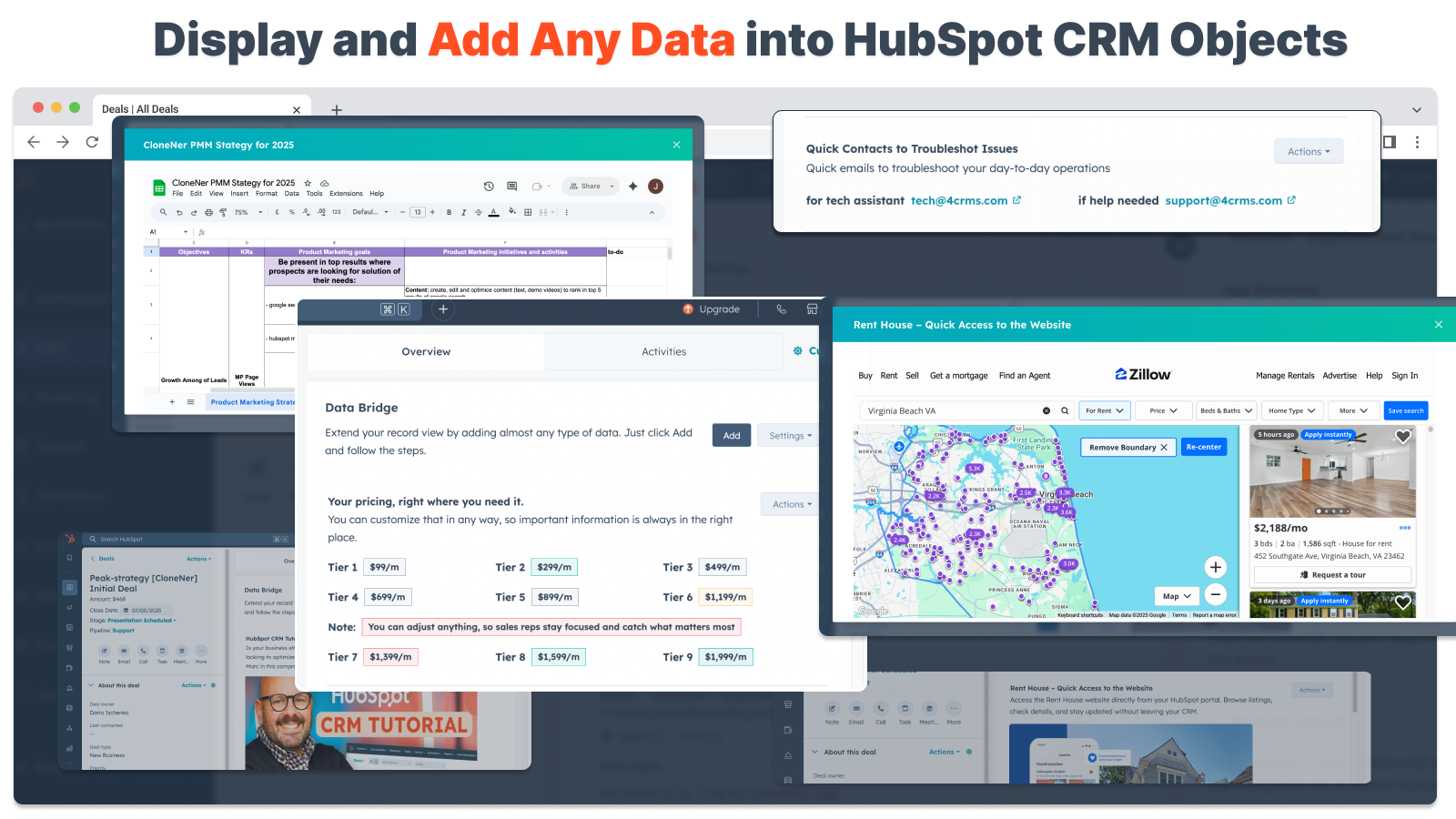
Incorporare le immagini direttamente in offerte, biglietti e altre visualizzazioni dei record
Aggiungete foto di prodotti, materiali di marketing o qualsiasi altra risorsa visiva direttamente a Contatti, Aziende, Offerte, Biglietti o Oggetti personalizzati. Mantenete il vostro team allineato con le immagini proprio dove lavorano.
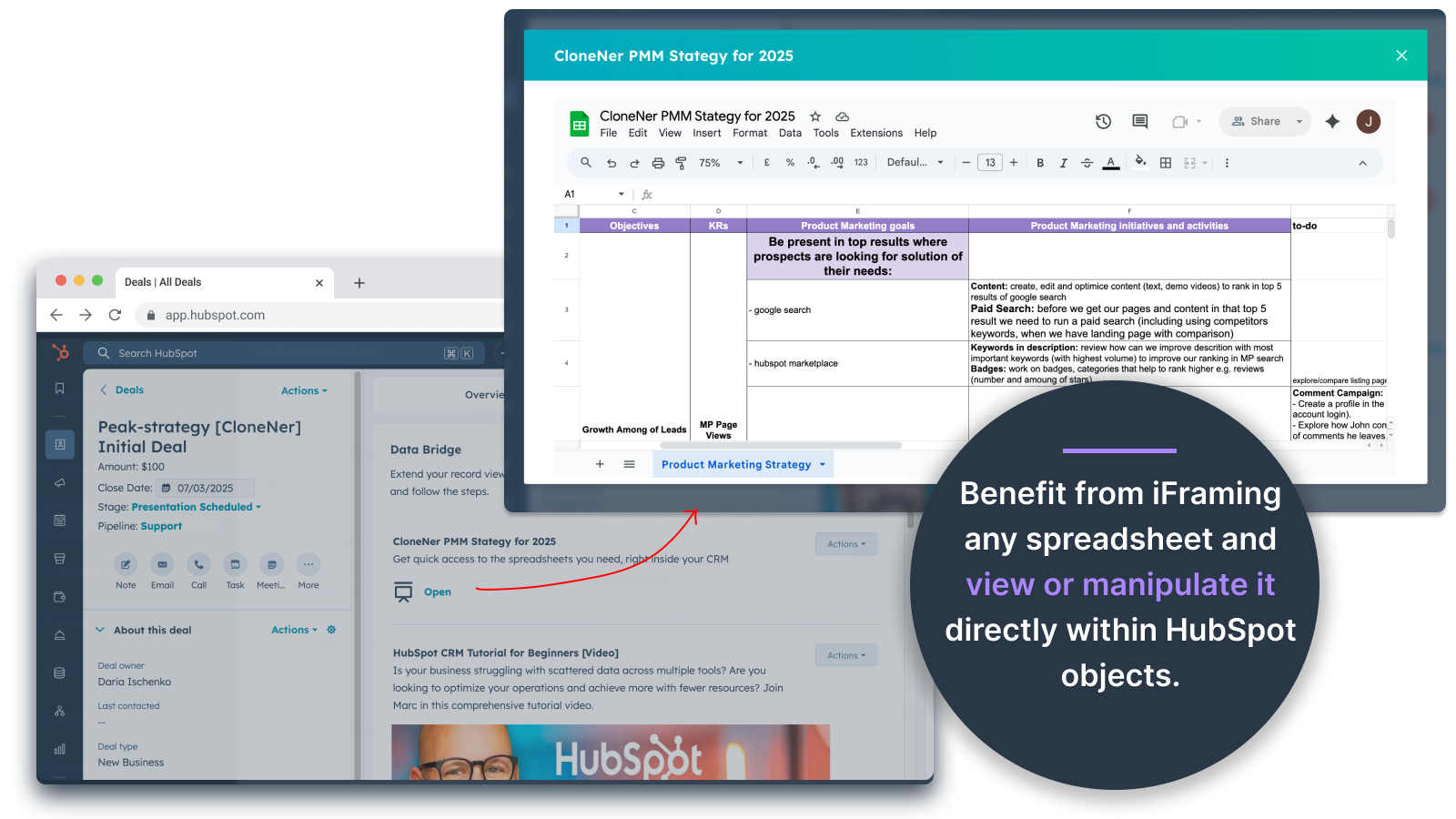
Fogli e documenti di Google: visualizzazione direttamente all'interno di offerte, biglietti, ecc.
Incorporare e iframeare Google Sheets all'interno dei record di HubSpot per visualizzare report, tracker o dashboard in tempo reale. Perfetto per il monitoraggio dei progressi, i KPI o i dati condivisi dei clienti.
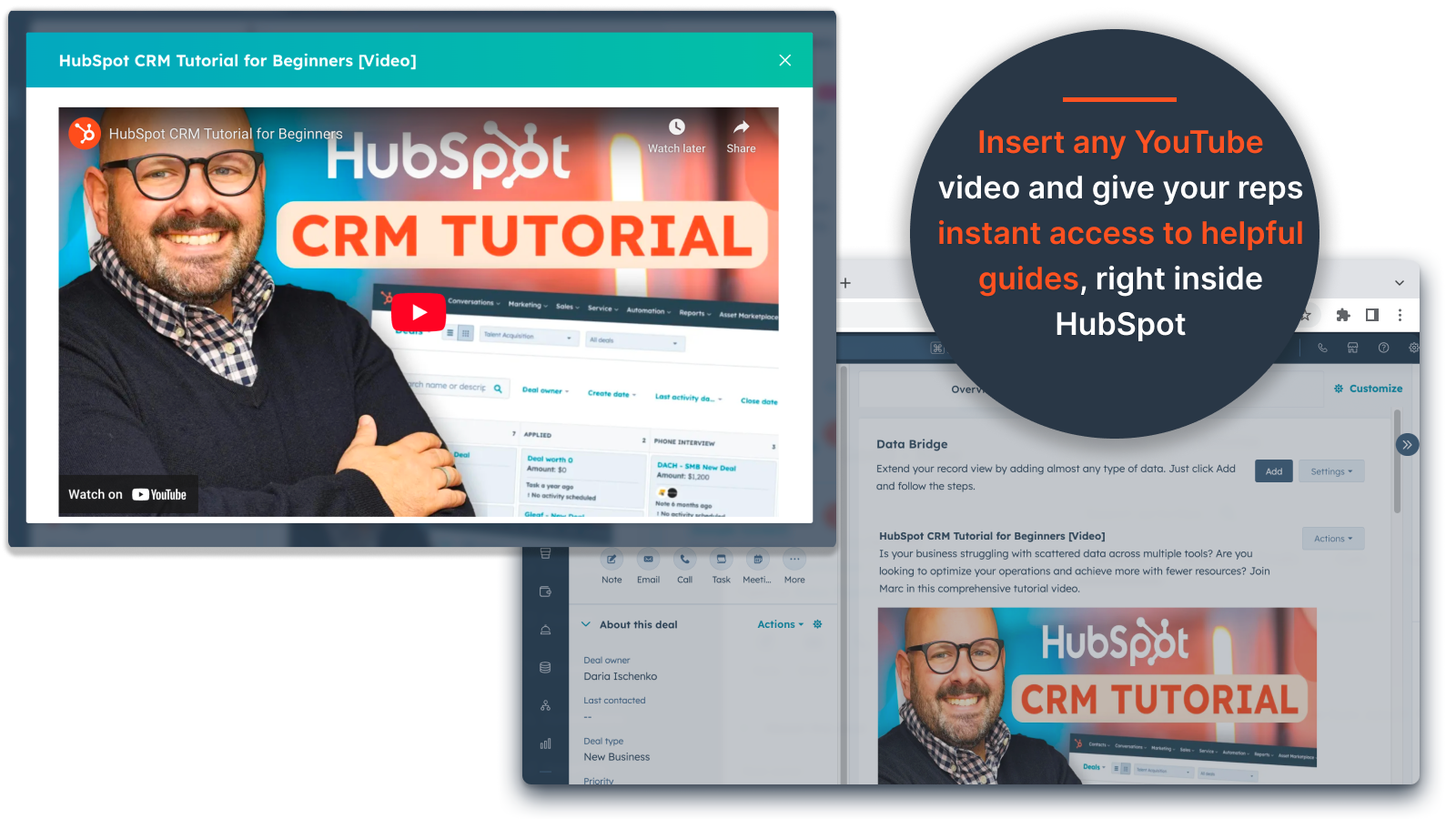
Incorporazione di video di YouTube
Portate tutorial, demo di prodotto o aggiornamenti dei clienti direttamente nei record di HubSpot. I team hanno accesso immediato ai contenuti video giusti senza lasciare il CRM.
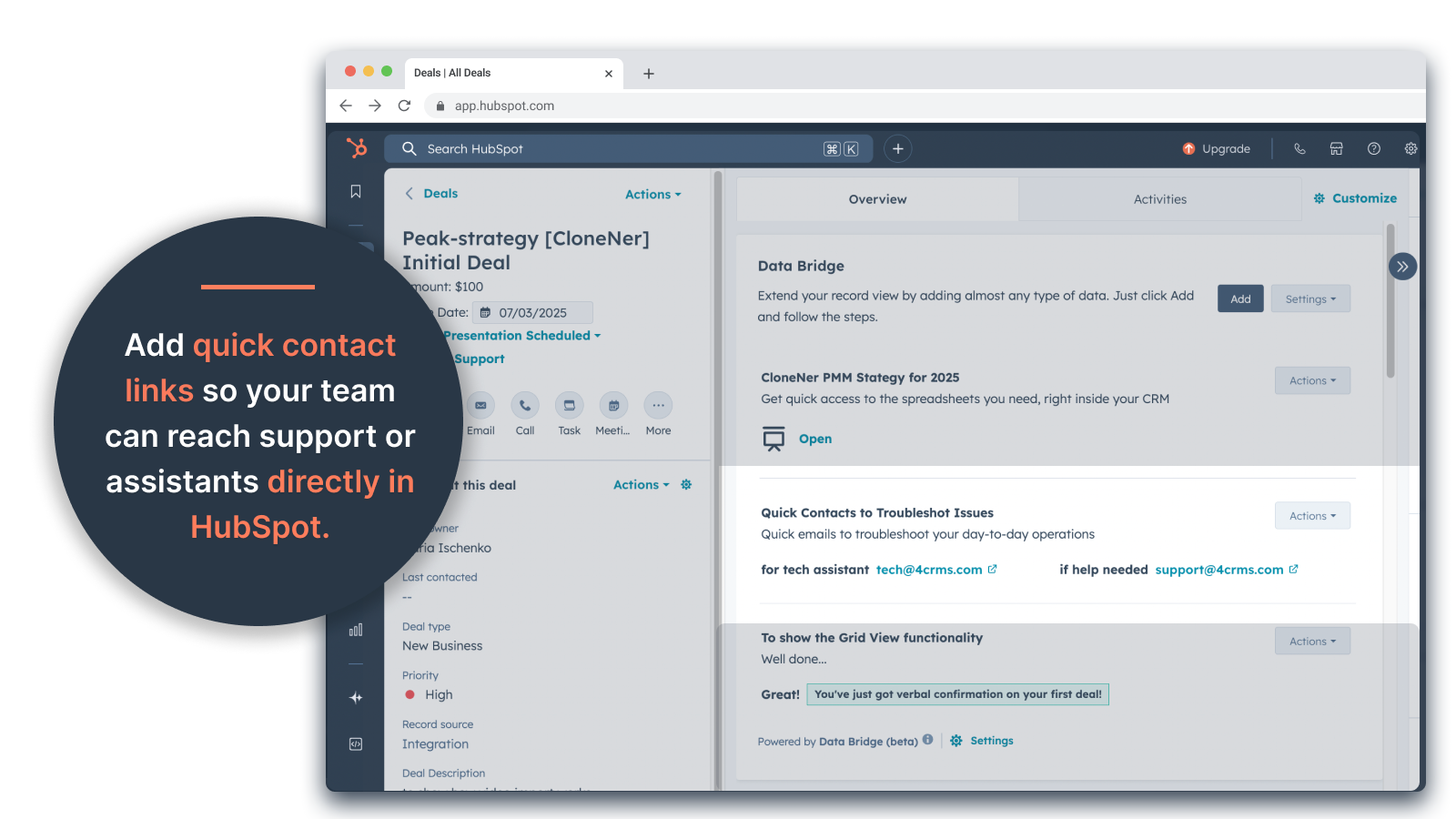
Costruttore di griglie personalizzate
Progettate griglie completamente personalizzabili all'interno dei record di HubSpot. Aggiungete tag, testo, indicatori di stato, link, immagini, icone, e-mail o avvisi. Utilizzate varianti codificate a colori (Successo, Avviso, Errore, Info) e note aggiuntive per rendere i dati complessi facili da interpretare e da gestire.
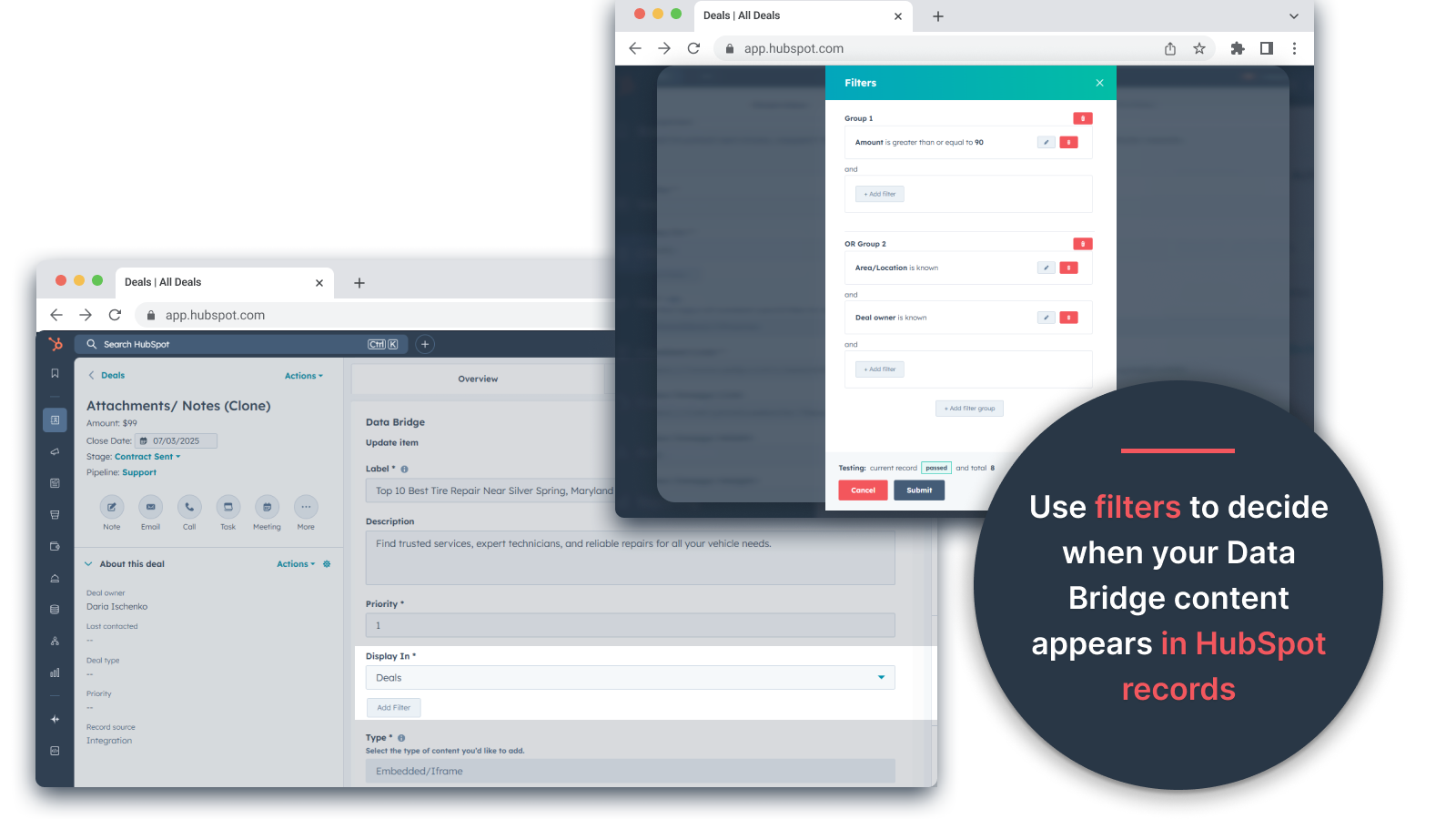
Regole di visualizzazione condizionale
Mostrate o nascondete i moduli in base alla fase dell'affare, ai valori delle proprietà o a condizioni personalizzate, in modo che ogni membro del team veda solo ciò che è rilevante al momento giusto.
Integrazione perfetta con HubSpot
Funziona in modo nativo con tutti gli oggetti standard di HubSpot (Contatti, Aziende, Offerte, Ticket) e con gli oggetti personalizzati, senza necessità di codifica o di login aggiuntivi.
Supporto per file e media
Caricate e visualizzate immagini, PDF o file multimediali all'interno dei record per una collaborazione più rapida e un contesto centralizzato.
Funzionalità dell'app
Dati condivisi
Contacts | ||
Custom Objects | ||
Company | ||
Deal | ||
Ticket | ||
Owners | ||
Deal Pipelines |
Recensioni
- 25 set 2025
Un grande risparmio di tempo che elimina il fastidio di gestire file sparsi e porta tutto direttamente dove serve!
Un ponte di dati per la vittoria! Avevamo bisogno di un modo semplice per inserire in HubSpot le note spese archiviate in Excel e questo ha risolto il problema senza dover gestire tonnellate di cartelle di google drive. Ora i rappresentanti possono facilmente clonare le note spese, inserirle direttamente nelle loro offerte e accedervi facilmente senza dover scavare in google drive. Un grande risparmio di tempo e di stress!
Facile da configurare, porta le risorse esterne direttamente in HubSpot per facilitarne l'accesso
Non è stato ancora trovato nulla!
Estey, Z.
- 19 set 2025
Trasforma HubSpot in un centro di comando
Il nostro team ha iniziato a usare Data Bridge! di 4CRM di recente e ha già semplificato il nostro flusso di lavoro in modi potenti. La possibilità di incorporare fogli, documenti, video e altre risorse esterne di Google direttamente nei record di HubSpot ha eliminato un sacco di passaggi e ha reso il nostro CRM molto più fruibile. È intuitivo, flessibile e porta i dati giusti nel posto giusto al momento giusto.
- Facilissimo da configurare e iniziare a usare - Incorpora i contenuti critici per le vendite (come fogli di lavoro, materiali di riferimento, documenti di onboarding) direttamente in HubSpot - Le griglie personalizzabili facilitano l'organizzazione e la visualizzazione dei dati più rilevanti - Ottimo per far sentire i registri come un vero e proprio "centro di comando" - Maggiore efficienza e riduzione del tab-hopping
- Alcuni contenuti incorporati (ad esempio, alcuni riproduttori video) possono avere problemi di visualizzazione a seconda delle impostazioni del browser.
Stern, D.
Prezzi
Base
19 USD
/mese👉 Ottenete 45 giorni gratuiti - 🔓 sbloccate tutte le funzioni. Rendi i record di HubSpot più intelligenti con gli elementi dell'interfaccia utente proprio dove lavori. Porta i dati ai contatti, alle aziende e alle trattative.
3 Elementi dell'interfaccia utente: Ogni elemento aggiunto conta come 1 elemento (ad esempio, un'immagine o un video, ecc.).
Contatti: Visualizzazione degli elementi dell'interfaccia utente Data Bridge all'interno dei record dei contatti
Aziende: Visualizzazione degli elementi dell'interfaccia utente di Data Bridge all'interno dei record delle aziende.
Trattative: Visualizzazione degli elementi dell'interfaccia utente di Data Bridge all'interno dei record delle trattative.
Incorporare immagini, YouTube, Google Docs, Slides e Sheets con iFrames - tutti visualizzati direttamente all'interno dei record di HubSpot.
Filtri: ⚠️ Non disponibile (solo per oggetto o per tutti gli oggetti)
Costruttore di griglie personalizzate: ⚠️ Non disponibile. Non è possibile creare griglie con tag, link, immagini e note.
Base
19 USD
/mese👉 Ottenete 45 giorni gratuiti - 🔓 sbloccate tutte le funzioni. Rendi i record di HubSpot più intelligenti con gli elementi dell'interfaccia utente proprio dove lavori. Porta i dati ai contatti, alle aziende e alle trattative.
3 Elementi dell'interfaccia utente: Ogni elemento aggiunto conta come 1 elemento (ad esempio, un'immagine o un video, ecc.).
Contatti: Visualizzazione degli elementi dell'interfaccia utente Data Bridge all'interno dei record dei contatti
Aziende: Visualizzazione degli elementi dell'interfaccia utente di Data Bridge all'interno dei record delle aziende.
Trattative: Visualizzazione degli elementi dell'interfaccia utente di Data Bridge all'interno dei record delle trattative.
Incorporare immagini, YouTube, Google Docs, Slides e Sheets con iFrames - tutti visualizzati direttamente all'interno dei record di HubSpot.
Filtri: ⚠️ Non disponibile (solo per oggetto o per tutti gli oggetti)
Costruttore di griglie personalizzate: ⚠️ Non disponibile. Non è possibile creare griglie con tag, link, immagini e note.
* I prezzi riportati sono a scopo informativo. I prezzi non includono tasse, incentivi, sconti o altre variabili. Contatta il partner per ricevere il tariffario aggiornato. HubSpot declina qualsiasi responsabilità circa le informazioni di prezzo fornite dai propri partner. Ultimo aggiornamento tariffario: 05/05/2026