

Data Bridge - Bring Any (Sync) Data into CRM Objects

必要な条件
HubSpotエディション HubSpotアカウント権限 - 必要なアカウント権限を表示
アクセス権のタイプ 共有 Data Bridge - Bring Any (Sync) Data into CRM Objectsの契約内容 - プラン:ベーシック、またはプロフェッショナル🔥。
概要
-1.png)
1/6 - Googleワークスペース、ビデオ、テキスト、iframedリンクをHubSpot内に追加し、条件やカスタムルールに基づいて表示します。
Data BridgeでHubSpotの記録をさらに充実させましょう!Webサイト、画像、動画、Googleシート、ドキュメントなどの外部コンテンツを同期し、チームの作業場所にすべて表示します。Data Bridgeアプリを同期 - 関連するコンテンツを最も重要な場所に追加できるため、CRMがより使いやすく、より有益になります。HubSpotとお気に入りのアプリケーションをワンクリックで統合できます。
無料のライブオンボーディング - スケジュールはお問い合わせください。
Data Bridgeのユーザーには、製品/サポートチームによる無料のライブオンボーディングセッションが提供されます。初日から完全装備で、貴社のビジネスに必要なものを正確に構築することができます!HubSpotのレコードに外部データを表示!Google Sheetsを組み込みましょう!HubSpotでデータ統合や データ同期を簡単に行う方法をお探しですか?Data Bridgeを使えば、HubSpotレコード内で外部データの接続、ダッシュボードの埋め込み、カスタムオブジェクトの管理まで行えます。データ移行、カスタムコネクター、Google Sheets、Excel、データベースからの データのインポート/エクスポートなど、Data Bridgeを使えばHubSpotの自動化、レポート統合、ETLが簡単に行えます。カスタマイズ可能なグリッドを作成し、必要なデータを埋め込んで表示し、HubSpotのレコードを真のコマンドセンターに変えることができます。
Data Bridgeの主な機能
リンク付きの画像をHubSpotレコードに直接埋め込む
製品写真やマーケティング資料などのビジュアルアセットを、連絡先、会社、案件、チケット、カスタムオブジェクトに直接追加できます。チームが作業している場所にビジュアルを配置できます。
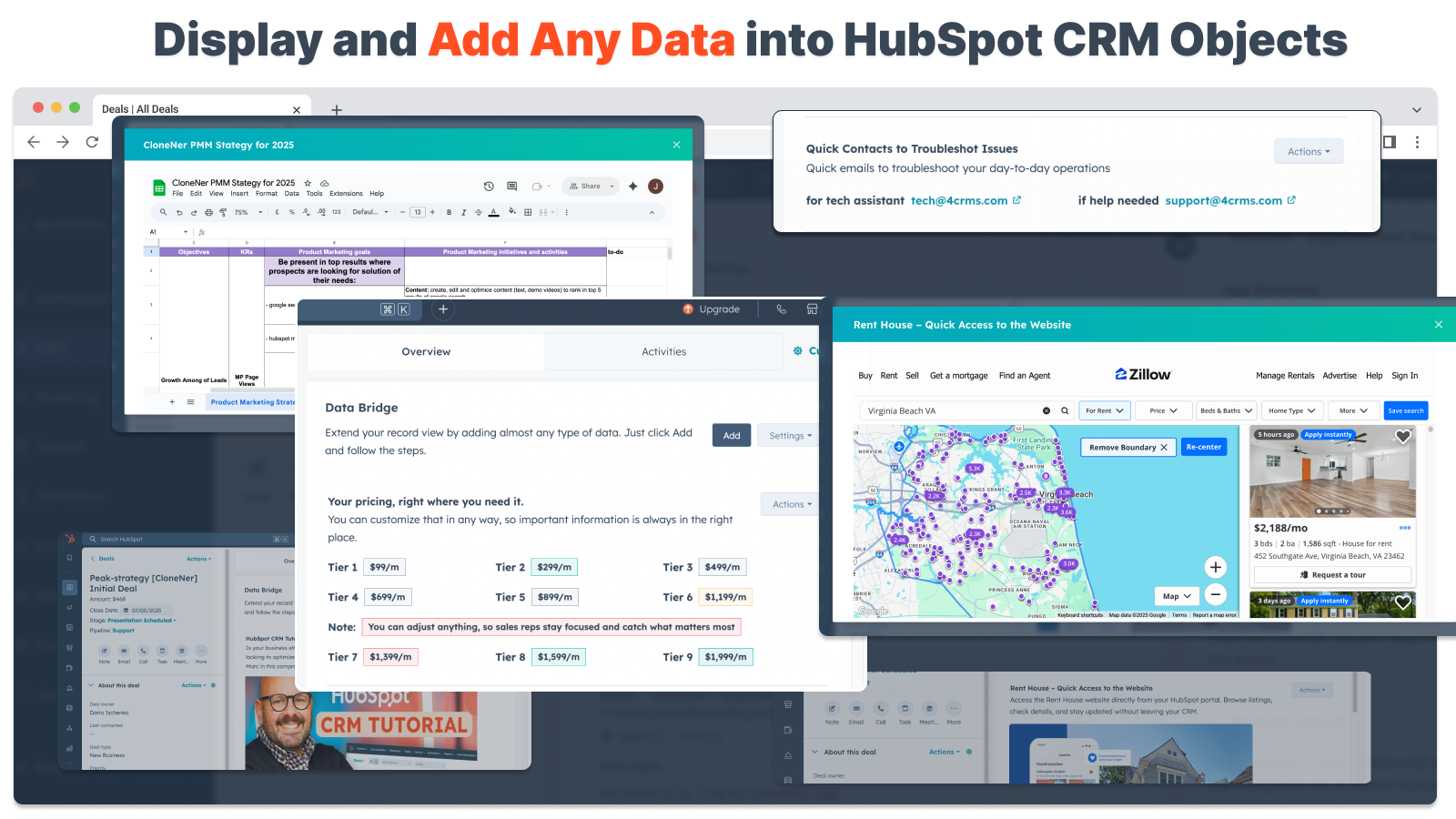
Googleシート、ドキュメントのライブ統合
GoogleシートをHubSpotのレコード内に埋め込んでiframe化し、リアルタイムレポート、トラッカー、ダッシュボードを表示できます。進捗管理、KPI、顧客データの共有に最適です。
YouTubeビデオの埋め込み
チュートリアルや製品デモ、クライアントの最新情報をHubSpotレコードに直接取り込めます。CRMにいながらにして、適切なビデオコンテンツにすぐにアクセスできます。
カスタムグリッドビルダー
HubSpotレコード内にフルカスタマイズ可能なグリッドをデザインできます。タグ、テキスト、ステータスインジケータ、リンク、画像、アイコン、メール、アラートを追加できます。色分けされたバリアント(成功、警告、エラー、情報)や追加メモを使用して、複雑なデータを簡単に解釈して対処できます。
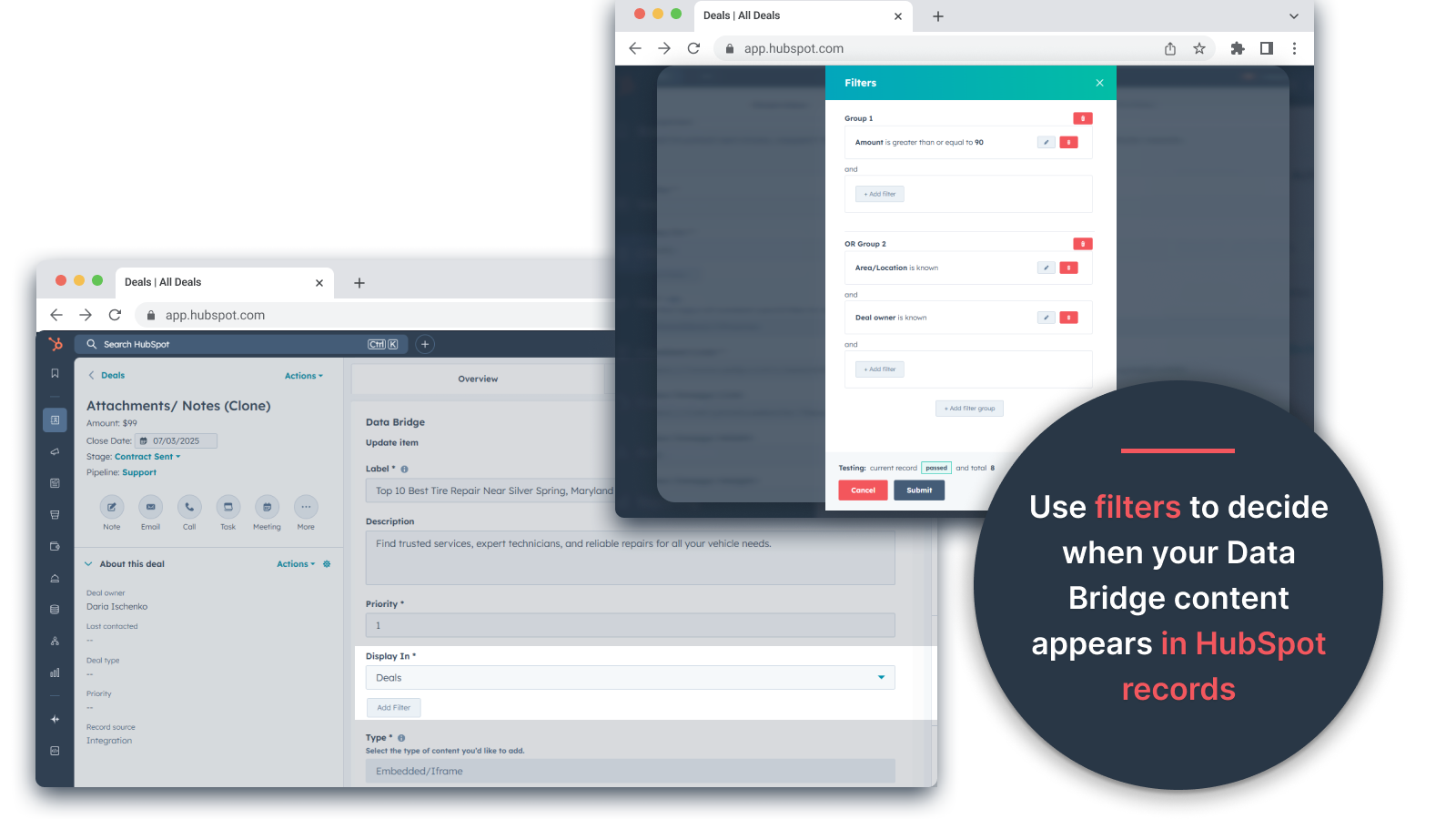
条件付き表示ルール
案件ステージ、プロパティ値、カスタム条件に基づいてモジュールを表示または非表示にできます。
HubSpotとのシームレスな統合
すべてのHubSpot標準オブジェクト(連絡先、会社、案件、チケット)およびカスタムオブジェクトとネイティブに連携します。
ファイル&メディアサポート
画像、PDF、メディアファイルをレコード内にアップロードして表示することで、コラボレーションを迅速化し、コンテキストを一元管理できます。
コンテンツを配置できる場所
すべてのレコード- CRM全体にコンテンツを表示します。
特定のレコード- 閲覧中の1つのレコードにコンテンツを追加します。
フィルタリングされたレコード- 選択した条件に一致するレコードを対象とします。
フィルタはどのようなコンテンツタイプにも対応し、適切な情報を適切な場所に表示します。
便利な理由 - 適切なコンテンツを適切な場所に。
HubSpotを離れることなく外部コンテンツにアクセスできます。
タブの切り替えやデータの散在を減らします。
チームに最新のビジュアルと情報を提供できます。
チームがすぐに参照できる実用的なコンテンツで記録を強化しましょう。
実用的なビジネスユースケーストップ5
1.顧客オンボーディング・ハブ (Saas / Tech)
オンボーディングのチェックリスト、プレイブック、キックオフコールの記録を、案件や企業記録に直接埋め込むことができます。
オンボーディングのステージに応じて異なる指示を表示(例:「セットアップ保留」と「ライブ」)。
CSMはツールを切り替えることなく、HubSpot内で直接進捗を更新できます。
2.アカウントヘルス&サクセストラッキング(カスタマーサクセス)
KPI、更新日、NPSの結果をライブGoogleシートまたはダッシュボードに追加します。
利用率の低下や契約更新が近い場合、または特定のプロパティがリスクフラグを立てた場合に警告を表示します。
クイックリンク(アカウントオーナーへのメール、更新オファーのテンプレート)でCSMの連携を保ちます。
3.営業プレイブックとガイダンス(営業チーム)
ディールステージに応じた動的な指示を表示(「ディスカバリー」=クオリファイングクエスチョンを表示、「プロポーザル送信」=契約チェックリストを表示)。
法務や財務の承認のためのmailtoリンクのようなショートカットを追加します。
必要なときだけ適切な情報を表示することで、担当者の立ち上げ時間を短縮します。
4.フィールドサービス&インストール(製造/サービス)
インストールチェックリストをチケットに埋め込みます。
技術者は、ビフォー/アフターの写真、ビデオ、または署名された文書をアップロードします。
特定の製品タイプを選択した場合にのみ、安全に関する説明やコンプライアンスに関する注意事項を表示します。
5.クリエイティブ/マーケティング資産のレビュー(エージェンシーまたは社内チーム)
クリエイティブ概要の保存、デザイン案のアップロード、ビデオのプレビューをすべて1つのレコードに保存できます。
クライアントが承認マークを付けるまで、「レビュー保留中」の通知を表示します。
アカウントマネージャーはファイルをアップロードでき、ディレクターは構造やテンプレートを管理できます。
つまり、SyncData Bridgeは ツールの切り替えを減らし、適切なコンテンツを適切なタイミングでHubSpotのレコードに直接取り込みます。#1位 HubSpotコネクター
機能
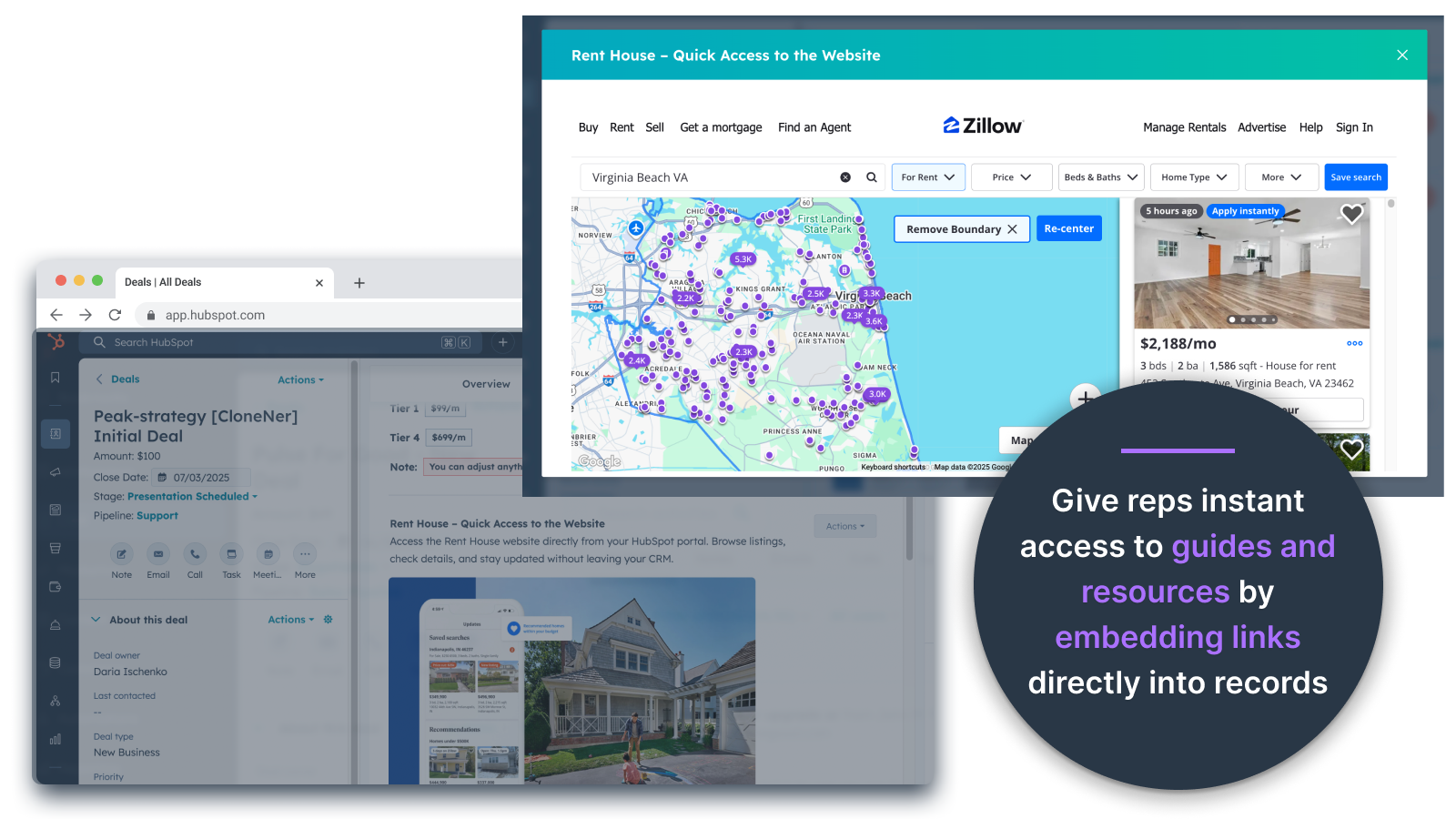
お得情報、チケット、その他のレコードビューに画像を直接埋め込む
製品写真、マーケティング資料、その他のビジュアルアセットを、連絡先、会社、取引、チケット、カスタムオブジェクトに直接追加できます。チームが作業する場所にビジュアルを配置できます。
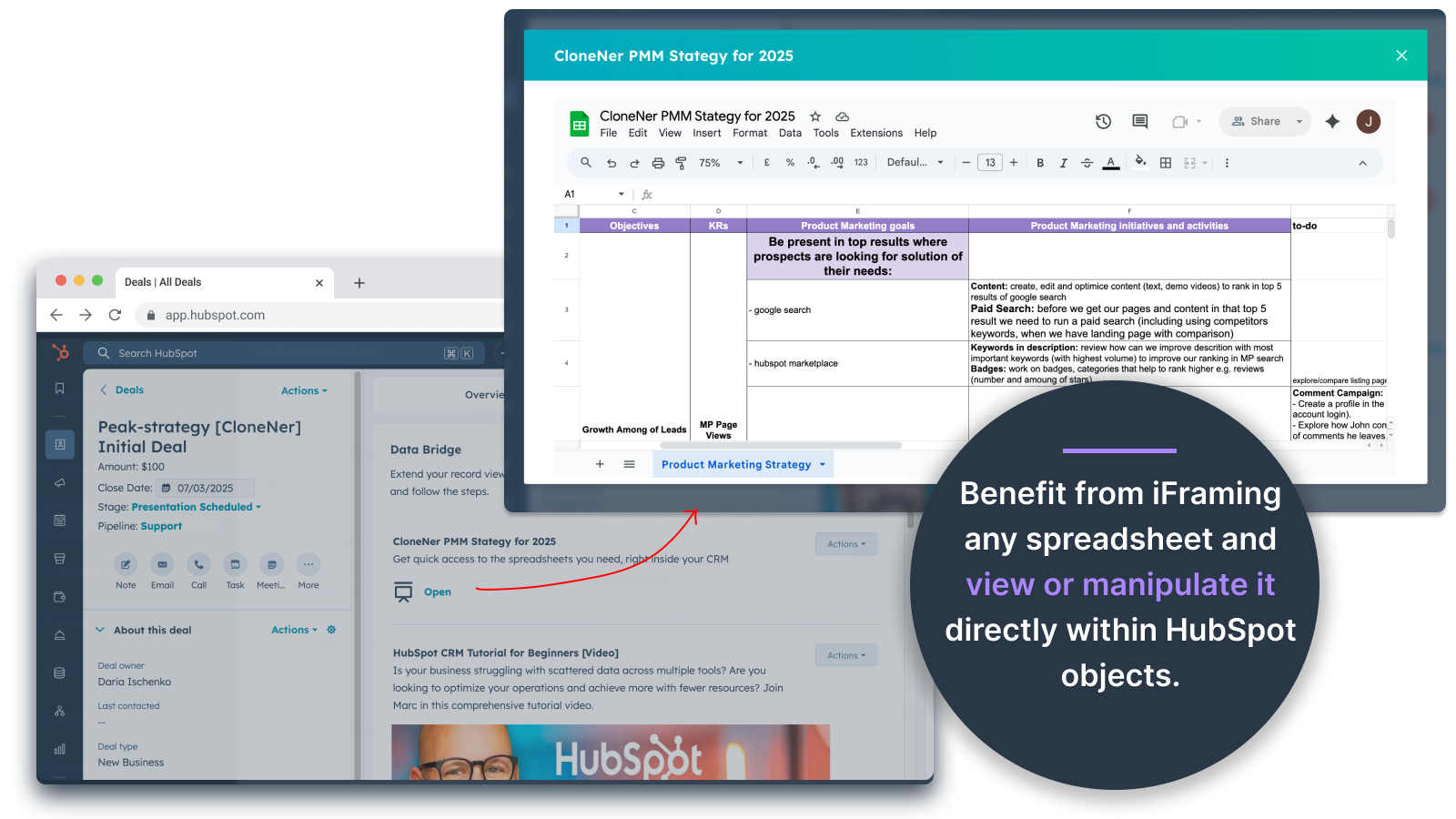
Googleシートとドキュメント - ディールやチケットなどの内部を直接見ることができます。
HubSpotレコード内にGoogle Sheetsを埋め込んでiframe化し、リアルタイムのレポート、トラッカー、ダッシュボードを表示できます。進捗管理、KPI、顧客データの共有に最適です。
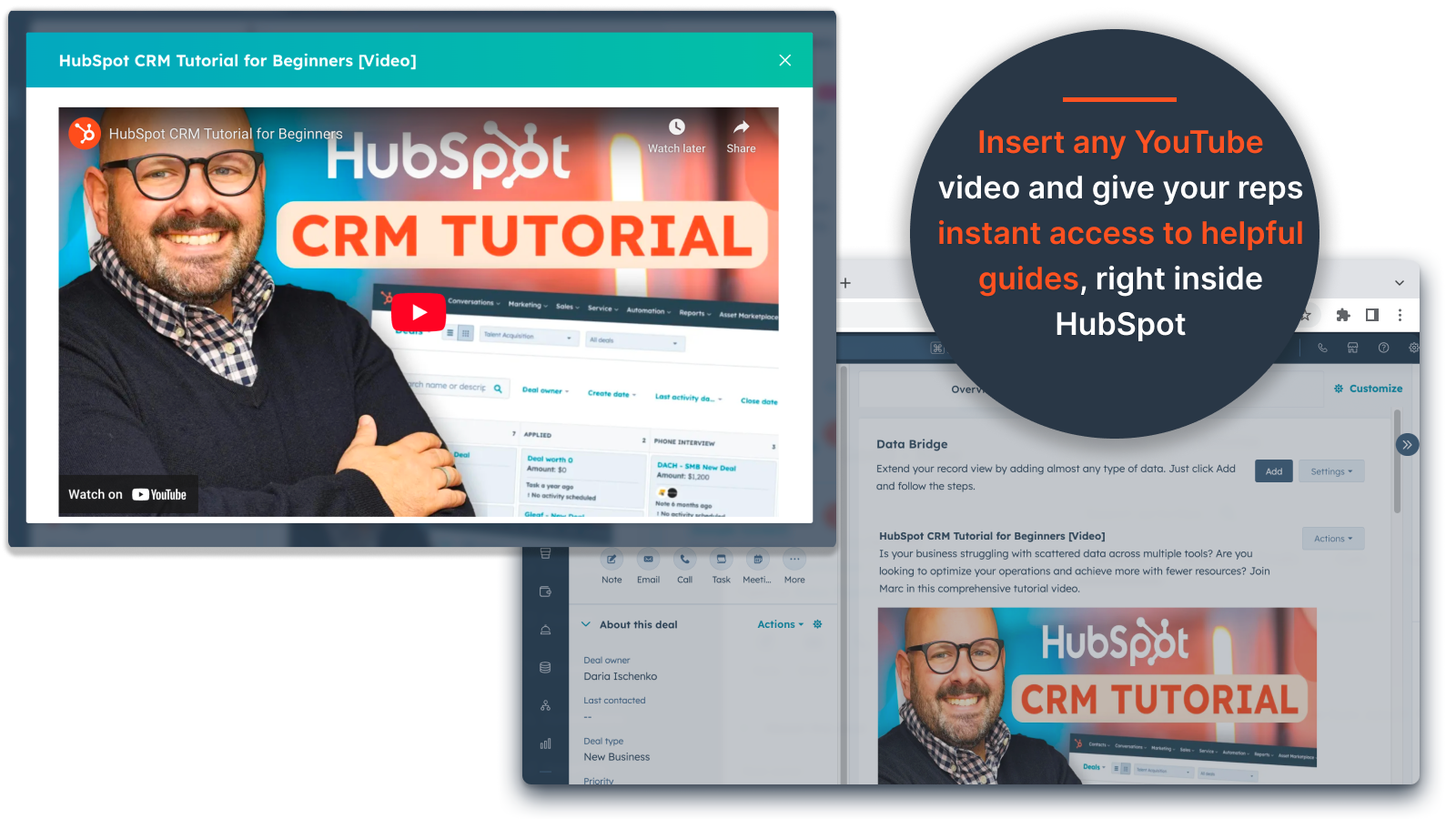
YouTube動画埋め込み
チュートリアル、製品デモ、クライアントの最新情報をHubSpotのレコードに直接取り込めます。CRMにいながらにして、適切な動画コンテンツにすぐにアクセスできます。
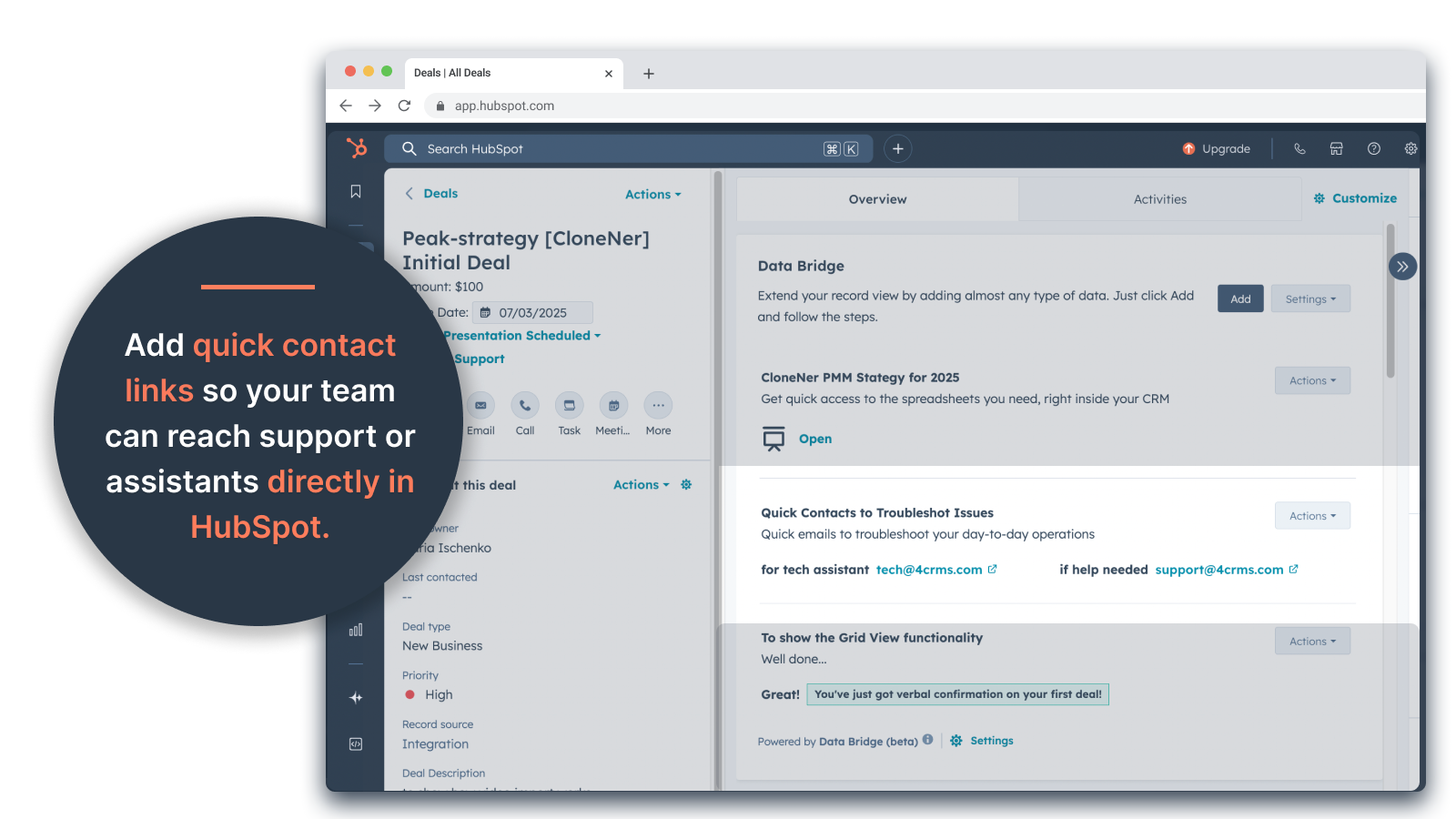
カスタムグリッドビルダー
HubSpotレコードの中に完全にカスタマイズ可能なグリッドをデザインできます。タグ、テキスト、ステータスインジケータ、リンク、画像、アイコン、メール、アラートを追加できます。色分けされたバリアント(成功、警告、エラー、情報)や追加メモを使用して、複雑なデータを簡単に解釈して対処できます。
条件付き表示ルール
取引ステージ、物件価格、カスタム条件に基づいてモジュールを表示または非表示にすることで、各チームメンバーは適切なタイミングで関連するものだけを見ることができます。
HubSpotとのシームレスな統合
HubSpotの標準オブジェクト(連絡先、会社、案件、チケット)およびカスタムオブジェクトでネイティブに動作します。
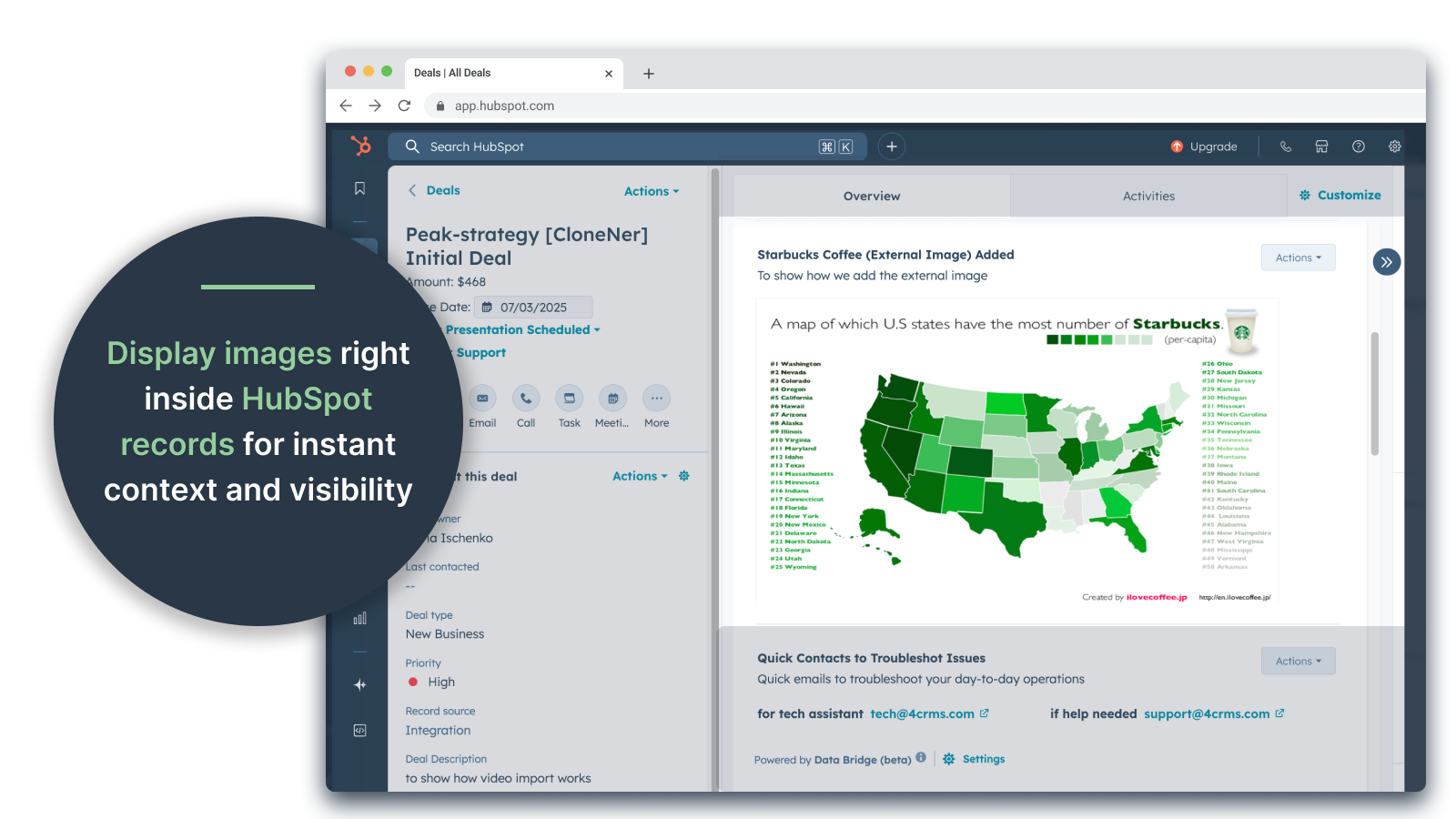
ファイル&メディア・サポート
画像、PDF、メディアファイルをレコード内にアップロードして表示することで、迅速なコラボレーションと一元化されたコンテキストを実現します。
アプリ機能
共有されるデータ
Contacts | ||
Custom Objects | ||
Company | ||
Deal | ||
Ticket | ||
Owners | ||
Deal Pipelines |
確認
- 2025年9月25日
散らばったファイルを管理する手間を省き、すべてを必要な場所に直接持ち運べるので、大幅な時間節約になります!
データブリッジの勝利!Excelに保存した経費報告書をHubSpotに簡単に取り込む方法が必要でした。今では、担当者は経費報告書を簡単にクローンし、関連する取引に直接埋め込むことができ、google driveを探さなくても簡単にアクセスできるようになりました。時間とストレスの大きな節約になりました
簡単なセットアップで、外部リソースを直接HubSpotに取り込み、簡単にアクセスできます。
まだ見つかっていない!
Estey, Z.
- 2025年9月19日
HubSpotをコマンドセンターに変える
私たちのチームは最近Data Bridge! by 4CRMを使い始めましたが、すでに強力な方法でワークフローを合理化しています。Google Sheets、Docs、動画、その他の外部リソースを直接HubSpotのレコードに埋め込むことができるため、何度もやり取りする必要がなくなり、CRMの実用性が格段に向上しました。直感的で柔軟性があり、適切なデータを適切なタイミングで適切な場所に届けてくれます。
- 超簡単なセットアップと使用開始 - 重要な営業コンテンツ(ライブシート、参考資料、オンボーディングドキュメントなど)をHubSpotに直接埋め込み - カスタマイズ可能なグリッドにより、最も関連性の高いデータを簡単に整理して表示 - 記録を真の「コマンドセンター」のように感じさせるのに最適 - 効率が向上し、タブホッピングが減少
- ブラウザの設定によっては、一部の埋め込みコンテンツ(特定のビデオプレーヤーなど)の表示に不具合が生じる場合があります。
Stern, D.
価格
ベーシック
$19
/月45日間無料 - 🔓全機能をアンロック。UI要素でHubSpotの記録をよりスマートに。データを連絡先、会社、取引に。
3 UI要素:追加された各項目は1要素としてカウントされます(例:画像やビデオなど)。
コンタクトコンタクトレコード内にデータブリッジUI要素を表示
企業企業レコード内にデータブリッジUI要素を表示します。
取引:取引レコード内にデータブリッジUI要素を表示します。
iFrameを使って画像、YouTube、Googleドキュメント、スライド、シートを埋め込むことができます。
フィルター: ⚠️ 利用不可(オブジェクト単位または全オブジェクトにのみ適用
カスタムグリッドビルダー: ⚠️ 利用できません。タグ、リンク、画像、メモを含むグリッドが作成できません。
ベーシック
$19
/月45日間無料 - 🔓全機能をアンロック。UI要素でHubSpotの記録をよりスマートに。データを連絡先、会社、取引に。
3 UI要素:追加された各項目は1要素としてカウントされます(例:画像やビデオなど)。
コンタクトコンタクトレコード内にデータブリッジUI要素を表示
企業企業レコード内にデータブリッジUI要素を表示します。
取引:取引レコード内にデータブリッジUI要素を表示します。
iFrameを使って画像、YouTube、Googleドキュメント、スライド、シートを埋め込むことができます。
フィルター: ⚠️ 利用不可(オブジェクト単位または全オブジェクトにのみ適用
カスタムグリッドビルダー: ⚠️ 利用できません。タグ、リンク、画像、メモを含むグリッドが作成できません。
* こちらの価格は参考表示価格です。どの価格にも税、インセンティブ、値引など、価格に関する変動要素は含まれていません。価格に関する正確な最新情報については、この提供元パートナーまでお問い合わせください。HubSpotは、パートナー各社が提供する価格情報について一切の責任を負わないものとします。価格の最終更新:2026/05/05