

Daisy AI Voice Agent
Requirements
HubSpot Plan HubSpot Account permissions - View the required account permissions
Access Type Shared Daisy AI Voice Agent Subscription - Starter, Growth, or Scale plans
Overview
1/7 - Daisy video
Daisy answers the calls your team cannot get to, and writes every one of them into HubSpot before the caller has hung up.
She picks up day or night and answers from facts you approve — your hours, your services, your pricing. She puts callers through to a person when they ask, and books appointments into your team's connected calendars while the caller is still on the line.
What lands in your HubSpot, on its own:
A contact, matched by phone number first — a returning customer is greeted by name instead of interviewed again — and created only when there is genuinely no match. A deal on the contact, stamped with a source of "Phone Call" so calls are one filter away from the rest of your pipeline. A call engagement carrying the full transcript and a link to the recording, on the same timeline as the rest of that customer's history. A note with a one-sentence summary, for whoever picks the conversation up next. And a meeting when the caller booked one — removed again if they reschedule, so the calendar in HubSpot and the calendar your team actually reads never disagree.
Nothing is typed twice, and nothing depends on somebody remembering to log it after the call.
Setup is inside HubSpot. Install the app, and Daisy reads your website to draft what she should know. You correct it, choose who calls get put through to, connect a calendar if you take appointments, and you get a phone number to ring yourself — so the first person who hears her is you, not a customer. About five minutes, no phone system to replace: keep your number and forward
it whenever you are ready.
Features
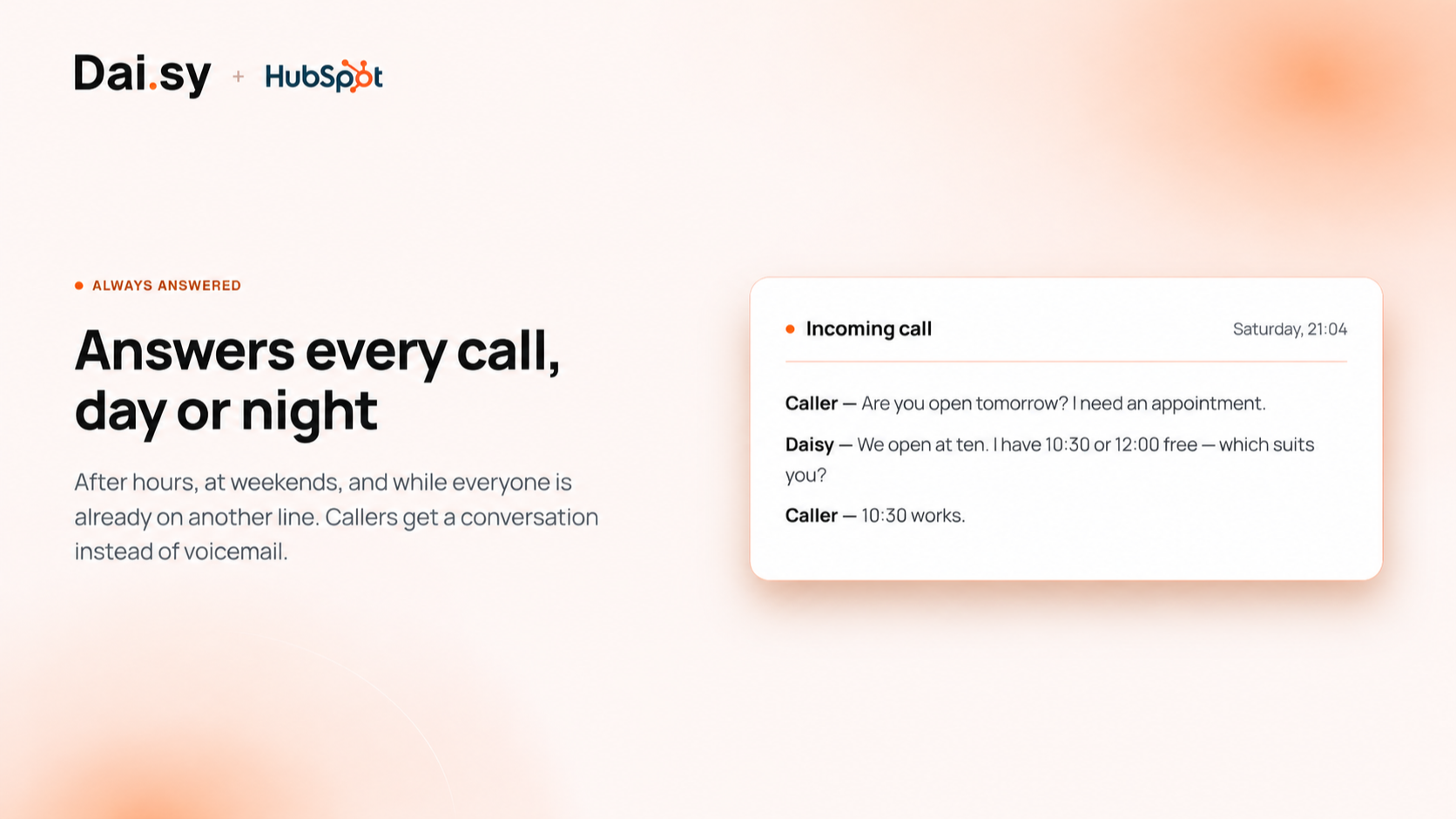
Answers every call, day or night
Daisy picks up when your team cannot: after hours, at weekends, and while everyone is already on another line. Callers get a real conversation instead of voicemail, and you stop losing the ones who would not have called back. Every one of those calls arrives in HubSpot as a contact and a call record.
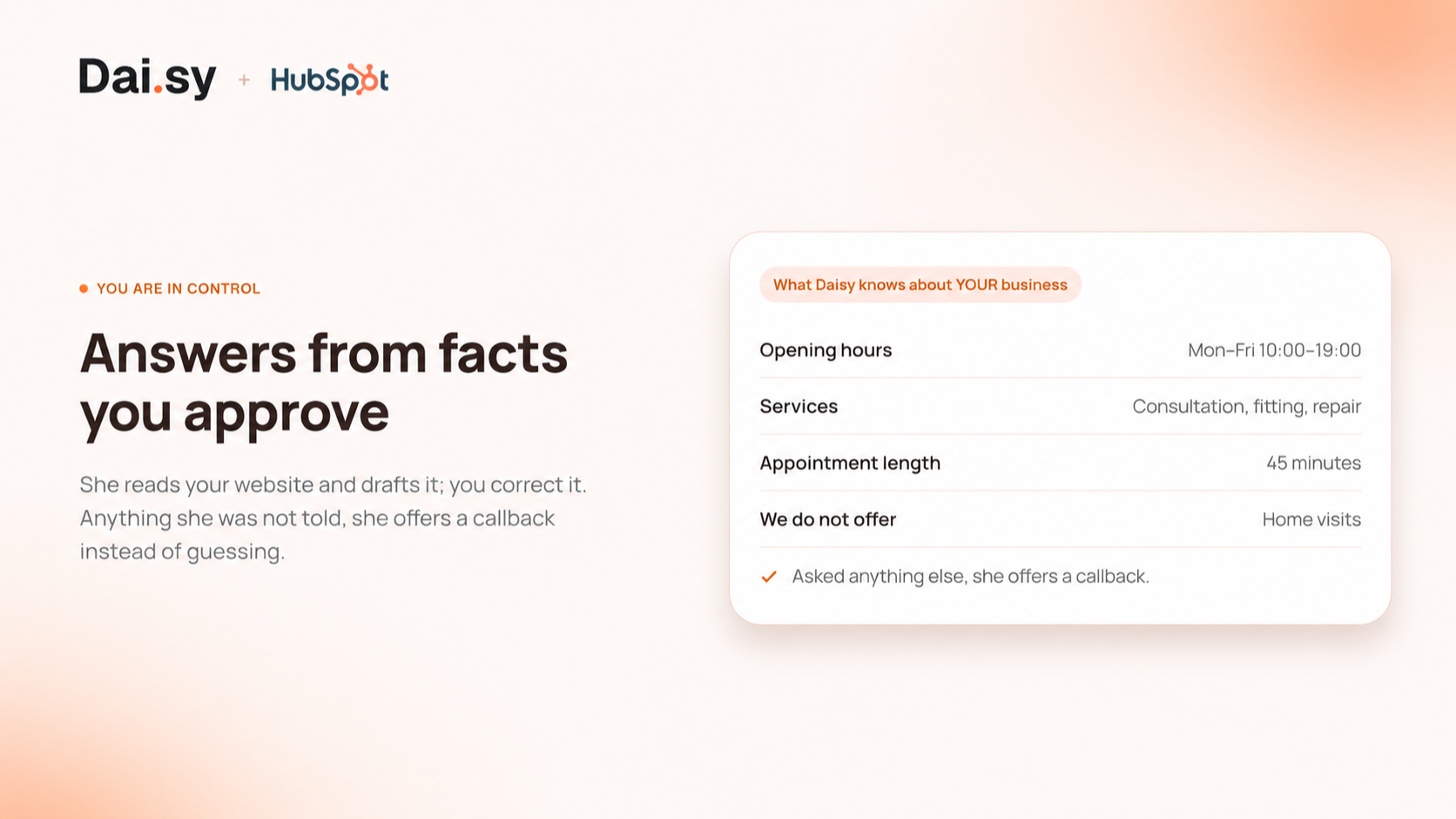
Answers from facts you approve
You tell Daisy your hours, services, pricing and what you do not offer — she reads your website first and drafts it, so you correct rather than write. Anything she was not told, she says she does not know and offers a callback. She never invents an answer, a price or a time.
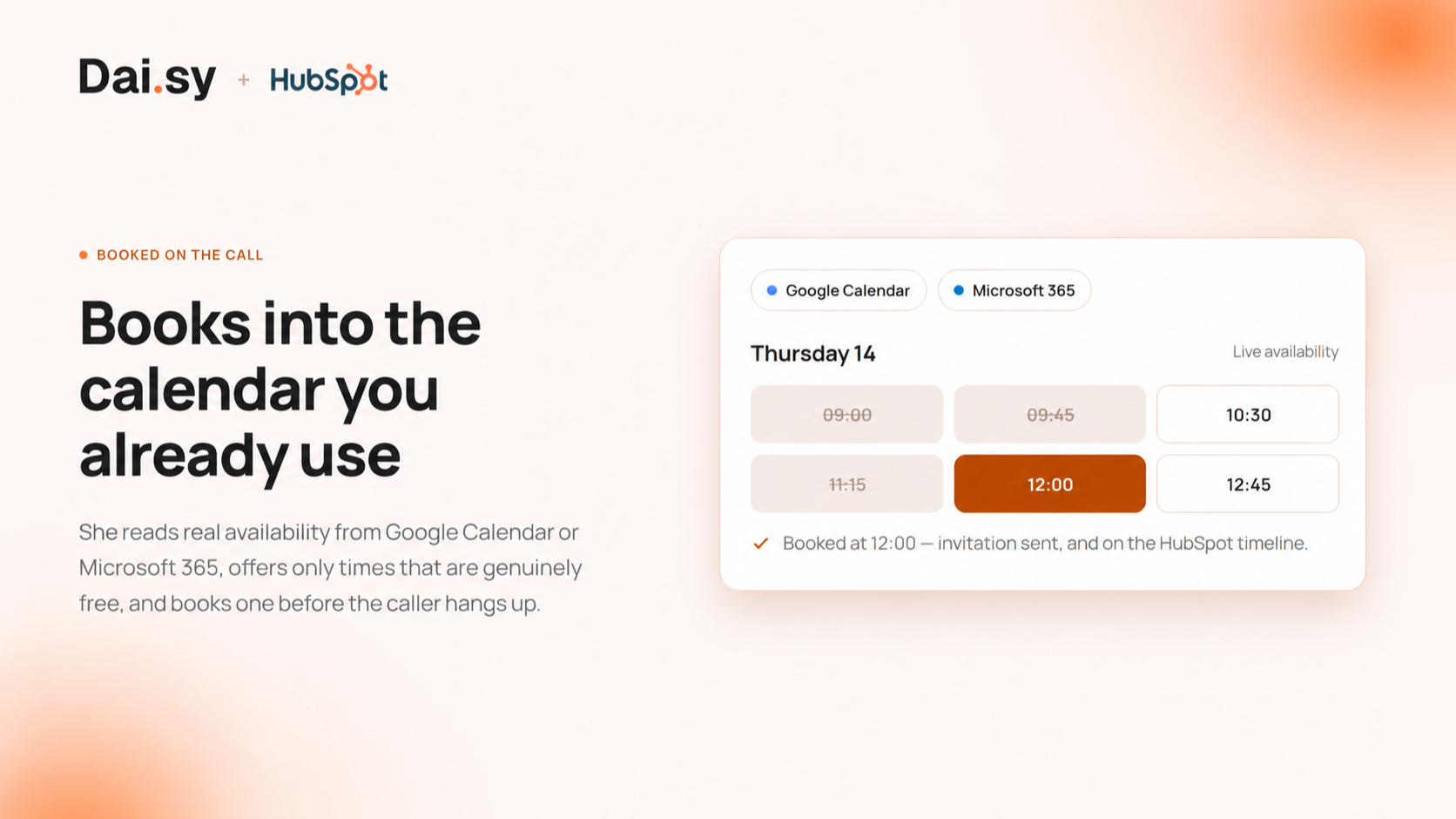
Books appointments while the caller is on the line
Connect a calendar and Daisy offers times that are genuinely free, books the one the caller picks, and sends the invitation before they hang up. The meeting lands on the contact's HubSpot timeline on its own.
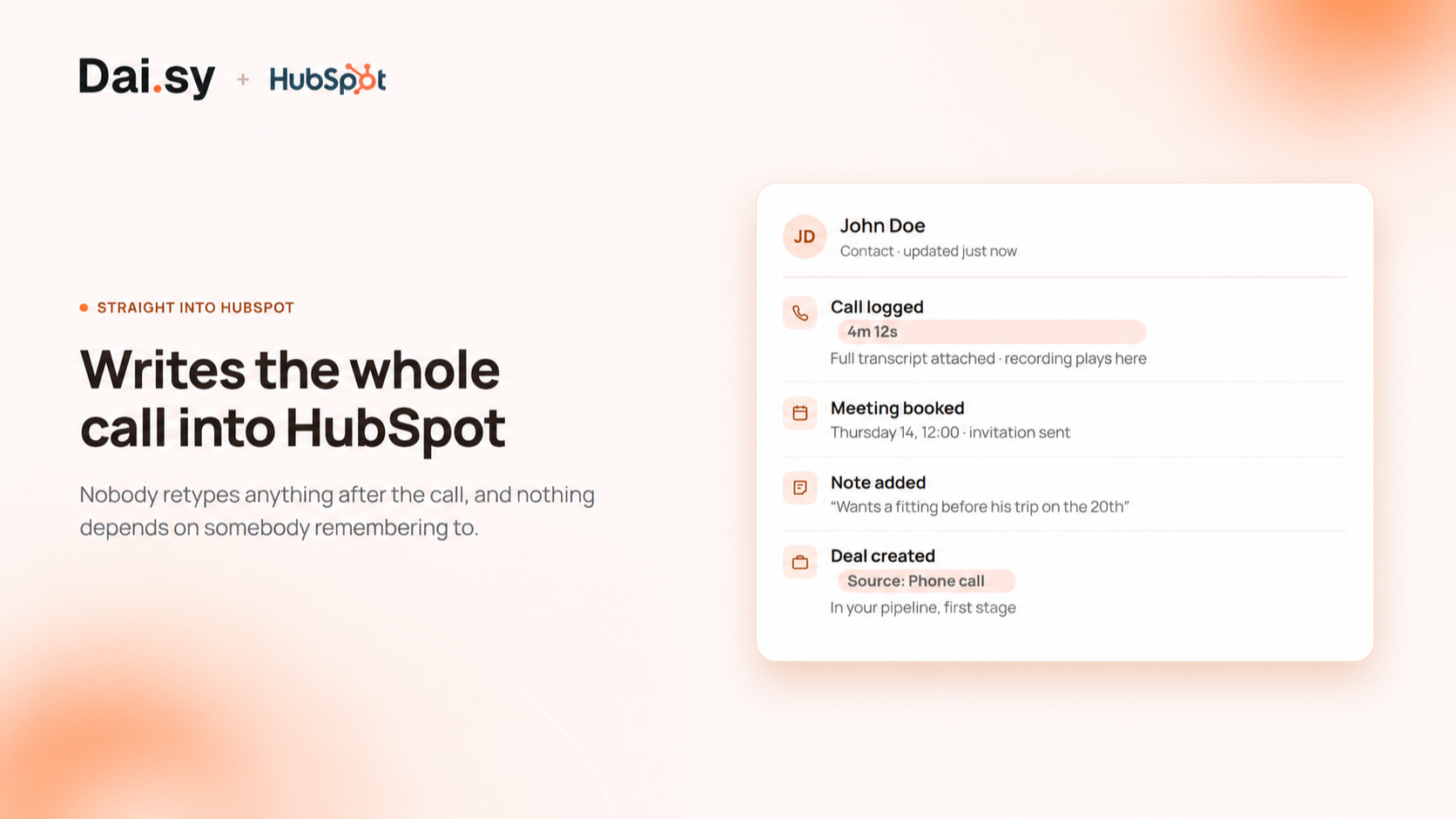
Writes the whole call
A contact and a deal for a new caller, a call log with the full transcript, a link to the recording, and a short summary note. Nobody retypes anything after the call, and nothing depends on somebody remembering to.
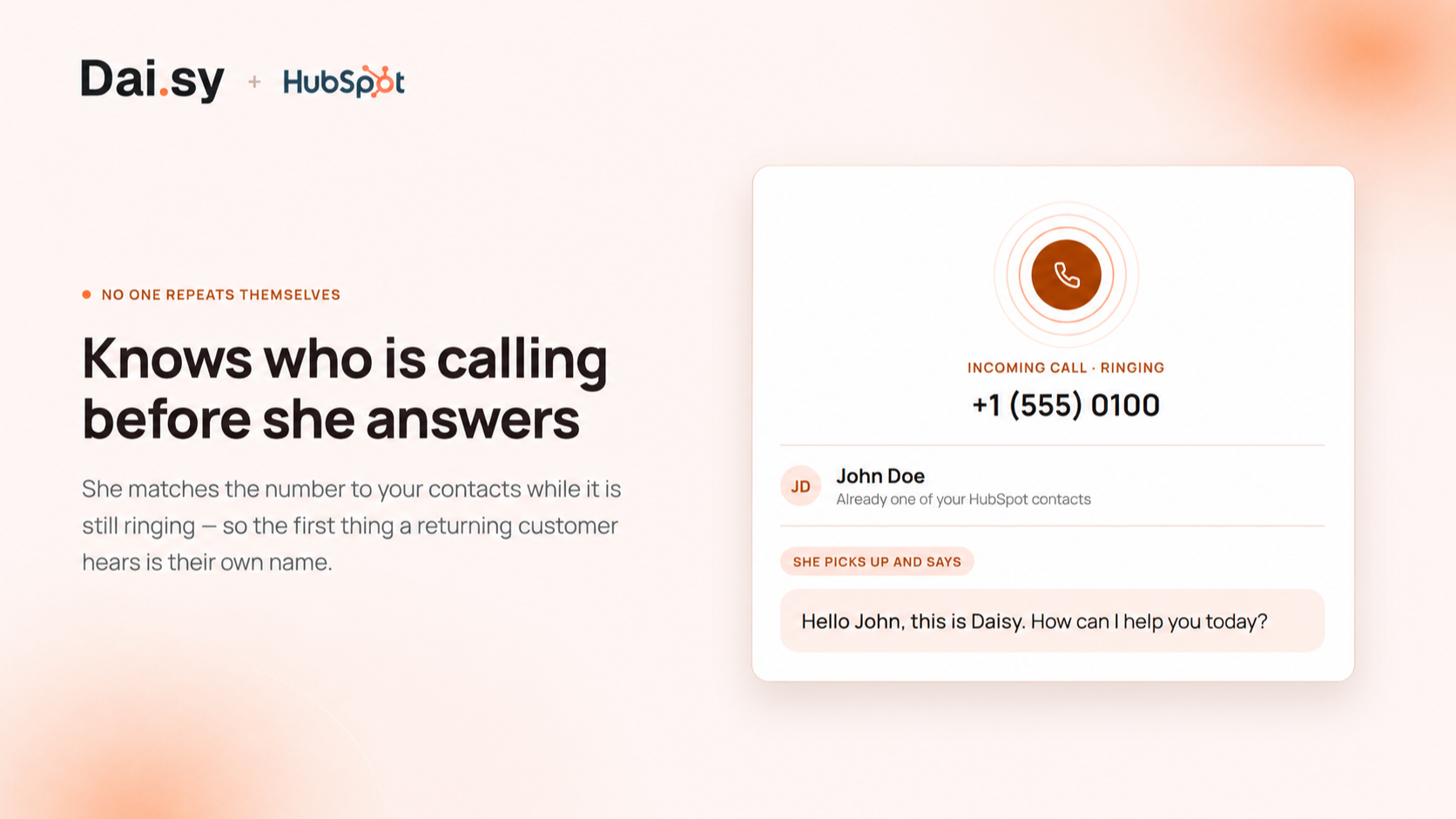
Knows who is calling before she answers
Daisy looks the incoming number up in your contacts. A returning customer is greeted by name and is not asked again for details you already hold, and their call is logged against the record you already have instead of creating a duplicate.
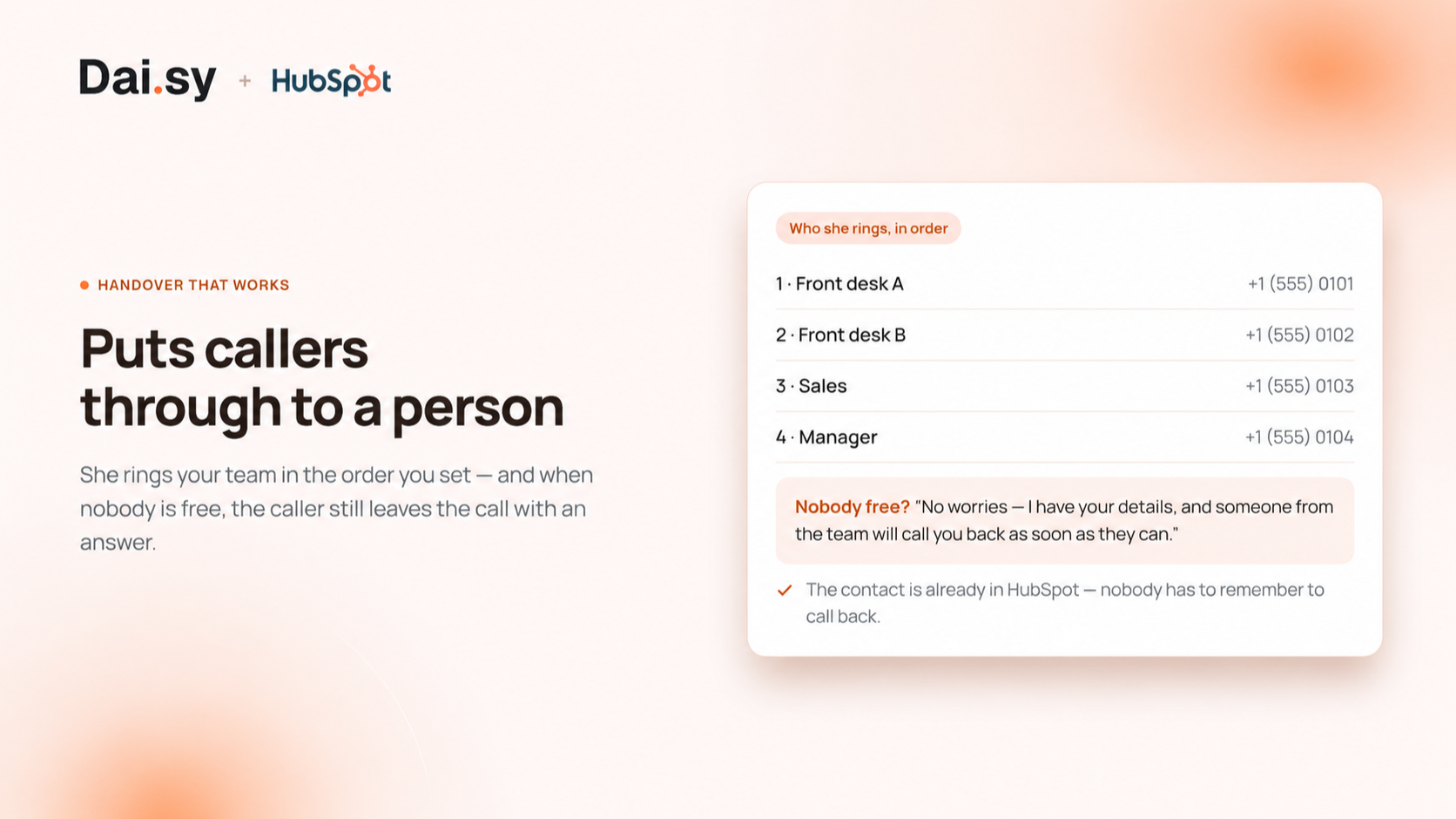
Puts callers through to a person
When a caller asks for someone, Daisy transfers the call to the number you nominate, in the order you set. If nobody picks up she tells the caller the team will ring them back, and logs it — so the handover never ends in a line that just rings out. Either way the call is logged on the contact in HubSpot - including the ones where nobody picked up.
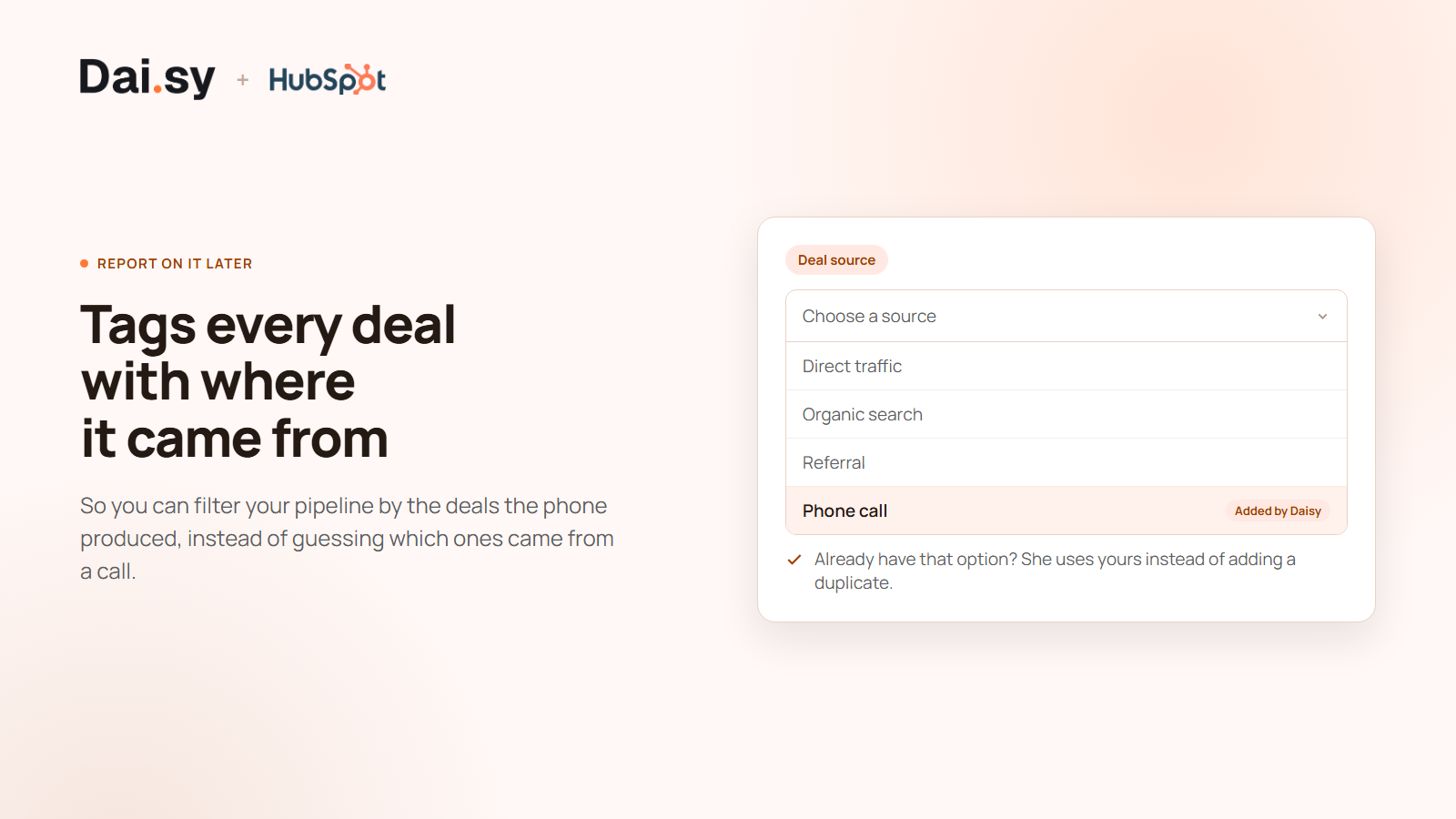
Tags every deal with where it came from
Daisy adds a "Phone call" option to your deal source dropdown and sets it on every deal she creates, so you can filter your pipeline by the calls that produced it. If the option already exists in your portal she uses yours instead of adding a duplicate.
App Functionality
Shared Data
Caller | ||
Lead | ||
Call | ||
Appointment | ||
Call summary | ||
Deal source dropdown |
Daisy only reads two things, and only so a caller is not asked for something you already know: the contact matching the incoming phone number, and the deal already associated with them. Nothing else in your portal is read.
Everything Daisy writes is the record of a phone call that actually happened - a contact and a deal for a first-time caller, a call log with the full transcript, a meeting when the caller books, a short summary note, and a link to the recording. She writes nothing on her own initiative and nothing that did not come out of a real conversation.
She removes exactly one kind of record: a meeting she created herself, when that appointment is rescheduled or cancelled, so your timeline does not keep a booking that is no longer happening. She never deletes contacts, deals, calls or notes.
The audio deserves a plain answer. The original recording and transcript are held by Retell, our voice provider, on whose infrastructure the call runs. A copy of the recording is uploaded to your own HubSpot Files so it plays inside the CRM - as PUBLIC_NOT_INDEXABLE, which keeps it out of search and out of file listings, but means anybody holding the direct URL can play it. We would rather tell you that here than have you discover it later. Our own database stores neither the recordings nor the transcripts: the call list in Daisy's panel is fetched live from Retell when you open it.
Other companies that process data as part of delivering the service: Twilio (telephony), Retell (the voice agent), OpenAI (reads your public website once during setup, to draft what Daisy knows about your business), Stripe (payment), Resend and SendGrid (email), and Google or Microsoft (calendar availability and invitations, only if you connect a calendar).
Reviews
- Sep 16, 2026
We stopped losing calls
We were losing calls. Nothing dramatic - just the normal way a small team loses them: someone is already on the phone, someone is out, and by the time you call back the person has moved on.
- Calls get answered when we cannot get to them, including after hours. - Everything lands in HubSpot on its own - contact, deal, call with the full transcript. Nothing to log afterwards. - It recognises people who have called before instead of asking them the same questions again. - It freed up the time the phone used to take, so we can focus on the channels we handle ourselves.
If it handled WhatsApp the way it handles the phone, it would cover the whole front door instead of one part of it. For calls specifically I have no complaints.
Ivnovich, M.
Pricing
Starter
$58.33
/monthAbout 140 calls a month. The right size for one location.
Change plan or cancel whenever you like
Transfers to your team, with a callback when nobody is free
Books appointments into Google Calendar or Microsoft 365
Full transcript and recording on every call
Contacts, deals, calls and meetings written into HubSpot
Answers every call, day and night
Your own phone number, set up for you
300 call-minutes included, then US$0.55 a minute
Starter
$58.33
/monthAbout 140 calls a month. The right size for one location.
Change plan or cancel whenever you like
Transfers to your team, with a callback when nobody is free
Books appointments into Google Calendar or Microsoft 365
Full transcript and recording on every call
Contacts, deals, calls and meetings written into HubSpot
Answers every call, day and night
Your own phone number, set up for you
300 call-minutes included, then US$0.55 a minute
* The pricing here is for display purposes only. All prices do not include taxes, incentives, discounts, or other pricing variables. You should contact the partner for the most up to date and correct pricing information. HubSpot does not take any responsibility for this pricing information, which is provided by our partners. Pricing last updated: 09/16/2026
Getting attention today

ChatGPT Ads
Create campaigns in ChatGPT Ads, track performance, and prove ROI — all in HubSpot.

Salesforce
An automatic, bi-directional sync between HubSpot and Salesforce.
