
.png)
AdRoll Marketing & Advertising
Gemaakt door - AdRoll, Inc
Installaties - 2K installaties
Beoordeling 3,8
(5)

Stijgende
Vereisten
HubSpot-abonnement HubSpot-accountmachtigingen - Bekijk de vereiste accountmachtigingen
Toegangstype Gedeeld AdRoll Marketing & Advertising-abonnement - Gratis integratie met HubSpot plan
Overzicht
1/3
Met onze HubSpot-integratie kunt u uw statische HubSpot-e-maillijsten rechtstreeks vanuit uw account synchroniseren met AdRoll. Deze integratie, die wordt gekoppeld via ons onboardingproces voor CRM-gegevens, helpt u om uw lijsten eenvoudig om te zetten in een doelgroep die u kunt targeten voor gebruik in betaalde digitale media en accountgebaseerde advertentiecampagnes.
Vereisten voor deze integratie
U moet beschikken over een betaald HubSpot Marketing Hub-account (Starter, Professional of Enterprise).
Elk van je lijsten moet ten minste 100 unieke e-mailadressen van gebruikers bevatten, zodat de CRM-lijsten correct kunnen worden gevuld.
CRM-doelgroepen synchroniseren
Zo vindt u de HubSpot-integratietool:
- Ga naar het tabblad 'Doelgroepen' in het navigatiemenu aan de linkerkant.
- Klik op 'Verbonden doelgroepen'.
- Klik onder 'Apps' op 'Je andere marketingapps koppelen '.
- Klik op het HubSpot-pictogram en vervolgens op 'Verbinden'.
- Log in op je HubSpot-account.
- Ga terug naar AdRoll en plak je ID in het veld 'Voer je HubSpot-ID in '.
- Klik op 'Authenticeren met HubSpot-ID' > 'Autoriseren'.
- Klik op 'Lijsten selecteren' om lijsten te kiezen voor je AdRoll-doelgroep.
Aanbevolen werkwijzen
Hier volgen enkele tips om je lijsten voor te bereiden op het importeren van CRM-gegevens:
- Je lijsten moeten minimaal 100 e-mailadressen bevatten.
- Gebruik waar mogelijk persoonlijke e-mailadressen, aangezien deze vaker overeenkomen.
- Zorg ervoor dat uw e-maildatabase up-to-date is. Het toevoegen van een e-mailvalidatiestap tijdens de aanmeldingsworkflows kan zeer nuttig zijn om ervoor te zorgen dat gebruikers actieve e-mailadressen opgeven.
- Overweeg om CRM-doelgroepen te combineren met andere soorten doelgroepen om de prestaties te verbeteren.
- Zorg ervoor dat je een statische lijst vanuit HubSpot uploadt. Slimme lijsten worden momenteel niet ondersteund.
Lees meer over het beheren van je lijsten binnen HubSpot.
Geïmporteerde doelgroepen
Het kan zijn dat uw HubSpot CRM-doelgroepen niet onmiddellijk in AdRoll verschijnen. We starten het koppelingsproces voor nieuwe lijsten binnen zes uur. Voor e-mailadressen die na het begin van het proces worden toegevoegd, kan het tot twee weken duren voordat ze zijn gekoppeld.
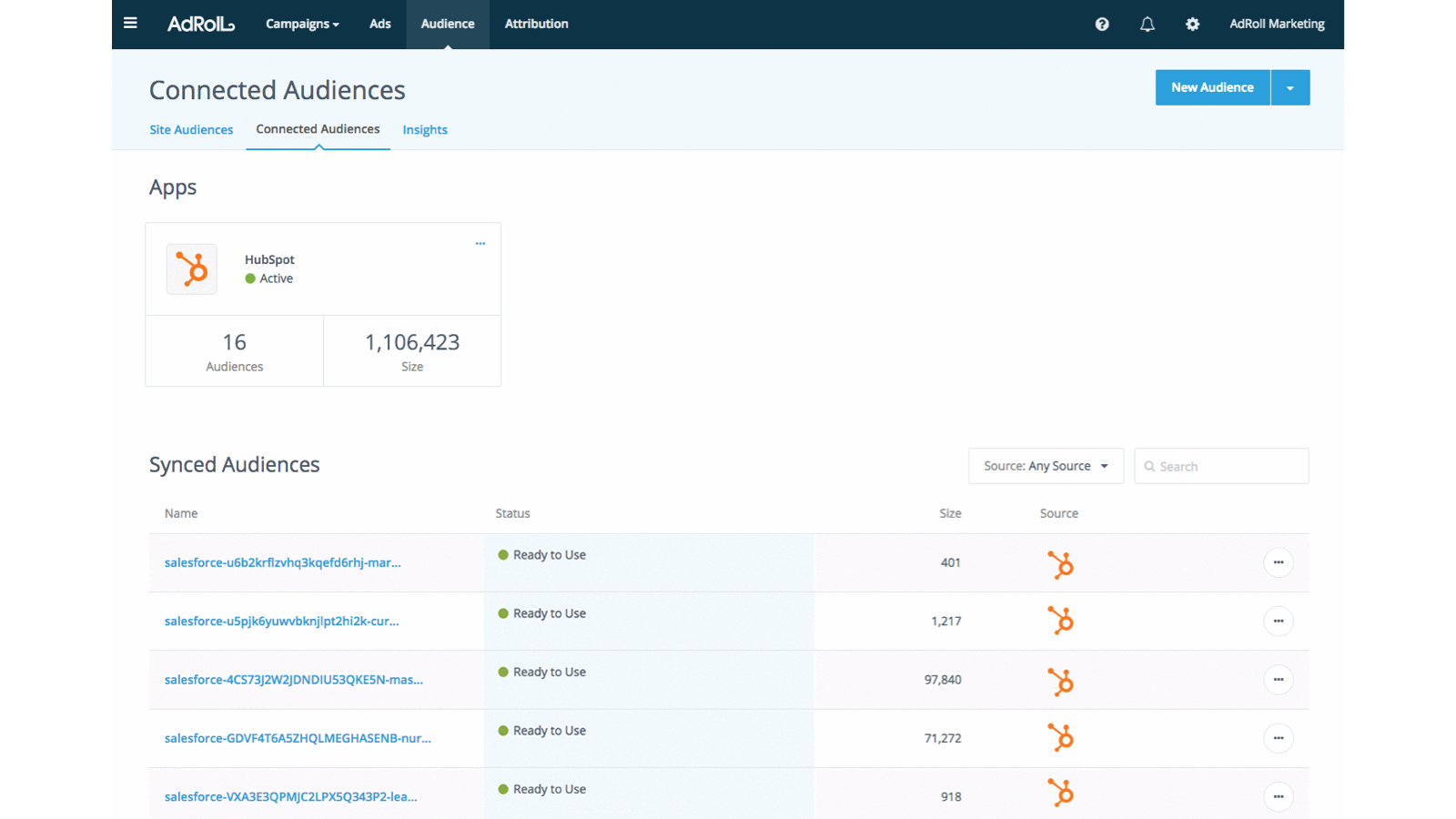
De namen van geïmporteerde doelgroepen eindigen automatisch op 'HubSpot'.
Zodra uw e-maillijst verschijnt, begint het matchen van cookies. Het kan tot zeven dagen duren voordat dit volledig is geactiveerd in uw campagnes.
Wat u kunt verwachten
- We halen elke 24 uur nieuwe e-mailadressen op uit HubSpot.
- Voor adverteerders in de VS kan CRM zowel op het web als op Facebook worden ingezet. Waar mogelijk raden we aan om e-mailadressen uit de VS te gebruiken.
- Buiten de VS hebben CRM-doelgroepen beperkte functionaliteit bij webcampagnes. We raden adverteerders buiten de VS aan om in plaats daarvan CRM-retargeting op Facebook te gebruiken.
- U kunt een CRM-doelgroep niet meer bewerken nadat deze is aangemaakt.
- Het matchen van cookies op Facebook duurt minder dan 24 uur.
- Het matchen van cookies op het web duurt maximaal zeven dagen, afhankelijk van de grootte van je e-maillijst.
Gekoppelde e-mailadressen
We tonen het aantal e-mailadressen dat oorspronkelijk via de HubSpot-integratie is geüpload.
Om te zien hoeveel e-mailadressen succesvol zijn gematcht voor het web of Facebook, klik je op de naam van je HubSpot-doelgroep op het tabblad 'Doelgroep'.
Functies
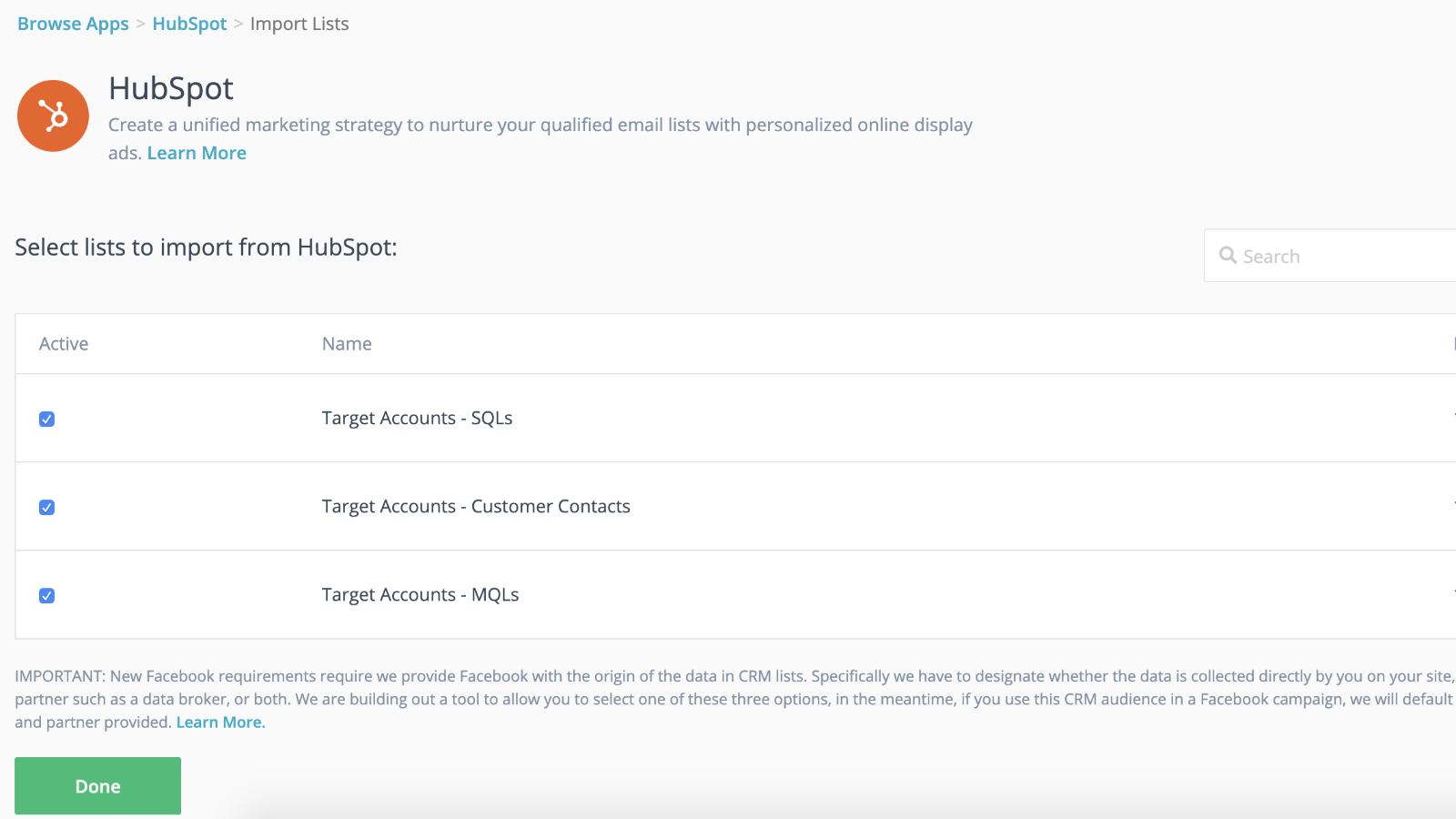
Naadloze integratie met dynamische doelgroepsynchronisatie en snellere lanceringen
Koppel je CRM-lijsten aan je retargetingcampagnes om een voorsprong te nemen terwijl je retargetingcampagne op de achtergrond op gang komt. Zodra je je lijsten in AdRoll hebt geïmporteerd, ben je helemaal klaar. Wij zorgen ervoor dat je contactlijsten elke 24 uur dynamisch worden gesynchroniseerd.
De ervaring voor potentiële klanten op maat maken
Maak gebruik van de klantkenmerken in je HubSpot CRM om gerichte, hoogwaardige klantervaringen te creëren.
App-functionaliteit
Gedeelde gegevens
AdRoll Audience |
Reviews
3,8
5
3,8
5
- 21 nov. 2024
Gumbayan, J.
- 20 okt. 2021
Retargeting with Adroll/HubSpot Integration
It works like a CHARM! It was easy to set up the HubSpot/AdRoll integration. Syncing our HubSpot lists with AdRoll was also seamless. The AdRoll platform is intuitive and allows you to set up different campaigns and "advertiser" profiles so you can segment the spend by department, making the expense reporting and ROI calculations easy.
We are using AdRoll for retargeting campaigns for our annual conference and select programs.
Syncing lists from HubSpot to AdRoll allows us to exclude customers/prospects from our retargeting efforts more easily that if we didn't have the integration.
The biggest drawback is that, unlike Google & Linkedin, the data sync is only one way...HubSpot TO AdRoll. If this were a two-way sync so that the metrics were included with our other Advertising Metrics on the HubSpot Ads section it would be even better! Also you can't manage the campaigns from within HubSpot...you have to set up and manage campaigns on the AdRoll platform
Grassley Clarke, M.
Non-profitorganisaties - 11 tot 25 werknemers
Prijzen
Gratis integratie met HubSpot
US$ 0
Ga vandaag nog aan de slag met het synchroniseren van HubSpot-lijsten met AdRoll voor gerichte advertentiecampagnes
Gratis integratie met HubSpot
US$ 0
Ga vandaag nog aan de slag met het synchroniseren van HubSpot-lijsten met AdRoll voor gerichte advertentiecampagnes
* De hier vermelde prijzen dienen alleen ter illustratie. Alle prijzen zijn exclusief belasting, bonussen, kortingen of andere prijsvariabelen. Neem contact op met de partner voor de meest recente en correcte prijsinformatie. HubSpot erkent geen verantwoordelijkheid voor deze prijsinformatie, die wordt verstrekt door onze partners. Prijzen laatst bijgewerkt: 29-07-2026
Meer info
Gemaakt door - AdRoll, Inc
Installaties - 2K installaties
Categorieën Talen waarin deze app beschikbaar is Engels