Logo - Full (Color)

建立

AdRoll Marketing & Advertising

AdRoll Marketing & Advertising-icon
應用程式

AdRoll Marketing & Advertising

HubSpot 認證應用程式

Use HubSpot lists in AdRoll for targeted advertising campaigns.

建立者
AdRoll, Inc
安裝次數
2k 次安裝
評分

3.8(5)

登入以進行安裝需要 AdRoll Marketing & Advertising 訂閱

要求

HubSpot 版本
    適用於所有 HubSpot 版本
了解詳情
HubSpot 帳戶權限
檢視所需的帳戶權限
AdRoll Marketing & Advertising 訂閱
Free integration to HubSpot 版本

總覽

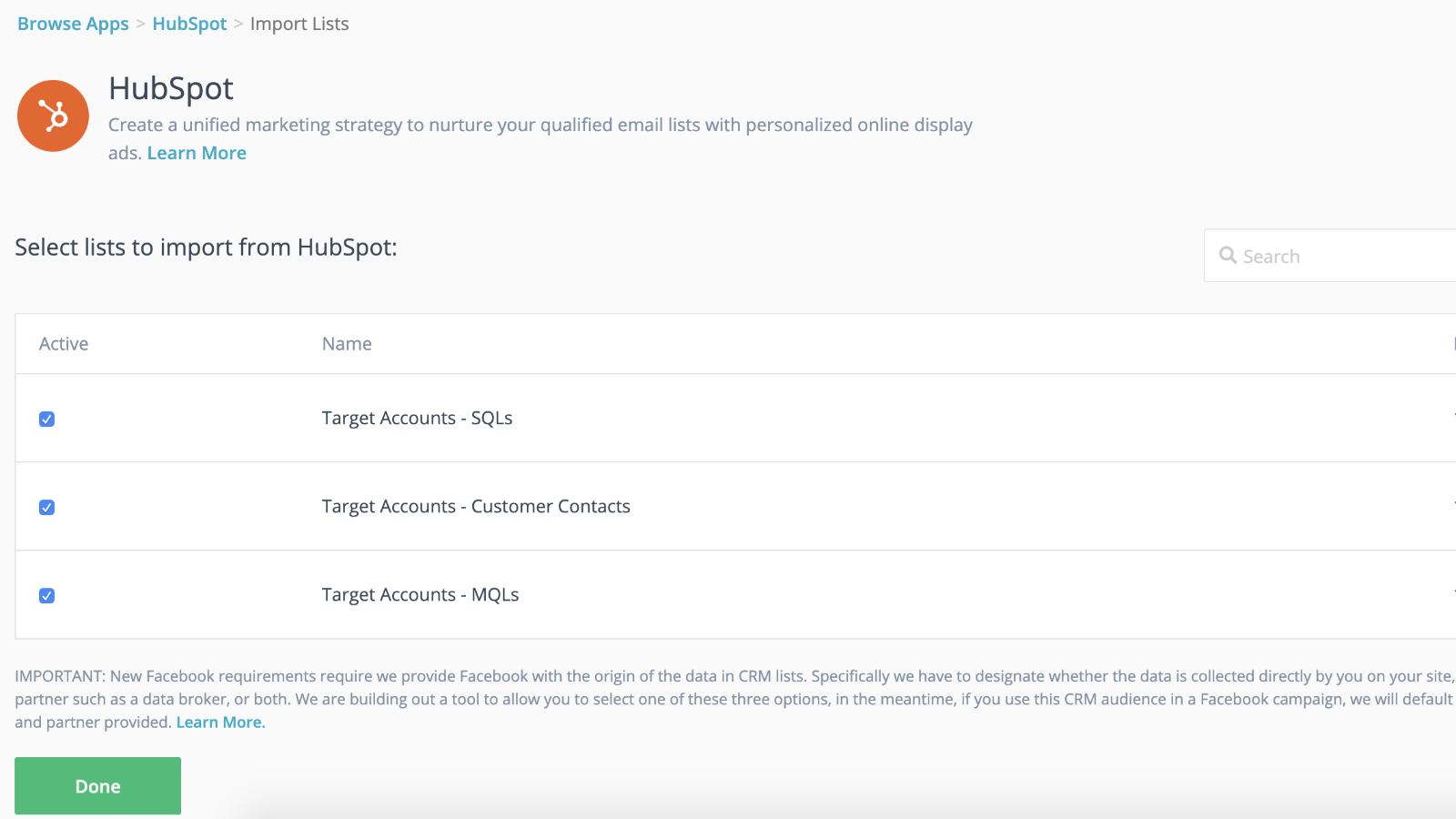
With our HubSpot integration, you can sync your static HubSpot email lists directly from your account to AdRoll. Matched through our CRM data onboarding process, this integration helps you easily convert your lists into a targetable audience for use in paid digital media and account based advertising campaigns.

Requirements for this Integration

You must have a HubSpot Marketing Hub paid account (Starter, Professional, or Enterprise).

You must have at least 100 unique user emails in each of your lists for the CRM lists to successfully populate.

Sync CRM Audiences

To find the HubSpot integration tool:

  1. Navigate to your Audiences tab in the left navigation menu.
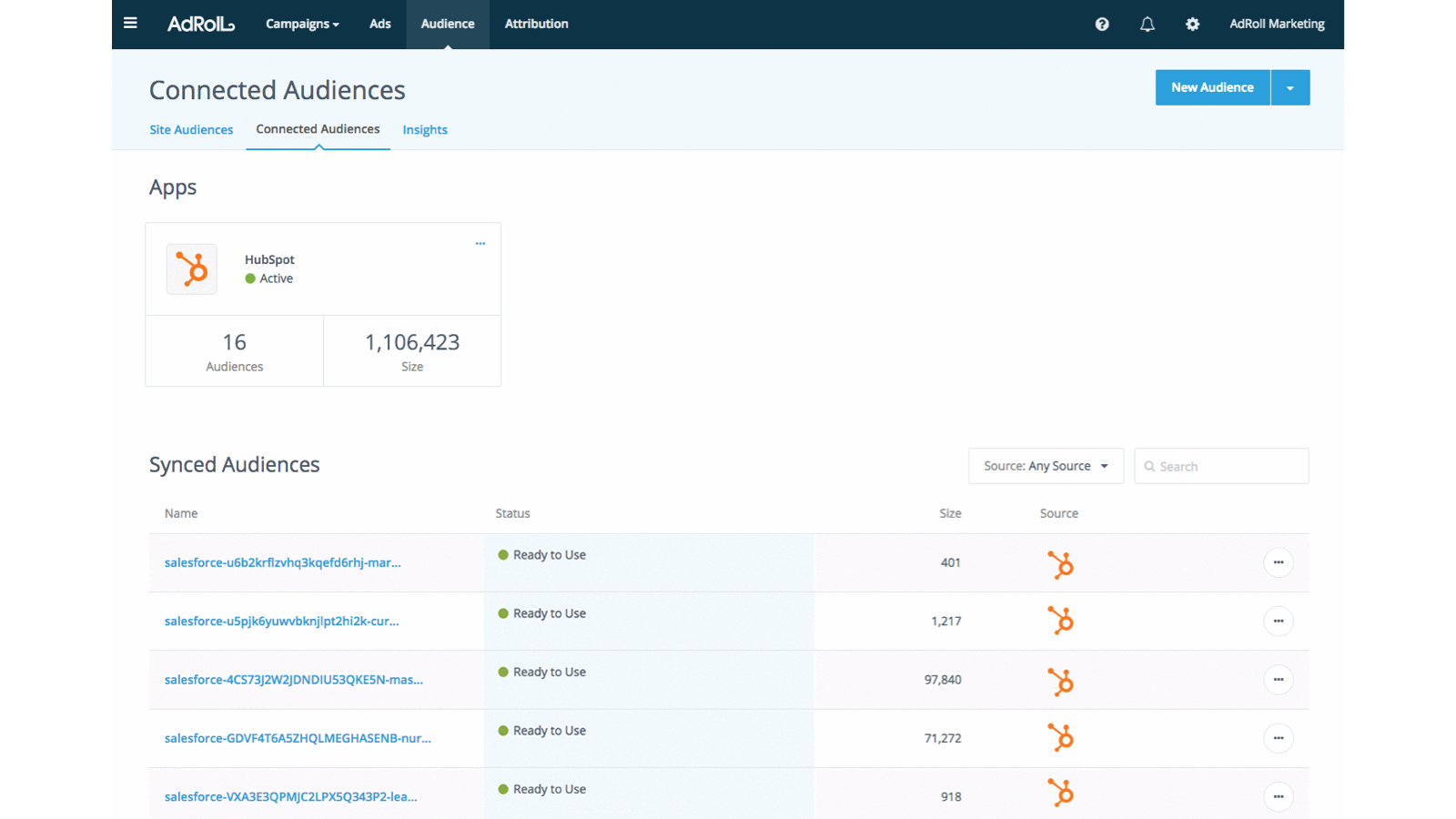
  2. Click Connected Audiences.
  3. Click Connect your other marketing apps under Apps.
  4. Click the HubSpot icon, then Connect.
  5. Log in to your HubSpot account.
  6. Return to AdRoll and paste your ID in the Enter your HubSpot ID field.
  7. Click Authenticate with HubSpot ID > Authorize.
  8. Click Select Lists to choose lists for your AdRoll audience.

Best Practices

Here are tips to prepare your lists for CRM data onboarding:

  • Your lists should contain at least 100 emails.

  • Use personal emails when possible, as they match at a higher rate.

  • Make sure your email database is up to date—adding an email validation step during sign-up workflows can be very helpful to make sure that users are supplying active emails.
  • Consider combining CRM audiences with other audience types to boost performance.
  • Ensure you are uploading a static list from HubSpot. Smart lists are not currently supported.

Learn more about managing your lists within HubSpot.

Imported Audiences

Your HubSpot CRM audiences may not appear in AdRoll immediately. We'll begin the matching process for new lists within six hours. Any new emails added after the process has begun may take up to two weeks to be matched.

Imported audiences names will automatically end with HubSpot.

After your email list appears, the cookie matching begins. Give this up to seven days to activate fully on your campaigns.

What to Expect

  • We'll pull new emails from HubSpot every 24 hours.
  • For US advertisers, CRM can be launched on both web and Facebook. Where possible, we recommend using US-based email addresses.
  • Outside of the US, CRM audiences have limited functionality on web campaigns. We recommend that non-US advertisers adopt CRM retargeting on Facebook instead.

  • You can't edit a CRM audience once it's created.
  • Cookie matching on Facebook takes less than 24 hours. 

  • Cookie matching on the web takes up to seven days, depending on the size of your email list.

Matched Emails

We'll display the number of emails originally uploaded through the HubSpot integration.

To see how many emails were successfully matched for web or Facebook, click on the name of your HubSpot audience in the Audience tab.

功能

Seamless integration with dynamic audience sync and faster launches

Connect your CRM lists to your retargeting campaigns to get a head start while your retargeting campaign ramps up in the background. Once you have imported your lists to AdRoll, you’re all set. We’ll take care of dynamically syncing your contact lists every 24 hours.

Personalize the Experience for Leads

Utilize the customer attributes in your HubSpot CRM to create targeted, high-performance customer experiences.

應用程式功能

共用資料
資料來源
同步方向
在 HubSpot 中
在 HubSpot 中

AdRoll Audience

連絡人名單

連絡人名單

更多共用資料的相關資訊

Here are tips to prepare your lists for CRM data onboarding:*Your lists should contain at least 100 emails *Make sure your email database is up to date- adding an email validation step during sign-up workflows can be helpful to make sure that users are supplying active emails. *Ensure you are uploading static list from HubSpot

評論

平均評分

3.8

依據 5 個評分


總檢閱數

5

歷來的檢閱次數


5
40% 完成
40%
4
20% 完成
20%
3
20% 完成
20%
2
20% 完成
20%
1
0% 完成
0%

平均評分

3.8

依據 5 個評分

總檢閱數

5

歷來的檢閱次數

5
40% 完成
40%
4
20% 完成
20%
3
20% 完成
20%
2
20% 完成
20%
1
0% 完成
0%

篩選評論:

排序:


4/5
    2024年11月21日
  • Gumbayan, J.


5/5
    2021年10月20日

Retargeting with Adroll/HubSpot Integration

It works like a CHARM! It was easy to set up the HubSpot/AdRoll integration. Syncing our HubSpot lists with AdRoll was also seamless. The AdRoll platform is intuitive and allows you to set up different campaigns and "advertiser" profiles so you can segment the spend by department, making the expense reporting and ROI calculations easy.

你想解決什麼問題?

We are using AdRoll for retargeting campaigns for our annual conference and select programs.

你喜歡什麼?

Syncing lists from HubSpot to AdRoll allows us to exclude customers/prospects from our retargeting efforts more easily that if we didn't have the integration.

你不喜歡什麼?

The biggest drawback is that, unlike Google & Linkedin, the data sync is only one way...HubSpot TO AdRoll. If this were a two-way sync so that the metrics were included with our other Advertising Metrics on the HubSpot Ads section it would be even better! Also you can't manage the campaigns from within HubSpot...you have to set up and manage campaigns on the AdRoll platform

  • Grassley Clarke, M.

  • 非營利
  • 11 至 25 位員工

Free integration to HubSpot

US$0

Get started today syncing HubSpot lists to AdRoll for ad targeting campaigns

Free integration to HubSpot

US$0

Get started today syncing HubSpot lists to AdRoll for ad targeting campaigns

* 此處顯示的價格僅供參考。所有價格均不包含稅金、獎勵、折扣或其他價格變數。如需最新的正確價格資訊,請連絡合作夥伴。HubSpot 對合作夥伴所提供的價格資訊不承擔任何責任。上次更新價格時間:2024/09/23

更多資訊

建立者
AdRoll, Inc
安裝次數
2k 次安裝
類別
此應用程式可用的語言
英語

Now trending

HubSpot solutions partner illustration
需要更多協助嗎?

與 HubSpot 解決方案合作夥伴攜手,合力打造自訂解決方案。

根據你的業務需求,聯繫 HubSpot 解決方案合作夥伴。瀏覽建議事項,聘用合適人選,隨即啟動你的專案!