
-1.png)
Linear by Atlantic Ops
Gemaakt door - Atlantic Ops
Installaties - 100+ installaties
Vereisten
HubSpot-abonnement HubSpot-accountmachtigingen - Bekijk de vereiste accountmachtigingen
Toegangstype Gedeeld Linear by Atlantic Ops-abonnement - Maandelijks plan
Overzicht
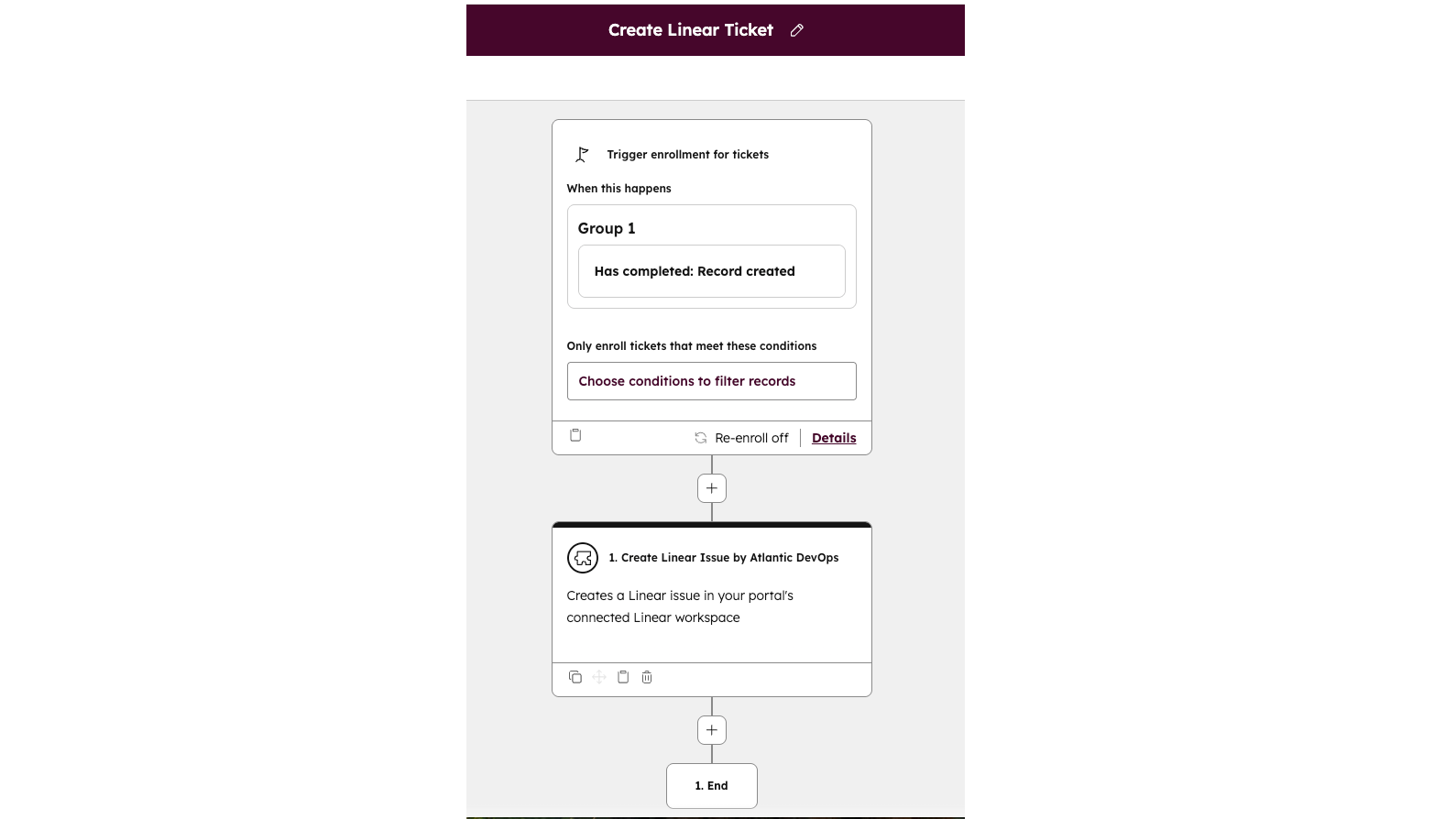
1/3 - Workflow set up
De integratie tussen Linear en HubSpot lost de kloof op tussen klantgerichte teams en productontwikkeling. Support- en successteams registreren kritieke problemen vaak in HubSpot-tickets, terwijl product- en engineeringteams hun werk bijhouden in Linear. Zonder koppeling raakt informatie zoek, wordt deze gedupliceerd of loopt er vertraging op, wat de reactietijden vertraagt en zowel teams als klanten frustreert.
Deze app dicht die kloof door HubSpot-gebruikers in staat te stellen Linear-issues rechtstreeks vanuit tickets aan te maken of te koppelen, statussen en toewijzingen in beide systemen gesynchroniseerd te houden en inzicht te bieden in de voortgang van issues zonder dat teams van tool hoeven te wisselen. Door CRM- en projectmanagementworkflows te integreren, zorgt de app voor snellere oplossingen, duidelijkere communicatie en een soepelere overdracht van klantenservice naar productontwikkeling.
Functies
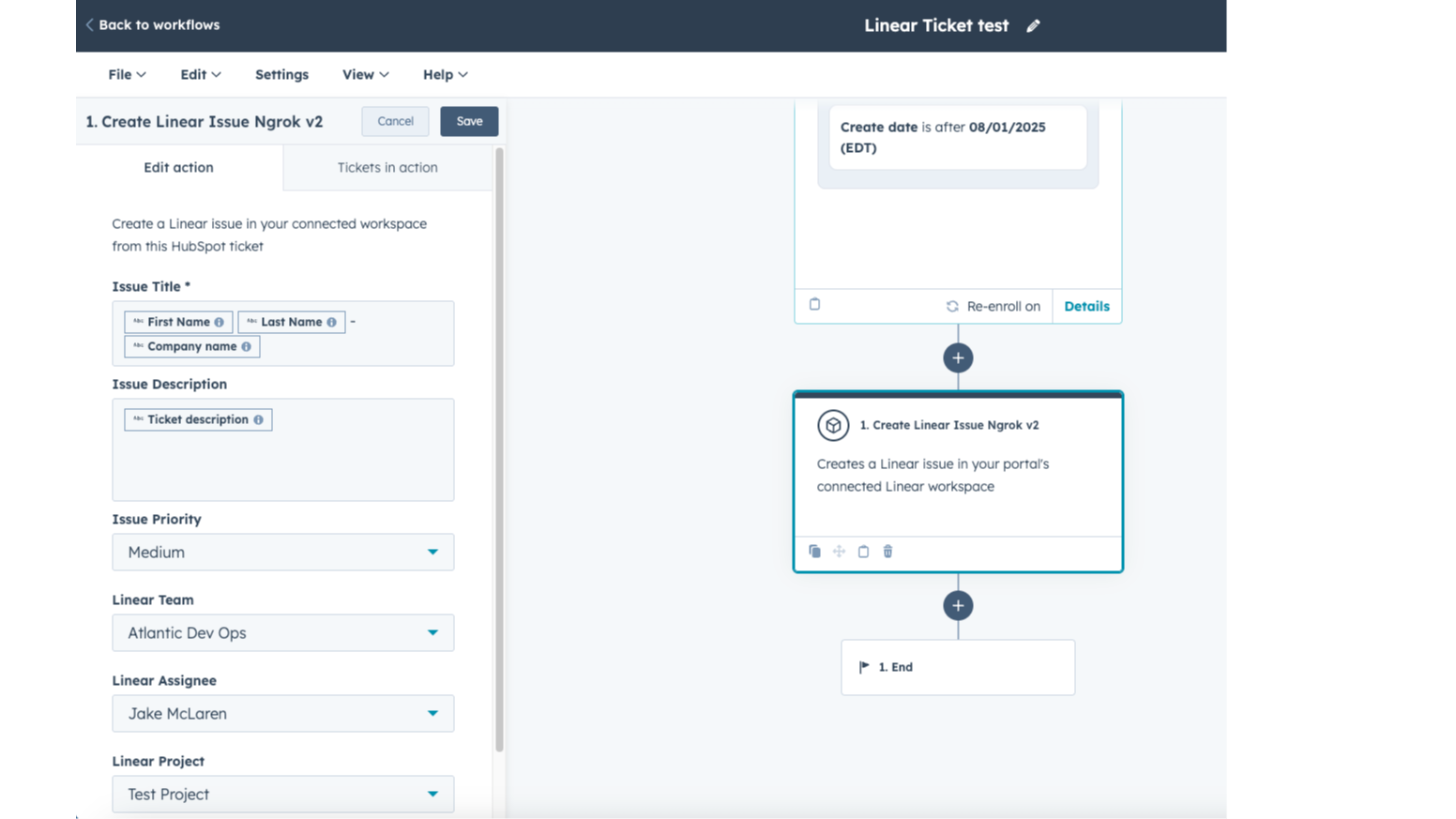
Apps met geïntegreerde workflows
Koppel HubSpot-workflows aan Linear om de overdracht tussen support- en productteams te automatiseren. Maak automatisch tickets aan of koppel ze aan bestaande tickets, activeer meldingen wanneer de status verandert en houd de ticketverantwoordelijken op de hoogte. Zo worden handmatige stappen verminderd en zorgen we voor snellere, beter gecoördineerde oplossingen voor klanten.
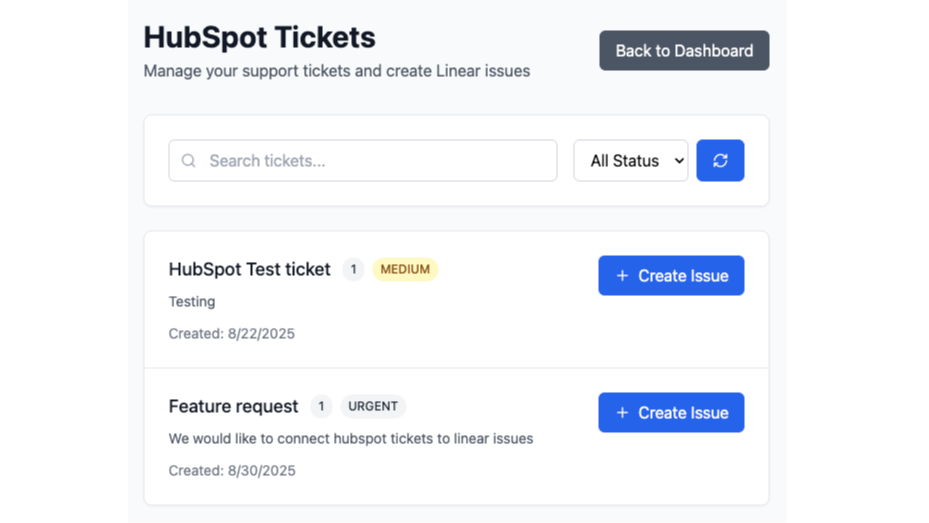
Snel lineaire problemen aanmaken op basis van tickets
Snel en eenvoudig Linear-issues aanmaken vanuit het app-dashboard. Zoek HubSpot-tickets die je wilt omzetten naar Linear-issues. Deze functie werkt zonder toegang tot de workflow, zodat je de verwerking handmatig kunt uitvoeren.
App-functionaliteit
Gedeelde gegevens
Issues | ||
Owners | ||
Notes | ||
Contacts | ||
Customers |
Deze integratie koppelt HubSpot-tickets aan Linear-issues om de samenwerking tussen klantgerichte en productteams te stroomlijnen. Na installatie heeft de app toegang tot de volgende gegevens en kan deze synchroniseren:
HubSpot CRM-gegevens – Ticketgegevens, eigenschappen en bijbehorende contact- en bedrijfsinformatie die nodig zijn om issues aan te maken of te koppelen.
Tickets – Mogelijkheid om HubSpot-tickets te bekijken, aan te maken, bij te werken of te verwijderen en deze te koppelen aan Linear-issues.
Workflows – Gebruik HubSpot-workflows om het aanmaken of koppelen van Linear-issues te activeren, of om actie te ondernemen op basis van wijzigingen in de status van issues.
Sequenties (optioneel) – Beperkte toegang tot inschrijvingen en sequentiegegevens als workflowacties of triggers hiernaar verwijzen.
Accountgegevens – Basisgegevens over het HubSpot-account (primair domein, e-mailadressen van gebruikers) die nodig zijn voor authenticatie en configuratie.
Linear-gegevens – Issue-details zoals titel, beschrijving, status, toegewezen persoon, project en opmerkingen worden teruggesynchroniseerd naar HubSpot voor zichtbaarheid.
Alle OAuth-tokens en gesynchroniseerde gegevens worden veilig opgeslagen, met versleuteling en toegang op basis van het ‘minimale privilege’-principe, waardoor beide systemen op elkaar blijven aansluiten en je gegevens worden beschermd.
Reviews
Prijzen
Maandelijks
US$ 24,92
/maandProbeer het tot 14 dagen lang gratis uit
Maandelijks
US$ 24,92
/maandProbeer het tot 14 dagen lang gratis uit
* De hier vermelde prijzen dienen alleen ter illustratie. Alle prijzen zijn exclusief belasting, bonussen, kortingen of andere prijsvariabelen. Neem contact op met de partner voor de meest recente en correcte prijsinformatie. HubSpot erkent geen verantwoordelijkheid voor deze prijsinformatie, die wordt verstrekt door onze partners. Prijzen laatst bijgewerkt: 05-07-2026
Meer info
Gemaakt door - Atlantic Ops
Installaties - 100+ installaties
Categorieën Talen waarin deze app beschikbaar is Engels
Populairst

Gmail
Breng HubSpot naar je inbox met de HubSpot-integratie voor Gmail.

Google Calendar
Boek vergaderingen snel en eenvoudig met HubSpot en Google Agenda.
