

PDF CreateMate | Document Generation

Rising
ข้อกำหนด
แผน HubSpot สิทธิ์บัญชี HubSpot - ดูสิทธิ์บัญชี ที่จำเป็น
ประเภทสิทธิ์การเข้าถึง แชร์แล้ว การสมัครใช้บริการ PDF CreateMate | Document Generation - Trial, Standard, Volume หรือ Enterprise แพ็กเกจ
ภาพรวม
1/7 - PDF CreateMate demo: create a template, generate a document from HubSpot data and save it to the record
Generate invoices, quotes, proposals, contracts, order confirmations and certificates from HubSpot — as PDF or Word. Works with contacts, companies, deals, tickets, orders, projects and custom objects.
Say goodbye to the time-consuming and error-prone process of manually creating personalized PDF files. PDF CreateMate is the ultimate tool for generating personalized PDFs quickly and easily, by syncing HubSpot record properties and using them as placeholders in your document templates. With PDF CreateMate, you can automate the entire process and generate personalized PDF files for your HubSpot objects in seconds.
Features:
Supported Objects: Contact, Company, Deal, Ticket, Order, Project, Custom Objects
Automated Document Generation: Trigger PDF or DOCX generation from any HubSpot workflow — form submission, deal stage change, property update, or date-based condition. Documents are generated in seconds and saved directly to the HubSpot record.
Electronic Signatures: Collect legally binding e-signatures directly from HubSpot. Signers click a link — no account needed. Supports single and dual signing, with the signed document saved back to HubSpot automatically.
Google Drive Integration: Every generated document is synced to a Google Workspace Shared Drive automatically, kept flat or organized into Year / Month folders. No downloads or manual sorting needed.
Template Builder: Build templates using Word (.docx), HTML, or fillable PDFs. Insert HubSpot properties as placeholders, add conditional blocks, line item tables on deal templates, dynamic images, QR codes, and more.
Associated Records: Templates for contacts, companies, deals and tickets can read each other's data. Write {{company.name}} or {{contact.email}} in any of them and choose which record to use: the primary company, the newest record, or the one with an association label. No HubSpot sync properties needed.
Conditional Content Blocks: Show or hide document sections based on any HubSpot property value. Use if / else logic to tailor content by deal stage, region, customer type, and more — automatically.
Benefits:
Save Time and Eliminate Errors: Automate the entire document creation process — no more manual copy-pasting of CRM data into templates.
Keep Everything in HubSpot: Generated documents are saved back to the record automatically. Your team never needs to leave HubSpot.
Professional Documents at Scale: Generate branded, personalized documents for every contact, company, deal, ticket, order or project — in seconds, not hours.
How to Use:
Install PDF CreateMate from the HubSpot App Marketplace.
Register your account and connect your HubSpot portal.
Build your document template by adding your company branding and inserting HubSpot property placeholders.
Optional: Generate documents automatically with the PDF CreateMate workflow action.
PDF CreateMate generates the document automatically when the workflow triggers, and saves it back to the HubSpot record.
Conclusion:
PDF CreateMate is the complete document automation solution for HubSpot — from generation to signature to storage. Stop creating documents manually and start automating. Install PDF CreateMate today and generate your first personalized document in minutes.
ฟีเจอร์
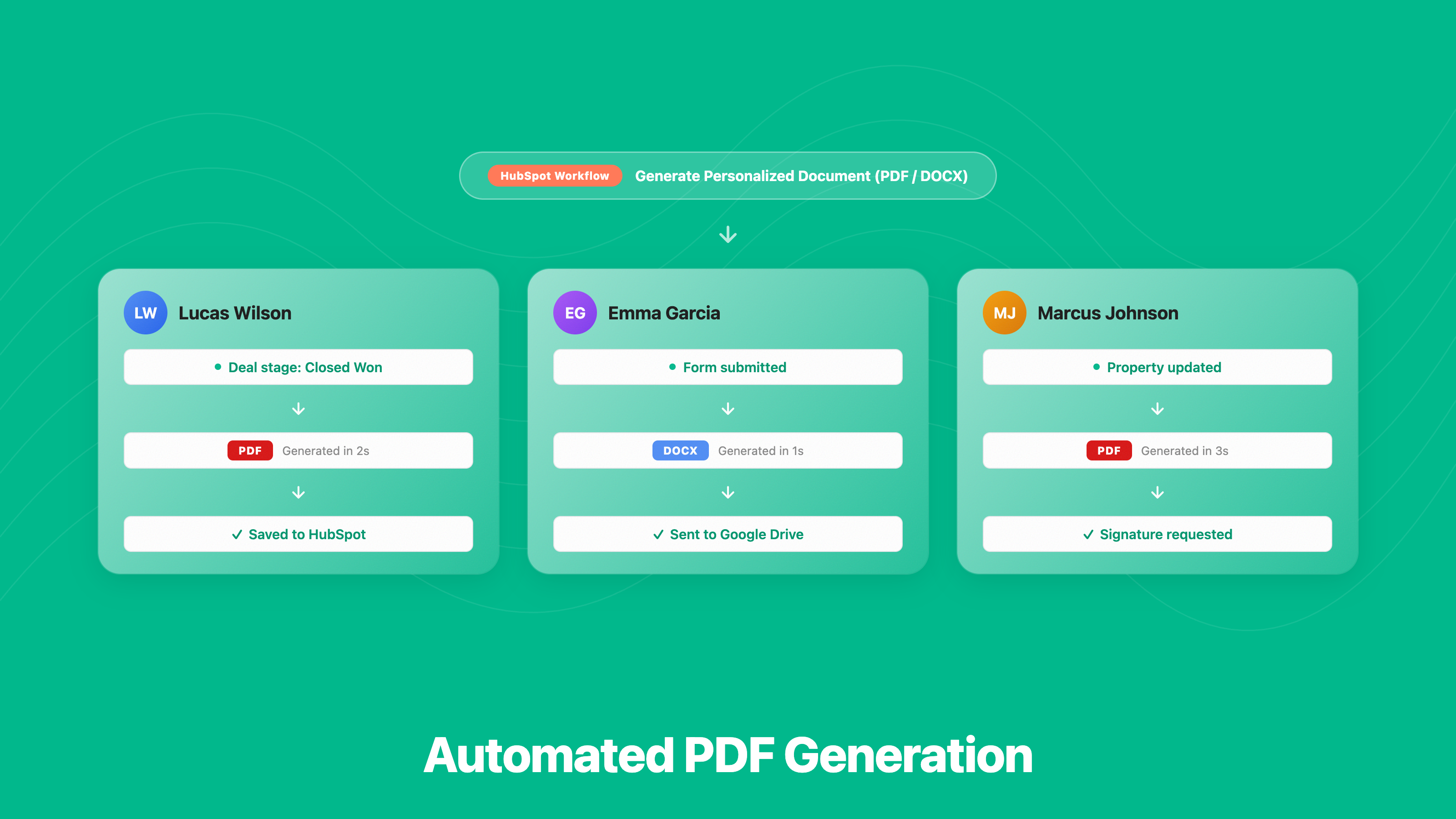
Automated PDF Generation
• Create invoices, quotes, contracts and certificates automatically from HubSpot — as PDF or Word • Fill documents with data from the record and its associated contacts, companies, deals and tickets • Works with any HubSpot trigger — form submission, deal stage, property change and more • Custom objects are supported too
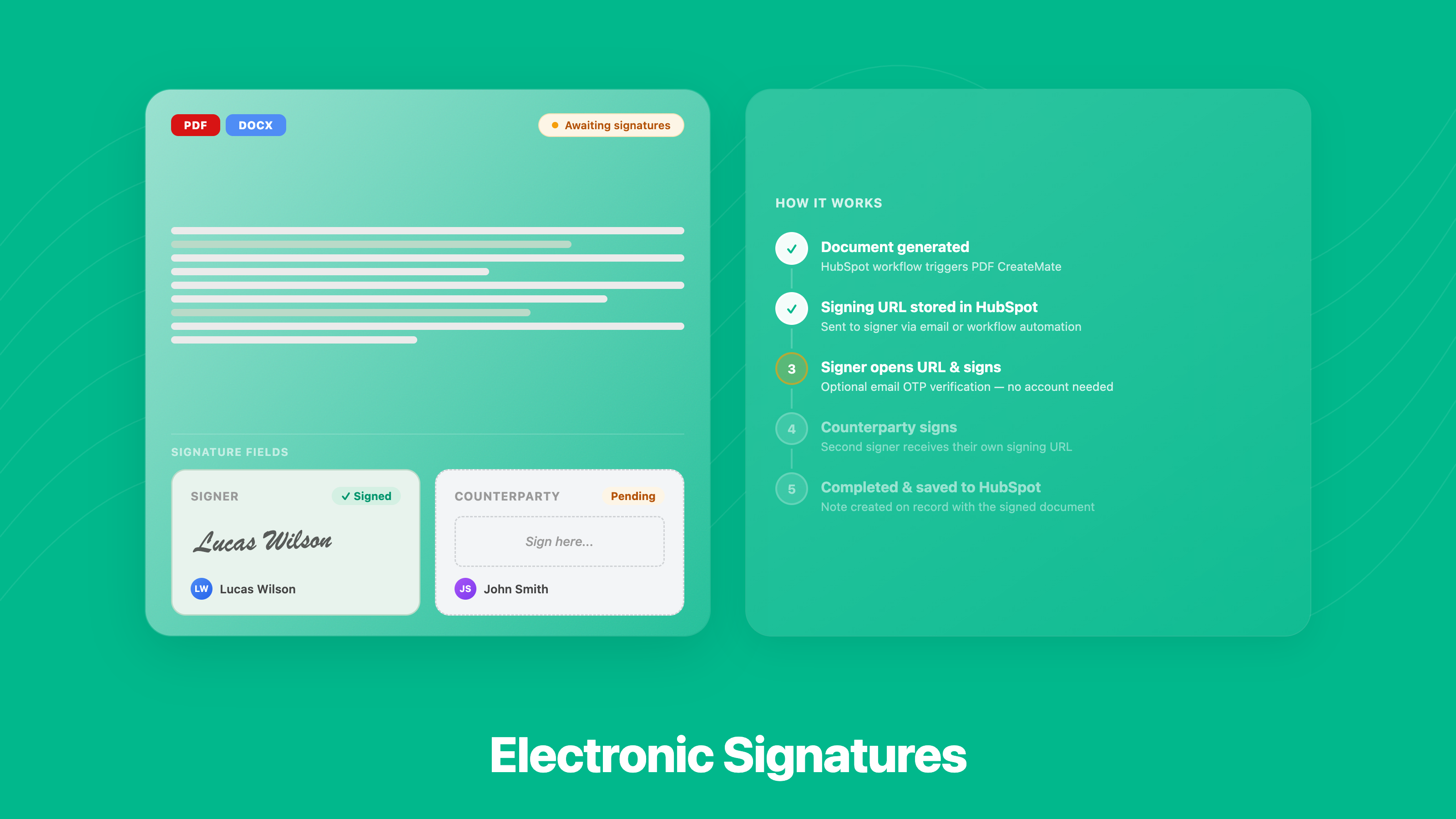
Electronic Signatures
• Send contracts and quotes for e-signature straight from the HubSpot record • Signers just click a link — no account or app needed • Up to two signers per document: your side and your customer's • The signed copy is saved back to HubSpot automatically
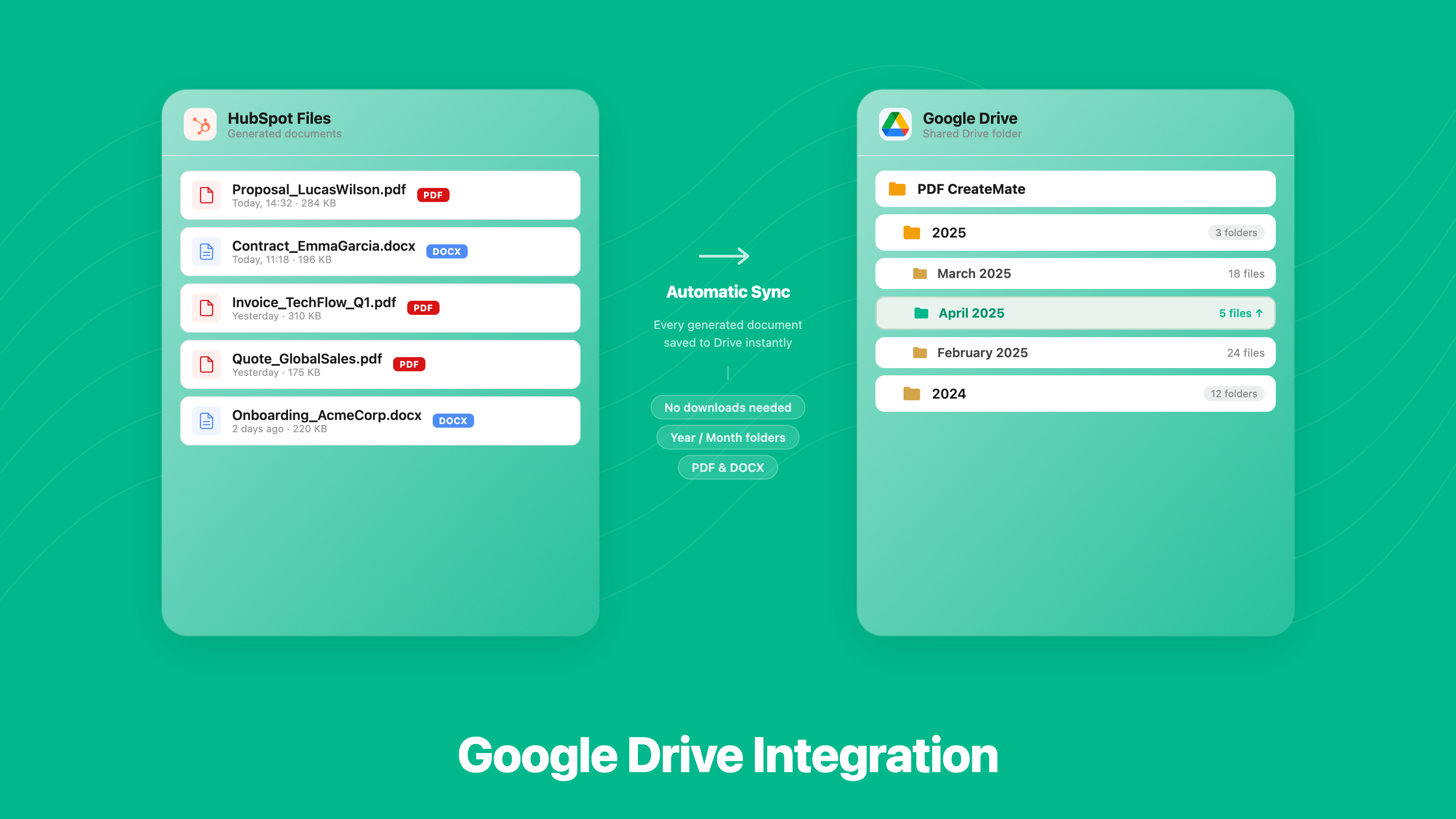
Google Drive Integration
• Generated documents are saved to Google Drive the moment they are created • Keep it flat or organise by year and month, with an optional folder per record • Saved in HubSpot and Google Drive at the same time • Your team finds every invoice and contract in either place
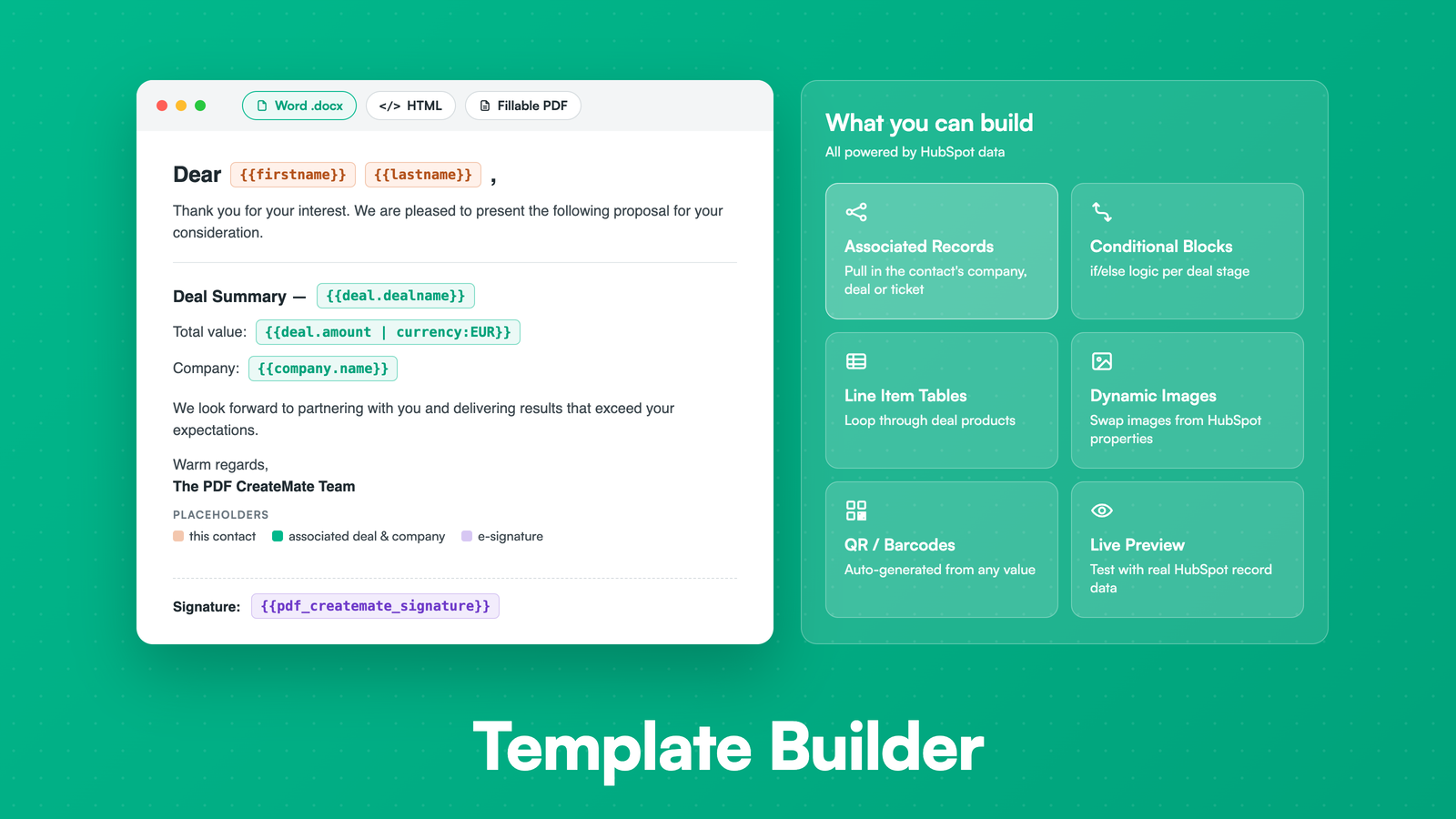
Template Builder
• Build templates in Word, HTML, or from a fillable PDF you already use • Map any HubSpot property to a placeholder in seconds, including the associated company, contact, deal or ticket • Add images, QR codes and conditional sections, plus line item tables on deal templates • Preview with real record data before going live
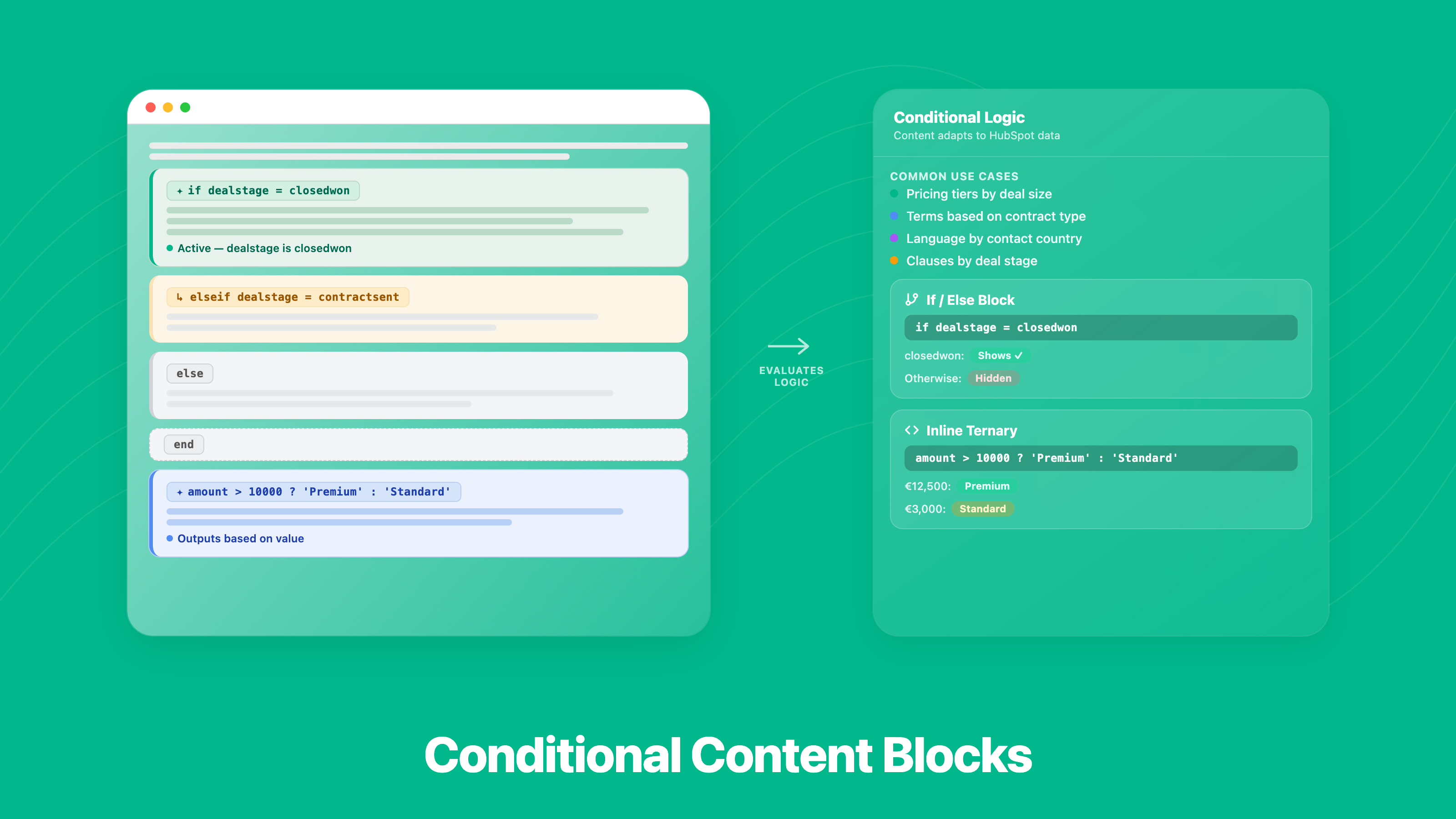
Conditional Content Blocks
• Show or hide sections based on any HubSpot property • Different terms for different deal stages, regions or customer types • If / else logic and inline expressions — no coding needed • One template covers every variation, with no editing per document
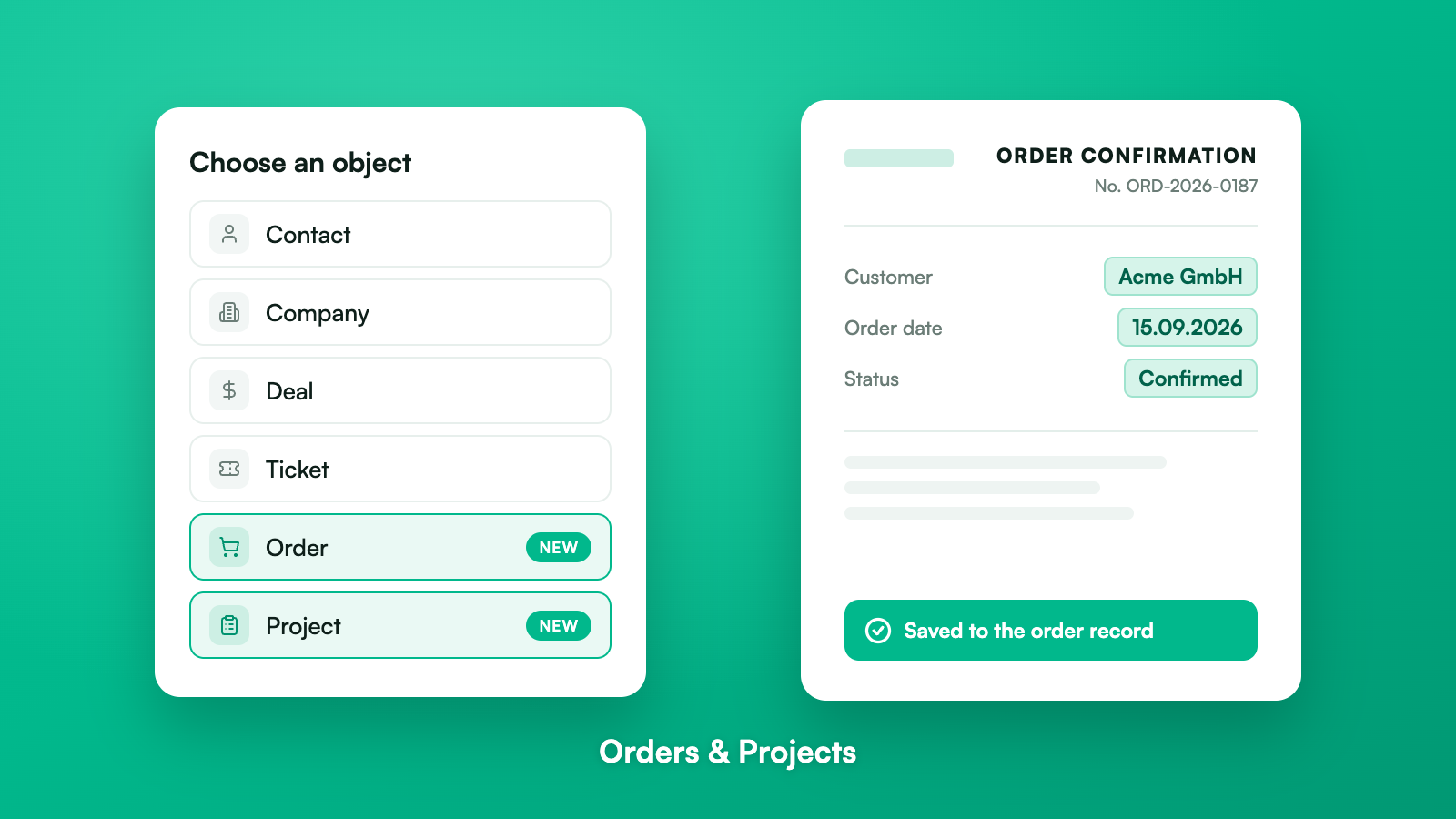
Orders & Projects
• Generate order confirmations straight from HubSpot orders • Create project briefs, status reports and statements of work from HubSpot projects • Documents attach to the order or project record automatically • Needs one extra permission, approved when you connect
ฟังก์ชันการทำงานแอป
Contact | ||
Contact Properties | ||
Contact | ||
Template | ||
Deal | ||
Company | ||
Deal Properties | ||
Company Properties | ||
Deal | ||
Company | ||
Ticket | ||
Custom Object | ||
Order |
PDF CreateMate reads properties from your HubSpot records, including projects, to fill the placeholders in your document templates. Generated documents are saved back to the record as files. It also reads the records associated with that record (contact, company, deal, ticket) when a template uses them.
รีวิว
4.9
51
4.9
51
- 30 ก.ค. 2026
Clean, Easy to Use & Great Support!
We recently started using PDF CreateMate to save us time on generating contracts and paperwork for our driving school. It was great being able to upload our existing fillable PDF to PDF CreateMate. After that the system automatically identified the appropriate fields and was very easy to map our HubSpot properties to the right fields! During our initial run we noticed that the phone numbers didn't look quite right, so we reached out to support. Overnight they handled the issue and deployed the appropriate fixes fast! Definitely a great tool to use!
-Easily upload existing documents -Generate PDF documents quickly and easily -Documents can be generated automatically through automations or manually -Documents can automatically be attached to the corresponding HubSpot record. -GREAT support.
-None that I have found :)
Larsen, Q.
- 25 ก.ค. 2026
Muito compllicado para Utilizar
Estou tentando utilizar este recurso mas a configuração é diícil de configurar
Aparentemente atenderia minha necessidade de geraçao de pdf mesclados com dados de Contato do HubSpot
Dificuldade para configurar
Loiacono, R.
การกำหนดราคา
Trial
€0
Test before you buy
Screenshare / Video Call support
Email + Chat Support
Free setup support
No Credit Card Required
Unlimited users
No Credit Expiration
Full Feature Access
Up to 100 documents with watermark
Trial
€0
Test before you buy
Screenshare / Video Call support
Email + Chat Support
Free setup support
No Credit Card Required
Unlimited users
No Credit Expiration
Full Feature Access
Up to 100 documents with watermark
* ราคาที่แสดงนี้มีไว้เพื่อแสดงข้อมูลเท่านั้น ราคาทั้งหมดยังไม่รวมภาษี สิทธิพิเศษ ส่วนลด หรือตัวแปรราคาอื่นๆ คุณควรติดต่อพาร์ทเนอร์เพื่อรับข้อมูลราคาล่าสุดและถูกต้องที่สุด HubSpot จะไม่รับผิดชอบใดๆ ต่อข้อมูลราคานี้ซึ่งจัดทำโดยพาร์ทเนอร์ของเรา การกำหนดราคาอัปเดตล่าสุด: 26/10/2026
ข้อมูลเพิ่มเติม
สร้างโดย - Pinetco
ติดตั้ง - 800+ การติดตั้ง
หมวดหมู่ ภาษาที่แอปนี้สามารถใช้ได้ เยอรมัน และอังกฤษ