
Data Bridge - Bring Any (Sync) Data into CRM Objects
Sync 🔥 Access external data instantly, right inside HubSpot records!…
Exigences
Abonnement HubSpot Autorisations de compte HubSpot - Afficher les autorisations de compte requises
Abonnement à Data Bridge - Bring Any (Sync) Data into CRM Objects - Abonnements : Basic ou Professional 🔥
Vue d'ensemble
-1.png)
1/6 - Add Google Sheets, videos, text notices, iframed content, and mailto links - and display them based on conditions, filters, or custom rules - directly inside deals, contacts, tickets, or companies in HubSpot.
Supercharge your HubSpot records with Data Bridge! Sync external content - websites, images, videos, Google Sheets, Docs, and more - all displayed right where your team works. Sync Data Bridge App - helps you add relevant content where it matters most, making your CRM easier to use and more informative. Integrate HubSpot with your favorite apps in just 1 click.
Get Free Live Onboarding - Contact Us to Schedule
Every Data Bridge user gets a free live onboarding session with our product/support team. You’ll be fully equipped from day one — confident to build exactly what your business needs.! Display external data in HubSpot records! Embed Google Sheets! Looking for a simple way to handle data integration and data sync in HubSpot? Data Bridge lets you connect external data, embed dashboards, and even manage custom objects right inside your HubSpot records. Whether it’s data migration, a custom connector, or the ability to import/export data from Google Sheets, Excel, or databases, Data Bridge makes automation, reporting integration, and ETL for HubSpot effortless. Create customizable grids, embed/show data you need, and turn your HubSpot records into a true command center.
Key Features of Data Bridge
Embed Images with Links directly into HubSpot records
Add product photos, marketing materials, or any visual assets directly into Contacts, Companies, Deals, Tickets, or Custom Objects. Keep your team aligned with visuals right where they work.
Live Google Sheets, Docs Integration
Embed and iframe Google Sheets inside HubSpot records to display real-time reports, trackers, or dashboards. Perfect for progress tracking, KPIs, or shared client data.
YouTube Video Embeds
Bring tutorials, product demos, or client updates directly into HubSpot records. Teams get instant access to the right video content without leaving the CRM
Custom Grid Builder
Design fully customizable grids inside HubSpot records. Add tags, text, status indicators, links, images, icons, emails, or alerts. Use color-coded variants (Success, Warning, Error, Info) and extra notes to make complex data easy to interpret and act on.
Conditional Display Rules
Show or hide modules based on deal stage, property values, or custom conditions — so each team member sees only what’s relevant at the right time.
Seamless HubSpot Integration
Works natively with all HubSpot standard objects (Contacts, Companies, Deals, Tickets) and Custom Objects — no coding or extra logins required.
File & Media Support
Upload and display images, PDFs, or media files inside records for faster collaboration and centralized context.
Where You Can Place Content
All records – show content across your CRM.
Specific record – add content to a single record you are viewing.
Filtered records – target records that match your chosen criteria.
Filters work for any content type, so the right info appears in the right place.
Why It’s Useful — The Right Content, in the Right Place.
Keep external content accessible without leaving HubSpot.
Reduce tab-switching and scattered data.
Could you give your team up-to-date visuals and information in context?
Enhance records with actionable content your team can reference instantly.
Top 5 practical business use cases where it shines:
1. Customer Onboarding Hub (Saas / Tech)
Embed onboarding checklists, playbooks, and kickoff call recordings directly in the deal or company record.
Show different instructions depending on the onboarding stage (e.g., “Setup Pending” vs. “Live”).
CSMs update progress directly inside HubSpot without switching tools.
2. Account Health & Success Tracking (Customer Success)
Add a live Google Sheet or dashboard with KPIs, renewal dates, and NPS results.
Display warnings when usage drops, contract renewal is near, or certain properties flag risks.
Keep CSMs aligned with quick links (mailto account owner, renewal offer templates).
3. Sales Playbooks & Guidance (Sales Teams)
Show dynamic instructions based on deal stage (“Discovery” = show qualifying questions, “Proposal Sent” = show contract checklist).
Add shortcuts like mailto links for legal or finance approval.
Reduce rep ramp-up time by making the right info appear only when needed.
4. Field Service & Installations (Manufacturing / Services)
Embed an installation checklist inside a ticket.
Techs upload before/after photos, videos, or signed documents.
Show safety instructions or compliance notes only if a certain product type is selected.
5. Creative / Marketing Asset Reviews (Agencies or In-House Teams)
Store creative briefs, upload design drafts, and preview videos all in one record.
Show a “Review Pending” notice until the client marks approval.
Account managers can upload files, while directors control the structure and templates.
In short: Sync Data Bridge reduces tool-switching and brings the right content, at the right time, directly into HubSpot records. #1 HubSpot connector!
Fonctionnalités
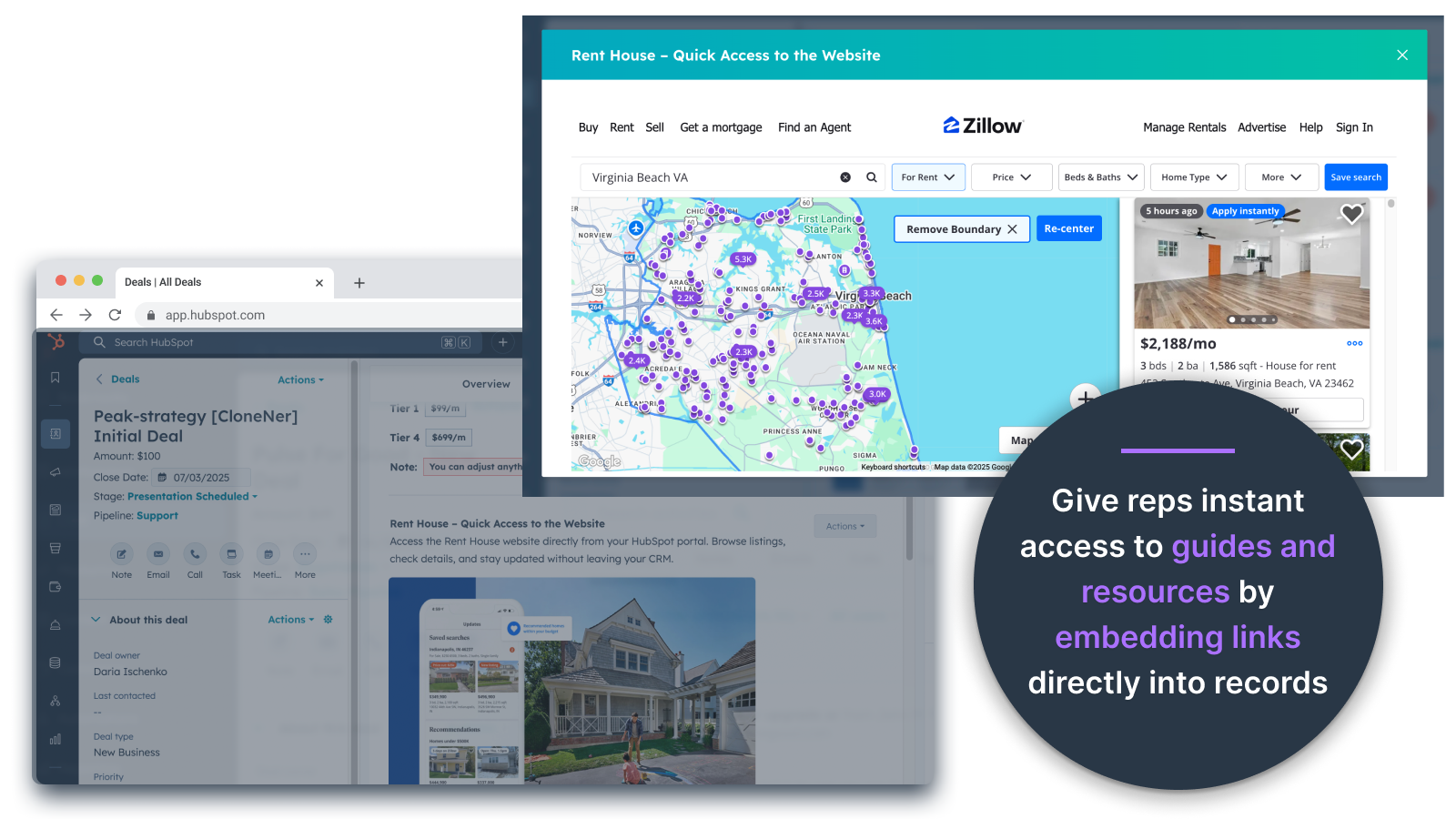
Embed Images Directly in Deals, Tickets, and Other Record Views
Add product photos, marketing materials, or any visual assets directly into Contacts, Companies, Deals, Tickets, or Custom Objects. Keep your team aligned with visuals right where they work.
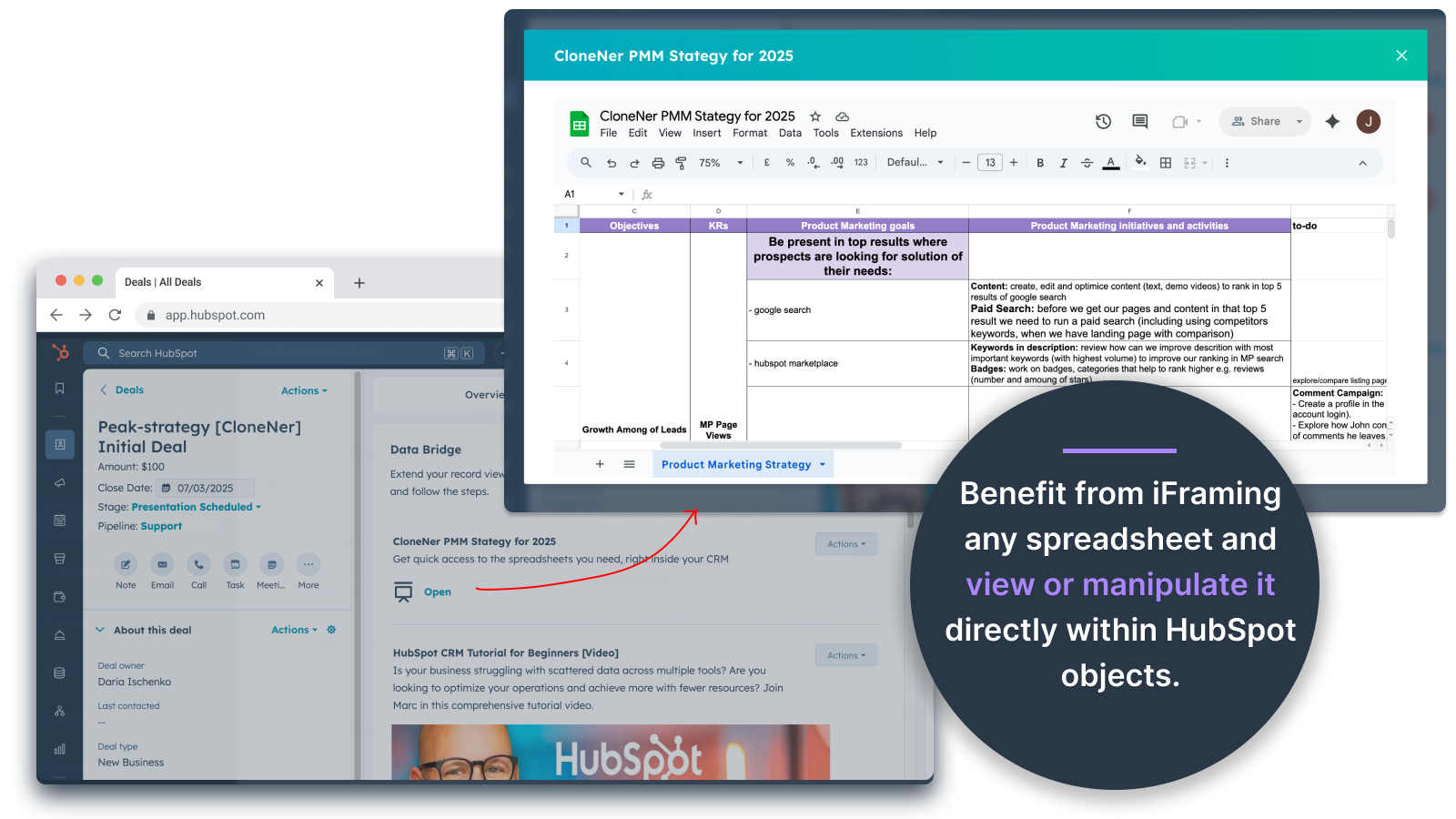
Google Sheets and Docs - view directly inside Deals, Tickets, etc
Embed and iframe Google Sheets inside HubSpot records to display real-time reports, trackers, or dashboards. Perfect for progress tracking, KPIs, or shared client data.
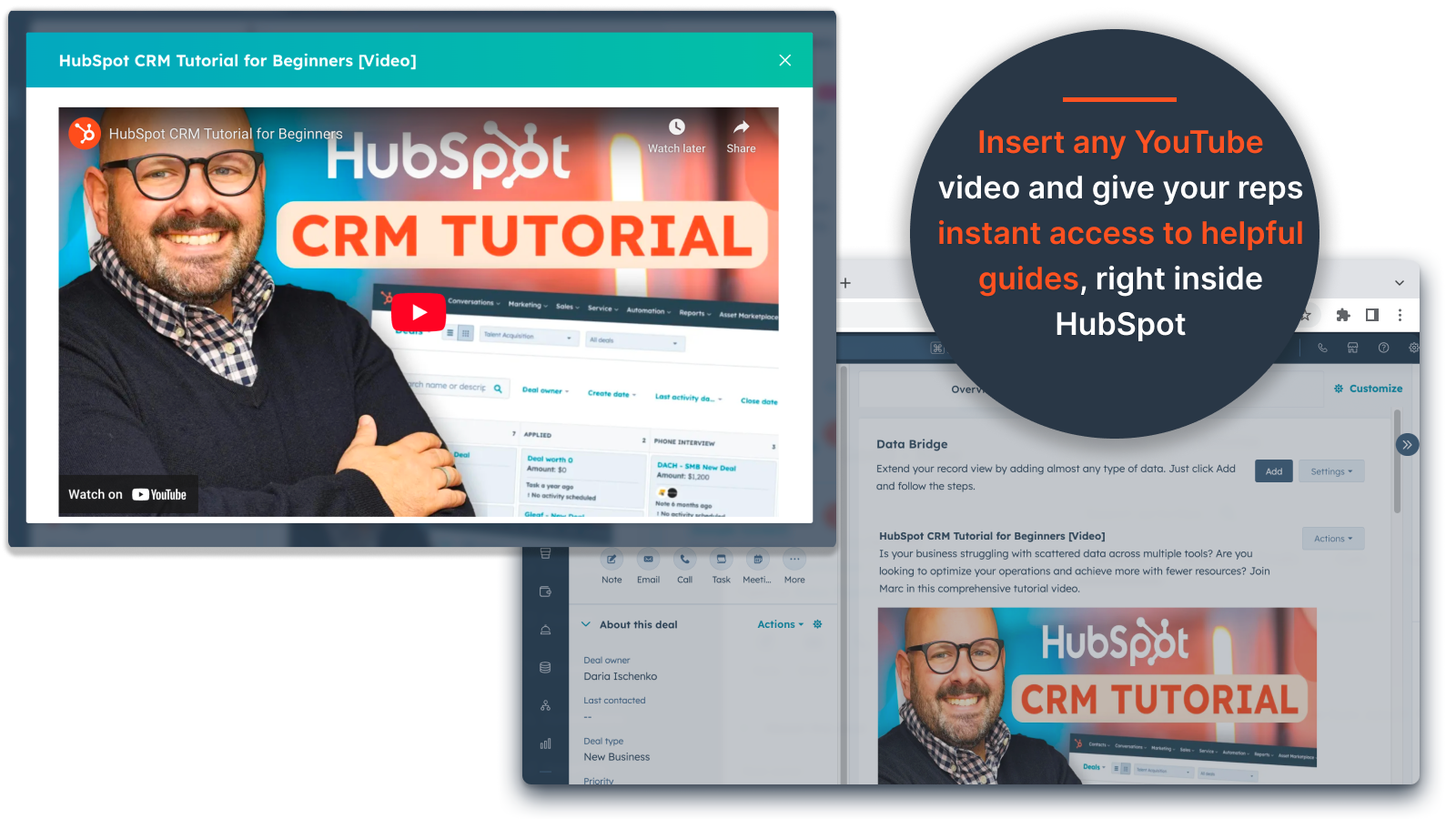
YouTube Video Embeds
Bring tutorials, product demos, or client updates directly into HubSpot records. Teams get instant access to the right video content without leaving the CRM.
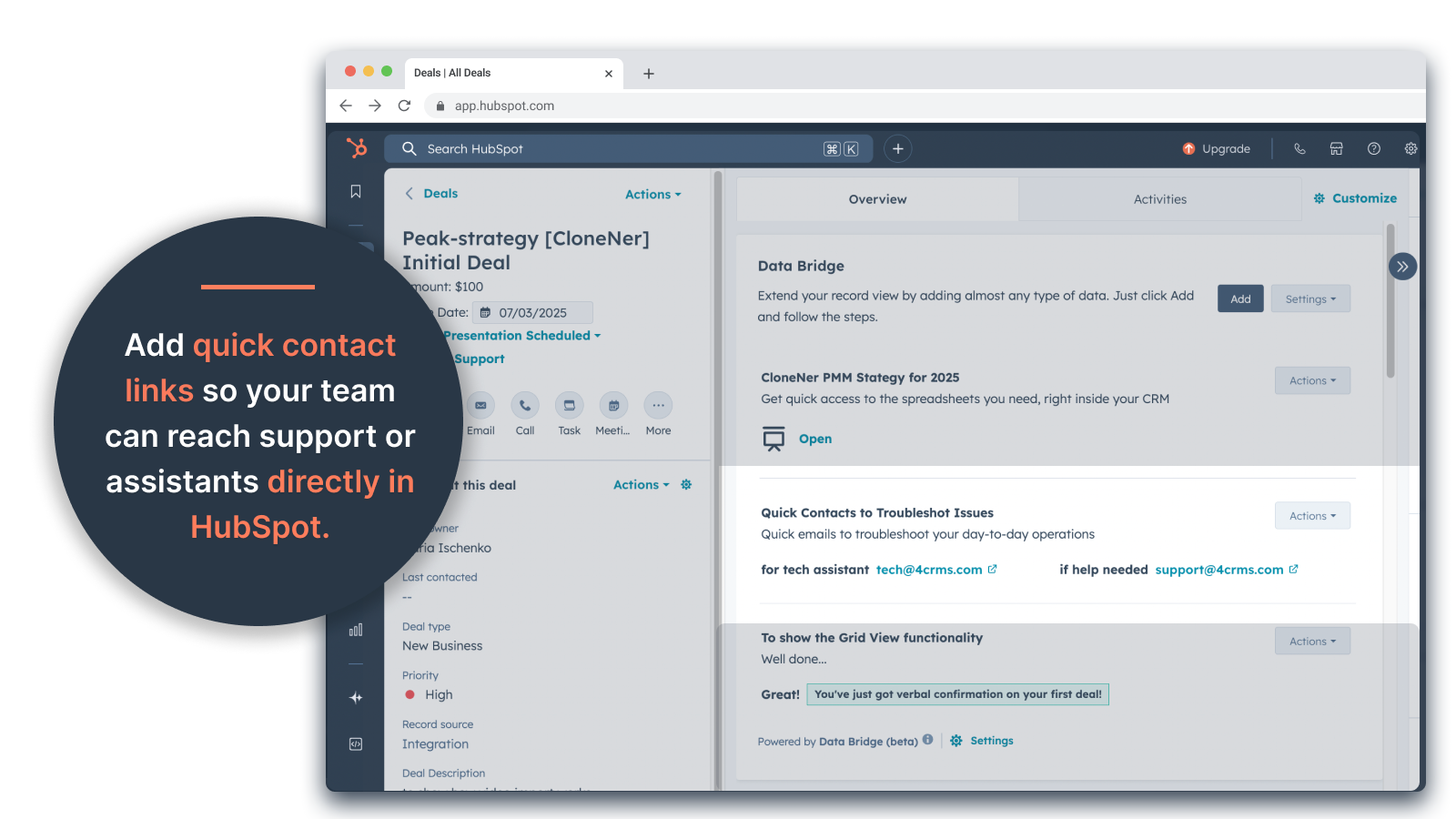
Custom Grid Builder
Design fully customizable grids inside HubSpot records. Add tags, text, status indicators, links, images, icons, emails, or alerts. Use color-coded variants (Success, Warning, Error, Info) and extra notes to make complex data easy to interpret and act on.
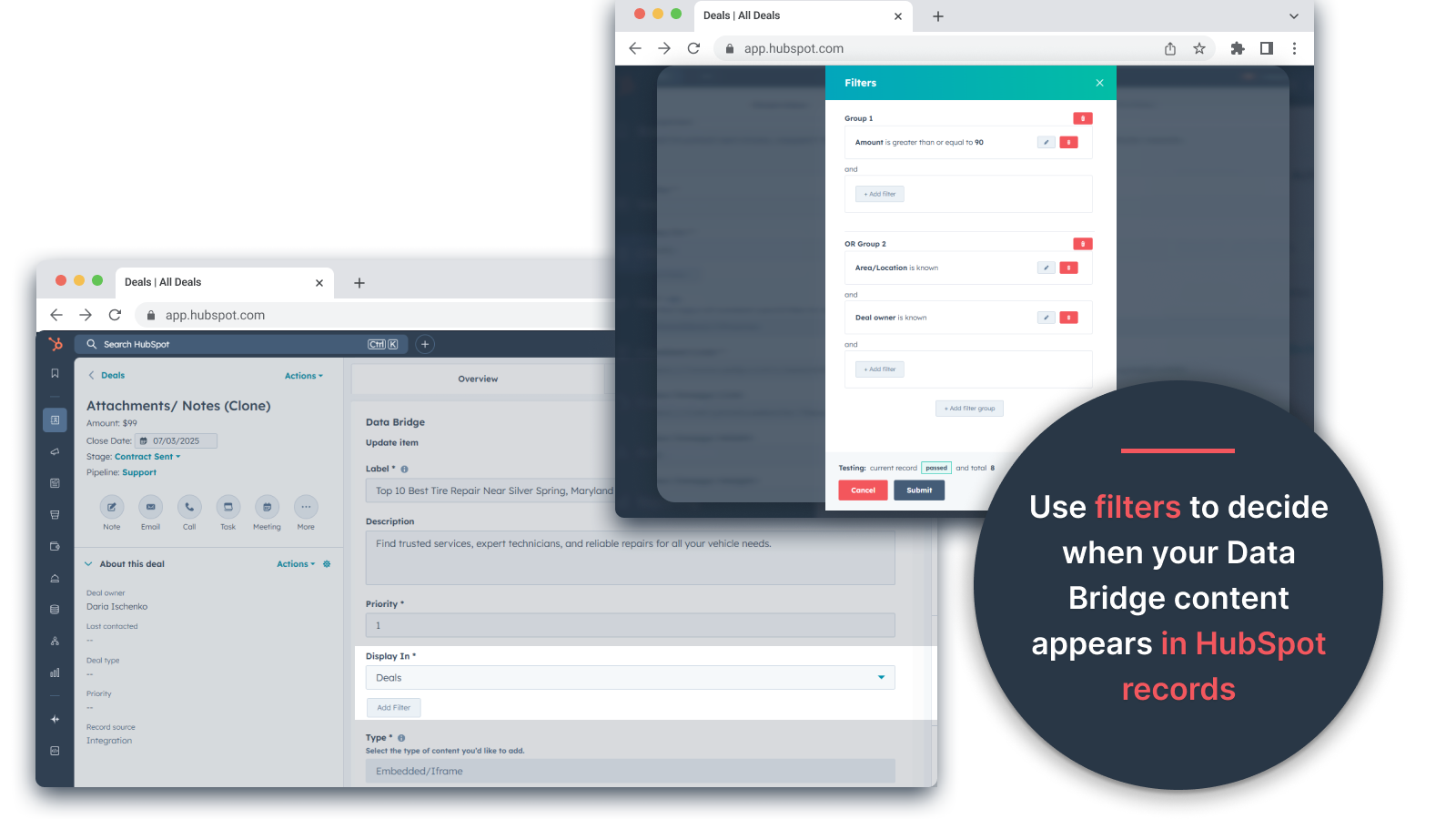
Conditional Display Rules
Show or hide modules based on deal stage, property values, or custom conditions — so each team member sees only what’s relevant at the right time.
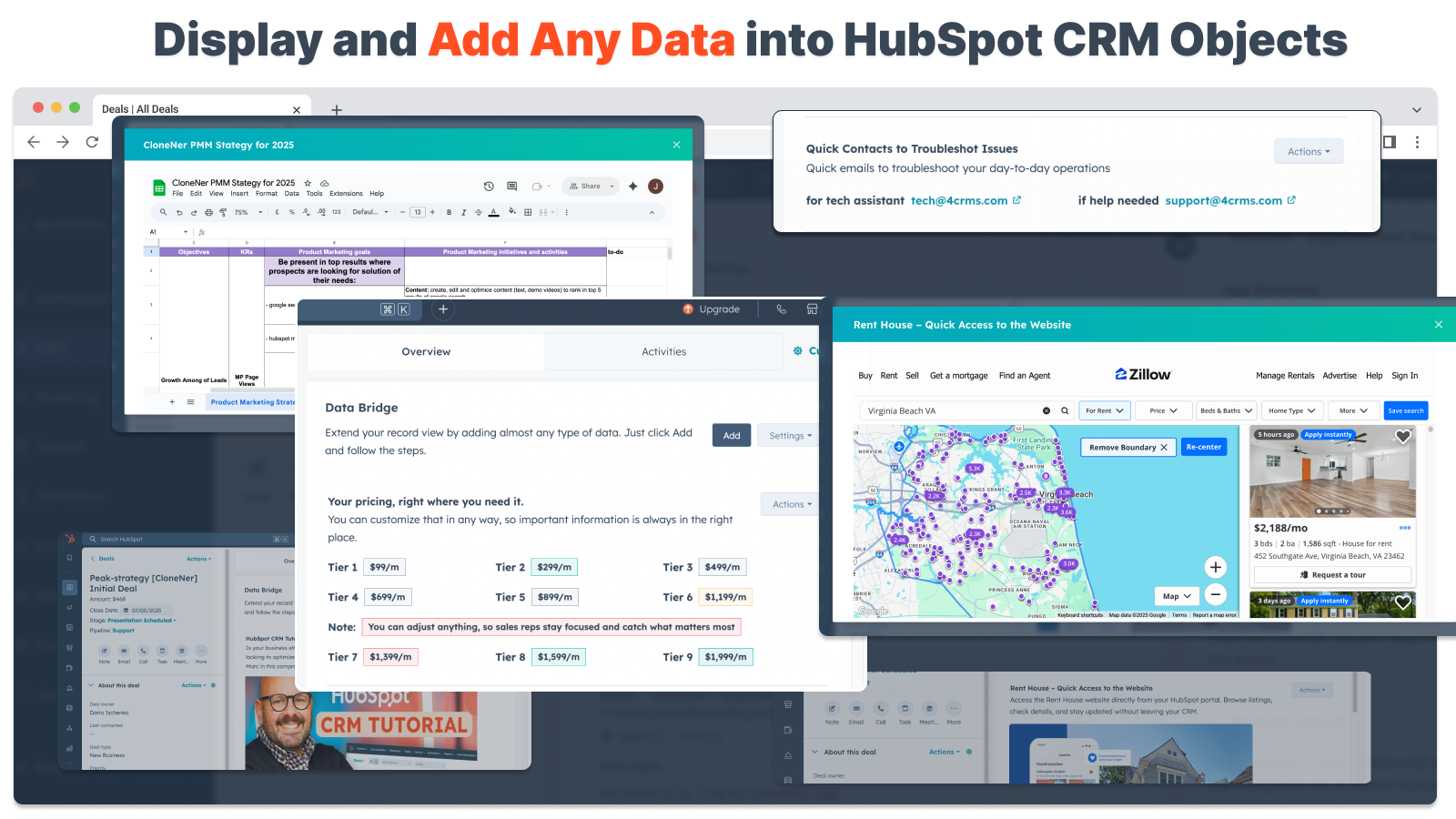
Seamless HubSpot Integration
Works natively with all HubSpot standard objects (Contacts, Companies, Deals, Tickets) and Custom Objects — no coding or extra logins required.
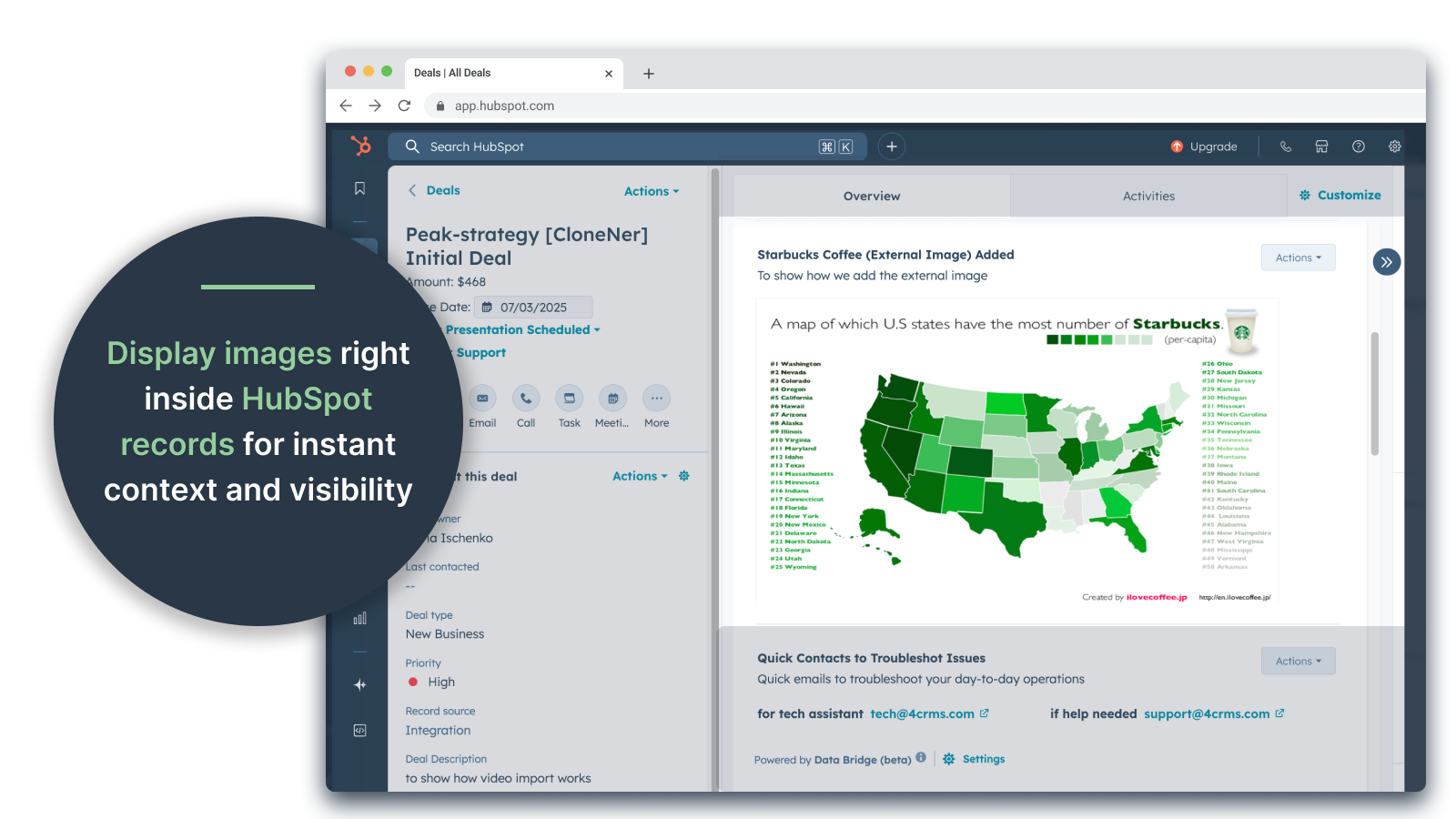
File & Media Support
Upload and display images, PDFs, or media files inside records for faster collaboration and centralized context.
Fonctionnalité de l'application
Données partagées
Company | ||
Contacts | ||
Custom Objects | ||
Deal | ||
Deal Pipelines | ||
Owners | ||
Ticket |
Avis
- 25 sept. 2025
Un gain de temps considérable qui élimine les tracas liés à la gestion de fichiers dispersés et apporte tout directement là où vous en avez besoin !
Un pont de données pour gagner ! Nous avions besoin d'un moyen facile pour intégrer dans HubSpot des notes de frais hébergées dans Excel et ceci a résolu ce problème sans avoir à gérer des tonnes de dossiers Google Drive. Maintenant, les représentants peuvent facilement cloner les notes de frais, les intégrer directement dans leurs offres, et y accéder facilement sans avoir à fouiller dans Google Drive. Un grand gain de temps et de stress !
Installation facile, apportant des ressources externes directement dans HubSpot pour un accès facile
aucun trouvé pour l'instant !
Estey, Z.
- 19 sept. 2025
Transformer HubSpot en centre de commandement
Notre équipe a commencé à utiliser Data Bridge ! de 4CRM récemment et il a déjà rationalisé notre flux de travail de manière puissante. La possibilité d'intégrer des Google Sheets, des Docs, des vidéos et d'autres ressources externes directement dans les enregistrements HubSpot a éliminé une tonne de va-et-vient et a rendu notre CRM beaucoup plus exploitable. Il est intuitif, flexible et apporte les bonnes données au bon endroit et au bon moment.
- Super facile à mettre en place et à utiliser - Incorpore du contenu de vente critique (comme des fiches en direct, des documents de référence, des documents d'accueil) directement dans HubSpot - Des grilles personnalisables facilitent l'organisation et l'affichage des données les plus pertinentes - Idéal pour que les enregistrements se sentent comme un véritable "centre de commande" - Efficacité accrue et réduction du nombre de sauts d'onglet
- Certains contenus intégrés (par exemple, certains lecteurs vidéo) peuvent présenter des bizarreries d'affichage en fonction des paramètres du navigateur.
Stern, D.
Tarification
Basic
49 $US
/mois👉 Get 45 days free - 🔓unlock all features. Make HubSpot Records Smarter with UI Elements Right Where You Work. Bring Data to Contacts, Companies & Deals.
3 UI Elements: Each added item counts as 1 element (e.g., an image or a video, etc.).
Contacts: Display Data Bridge UI elements inside contact records
Companies: Display Data Bridge UI elements inside company records.
Deals: Display Data Bridge UI elements inside deal records.
Embed images, YouTube, Google Docs, Slides & Sheets with iFrames - all displayed directly inside HubSpot records.
Filters: ⚠️ Not available (only per object or all objects apply
Custom Grid Builder: ⚠️ Not available. Can't create grids with tags, links, images, and notes.
Basic
49 $US
/mois👉 Get 45 days free - 🔓unlock all features. Make HubSpot Records Smarter with UI Elements Right Where You Work. Bring Data to Contacts, Companies & Deals.
3 UI Elements: Each added item counts as 1 element (e.g., an image or a video, etc.).
Contacts: Display Data Bridge UI elements inside contact records
Companies: Display Data Bridge UI elements inside company records.
Deals: Display Data Bridge UI elements inside deal records.
Embed images, YouTube, Google Docs, Slides & Sheets with iFrames - all displayed directly inside HubSpot records.
Filters: ⚠️ Not available (only per object or all objects apply
Custom Grid Builder: ⚠️ Not available. Can't create grids with tags, links, images, and notes.
* Les prix mentionnés ici sont uniquement présentés à titre indicatif. Tous les prix n'incluent pas les taxes, les offres spéciales, les réductions ni les autres facteurs pouvant affecter les tarifs. Vous devez contacter le partenaire pour obtenir les tarifs les plus récents. HubSpot n'assume aucune responsabilité pour les informations de tarification fournies par ses partenaires. Dernière mise à jour des prix : 23/09/2025
Informations supplémentaires
Attirer l'attention aujourd'hui