

PDF CreateMate (Try for Free)
Built by Pinetco
Installs - 800+ installs
Rating 4.9
(52)

Rising
Requirements
HubSpot Plan HubSpot Account permissions - View the required account permissions
Access Type Shared PDF CreateMate (Try for Free) Subscription - Trial, Standard, Volume, or Enterprise plans
Overview
1/6
Generate personalized PDFs for HubSpot Contact, Deal, Ticket, Company and Custom objects.
Say goodbye to the time-consuming and error-prone process of manually creating personalized PDF files. PDF CreateMate is the ultimate tool for generating personalized PDFs quickly and easily, by syncing HubSpot contact, deal, ticket, company or custom object properties and using them as placeholders in your document templates. With PDF CreateMate, you can automate the entire process and generate personalized PDF files for your HubSpot objects in seconds.
Features:
Supported Objects: Contact, Deal, Ticket, Company, Custom Objects
Automated Document Generation: Trigger PDF or DOCX generation from any HubSpot workflow — form submission, deal stage change, property update, or date-based condition. Documents are generated in seconds and saved directly to the HubSpot record.
Electronic Signatures: Collect legally binding e-signatures directly from HubSpot. Signers click a link — no account needed. Supports single and dual signing, with the signed document saved back to HubSpot automatically.
Google Drive Integration: Every generated document is synced to a Google Workspace Shared Drive automatically, organized into Year / Month folders. No downloads or manual sorting needed.
Template Builder: Build templates using Word (.docx), HTML, or fillable PDFs. Insert HubSpot properties as placeholders, add conditional blocks, line item tables, dynamic images, QR codes, and more.
Conditional Content Blocks: Show or hide document sections based on any HubSpot property value. Use if / else logic to tailor content by deal stage, region, customer type, and more — automatically.
Benefits:
Save Time and Eliminate Errors: Automate the entire document creation process — no more manual copy-pasting of CRM data into templates.
Keep Everything in HubSpot: Generated documents are saved back to the record automatically. Your team never needs to leave HubSpot.
Professional Documents at Scale: Generate branded, personalized documents for every contact, deal, or ticket — in seconds, not hours.
How to Use:
Install PDF CreateMate from the HubSpot App Marketplace.
Register your account and connect your HubSpot portal.
Build your document template by adding your company branding and inserting HubSpot property placeholders.
Optional: Configure pre-created workflow by PDF CreateMate (If supported).
PDF CreateMate generates the document automatically when the workflow triggers, and saves it back to the HubSpot record.
Conclusion:
PDF CreateMate is the complete document automation solution for HubSpot — from generation to signature to storage. Stop creating documents manually and start automating. Install PDF CreateMate today and generate your first personalized document in minutes.
Features
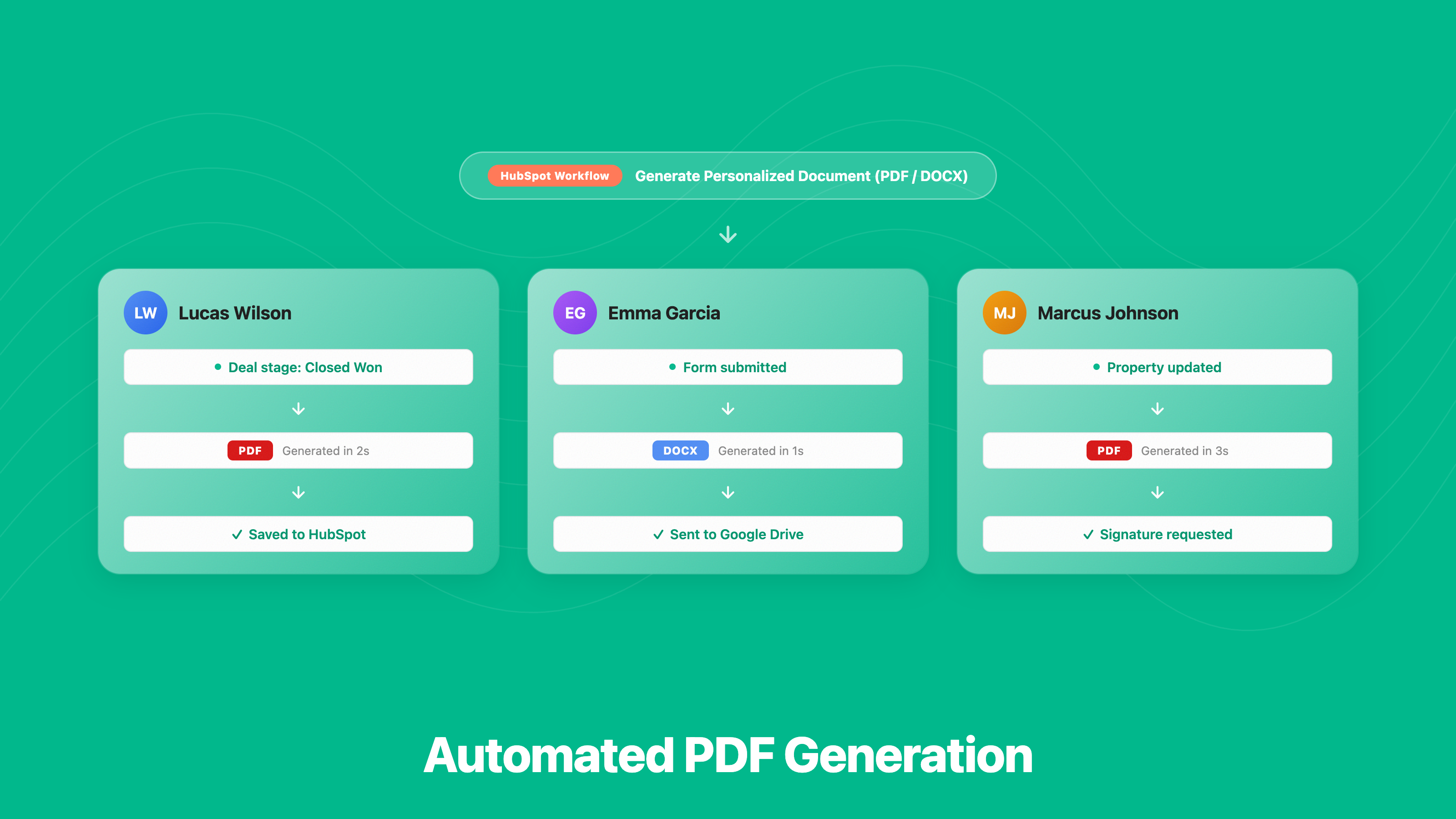
Automated PDF Generation
• Create PDFs or Word docs automatically from HubSpot — no manual work • Populate documents with live CRM data from contacts, deals, companies and tickets • Works with any HubSpot trigger — form, deal stage, property change & more • Supports contacts, companies, deals, tickets & custom objects
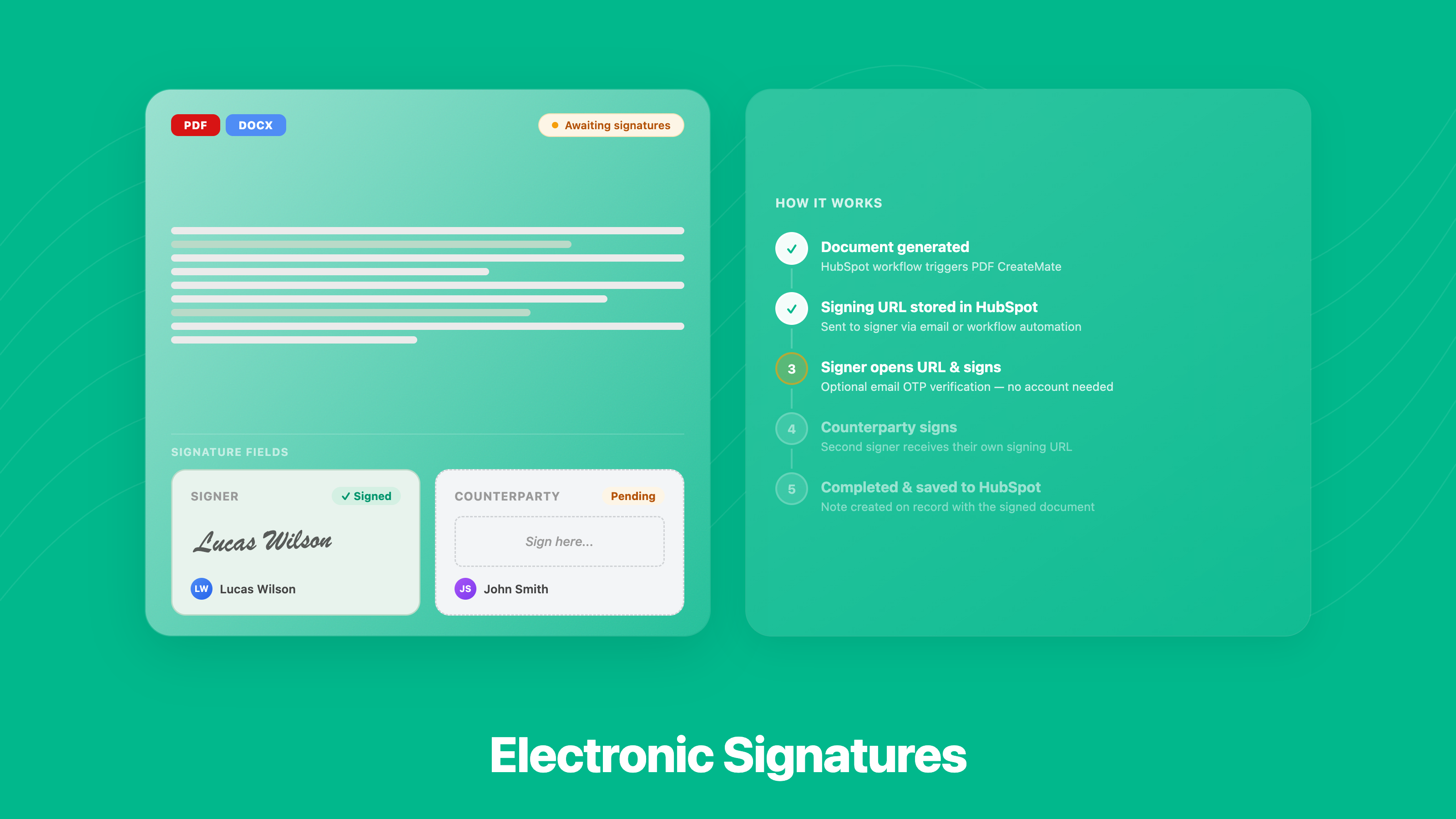
Electronic Signatures
• Request e-signatures directly from any HubSpot object • Signers just click a link — no account or app needed • Supports multiple signers on the same document • Signed copy is saved back to HubSpot automatically
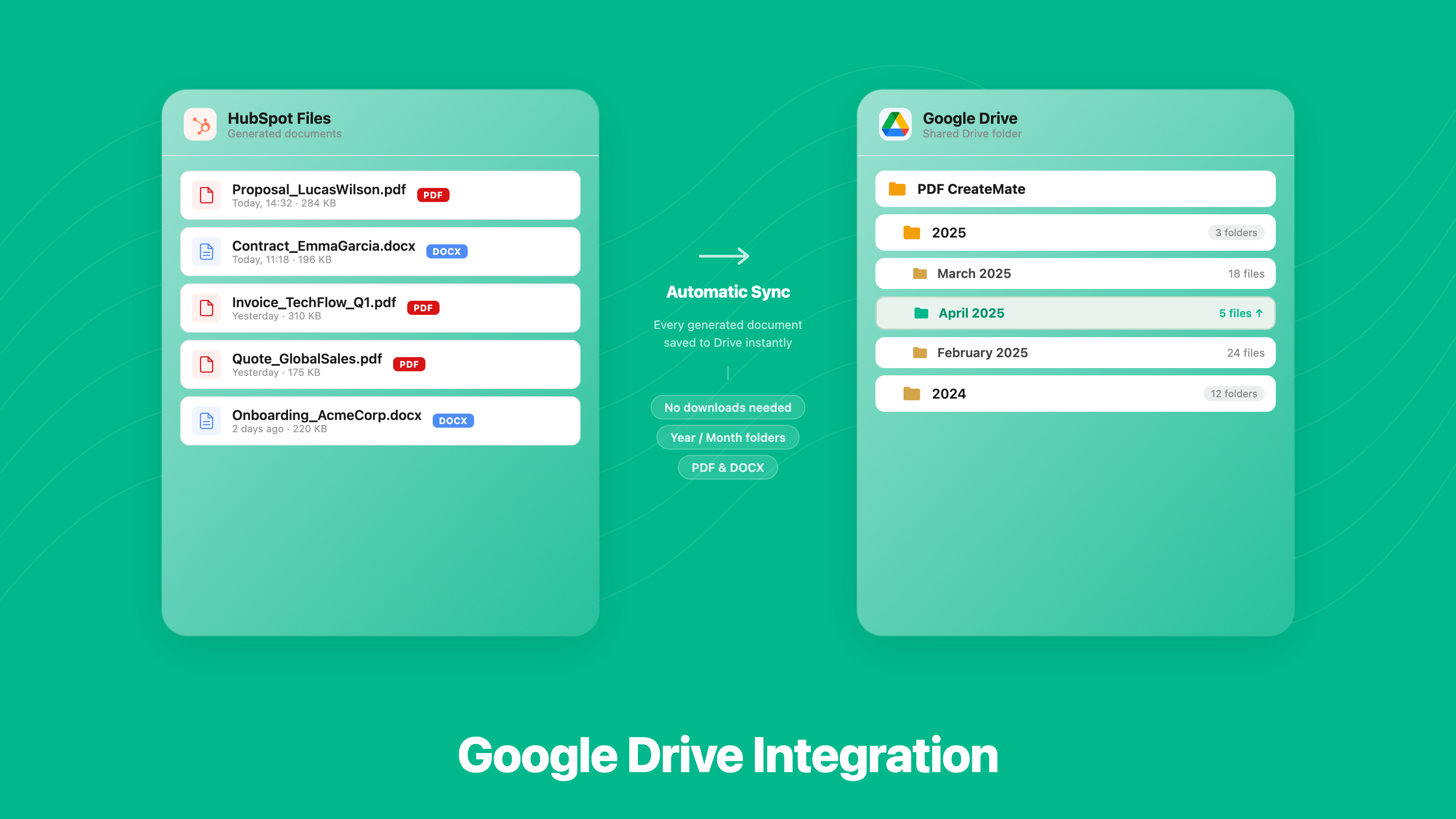
Google Drive Integration
• Every document is saved to Google Drive the moment it's created • Choose your folder structure — flat, by year/month, or by record • Works alongside HubSpot file storage — documents saved in both places • Access all generated documents from Google Drive or HubSpot — always in sync
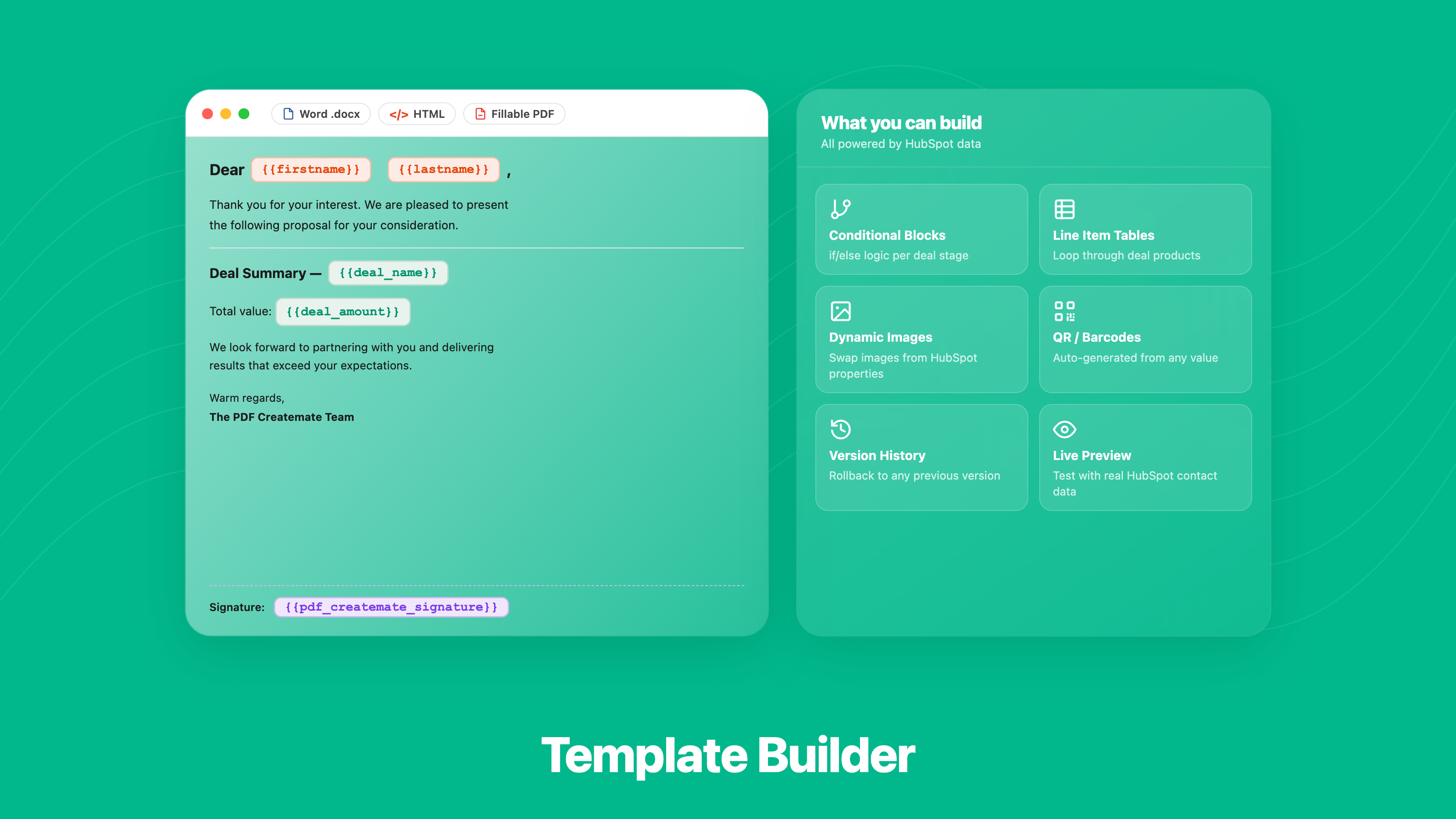
Template Builder
• Build templates using Word, HTML, or fillable PDFs • Map any HubSpot property as a dynamic placeholder in seconds • Include deal line items, images, QR codes, and conditional sections in any template • Preview with real contact data before going live
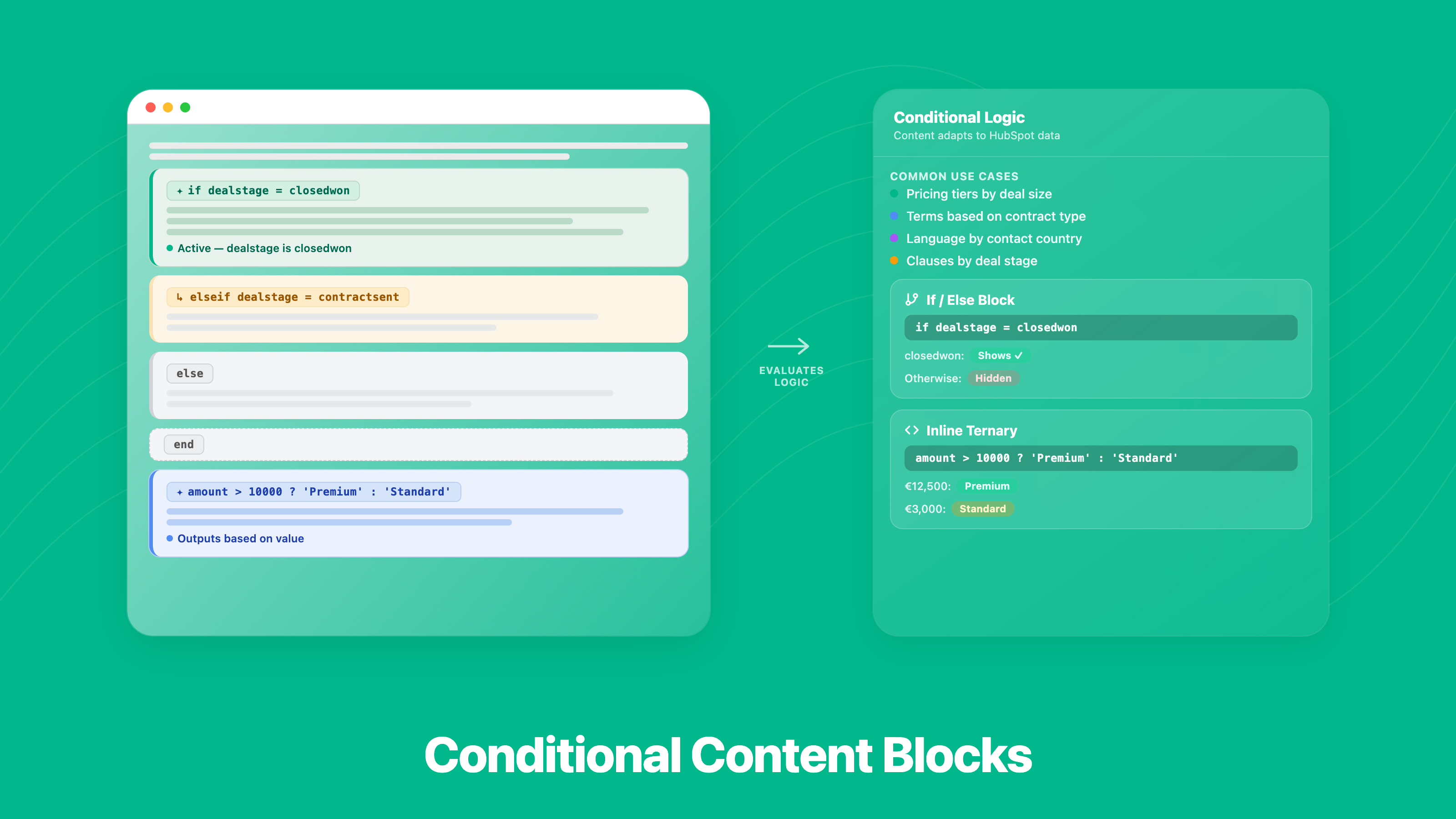
Conditional Content Blocks
• Show or hide sections based on contact or deal data • Different content for different deal stages, regions, or customer types • Use if / else logic and inline expressions — no coding knowledge needed • Documents adjust automatically — no editing needed per contact
App Functionality
Contact | ||
Contact Properties | ||
Contact | ||
Template | ||
Deal | ||
Company | ||
Deal Properties | ||
Company Properties | ||
Deal | ||
Company | ||
Ticket | ||
Custom Object |
Reviews
4.9
52
4.9
52
- Jul 30, 2026
Clean, Easy to Use & Great Support!
We recently started using PDF CreateMate to save us time on generating contracts and paperwork for our driving school. It was great being able to upload our existing fillable PDF to PDF CreateMate. After that the system automatically identified the appropriate fields and was very easy to map our HubSpot properties to the right fields! During our initial run we noticed that the phone numbers didn't look quite right, so we reached out to support. Overnight they handled the issue and deployed the appropriate fixes fast! Definitely a great tool to use!
-Easily upload existing documents -Generate PDF documents quickly and easily -Documents can be generated automatically through automations or manually -Documents can automatically be attached to the corresponding HubSpot record. -GREAT support.
-None that I have found :)
Larsen, Q.
- Jul 25, 2026
Very Complicated to Use
I'm trying to use this feature, but it's hard to set up.
It seems like it would meet my need to generate PDFs combined with HubSpot contact data.
Difficulty setting up
Loiacono, R.
Pricing
Trial
€0
Test before you buy
Screenshare / Video Call support
Email + Chat Support
Free setup support
No Credit Card Required
Unlimited users
No Credit Expiration
Full Feature Access
Up to 100 documents with watermark
Trial
€0
Test before you buy
Screenshare / Video Call support
Email + Chat Support
Free setup support
No Credit Card Required
Unlimited users
No Credit Expiration
Full Feature Access
Up to 100 documents with watermark
* The pricing here is for display purposes only. All prices do not include taxes, incentives, discounts, or other pricing variables. You should contact the partner for the most up to date and correct pricing information. HubSpot does not take any responsibility for this pricing information, which is provided by our partners. Pricing last updated: 06/01/2026
New arrivals
-2.png)
Zendesk Connector-App
Enable secure, streamlined workflows between Zendesk and HubSpot.

Noca AI-App
Build AI-powered business apps and automations connected to HubSpot, without writing code.
