

Lumo (formerly LITTLE HELP CONNECT)
Built by - Little Help Agency LLC
Installs - 800+ installs
Rating 4.7
(16)

Rising
Requirements
HubSpot Plan HubSpot Account permissions - View the required account permissions
Access Type Shared Lumo (formerly LITTLE HELP CONNECT) Subscription - Starter, Business, or Enterprise plans
Overview
1/8 - Lumo: LINE Marketing for HubSpot — Send LINE from HubSpot segments and workflows
Lumo is the AI agent for LINE marketing. Connected to HubSpot, it runs LINE as a HubSpot channel: send campaigns to segments, send LINE messages from workflows, link LINE friends to contacts through forms and email, record opens and clicks on contacts, and report on LINE results.
For campaigns, use HubSpot products to send each person the jobs or items that match their conditions, such as a preferred location, as LINE cards with images. Ask Lumo's marketing agent who to reach and what to send, and let it draft the message and prepare the campaign. Review the audience and content, then approve the send.
Reply to LINE customers as a team from the HubSpot inbox or help desk. In Lumo workflows, ask questions, send the next message based on each answer, and let the customer agent reply from your FAQs.
Follows, opens, clicks, and rich menu taps are recorded on HubSpot contacts, ready to trigger workflows, define segments, and feed HubSpot reports. In Lumo, build reports from the metrics and dimensions you need, such as clicks per rich menu button or results per campaign. Moving from LITTLE HELP CONNECT? Your HubSpot integration continues in Lumo. Product-based recommendation campaigns and LINE activity reports are new.
Features
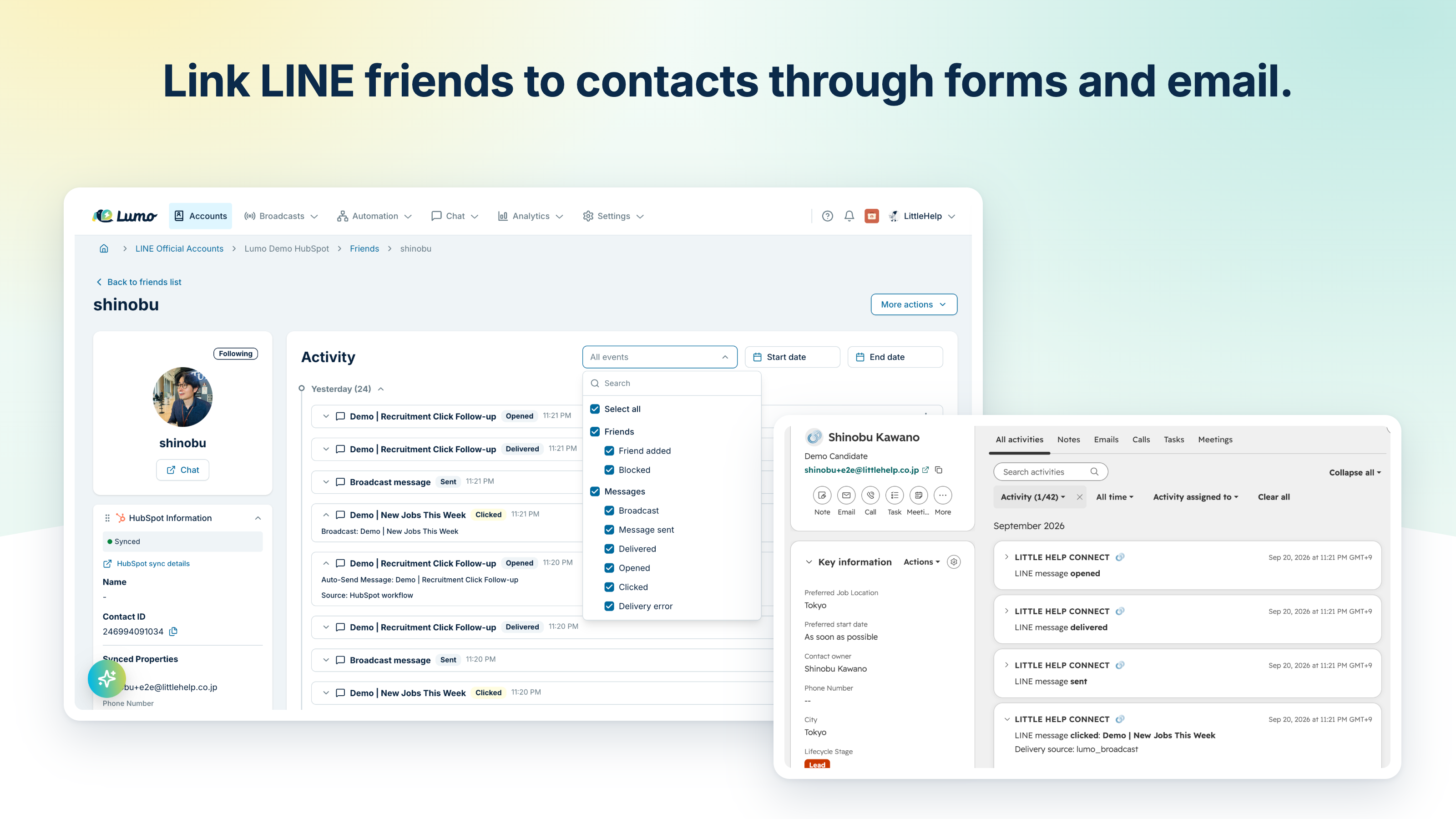
Link LINE friends to HubSpot contacts through forms, email, and QR
Link LINE friends to HubSpot contacts through forms, email links, and QR codes. Import from segments, match by email or phone number, link on form submission with a workflow action, or connect your own login through the API. Add friend-add CTAs to your website in four formats, and use the recorded CTA and page in segments and workflows.
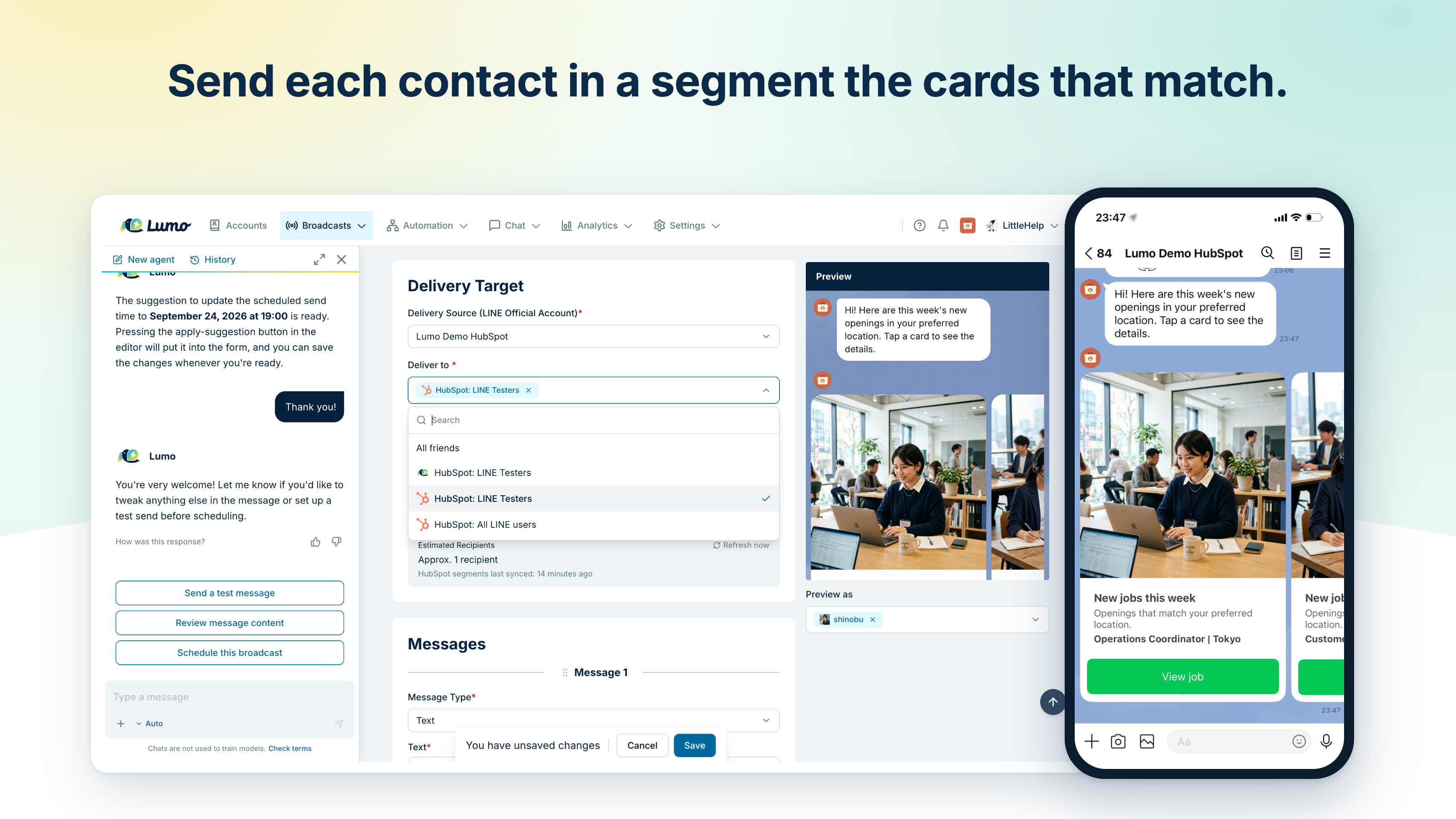
Send LINE campaigns to HubSpot segments, planned with an AI agent
Pick recipients and exclusions by HubSpot segment, and show each segment its own rich menu. Use HubSpot products to send each person the jobs or items that match, such as roles in a preferred location, as LINE cards. Ask the marketing agent who to reach and what to send, and let it draft it. Review, then approve. Schedule, repeat, or A/B test.
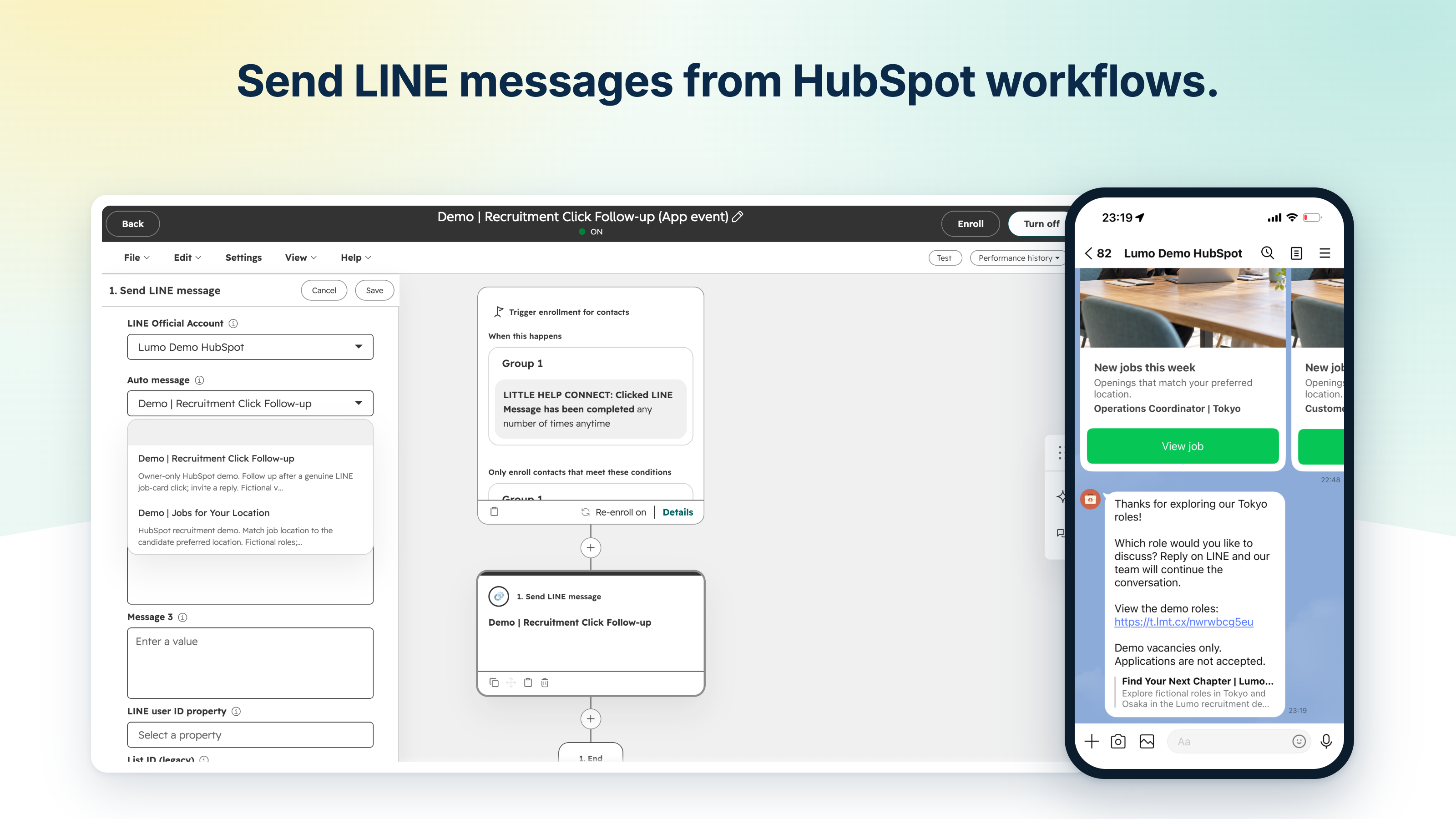
Send LINE messages from HubSpot workflows
Send LINE messages from HubSpot workflows when a form is submitted, a deal changes, or a ticket needs attention. Actions can also update rich menus and link IDs, so new customers and VIPs each see the right menu. Messages go to LINE-linked contacts on the record.
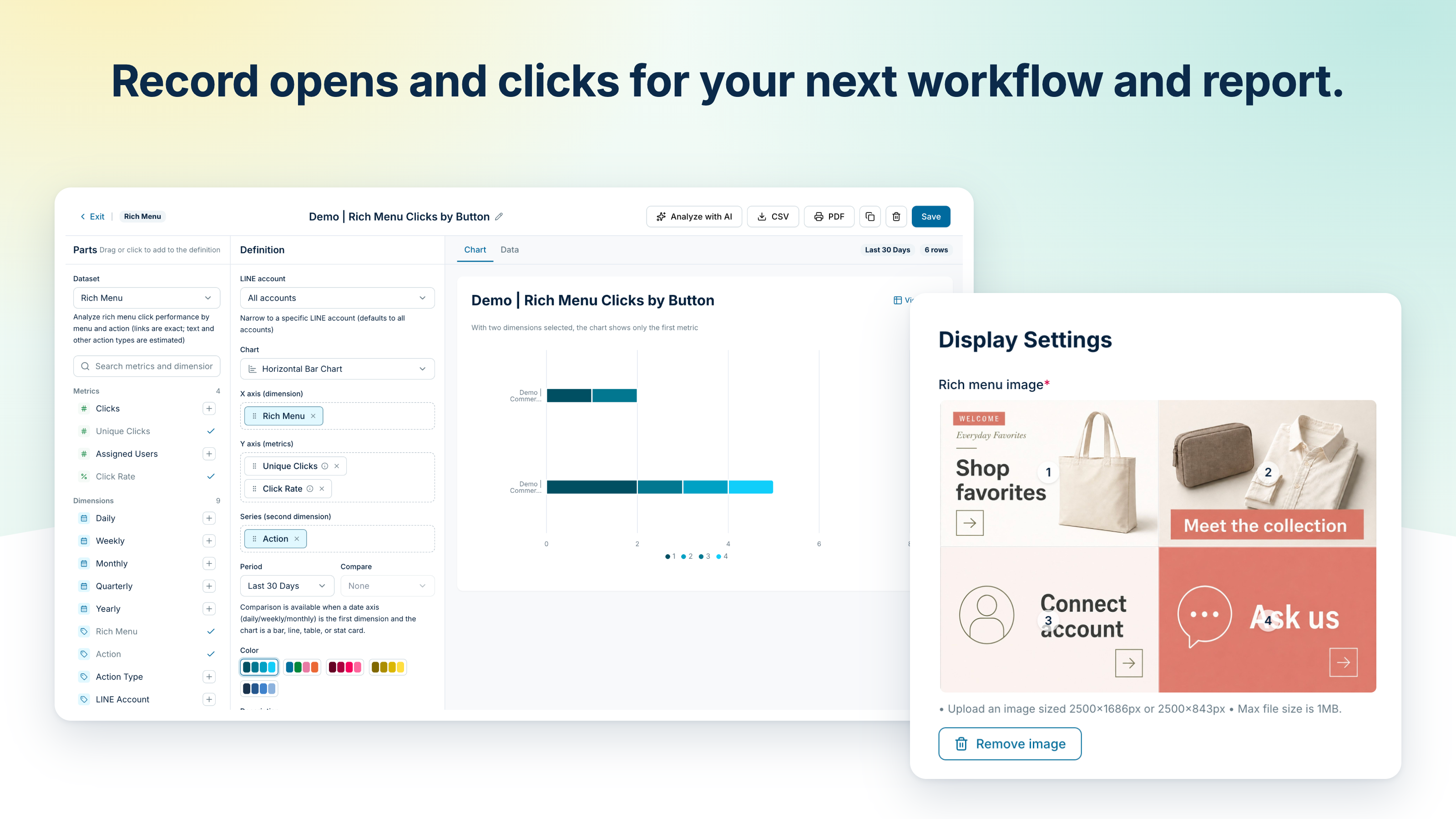
Record opens and clicks on contacts for workflows and reports
Record LINE activity such as follows, opens, clicks, and rich menu taps as events on HubSpot contacts, ready to trigger workflows, define segments, and build HubSpot reports. In Lumo, build reports from the metrics and dimensions you need, such as clicks per rich menu button, and group them on dashboards. Ask the marketing agent what to try next.
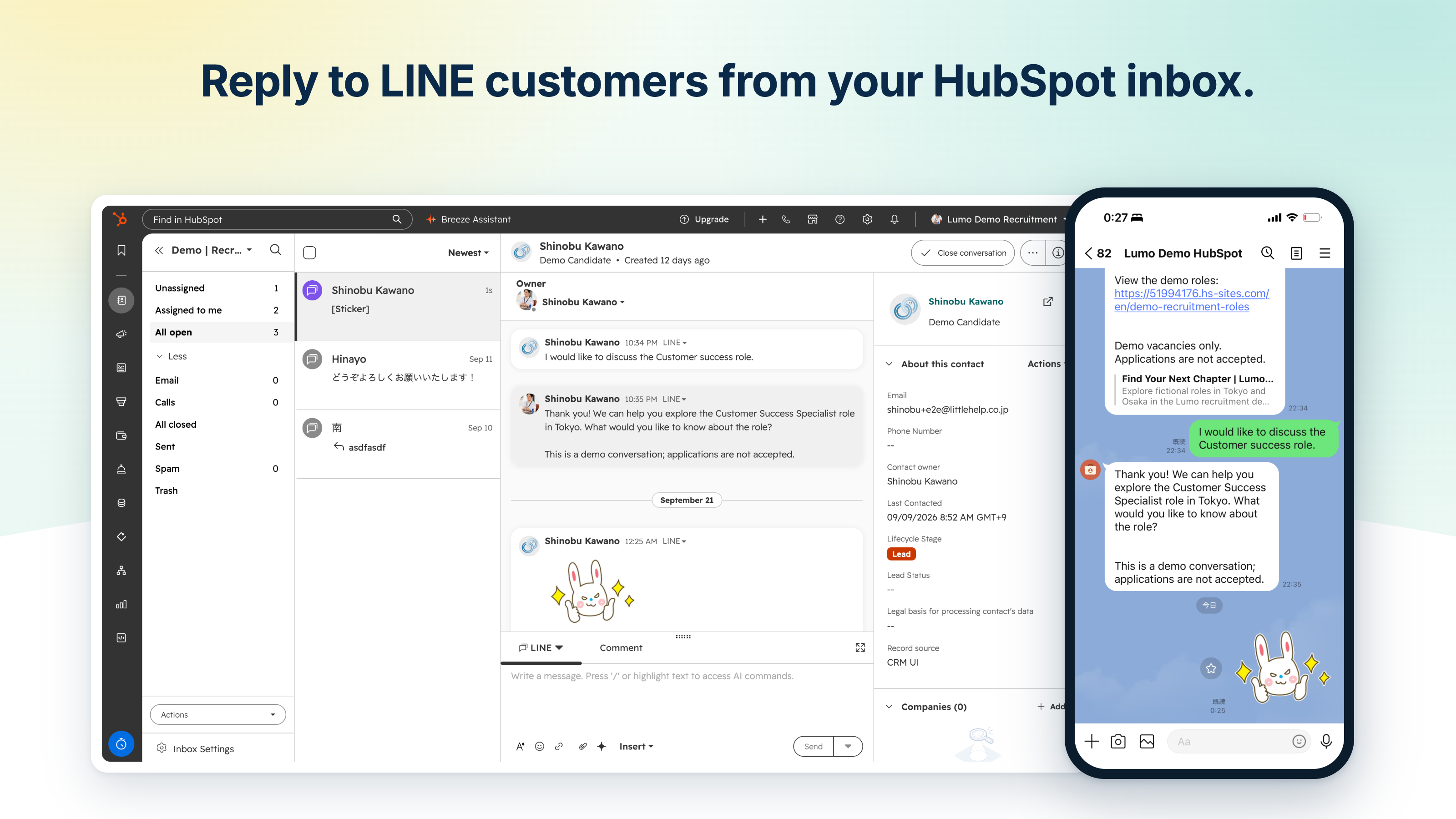
Reply to LINE customers from the HubSpot inbox as a team
Reply to LINE messages from the HubSpot inbox or help desk, including images and files. Your team can read the conversation history before responding, even when the person handling the inquiry changes. You can also open LINE chat from contact, company, and ticket records.
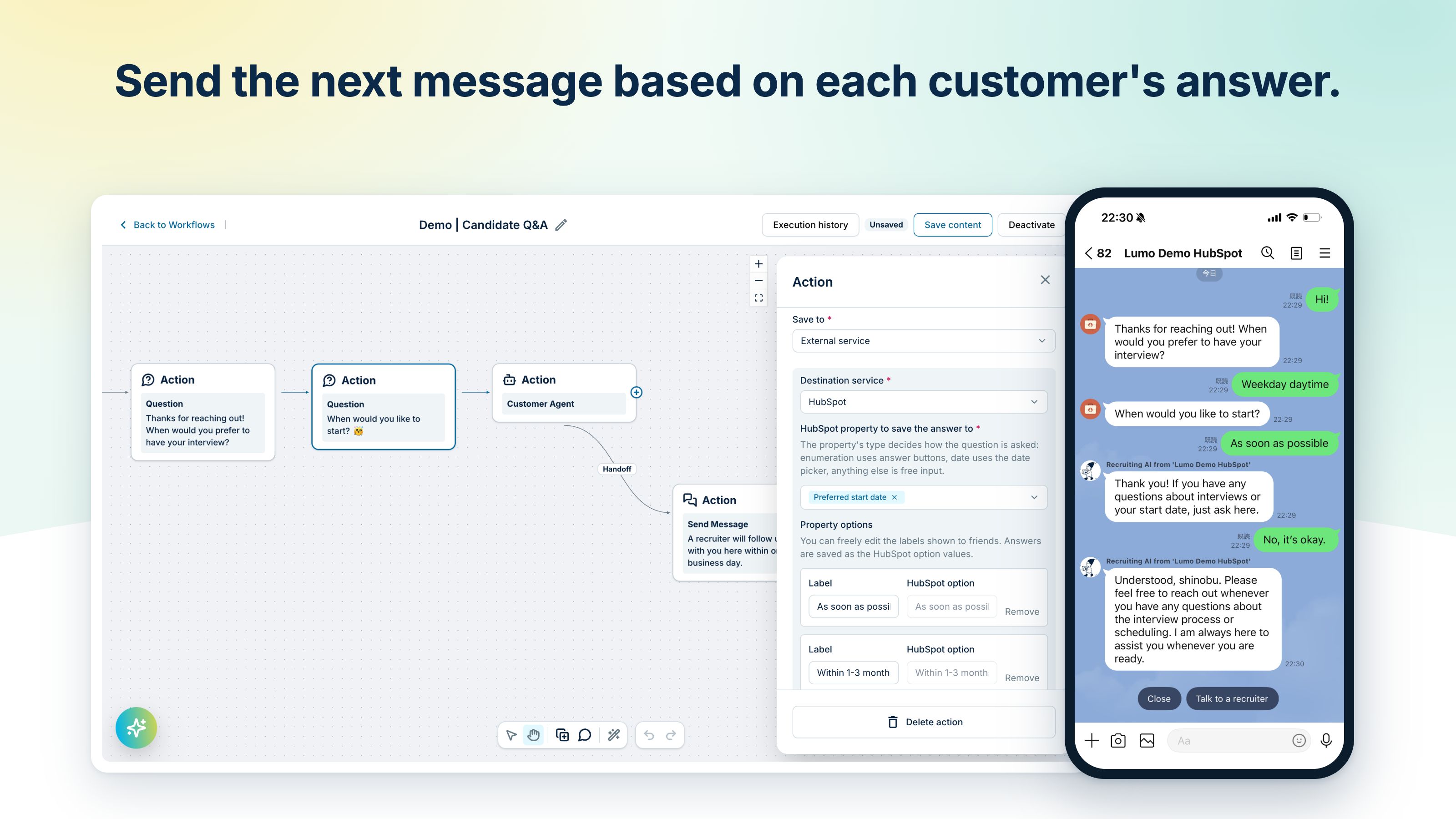
Automate LINE replies that adapt to each customer's answers
Build conversation flows in Lumo's visual editor. Ask questions, save answers, and send the next message based on each response. Let the customer agent answer from your FAQs and other saved knowledge, then hand off to your team when needed. Use these flows alongside your HubSpot workflows.
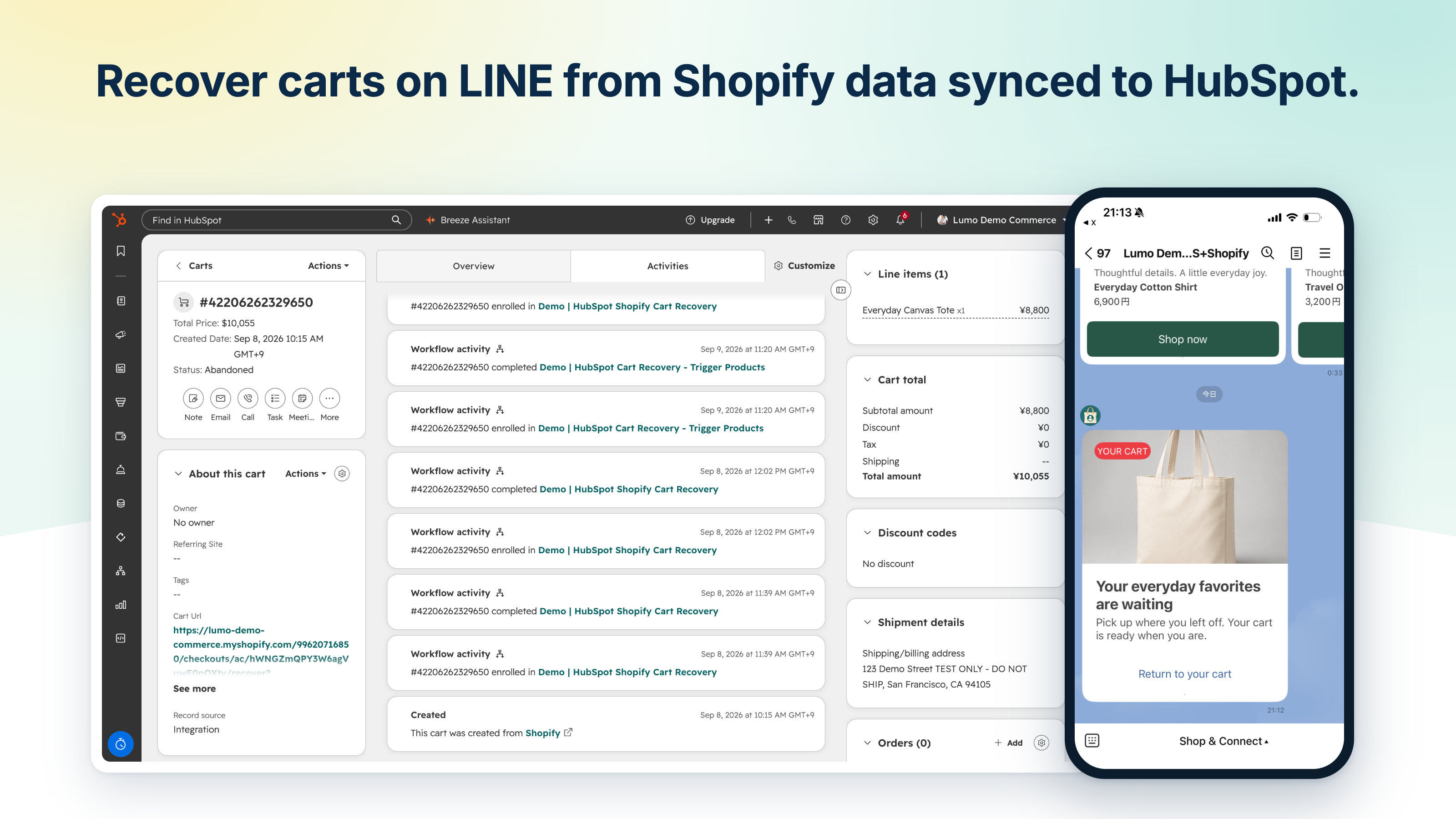
Follow up on LINE from Shopify carts and orders synced to HubSpot
Start from Shopify carts and orders synced through HubSpot's Shopify integration, and send LINE from HubSpot workflows. Send shoppers who left a cart a card with the product name, image, and price, plus a checkout link. After purchase, send shipping updates with order details. Opens and clicks are recorded on the contact for your next follow-up.
App Functionality
LINE Friends | ||
LINE Groups | ||
Segments | ||
Activity Events | ||
Workflows | ||
Inbox | ||
Content Feeds | ||
Members |
Reviews
4.7
16
4.7
16
- Apr 4, 2025
Usin g Little Help Connect to install the LINE App in HubSpot...
Not so easy to install as the instructions are all in Japanese! Once you manage to install, it's still not at all easy unless you are very familiar with Line functionality.
It helps you connect to Line.
Everything in Japanese.
Graham, V.
- Feb 24, 2025
Keep track of the increase in LINE friends.
Track the growth of your LINE friends on HubSpot.
Add LINE friends and track your movements on LINE for free.
If you merge a contact with a real name on HubSpot and a contact with a LINE User Name, the contact will not be searchable by LINE User Name.
契約管理
Pricing
Starter
$27
/monthGetting started
Additional Messages: $0.02 per message
Free Messages: 5,000 messages/month
Starter
$27
/monthGetting started
Additional Messages: $0.02 per message
Free Messages: 5,000 messages/month
* The pricing here is for display purposes only. All prices do not include taxes, incentives, discounts, or other pricing variables. You should contact the partner for the most up to date and correct pricing information. HubSpot does not take any responsibility for this pricing information, which is provided by our partners. Pricing last updated: 09/23/2026
More info
Built by - Little Help Agency LLC
Installs - 800+ installs
Categories Languages this app is available in English andJapanese
Most popular

Gmail
Bring HubSpot to your inbox with the HubSpot integration for Gmail.

Google Calendar
Book meetings quickly and easily with HubSpot and Google Calendar.
