

taskCNX Tasks for Microsoft To Do and Outlook
Built by - sthreelabs LLC
Installs - <10 installs
Requirements
HubSpot Plan HubSpot Account permissions - View the required account permissions
Access Type Shared taskCNX Tasks for Microsoft To Do and Outlook Subscription - Free, Team, or Business plans
Overview
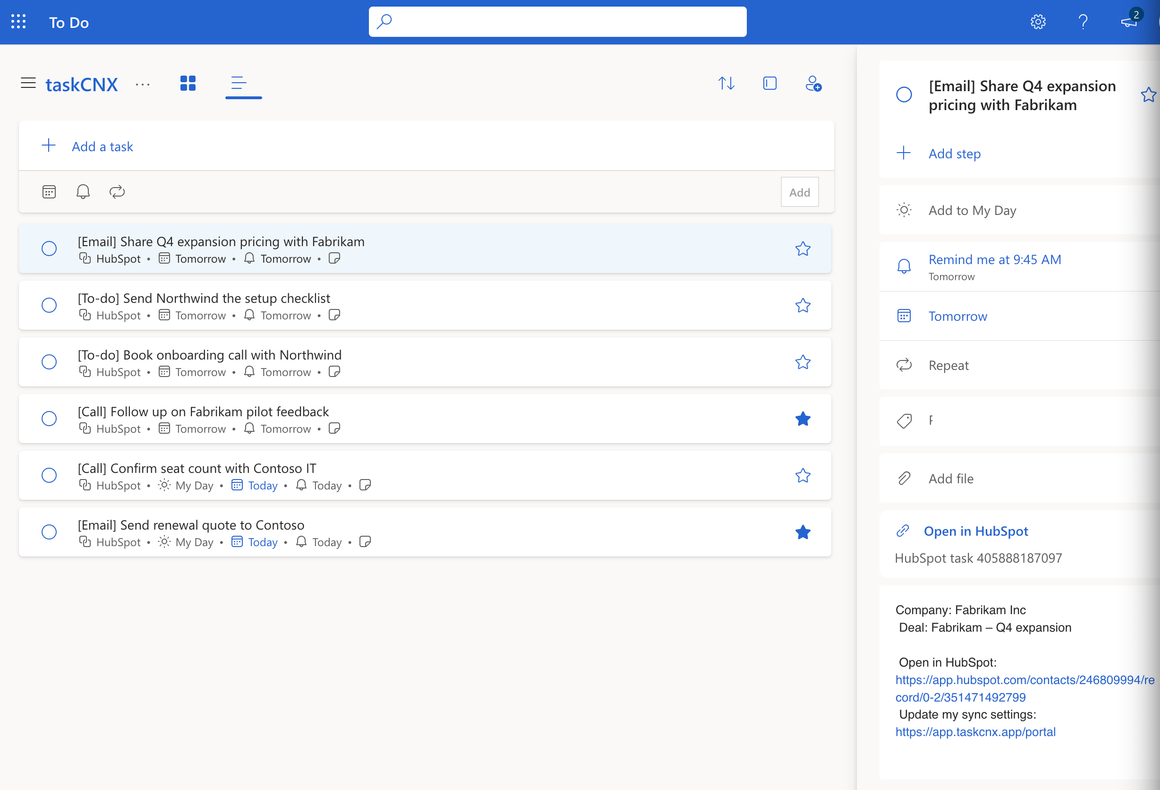
1/5 - HubSpot tasks in the taskCNX list in Microsoft To Do, one open showing its reminder, company, deal and HubSpot link
Your HubSpot tasks, right in Microsoft To Do, with a reminder that actually fires.
Every task assigned to a rep in HubSpot appears in a dedicated "taskCNX" list in their Microsoft To Do, with its due date and a real reminder. Check it off in To Do and it's completed in HubSpot. Reschedule in either place and both follow.
Tasks stay tasks: nothing lands on your calendar as a 15-minute event.
taskCNX only manages its own list. My Day, your other lists and your categories are never touched. Because To Do and Outlook share the same tasks, the list shows up in Outlook's To Do pane too.
Competitors offer and one-way syncs only create tasks. taskCNX closes them too.
Features
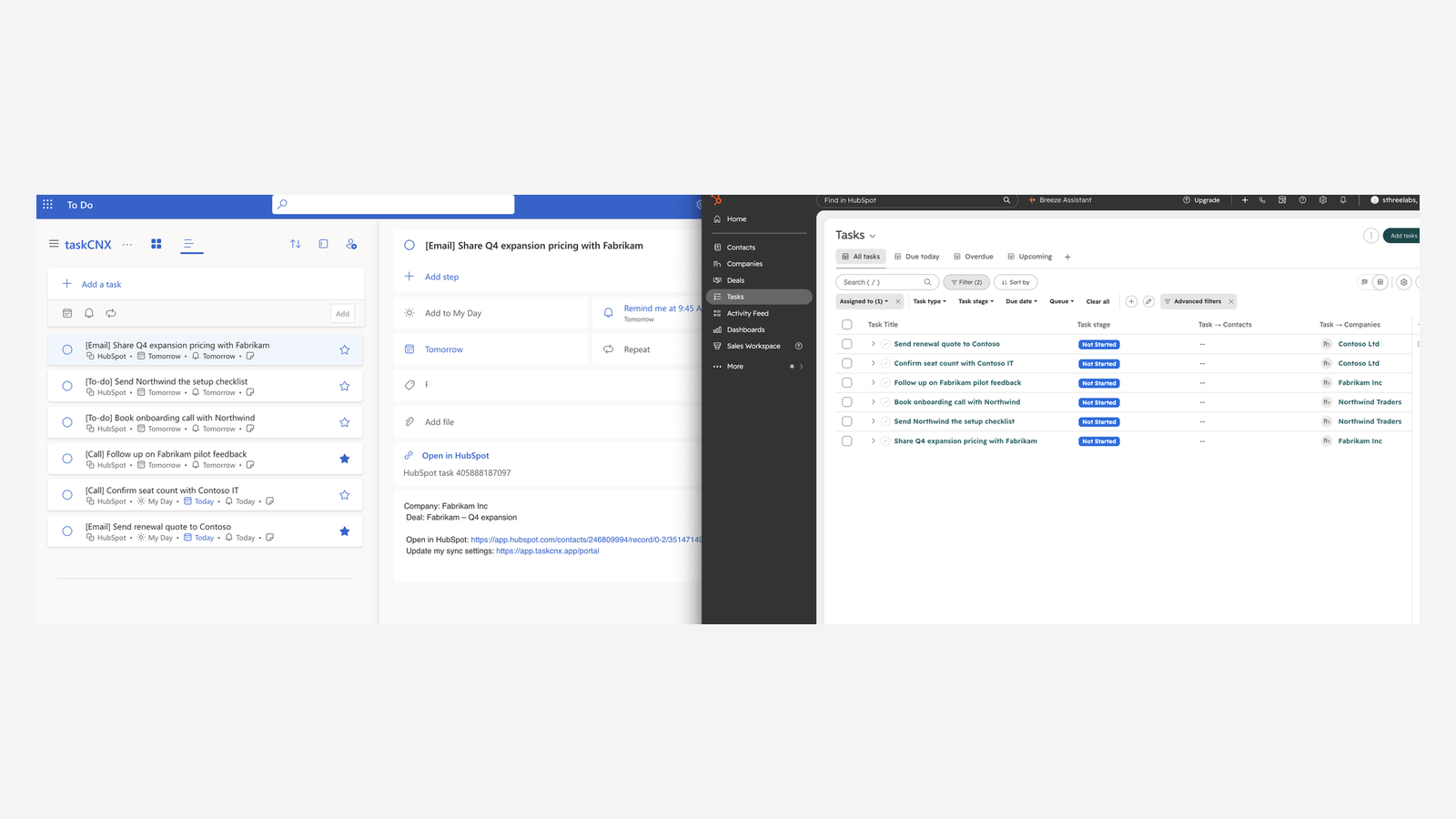
Two-way sync with Microsoft To Do
Every HubSpot task assigned to a rep lands in a taskCNX list in their Microsoft To Do, with its due date and a reminder. Tick it off in To Do and it is completed in HubSpot. Change a due date in either app and the other follows.
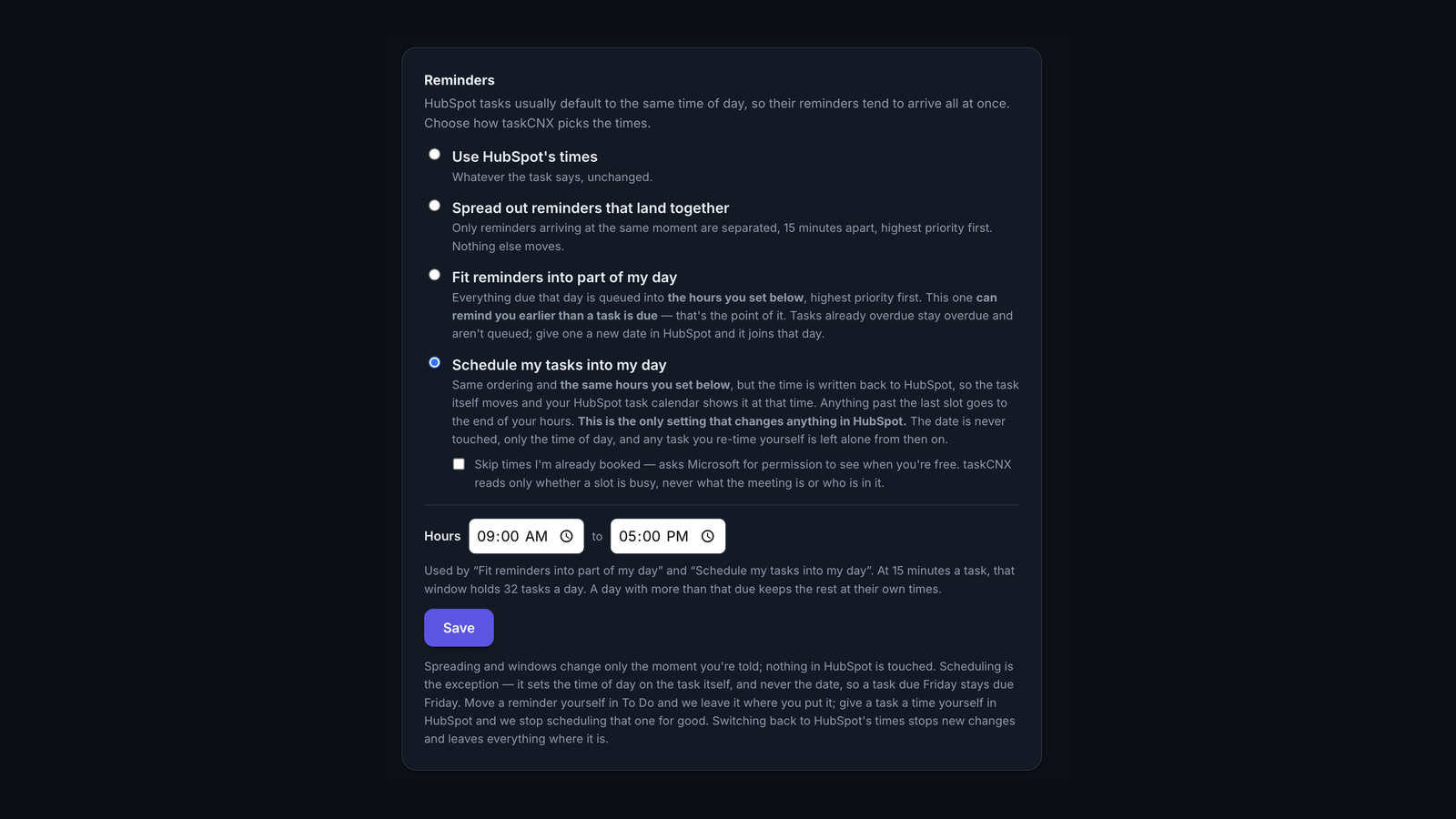
Reminders that fit your working day
HubSpot tasks often share one default time, so reminders arrive all at once. Each rep can keep HubSpot times, spread out reminders that land together, or fit them into working hours they choose.
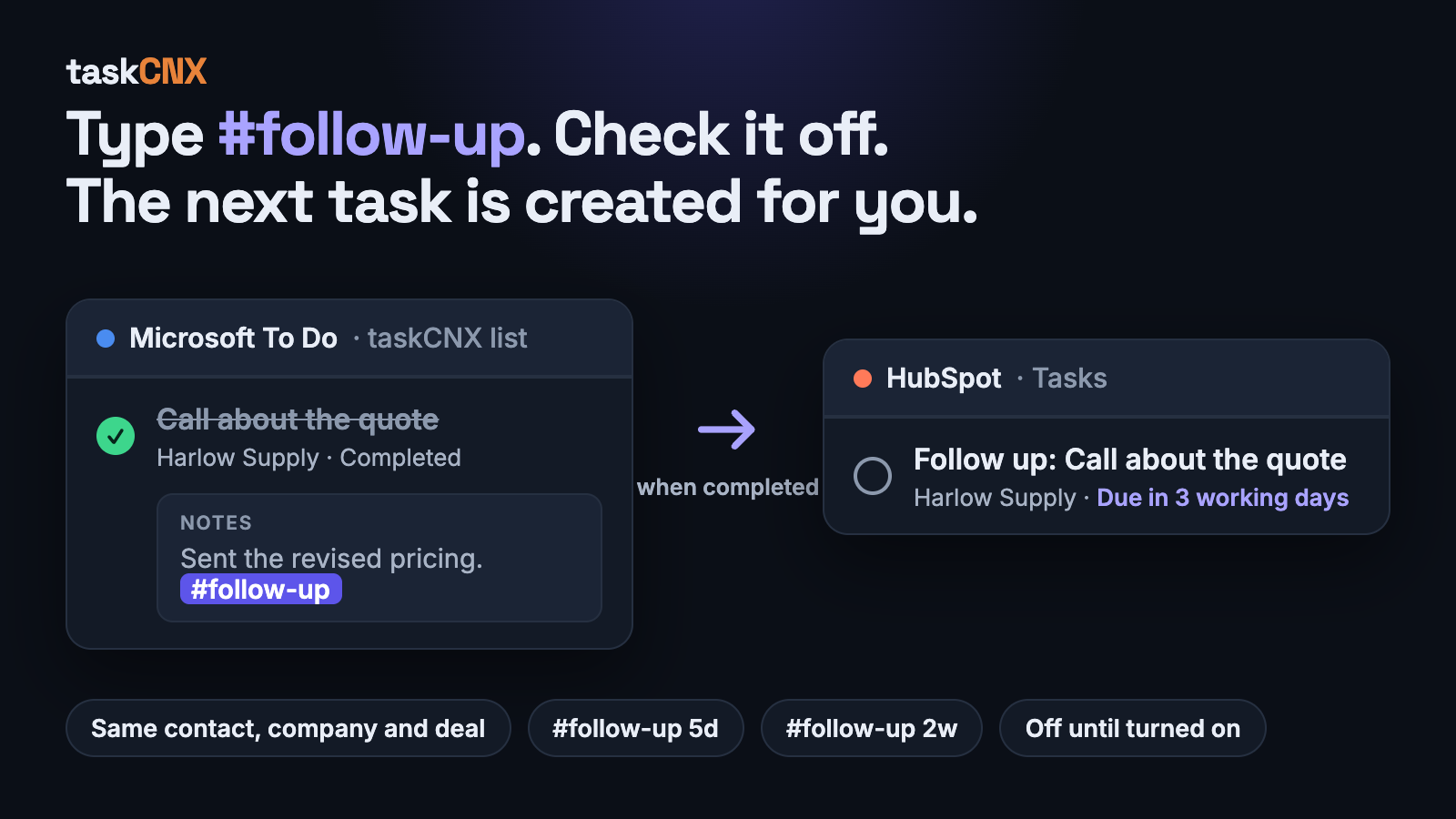
Follow-up tasks from a tag
Type #follow-up in the notes of a task. When the task is completed, taskCNX creates the next one in HubSpot for the same rep, linked to the same contact, company and deal, and due three working days later. Add 5d or 2w to set a different delay. Off until the account owner turns it on.
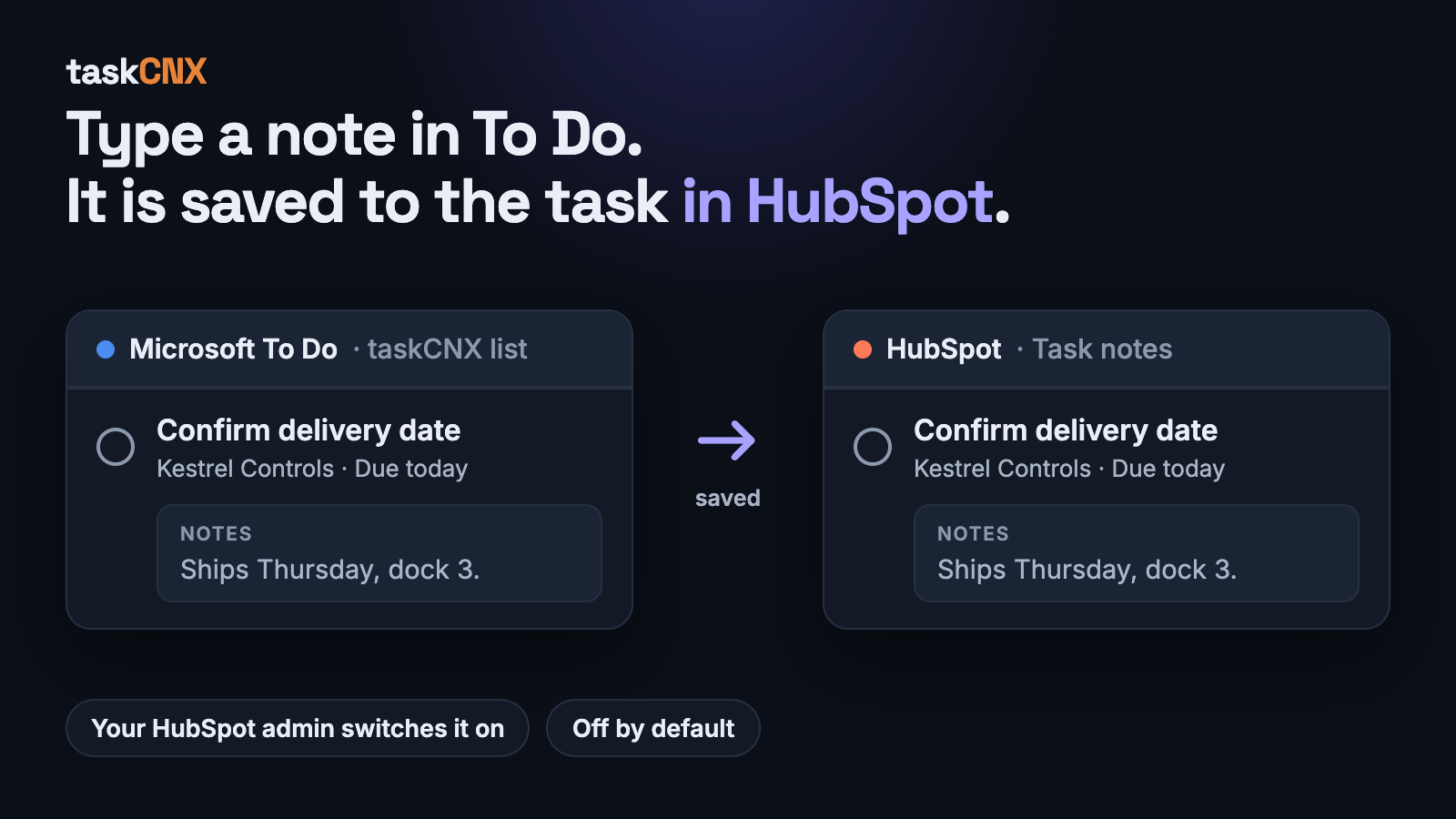
Notes that reach HubSpot
Type a note under a task in To Do and it is saved to that task in HubSpot. Off until the account owner turns it on.
App Functionality
Shared Data
Microsoft To Do tasks | ||
Contact details on To Do tasks | ||
Company name on To Do tasks | ||
Deal name on To Do tasks | ||
Connected users |
Reviews
Pricing
Free
$0
One person, full two-way sync, free forever
Its own To Do list
Due dates and reminders
Tasks sync both ways with HubSpot
Tasks sync both ways with HubSpot
Free
$0
One person, full two-way sync, free forever
Its own To Do list
Due dates and reminders
Tasks sync both ways with HubSpot
Tasks sync both ways with HubSpot
* The pricing here is for display purposes only. All prices do not include taxes, incentives, discounts, or other pricing variables. You should contact the partner for the most up to date and correct pricing information. HubSpot does not take any responsibility for this pricing information, which is provided by our partners. Pricing last updated: 10/20/2026
More info
Built by - sthreelabs LLC
Installs - <10 installs
Categories Languages this app is available in English
Getting attention today

Slack
Manage CRM records, get AI-powered assistance from Breeze, send real-time notifications, and collaborate with your team — without leaving Slack.

Zoom
Use Zoom with HubSpot meetings, workflows, contact records and more.
