

Twilio SMS + Workflows
Built by - Pepperwire
Installs - <10 installs
Requirements
HubSpot Plan HubSpot Account permissions - View the required account permissions
Access Type Shared Twilio SMS + Workflows Subscription - Pepperwire Plus plan
Overview
1/7 - Twilio SMS + Workflows Demo By Pepperwire
HubSpot has no native Twilio SMS integration. HubSpot's own SMS is a Marketing Hub add-on with its own numbers and its own bill, so the Twilio account you already run, your numbers, your rates, your message history doesn't carry across. Twilio SMS + Workflows connects your own Twilio account to HubSpot in about five minutes: two-way SMS texting in the Inbox and Help Desk, one-off text messages from any contact record, and a real Send SMS via Pepperwire action inside HubSpot workflows. One flat price, no per-number fees, no message caps, no credit packs.
Send SMS from any HubSpot workflow
Add "Send SMS via Pepperwire" to any contact-based workflow and text people automatically. Deal-stage reminders, appointment confirmations, review requests, no-show follow-ups. Choose which contact property holds the phone number and which of your Twilio numbers sends. Every automated text is logged on the contact timeline. Needs a Professional or Enterprise hub.
Two-way SMS texting in the Inbox and Help Desk
Incoming Twilio SMS opens a real conversation in your shared inbox, threaded by phone number. Reply inline, assign to a rep, leave internal comments, the reply goes out over SMS from your Twilio number. Needs Sales or Service Hub Professional or Enterprise.
Text straight from the contact record
An SMS card on every contact page: type a message, pick the sending number, send. Recent text messages and their delivery status are right there.
Contacts match themselves
An incoming text finds the right contact by phone or mobile number and lands on their timeline. If nobody matches, the conversation still opens in your inbox, associate it with a contact when you know who it is. We never create or edit contacts on your behalf.
Delivery status you can actually read
Sent, delivered, or failed on every message, straight from Twilio. When a carrier rejects a text we say why in plain English and what to do about it, trial-account limits, opt-outs, A2P 10DLC registration.
Unlimited everything
Unlimited phone numbers, users, inboxes, and SMS messages. You pay Twilio directly for carriage; we never mark up or resell a message.
What you need
Your own Twilio account, with numbers that can send SMS
Sales Hub or Service Hub Professional or Enterprise (for Inbox / Help Desk functionalities only)
A Professional-tier hub for the workflow action
US numbers require A2P 10DLC registration with Twilio — we check and walk you through it
Features
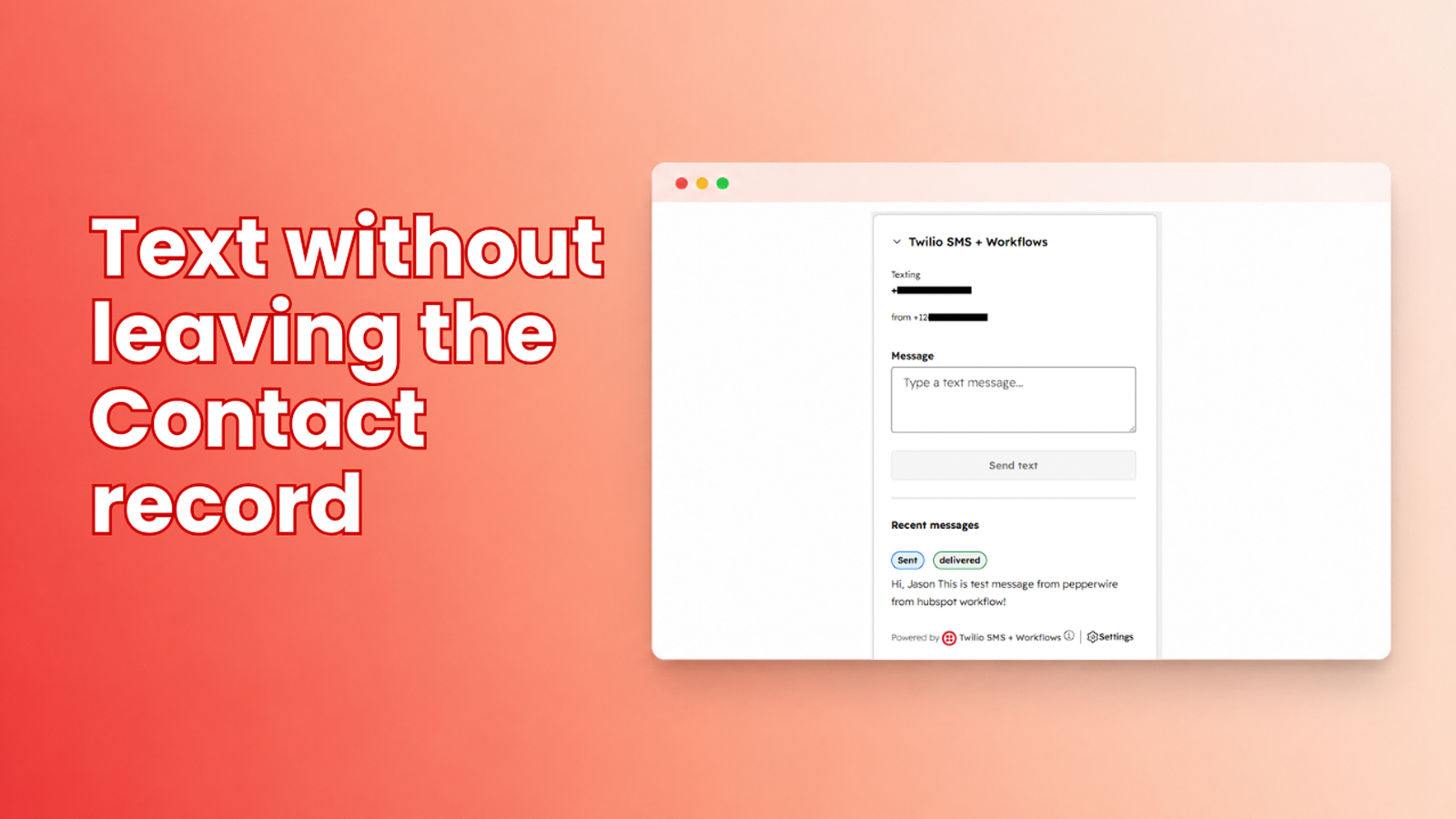
Text straight from a Contact record
An SMS panel on every contact record. Type a message and send without leaving the record or switching tabs. Recent messages with that contact sit right underneath, each with its live delivery status, so a rep opening the record sees the last exchange immediately rather than hunting for it in another tool.
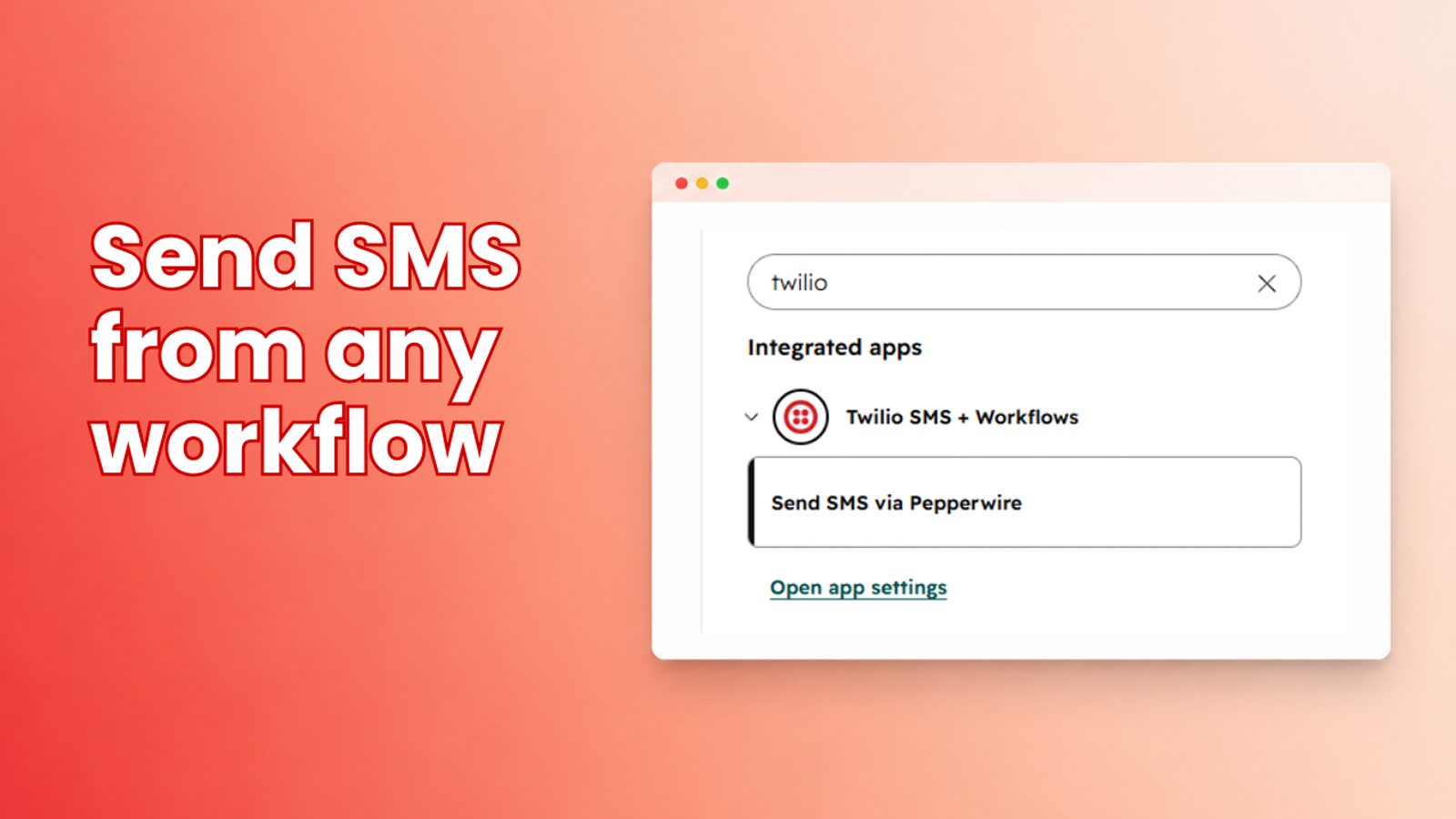
Send SMS from any HubSpot workflow
Add a "Send SMS via Pepperwire" action to any contact-based HubSpot workflow and text people automatically, deal-stage reminders, appointment confirmations, review requests, no-show follow-ups, renewal nudges. Every automated text is logged on the contact's timeline. Needs a Professional or Enterprise hub.

Two-way SMS in the Inbox and Help Desk
Incoming texts to your Twilio numbers open as real conversations in your HubSpot shared inbox or Help Desk, threaded by phone number. Reply inline and it goes straight back out over SMS. Inbound texts match an existing contact by phone or mobile number. We never create or edit contacts. Needs Sales or Service Hub Professional or Enterprise.
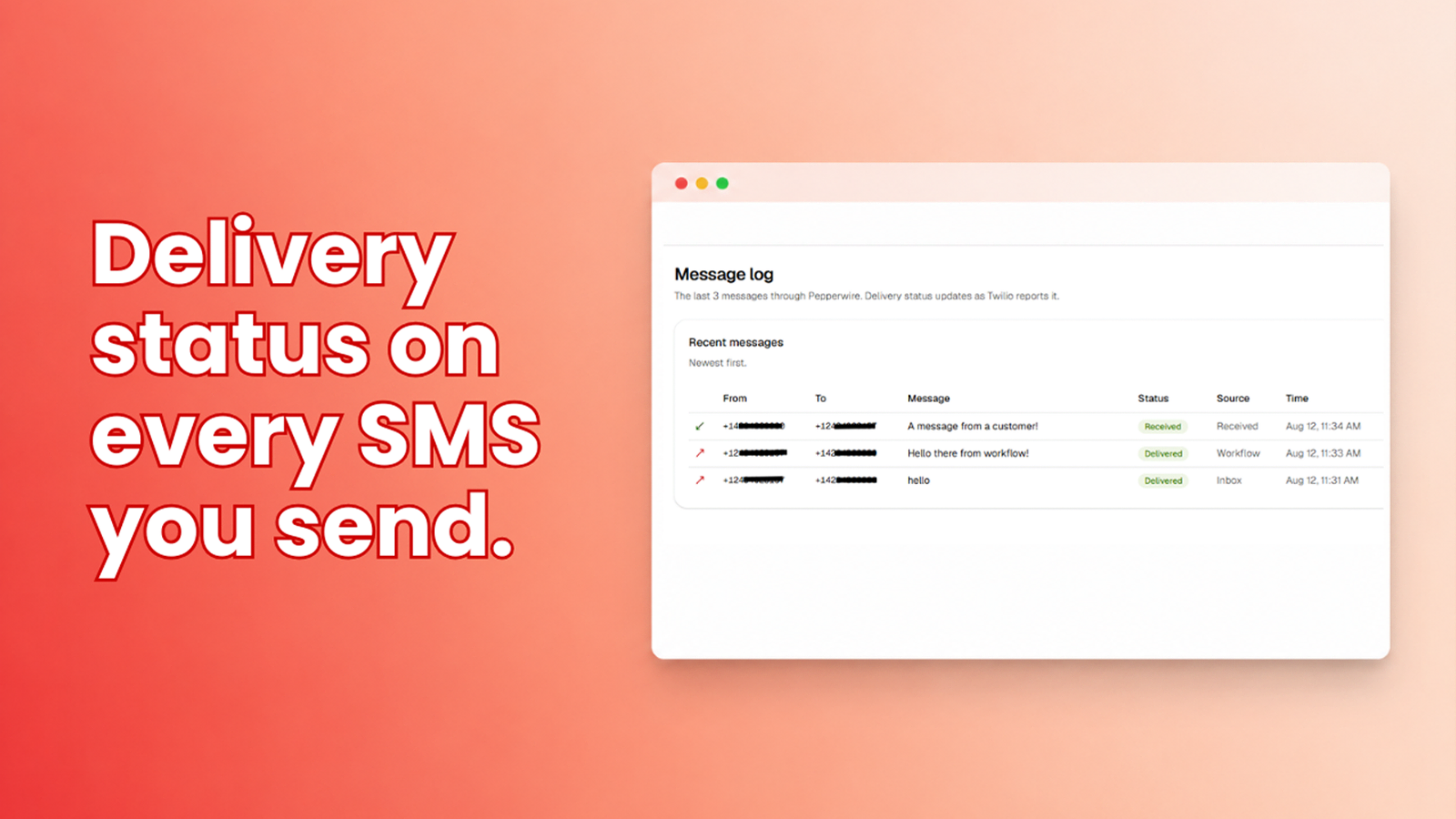
Delivery status and timeline logging
Every message you send or receive is logged with the status Twilio reports back. Sent, delivered, or failed, so you know a text reached the handset rather than just that you handed it over. Messages are written to the contact's activity timeline alongside their emails and calls.
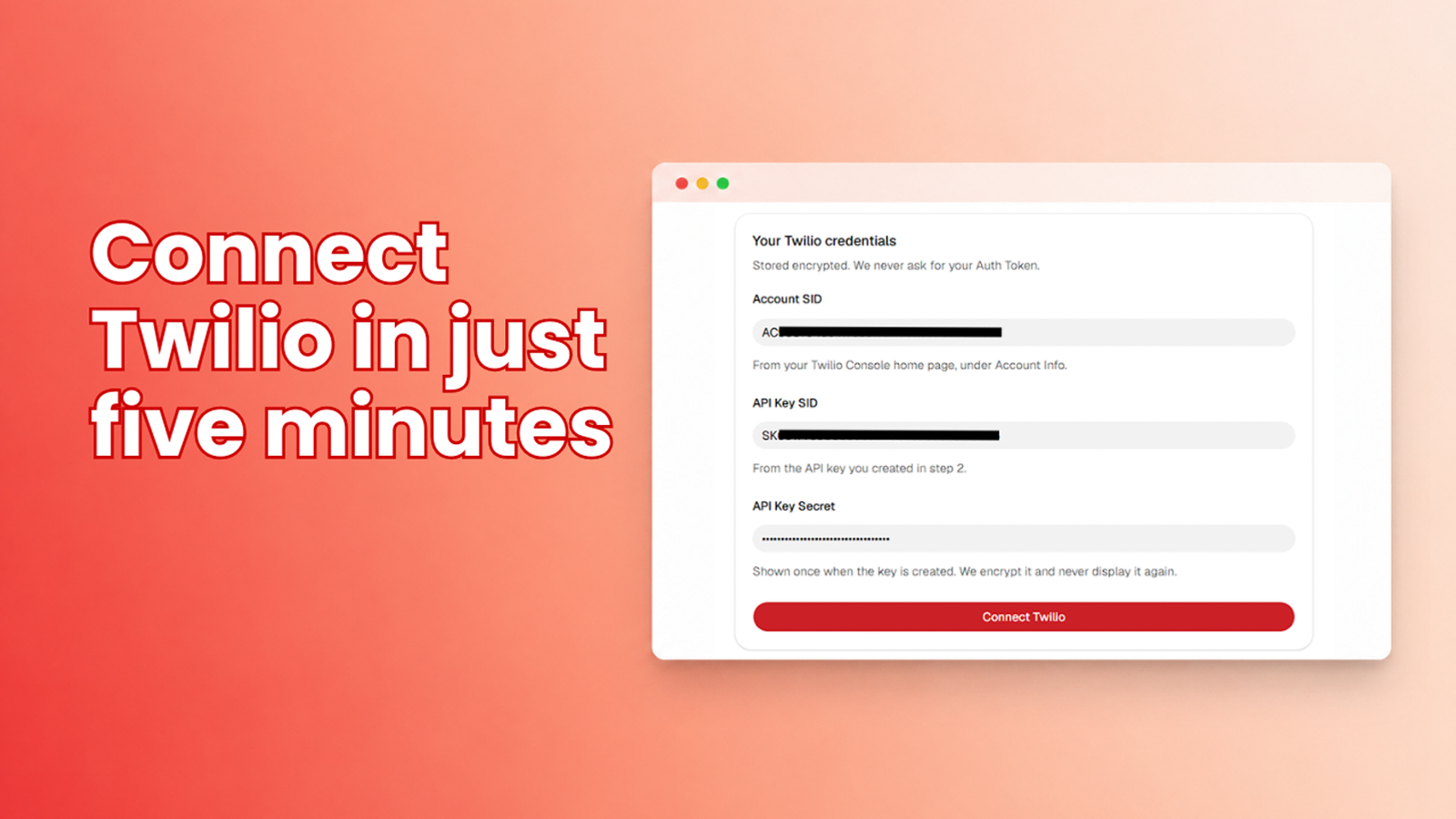
Connect Twilio and send your first text
Paste a Twilio API Key, SID and secret and you're connected. Switch on the numbers you want to use and their webhooks are wired automatically. Pick which HubSpot inbox each number feeds, add the SMS card to your contact record layout, and send your first text.
App Functionality
SMS conversations | ||
Message sender / recipient | ||
Sent and received messages |
Pepperwire connects your own Twilio account to HubSpot. Data moves in both directions for the objects below.
Contacts (read and write). We read the phone and mobile number properties on a contact to match an inbound text to the right person, and to find the destination number when a workflow sends one. The write permission exists for a single purpose: logging sent and received messages onto the contact's activity timeline through HubSpot's Communications API, which HubSpot gates behind crm.objects.contacts.write. Pepperwire does not create contacts and does not modify any contact property. If an inbound text matches nobody, the conversation still opens and you associate it with a contact yourself.
Conversations (read and write). Incoming texts to your Twilio numbers open as conversations in your HubSpot Inbox or Help Desk, threaded by phone number. Replies sent from HubSpot go back out over SMS from your Twilio number. We read your list of inboxes so you can choose which one receives texts.
We request no other scopes: no deals, no companies, no marketing email, no reports, no files.
Message content and delivery status are stored in our database so that your contact records and dashboard can show conversation history. Your Twilio credentials are stored as an API Key SID plus an encrypted secret, never your account Auth Token, so you can revoke our access without touching your Twilio account. Full detail at https://www.pepperwire.app/privacy
Reviews
Pricing
Pepperwire Plus
$24.17
/monthOne plan. That’s the whole pricing. No per-channel fees, no credit packs, no tiers to compare.
Contact record sends and timeline logging
Workflow SMS action with tokens
Inbox + Help Desk channels
Unlimited messages (you pay only Twilio carriage)
Unlimited users and inboxes
Unlimited phone numbers
Pepperwire Plus
$24.17
/monthOne plan. That’s the whole pricing. No per-channel fees, no credit packs, no tiers to compare.
Contact record sends and timeline logging
Workflow SMS action with tokens
Inbox + Help Desk channels
Unlimited messages (you pay only Twilio carriage)
Unlimited users and inboxes
Unlimited phone numbers
* The pricing here is for display purposes only. All prices do not include taxes, incentives, discounts, or other pricing variables. You should contact the partner for the most up to date and correct pricing information. HubSpot does not take any responsibility for this pricing information, which is provided by our partners. Pricing last updated: 08/24/2026
Getting attention today

Microsoft Teams
Use Microsoft Teams and HubSpot for meetings, conversations, and more!

Slack
Manage CRM records, get AI-powered assistance from Breeze, send real-time notifications, and collaborate with your team — without leaving Slack.
