

Aloware Cloud Contact Center
Top native HubSpot integration for calling, SMS/MMS, and automation
Erstellt von - Aloware, Inc.
Installationen - 800+ Installationen
Bewertung 4,3
(21)
Anforderungen
HubSpot-Produktversion HubSpot-Account-Berechtigungen - Erforderliche Account-Berechtigungen anzeigen
Aloware Cloud Contact Center-Abonnement - Produktversionen: iPro + AI ✨, uPro + AI ✨ oder xPro + AI ✨
Übersicht
1/5
Aloware’s deep integration with HubSpot brings all your calls and texts into the CRM, allowing you to manage communications seamlessly. Here’s what you can expect:
Native calls and texts in HubSpot: Make and receive calls, send SMS, and manage all communications directly within HubSpot. Every interaction is automatically logged, providing complete visibility and context for customer engagements.
AI-driven routing: Leverage HubSpot’s data for intelligent call and text routing. Aloware’s AI ensures that customers are connected with the most relevant agents, improving response times and personalization.
Support for all HubSpot objects: Initiate calls and texts from any HubSpot record—contacts, companies, deals, and tickets. Sync native call outcomes, types, and direction between Aloware and HubSpot, reducing duplicate work and streamlining workflows.
Dynamic dialing and automated follow-ups: Build dialing lists in HubSpot and import them into Aloware’s power dialer with one click. Automate follow-ups and trigger communications based on HubSpot workflows, enhancing your outreach efforts.
Built-in compliance: Aloware manages anti-spam regulations and A2P 10DLC registration, ensuring your messages are reliably delivered and your calls are less likely to be marked as spam.
Enhanced reporting and analytics: Access AI-powered voice analytics, call summaries, and intelligent routing data to optimize agent performance and ensure effective communication strategies.
With Aloware and HubSpot, you get a powerful, compliant, and efficient solution to elevate your customer interactions—all within the CRM you already use.
Funktionen
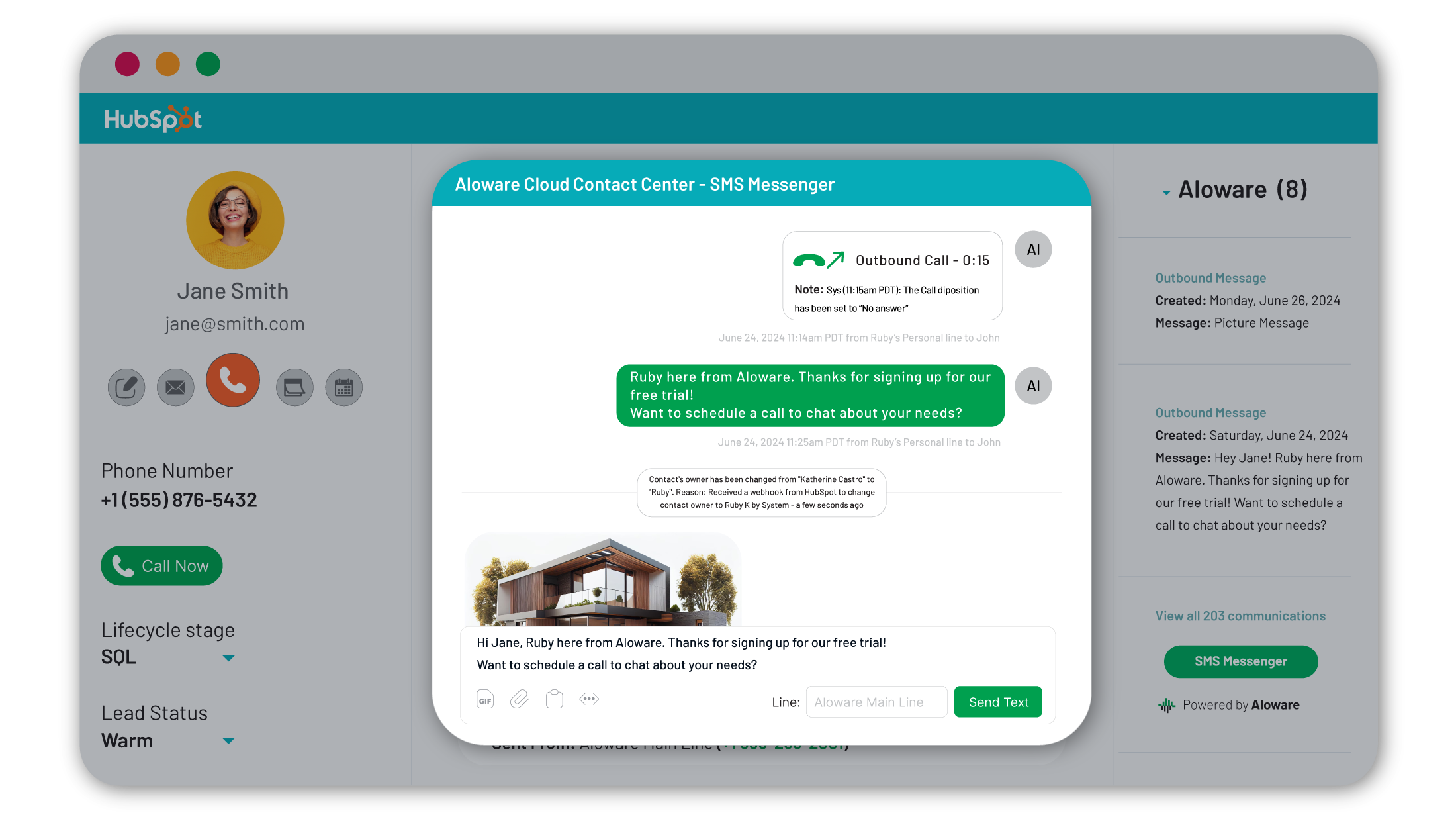
Calls & texts in HubSpot
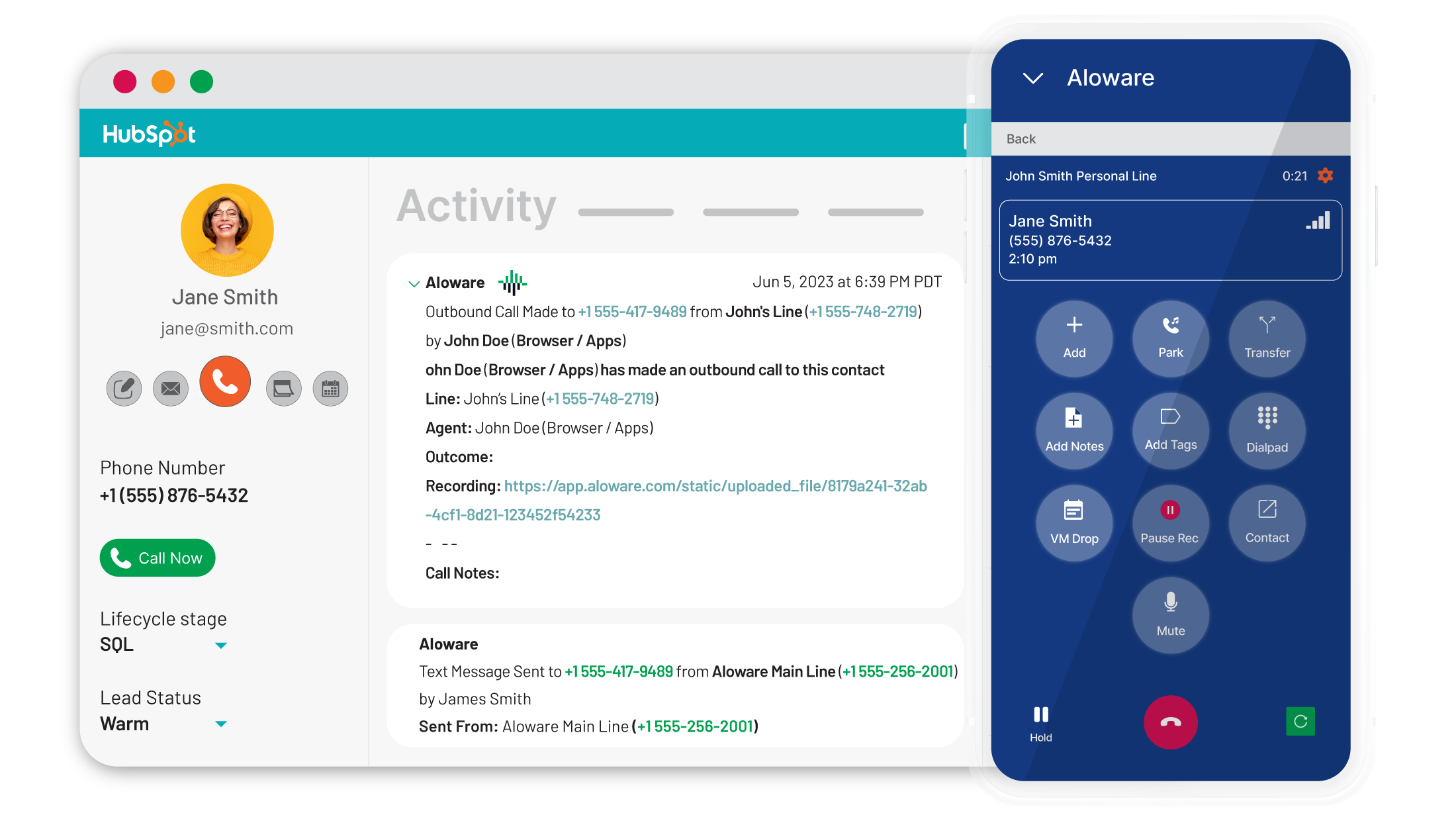
Make and take calls, plus send and receive texts directly within HubSpot—no more switching tabs. View contact names, owners, and stages on inbound calls. Support agents with pop-up deals and tickets. Agents outside HubSpot? Aloware has you covered with a mobile app, click-to-call integration, and desktop app for seamless communication.
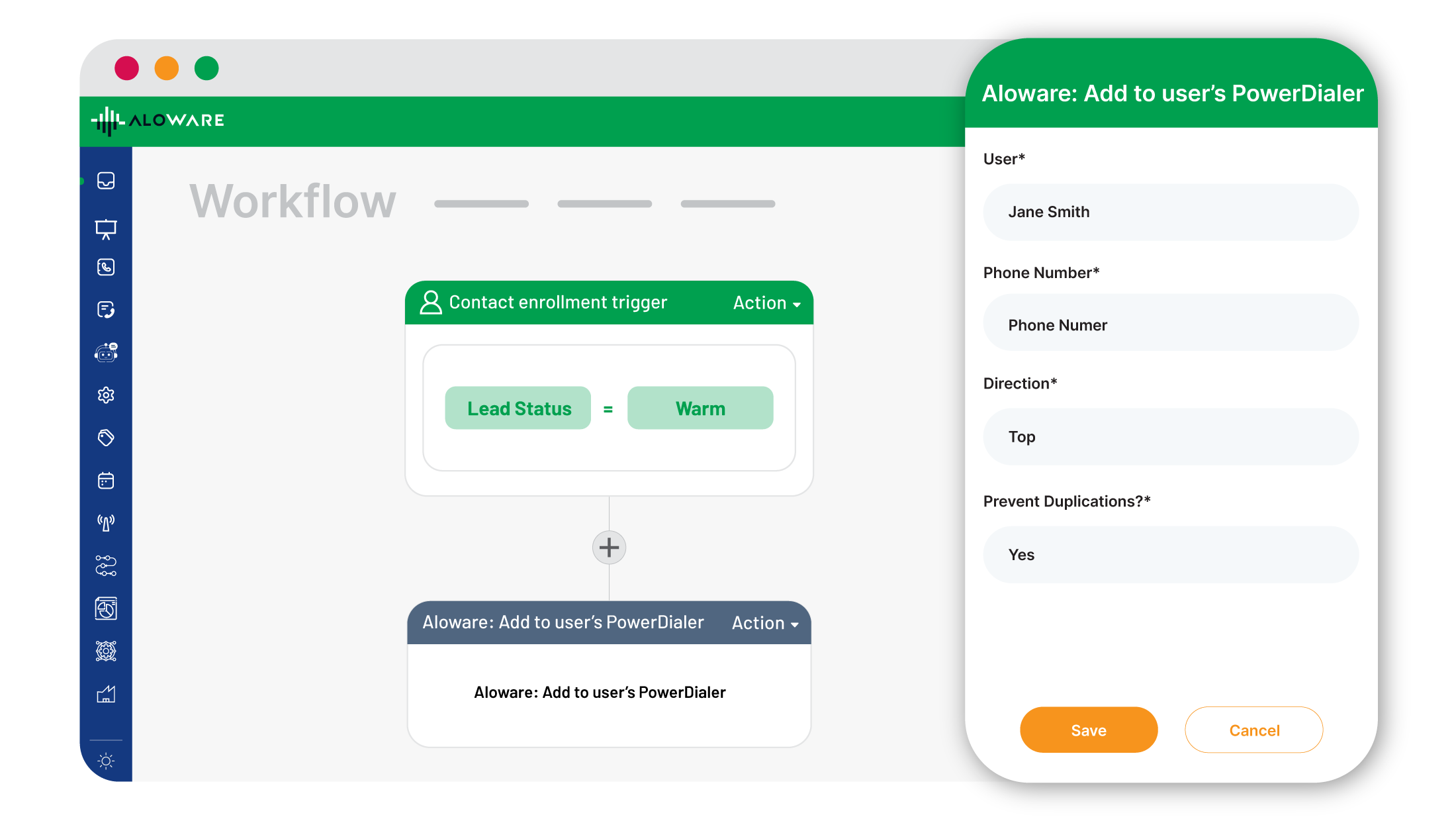
Power Dialer
Scale to 500+ calls daily by building lists in HubSpot and importing them into Aloware’s power dialer with one click. Use workflows and lead data to create dynamic dialing lists. Route hot leads instantly with best-agent logic. Access contact info in real time with CRM view and a pop-up for faster, more efficient call handling.
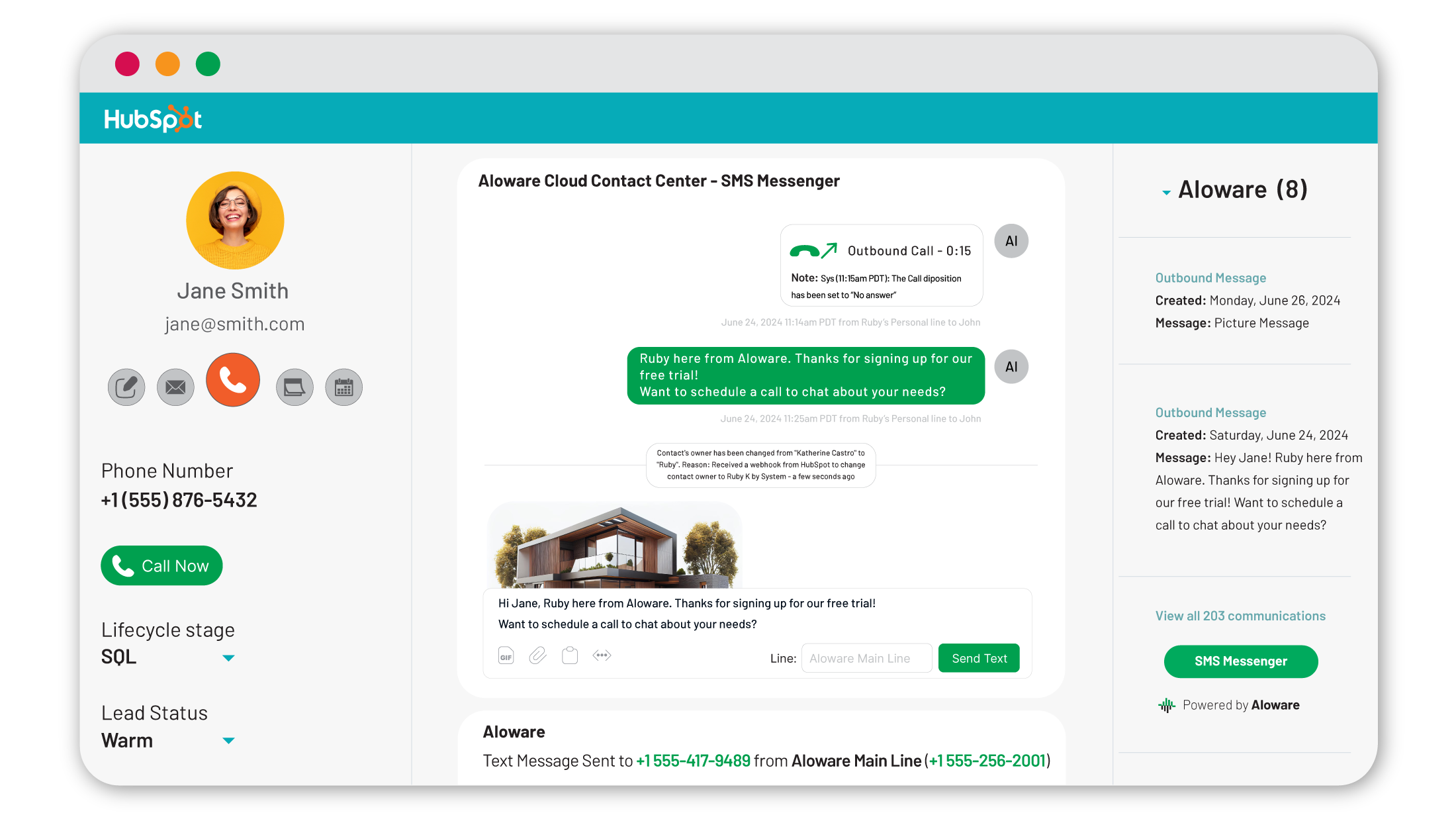
Multi-hub integration
View and log calls on Contacts, Companies, Deals, and Tickets in HubSpot. Make calls, send texts, and sync ownership, lead status, and lifecycle stages to Aloware. Map data like last call time and engagement back into HubSpot. Identify and manage duplicates with shared phone numbers for full communication visibility.
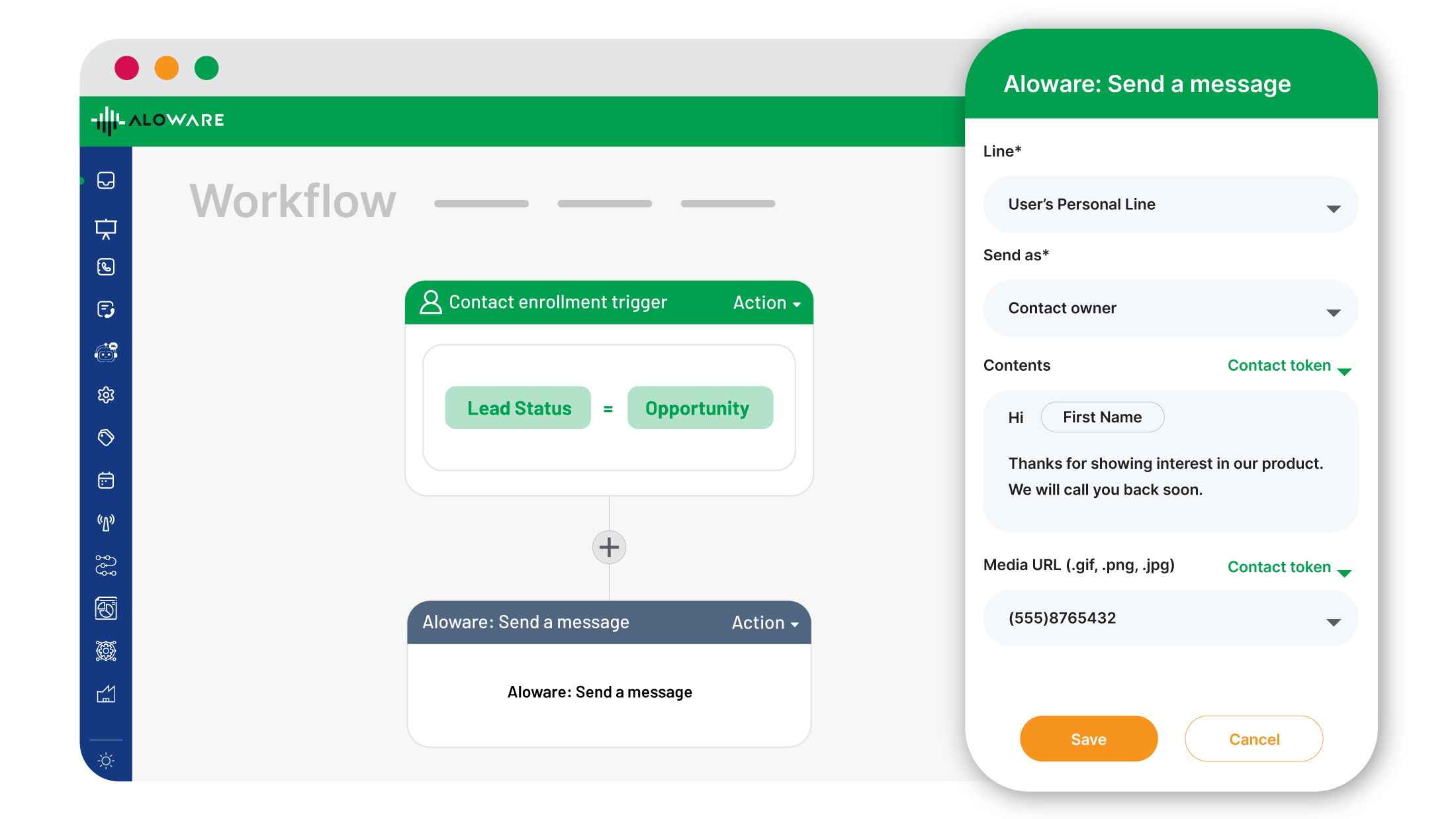
Workflow automations
Automatically trigger calls/texts between your team & prospects based on HubSpot actions/workflows. Send one-time or drip SMS campaigns using compliant lines or short codes. Boost speed to lead by texting prospects when they submit forms or book meetings. This functionality is compatible with contact-based, deal, ticket, & company-based workflows.
CRM-based call routing
Set inbound call routing based on contact ownership or last engagement in HubSpot. Incoming calls automatically match the caller’s number with HubSpot records, showing your agents the caller’s name, tickets, and deals instantly. If an agent is unavailable, AI routing directs the call to the next best agent seamlessly.
App-Funktionalität
Datenaustausch
Call and SMS event | ||
Call list | ||
Call Trigger | ||
Communications | ||
Contact lists | ||
Contact Owners | ||
Contact properties | ||
Contacts | ||
Contacts | ||
Deal Pipeline inside the contact | ||
Multi-entity Contact | ||
Phone call | ||
Phone number | ||
Power Dialer lists | ||
SMS |
Rezensionen
4,3
21
4,3
21
- 8. Juni 2025
Gut
Es hat eine Menge verschiedener Funktionsoptionen, aber alle Funktionen funktionieren nicht ganz wie erwartet. Ich denke, sie müssen ihr technisches Support-Team ein wenig mehr aufstocken, um die Fehler und Störungen im System zu beheben.
Zahlreiche Einstellungen und Routing-Konfigurationen
Nicht alle Einstellungen funktionieren wie vorgesehen.
Dittmer, J.
- 2. Juni 2025
Geldverschwendung, wenn es HubSpot Dialer gibt
Sie brauchen diesen Dialer nicht, wenn Sie HubSpot Dialer haben
nichts
Kosten
Ranga, K.
iPro + AI ✨
40 $
/MonatUnlimited inbound and outbound
Core calling & texting features
Native integrations: HubSpot, Pipedrive, Zoho
1000 AloAi Voice Analytics minutes
IVRs, call recording, live wallboard
Chrome extension, desktop and mobile apps
Bulk SMS/MMS broadcasting
Mandatory tags & dispositions
Voicemail drops & SMS templates
Zapier integrations: 100+
Lead API & Webhooks
Dial in CRM
Call & transcription sync to CRM
Clean, dedicated numbers
Local presence (Add-on)
AloAI Text Bot (Add-on)
iPro + AI ✨
40 $
/MonatUnlimited inbound and outbound
Core calling & texting features
Native integrations: HubSpot, Pipedrive, Zoho
1000 AloAi Voice Analytics minutes
IVRs, call recording, live wallboard
Chrome extension, desktop and mobile apps
Bulk SMS/MMS broadcasting
Mandatory tags & dispositions
Voicemail drops & SMS templates
Zapier integrations: 100+
Lead API & Webhooks
Dial in CRM
Call & transcription sync to CRM
Clean, dedicated numbers
Local presence (Add-on)
AloAI Text Bot (Add-on)
* Die hier angegebenen Preise dienen nur zu Illustrationszwecken. Alle Preise enthalten keine Steuern, Sonderangebote, Rabatte oder sonstigen Preisvarianten. Bitte wenden Sie sich direkt an den Partner, um aktuelle und korrekte Preisinformationen zu erhalten. HubSpot übernimmt keine Verantwortung für Preisinformationen, die von unseren Partnern bereitgestellt werden. Letzte Aktualisierung der Preisinformationen: 09.08.2025
Weitere Infos
Erstellt von - Aloware, Inc.
Installationen - 800+ Installationen
Kategorien Sprachen, in denen diese App verfügbar ist Englisch
Erhält heute Aufmerksamkeit


