

Workflow Enrichment Actions
สร้างโดย - Integration Glue
ติดตั้ง - 100+ การติดตั้ง

Leading
ข้อกำหนด
แผน HubSpot สิทธิ์บัญชี HubSpot - ดูสิทธิ์บัญชี ที่จำเป็น
ประเภทสิทธิ์การเข้าถึง แชร์แล้ว การสมัครใช้บริการ Workflow Enrichment Actions - Free, Starter, Professional หรือ Enterprise แพ็กเกจ
ภาพรวม
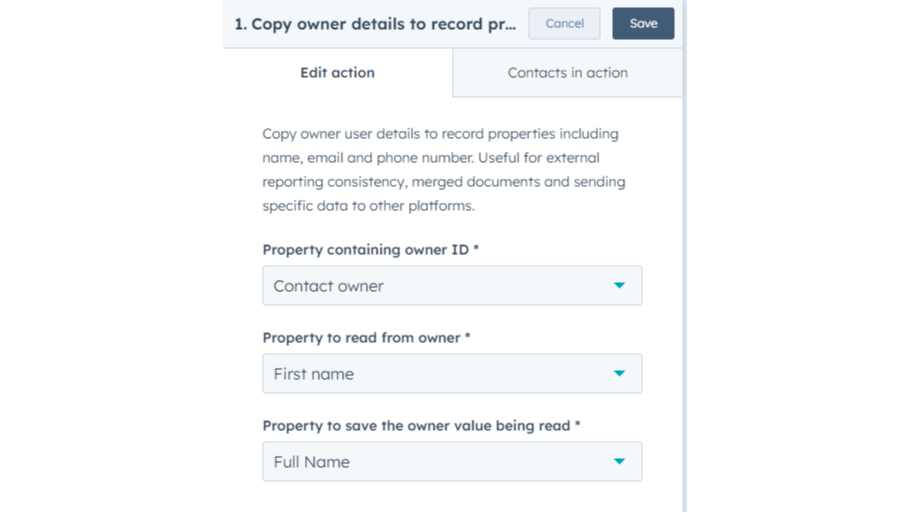
1/2 - Copy owner details to record property
With the Workflow Enrichment Actions from Integration Glue, you can supercharge your workflows by seamlessly adding automated steps to retrieve, update, or enrich data within HubSpot and other integrated platforms. These actions allow you to dynamically enhance records, streamline data syncing, and trigger specific follow-up actions, making it easier to create personalized, data-driven workflows Get started on our free plan - No credit card required, can cancel at anytime Integration Glue pricing is based on utilization, so you can use all of our apps together under a single license and you will only be charged for the total credits you use per month. Integration Glue does not retain any data or files when using this app; it simply reads and outputs data to your own HubSpot portal. Have other or more specific requirements? Integration Glue offers custom integration services on all our apps and from-scratch build service |
ฟีเจอร์
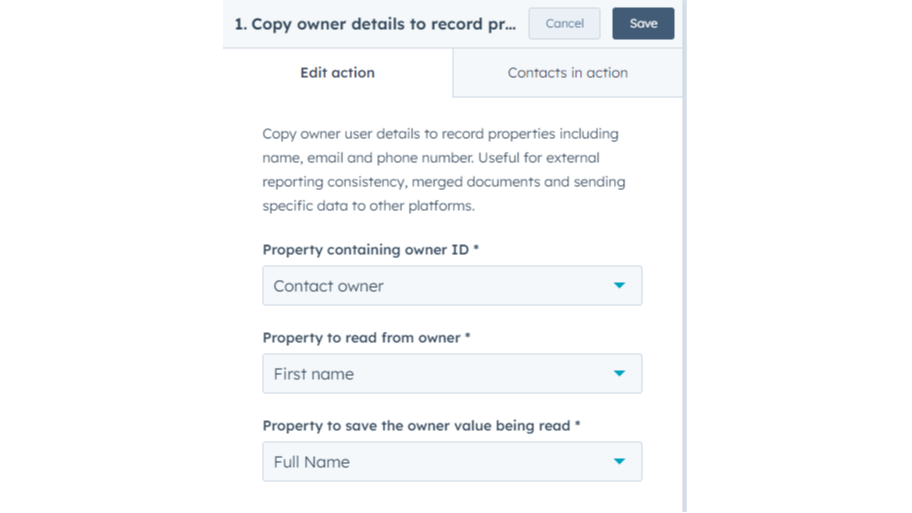
Copy owner details to record property
Copy HubSpot user details from record owners so you can use this information in documents, exports, emails, etc Select users based on owner properties Copy user email, First name, Last Name, First & last name, Unique ID, User ID, Created at, Last updated at, Is archived and Name of all user teams that the owner is in Copy user
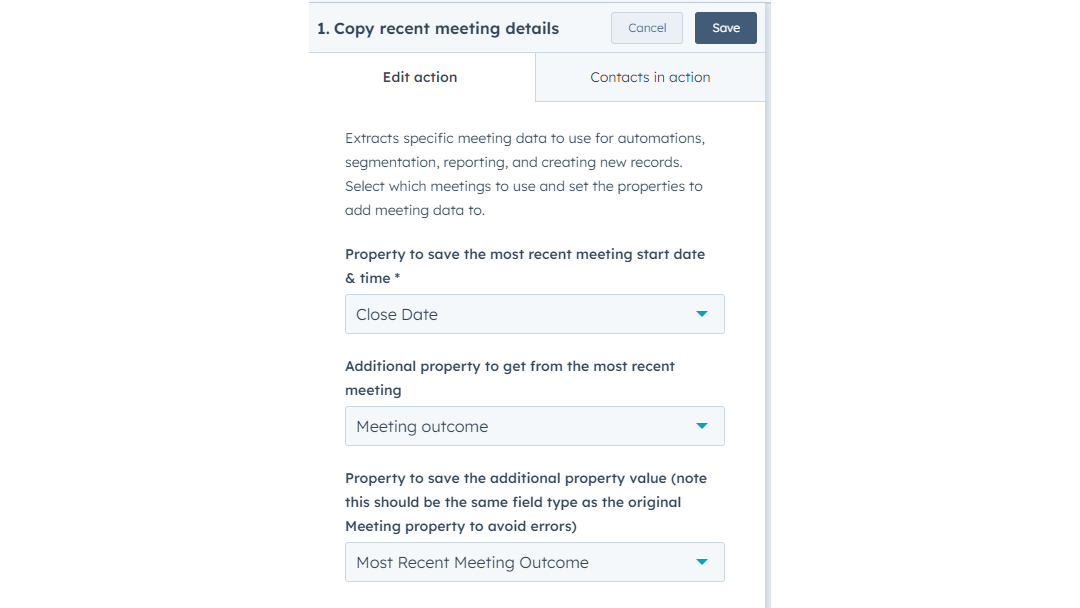
Copy recent meeting details to record property
Extracts specific meeting data to use for automation, segmentation, reporting, and creating new records. Select which meetings to use and set the properties to add meeting data to. Copy Meeting dates & times, owners, teams, body preview, type, source data, external URL, guest emails, location, outcomes and more
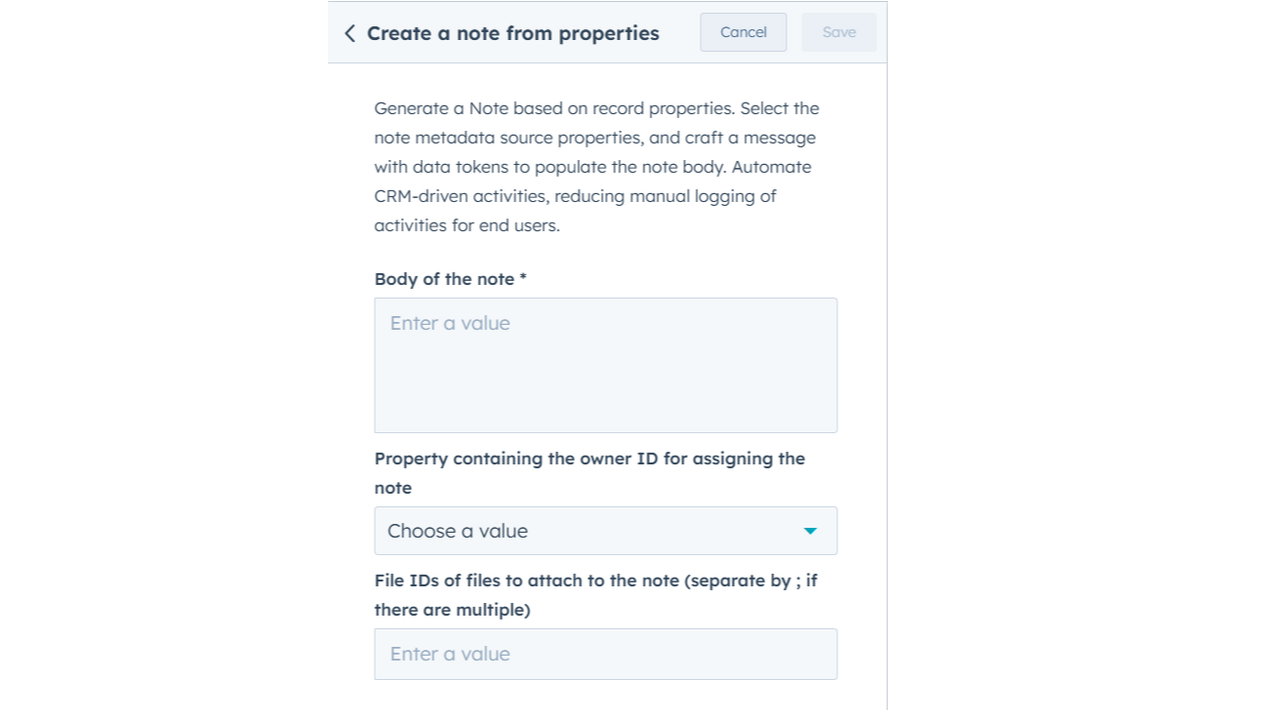
Create a note from properties
Generate a Note based on record properties. Select the note metadata source properties, and craft a message with data tokens to populate the note body. Automate CRM-driven activities, reducing manual logging of activities for end users.
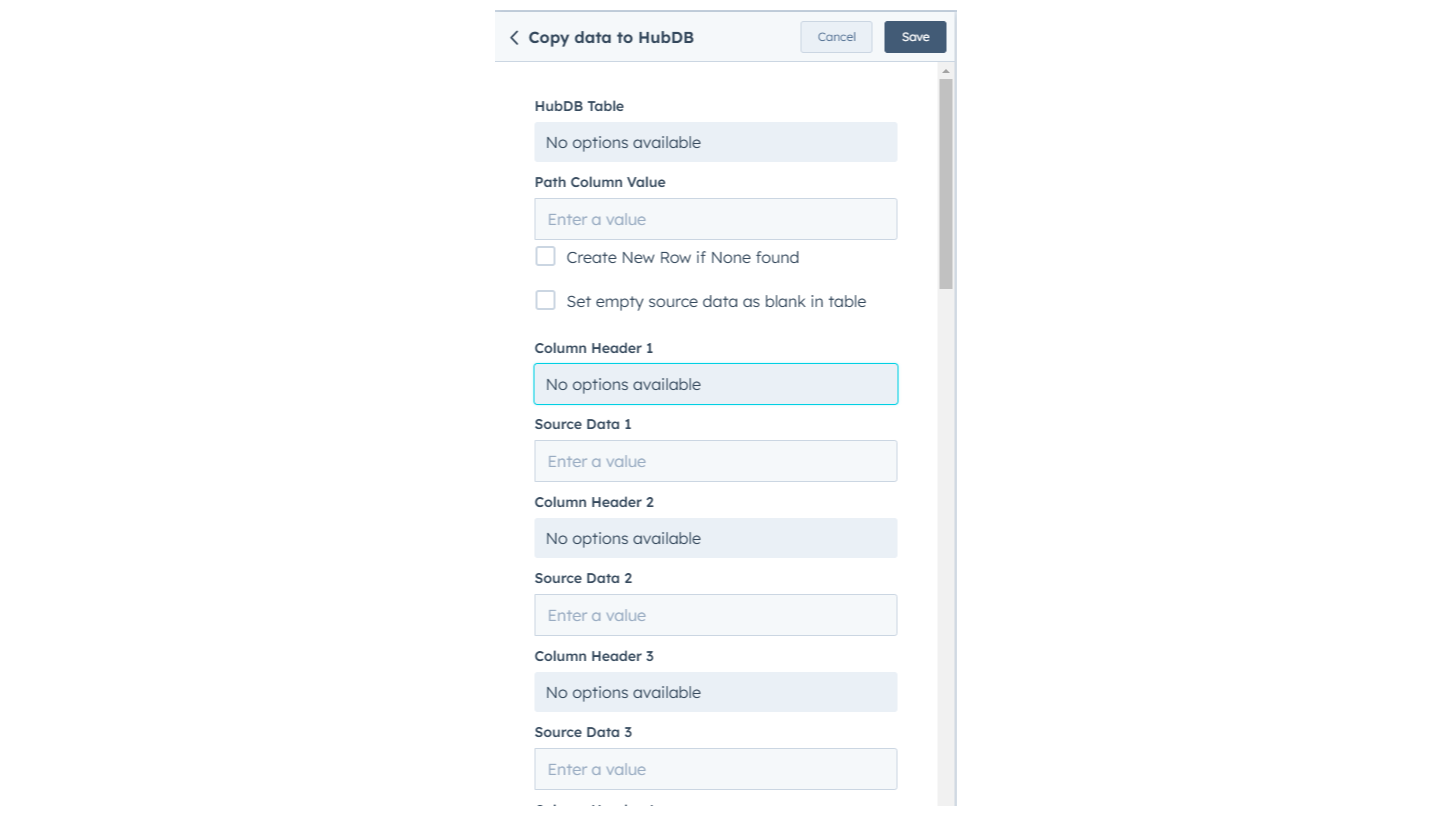
Copy to down to HubDB
(coming soon) Copys data to a HubDB table
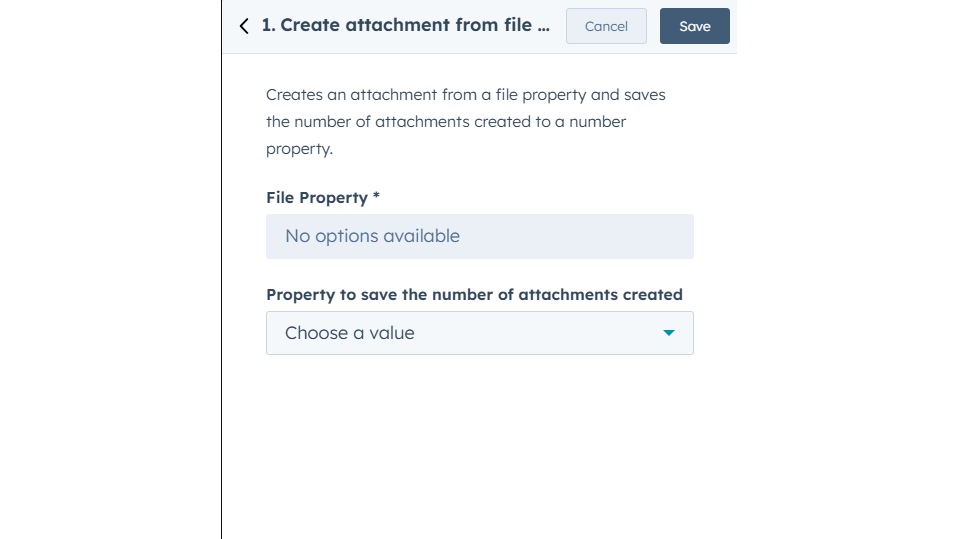
Create attachment from file property
Turn files stored in HubSpot properties into actual attachments on a record's timeline. Select a source File Property and specify a Property to save the number of attachments created to track the total count. This ensures documents are pinned directly to the record for easy visibility and access.
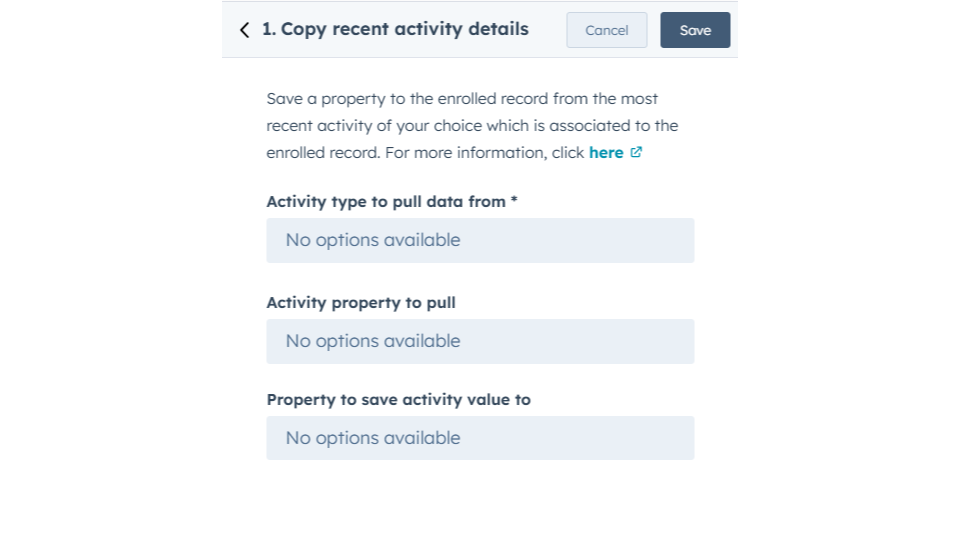
Copy Recent Activity Details
Copy the most recent activity data, like emails, calls, or meetings, into a specific record property. This action automatically identifies the latest interaction and saves key details such as the activity type or date. It ensures your records stay updated with the newest engagement info for easy tracking and reporting.
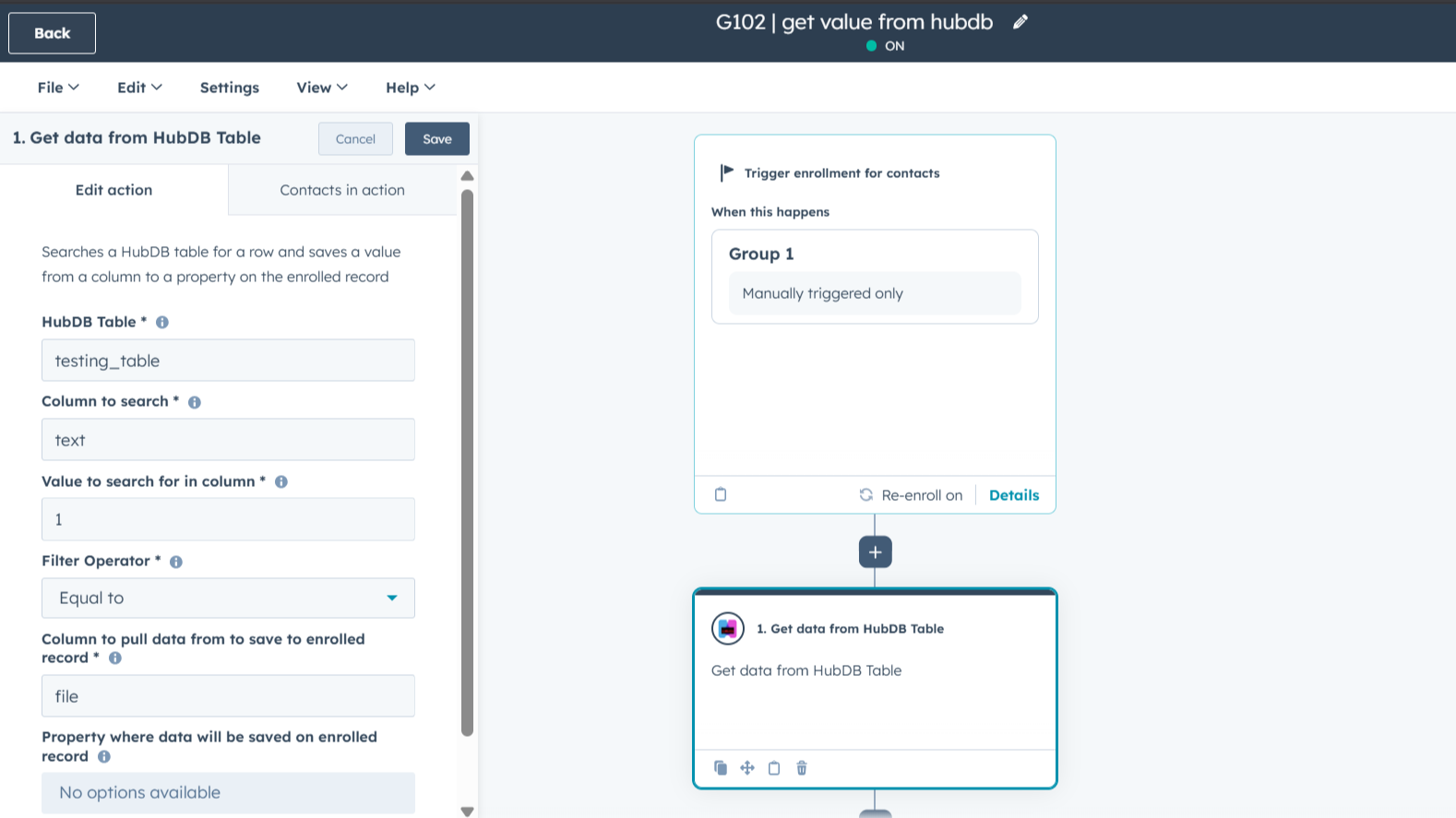
Get data from HubDB Table
HubDB tables often hold information that isn't stored on your CRM records, like price lists, office locations, or product details. This feature lets your workflows find that specific data and move it onto your contacts, companies, or deals automatically.
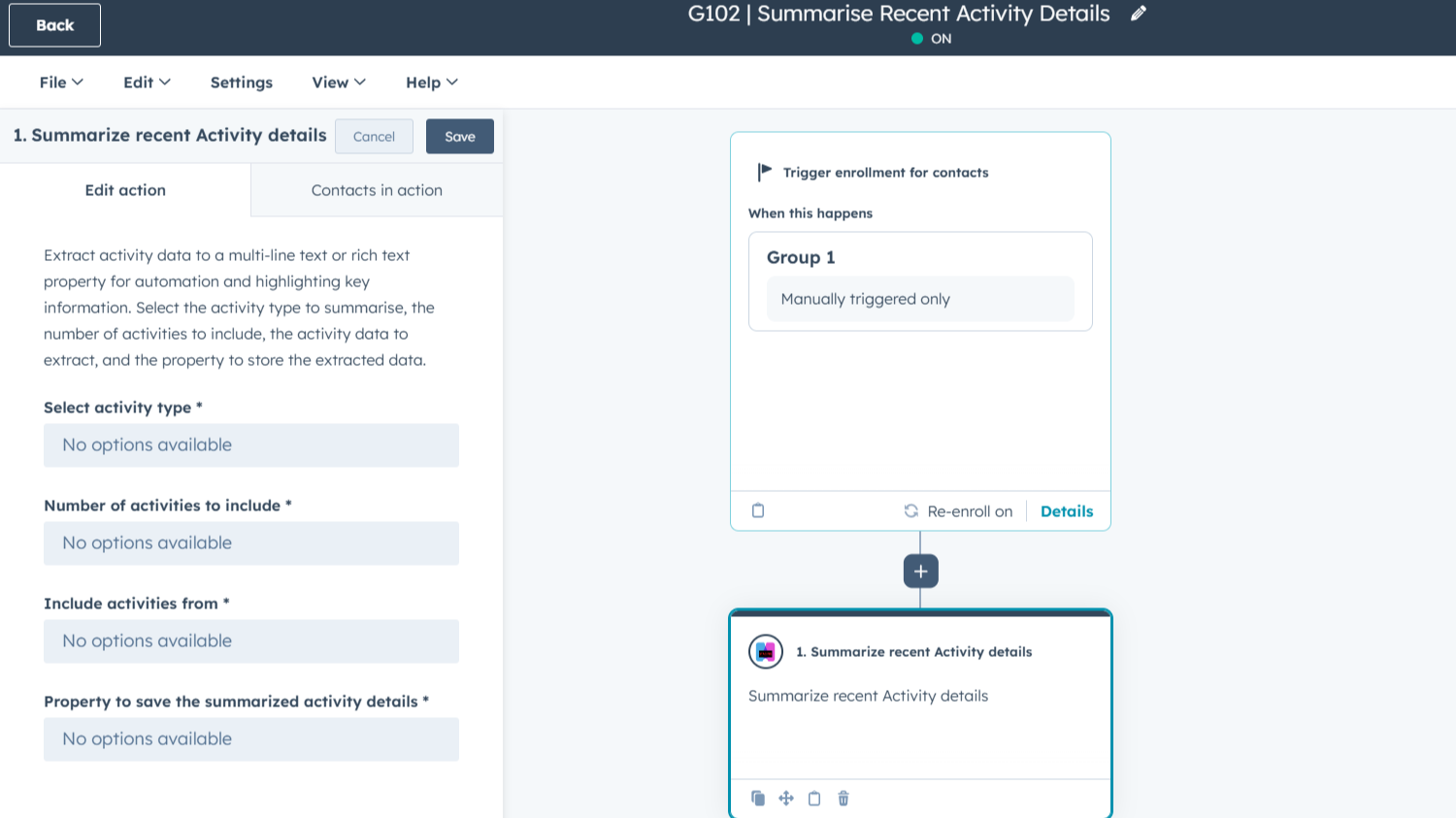
Summarize recent activity details
This feature takes the highlights from your most recent activities, like calls, emails, or meetings, and puts them into a single text box on your HubSpot record. It solves the problem of having to scroll through a messy timeline to find out what happened recently.
ฟังก์ชันการทำงานแอป
Contacts, Companies, Deals, Tickets, Custom Objects | ||
Contacts, Companies, Deals, Tickets, Custom Objects | ||
Contacts, Companies, Deals, Tickets, Custom Objects | ||
Contacts, Companies, Deals, Tickets, Custom Objects | ||
Contacts, Companies, Deals, Tickets, Custom Objects | ||
Contacts, Companies, Deals, Tickets, Custom Objects |
รีวิว
การกำหนดราคา
Free
US$0
Great for small teams starting out or anyone who wants to learn more
Includes 100 credits; Actions use 2 credits each time they run = 50 runs of Custom Actions per month
Free
US$0
Great for small teams starting out or anyone who wants to learn more
Includes 100 credits; Actions use 2 credits each time they run = 50 runs of Custom Actions per month
* ราคาที่แสดงนี้มีไว้เพื่อแสดงข้อมูลเท่านั้น ราคาทั้งหมดยังไม่รวมภาษี สิทธิพิเศษ ส่วนลด หรือตัวแปรราคาอื่นๆ คุณควรติดต่อพาร์ทเนอร์เพื่อรับข้อมูลราคาล่าสุดและถูกต้องที่สุด HubSpot จะไม่รับผิดชอบใดๆ ต่อข้อมูลราคานี้ซึ่งจัดทำโดยพาร์ทเนอร์ของเรา การกำหนดราคาอัปเดตล่าสุด: 15/04/2026
ข้อมูลเพิ่มเติม
สร้างโดย - Integration Glue
ติดตั้ง - 100+ การติดตั้ง
หมวดหมู่ ภาษาที่แอปนี้สามารถใช้ได้ อังกฤษ
สินค้ามาใหม่

Inzynk analytics
Advertise towards your dream clients and turn anonymous website visitors into pipeline, syncing instantly to HubSpot

Cross-Object AI Reports
Your portal replicated into real SQL. The AI writes the join, runs it on live data, explains the result. Then follows up the moment you do.
