
Conversations Export & Analytics
Bulk export full HubSpot conversation text with 26 columns of…
Built by - Conversations Export & Analytics
Installs - 500+ installs
Rating 3.7
(3)
Requirements
HubSpot Plan HubSpot Account permissions - View the required account permissions
Conversations Export & Analytics Subscription - Free Trial, Conversation Starter Export Credits, Analytics & Automation Starter, Analytics & Automation Pro, or Analytics & Automation Executive plans
Overview
1/7 - Conversations Export Install and Export Demo
Turn your HubSpot conversation data into structured, analysis-ready files.
Each export includes 26 enriched columns covering response times, agent and bot metrics, message breakdowns, and full conversation text so your team can measure performance, spot trends, and report on support operations without touching a spreadsheet formula.
Key Features
26-column export format with timestamps, durations, message counts, and participant details
Scheduled Exports -- automate recurring exports on your chosen cadence and receive data automatically by email
First response time, resolution time, and agent handoff tracking built into every row
Bot vs. human detection -- see which conversations were resolved without agent escalation
Inbound and outbound message counts split by direction for volume analysis
CSV and JSON formats with optional anonymization for privacy or AI training use cases
Filter exports by date range across any inbox or channel
Built for Teams That Run on Data
Support managers: Review agent and bot performance with first response time, resolution time, and unique agent counts per conversation.
Operations teams: Track inbound vs. outbound volume by channel and workspace to plan staffing.
Agencies and analysts: Download clean, consistent files ready to import into any spreadsheet, BI tool, or database.
Compliance teams: Use the anonymization option to strip emails and mask names before sharing externally.
Why Choose Conversations Export & Analytics?
Seamless integration with HubSpot Inbox and Helpdesk. Connect once, export anytime.
Large conversations paginate automatically so nothing gets truncated.
Email notifications when your export is ready to download.
Scheduled Exports let you set it and forget it -- fresh data lands in your inbox on a recurring basis.
No complex setup. Install, pick your filters, and download.
Analyze reply times, agent and bot performance, resolution duration, and channel metrics straight from your exported data. No additional tools required.
What Users Are Saying
"This thing saved my life. I was going to have to pull 3 years of conversations manually." -- Leo, Lloyd Michaels Digital Marketing
"I found the tool really useful as it saved me a bunch of manual work." -- Ben, EchoAgent
"Exported the conversations just as needed! Thank you so much for the fast update!" -- Sofiya, Sandora
"This is one of the features we were really missing on HubSpot and this is great!" -- Emily, Compass Group
Frequently Asked Questions
Is my data secure? Yes. Exports are encrypted in transit and stored temporarily on secure servers before automatic deletion.
How do I get my CSV or JSON file? After export, your file is available for download directly in the app and through email notification. With Scheduled Exports, files are also delivered to your inbox automatically.
What columns are included? Each row includes: Status, Channel, Workspace, Start/End/Closed timestamps, Duration, Resolution Time, First Response Time, Message Count, Inbound/Outbound Messages, Assigned To, First Agent Name, Unique Agent Count, Bot Handled, Participant Names/Emails/Roles, Subject, and the full Conversation text.
Can I export conversations from multiple accounts? Each HubSpot portal is treated as a separate account with unlimited users. Simply install Conversations Export & Analytics on each portal and subscribe per portal.
Trusted by 400+ HubSpot teams for conversation data export and analytics.
Features
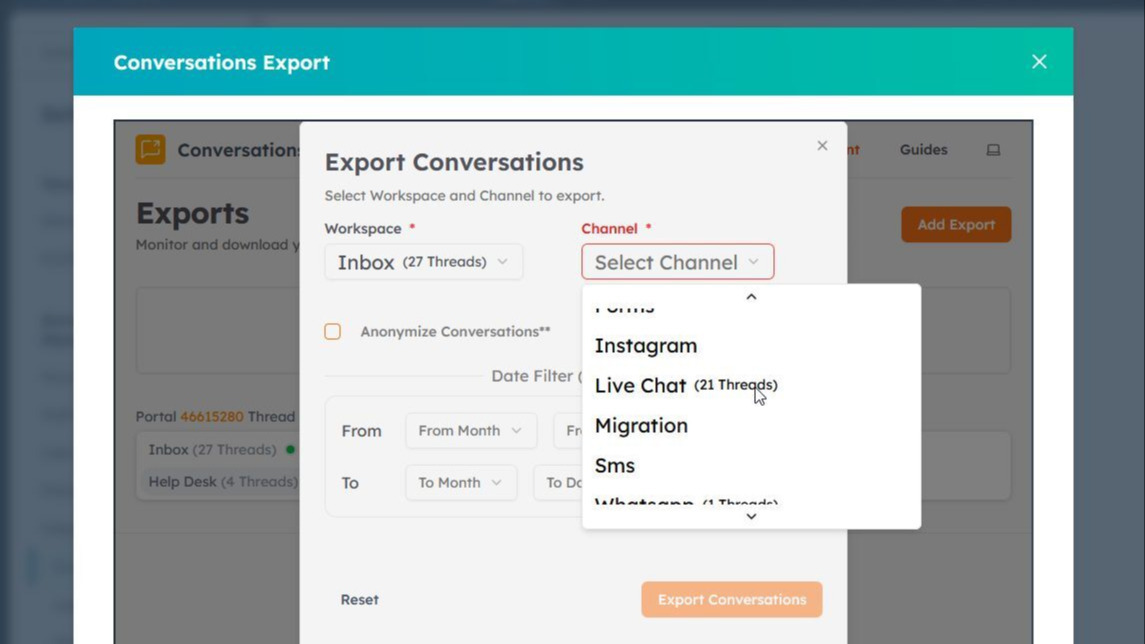
Export By Channel
Use our easy form to export HubSpot Conversations data from multiple channels including Live Chat, Facebook Messenger, Email, Forms, Customer Portal, Whatsapp, Calls and Sms.
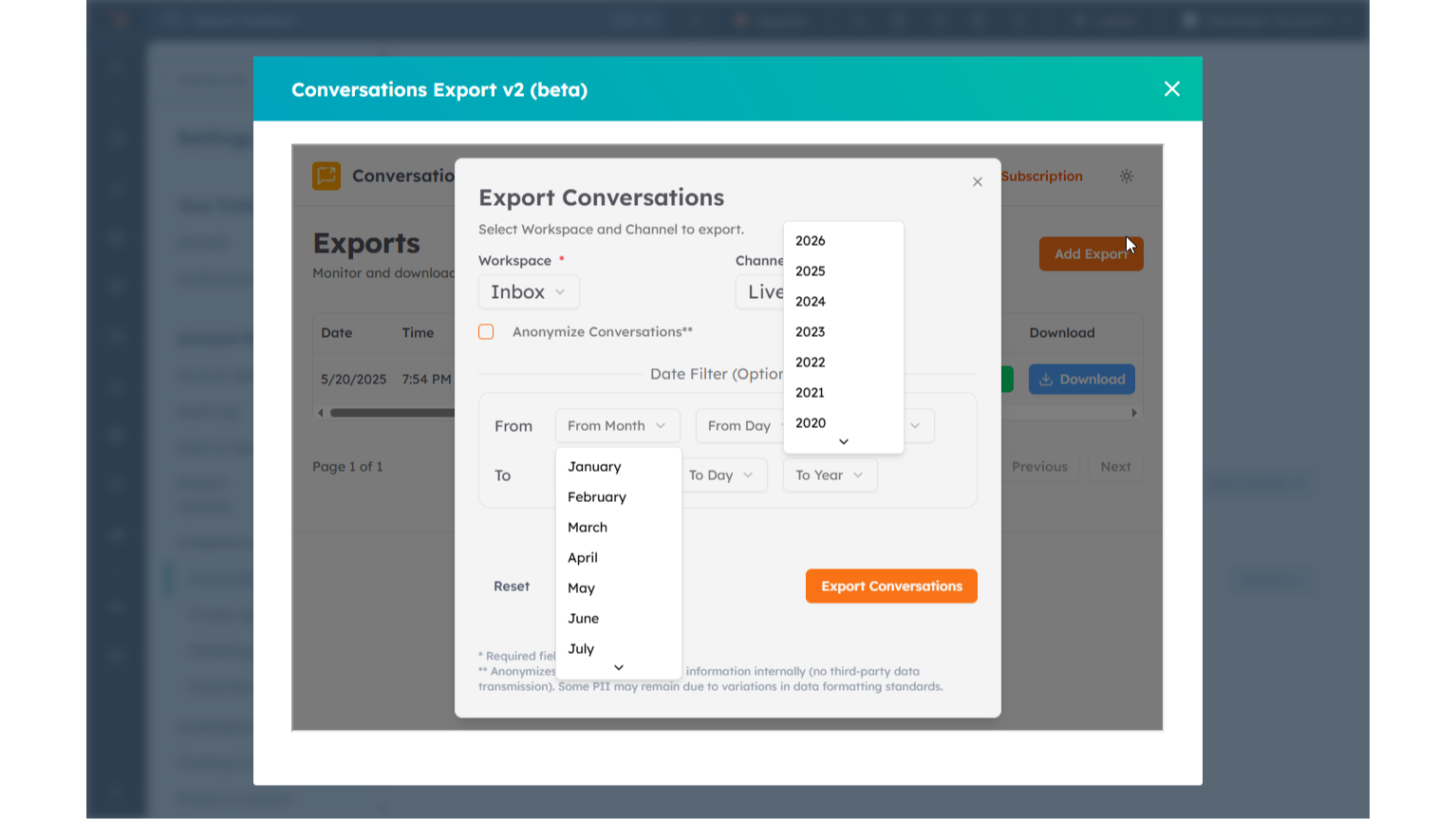
Filter By Dates
Choose dates by month and year to select specific periods of your HubSpot Conversations data.

Export Ready Notifications
Export notifications email users when their export finishes with a download link, or alert them when a scheduled export runs empty, so they never have to check back manually to know if their data is ready.
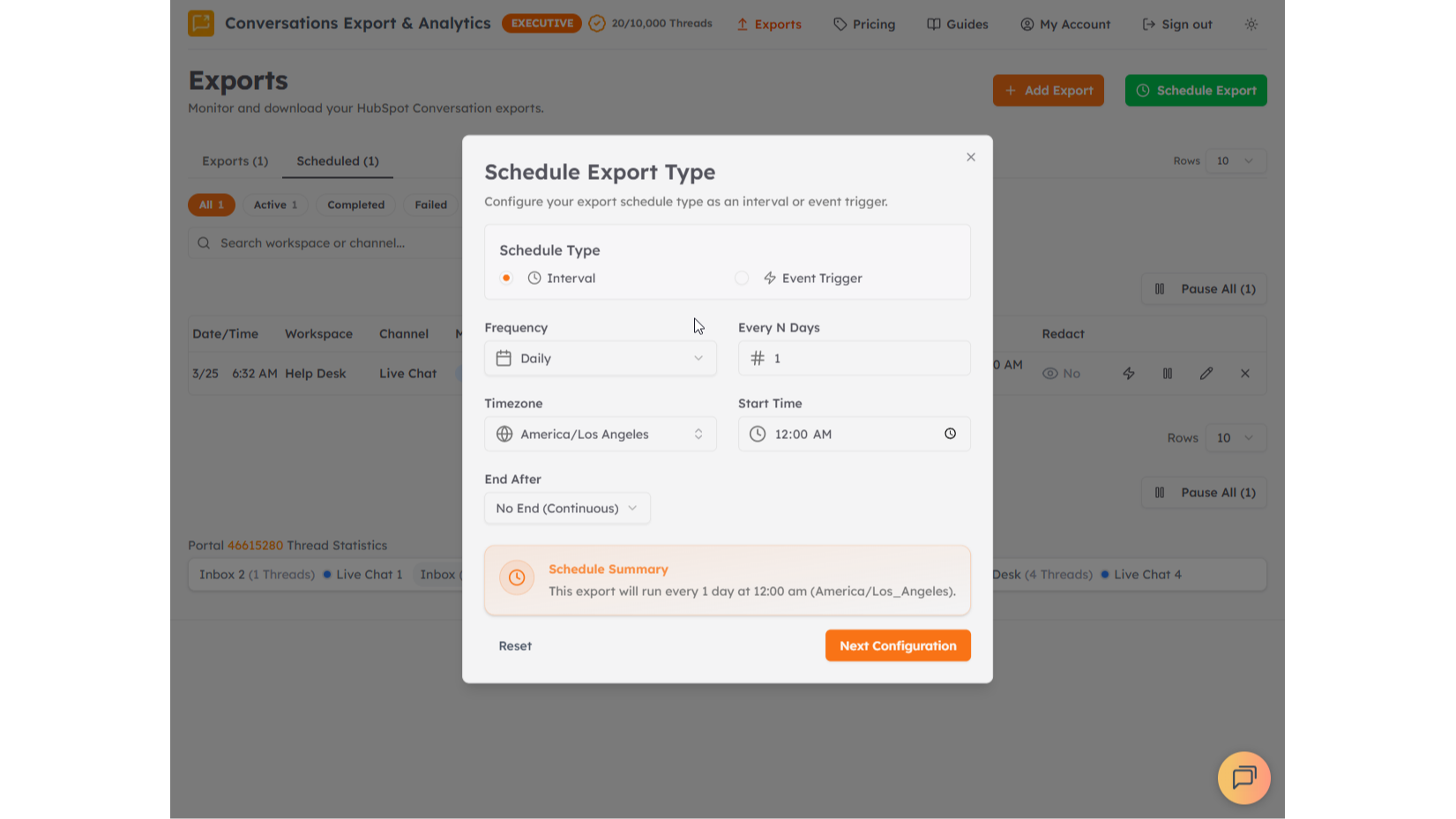
Automate Exports
Scheduled exports automatically deliver HubSpot conversation data on a set cadence or when events like conversation closures happen, eliminating the need to manually run exports for recurring reporting, compliance, or review needs.
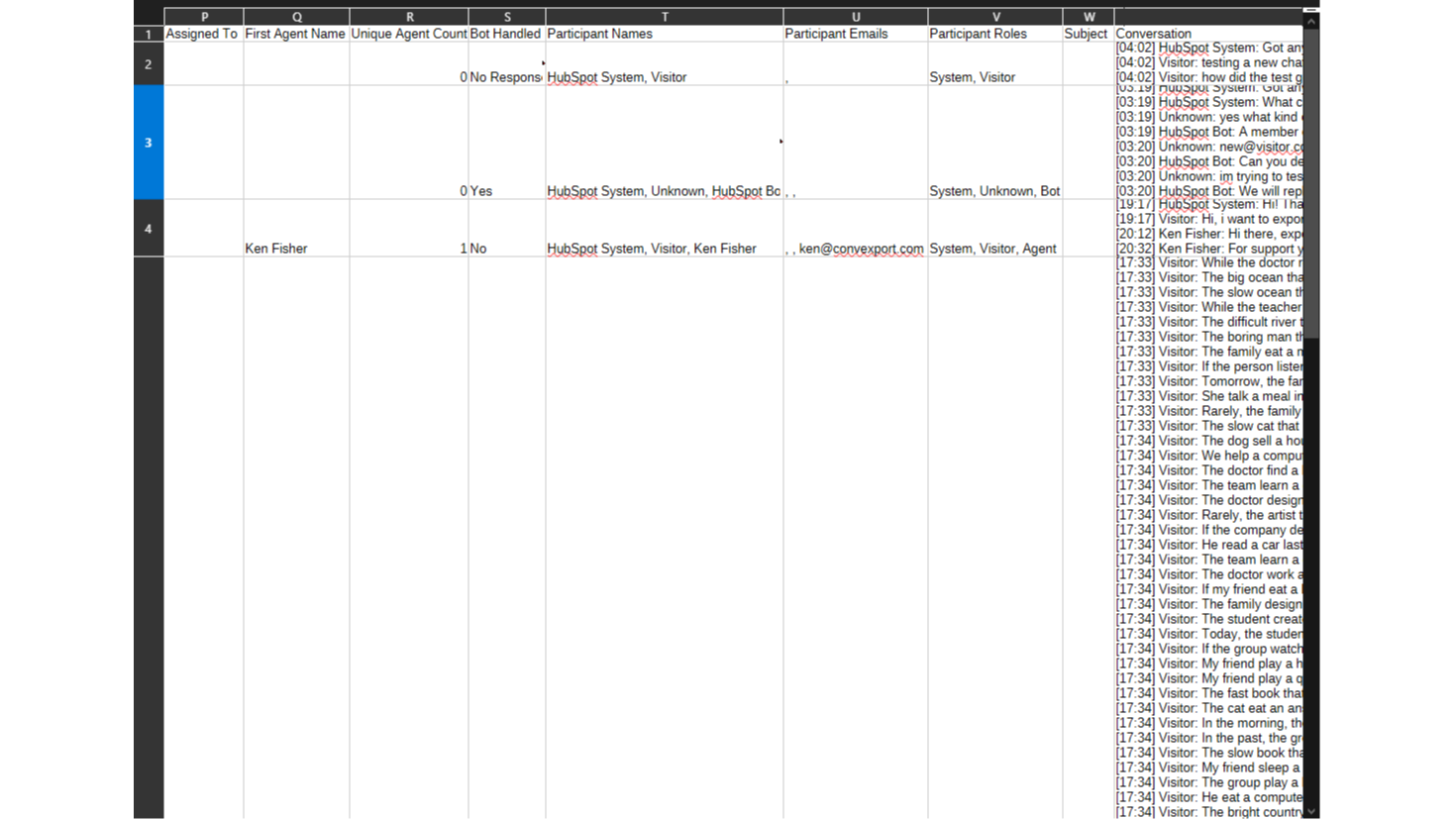
Analytics
Analytics columns add computed metrics like response times, message counts, and resolution data to each exported conversation, giving teams ready-made reporting data without having to calculate it themselves in a spreadsheet.
App Functionality
Shared Data
CSV or JSON File |
Reviews
- Aug 8, 2025
Kasavin, B.
- Aug 4, 2025
Must subscribe if you want to analyze conversation between the leads!
It helps a lot if you need to convert conversation with leads to analyze messages respond!
The support team is very proactive, helpful, and fast respond!
Would be better if we could import other important things like ads forms etc.
Putri, A.
Pricing
Free Trial
$39
/1000Discover the business intelligence hiding in your HubSpot conversations.
3 Exports of 50 Analytics Threads
Free Trial
$39
/1000Discover the business intelligence hiding in your HubSpot conversations.
3 Exports of 50 Analytics Threads
* The pricing here is for display purposes only. All prices do not include taxes, incentives, discounts, or other pricing variables. You should contact the partner for the most up to date and correct pricing information. HubSpot does not take any responsibility for this pricing information, which is provided by our partners. Pricing last updated: 03/25/2026
More info
Built by - Conversations Export & Analytics
Installs - 500+ installs
Categories Languages this app is available in English
New arrivals