

BackReply

Rising
Requirements
HubSpot Plan HubSpot Account permissions - View the required account permissions
Access Type Shared BackReply Subscription - Free, Starter, or Pro plans
Overview
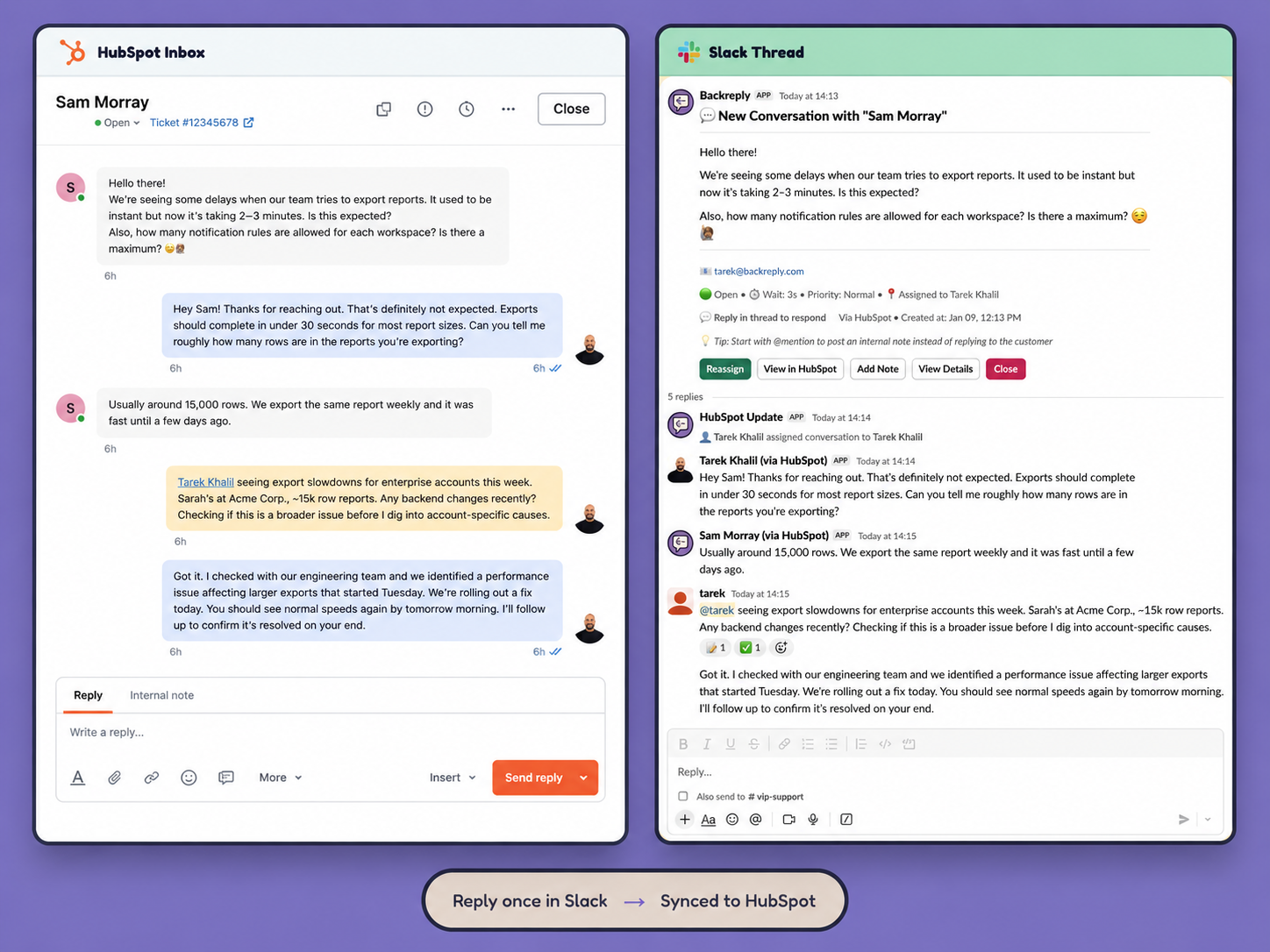
1/5 - HubSpot to Slack using BackReply
Your team already lives in Slack. Your customers live in HubSpot Conversations. BackReply removes the tab-switching between them.
When a customer starts a conversation or sends a message in your HubSpot inbox, BackReply posts it into the Slack channel you choose as a threaded card – with the customer's name, company, inbox, channel, and conversation status attached. Your team replies in that Slack thread, and the reply is delivered to the customer through HubSpot, attributed to the correct agent. Screenshots and file attachments travel in both directions.
Three problems this solves:
Seat cost. Engineers, product managers, and founders can help a customer without a HubSpot seat. Only the agents who need to be attributed by name have to be mapped to a HubSpot user – everyone else can contribute to the thread.
Context switching. Assign, reassign, close, reopen, and leave internal notes from buttons on the Slack card. A Slack message that starts with an @mention becomes a private HubSpot comment instead of a customer-facing reply, so internal discussion never reaches the customer.
Conversations going quiet. Notification rules decide which Slack channel each conversation lands in. Smart follow-up nudges re-surface threads where a customer is still waiting, so nothing gets buried under channel traffic.
BackReply runs on HubSpot's Conversations API with per-portal OAuth, verified webhook signatures, and duplicate-send ledgers in both directions — an inbound message is never posted to Slack twice, and a reply is never sent to a customer twice.
Features
-2-1.png)
Reply to HubSpot Conversations from Slack
Every new conversation and customer message from your HubSpot inbox posts into a Slack channel as a threaded card. Your team replies in the thread and the message is delivered through HubSpot, attributed to the right agent. Formatting, screenshots, and file attachments carry across in both directions.
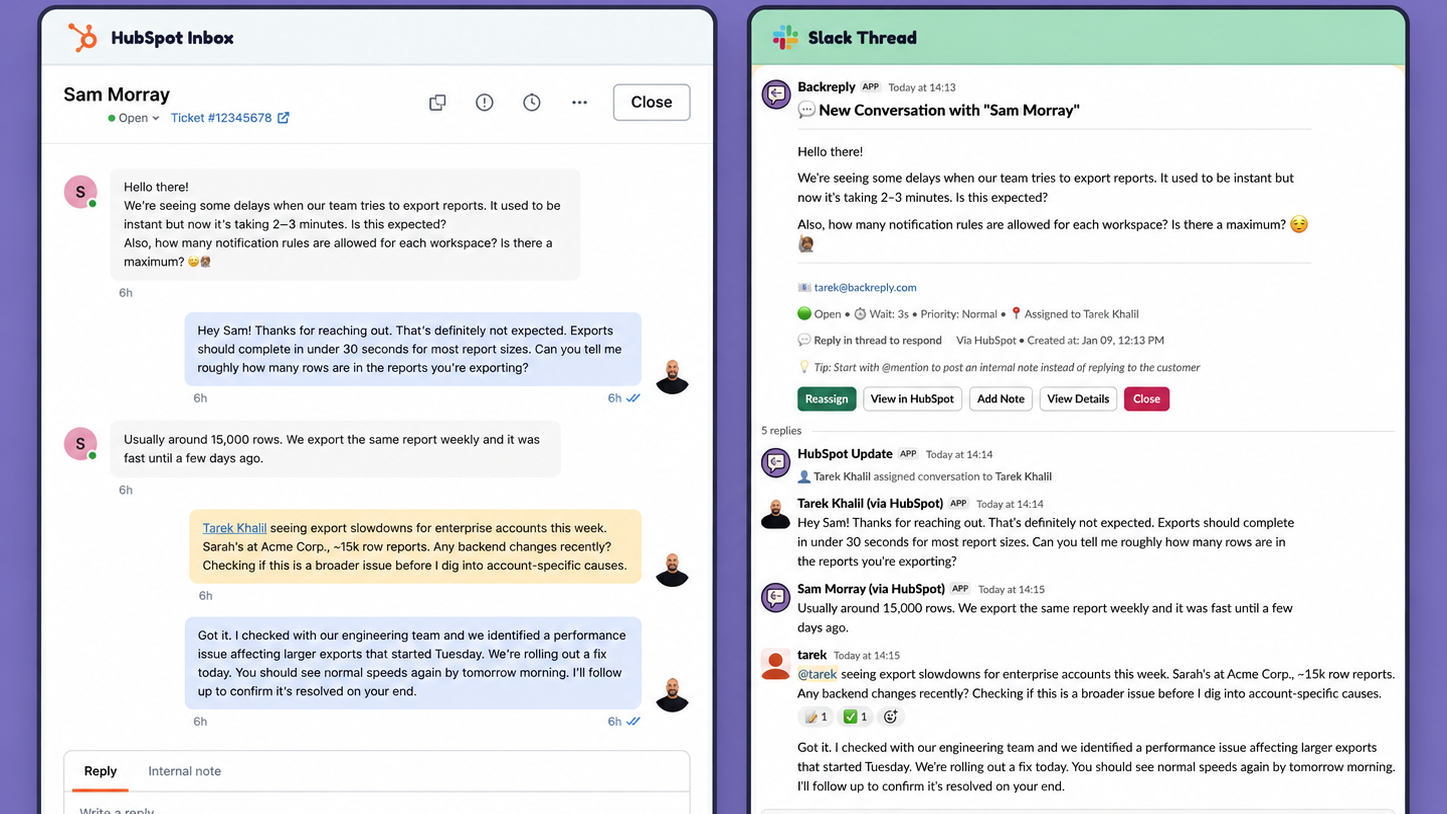
Internal notes that never reach the customer
Start a Slack message with an @mention and BackReply posts it to HubSpot as a private comment instead of a customer reply. Emoji reactions confirm what was captured as a note versus sent. Use the Add Note button to be explicit, and close or reopen the conversation in the same step.
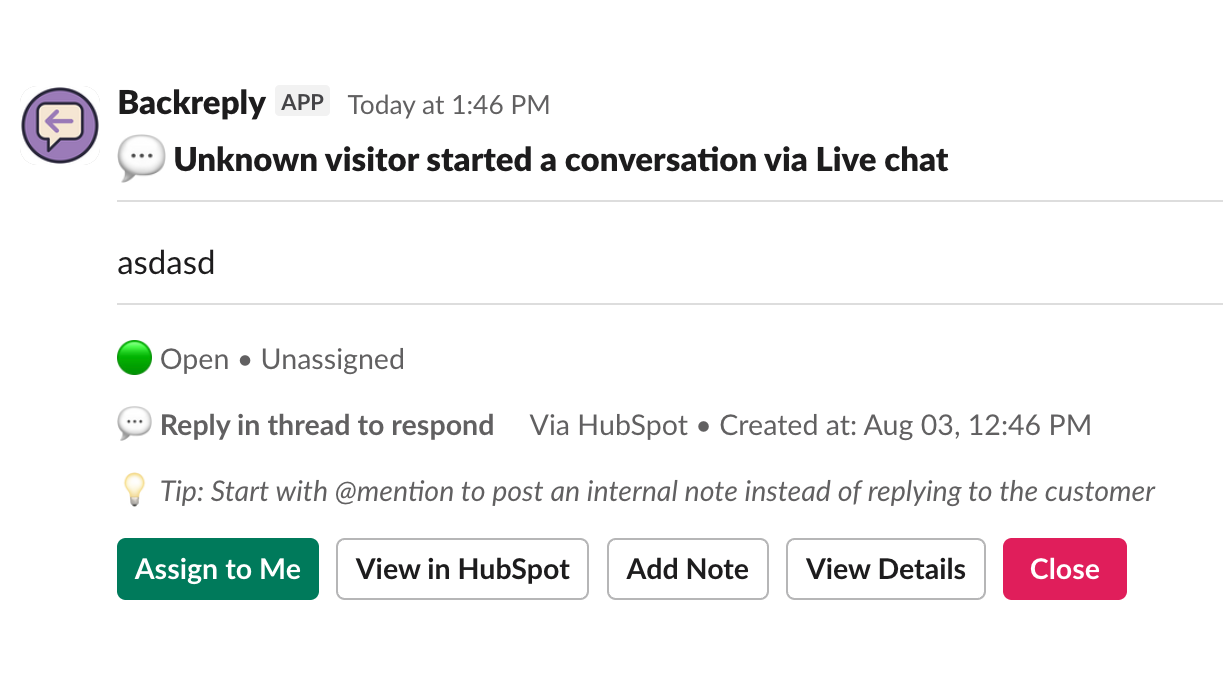
Assign, close, and reopen without leaving Slack
Every conversation card carries Assign to Me, Reassign, Close, Reopen, View Details, and View in HubSpot buttons. Assignment writes back to the HubSpot conversation against the mapped owner, so the inbox stays accurate. Status changes made inside HubSpot flow back and update the Slack thread.
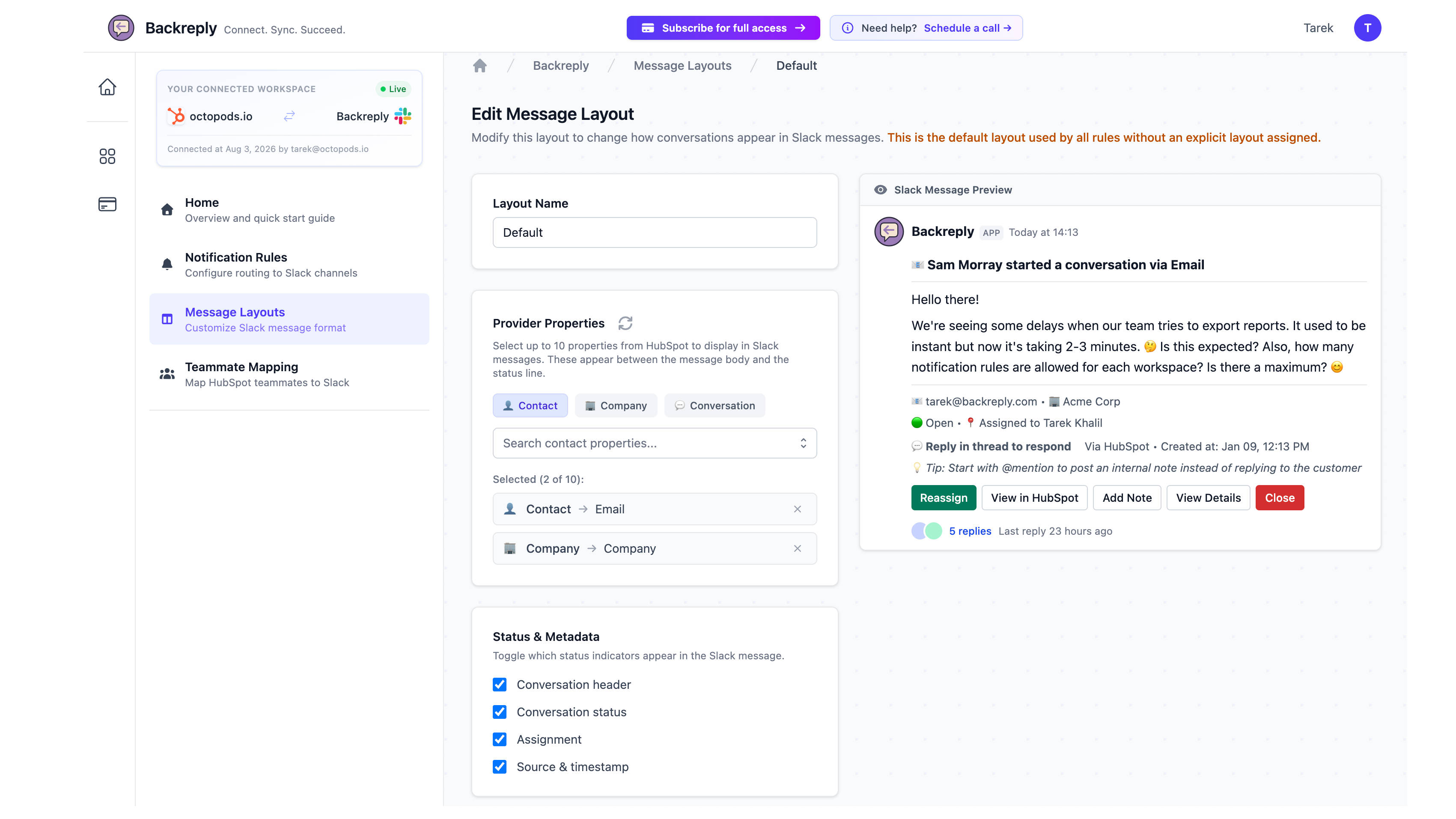
Customize the Slack card with Message Layouts
Choose up to 10 HubSpot properties, including your portal's own custom fields, to show on the Slack card, and toggle the status line, hints, and action buttons on or off. A live preview updates as you edit. Assign a different layout per notification rule, so each channel sees only what it needs.
App Functionality
Shared Data
Conversation thread | ||
Internal note | ||
Customer profile | ||
Customer account | ||
Agent | ||
Tickets | ||
CMS Files |
Reviews
- Aug 19, 2026
Easy way to reply to chat in slack
Really handy to be able to handle HubSpot live chat and emails directly from Slack ... no more bouncing between tabs or missing a chat because nobody had the inbox open. Our team already lives in Slack all day, so this was very efficient for us. Worth the subscription!
Nabil, N.
- Aug 19, 2026
very easy to setup!
Easy to setup and i can see and reply to all HubSpot chats in slack!
Lomte, Z.
Pricing
Free
$0
Best for testing and evaluation only
Single Slack channel
Intercom notifications with deep links
Bi-directional reply from Slack
1 notification rule
5 conversations/month
1 Intercom Workspace
1 connected Intercom user
Free
$0
Best for testing and evaluation only
Single Slack channel
Intercom notifications with deep links
Bi-directional reply from Slack
1 notification rule
5 conversations/month
1 Intercom Workspace
1 connected Intercom user
* The pricing here is for display purposes only. All prices do not include taxes, incentives, discounts, or other pricing variables. You should contact the partner for the most up to date and correct pricing information. HubSpot does not take any responsibility for this pricing information, which is provided by our partners. Pricing last updated: 08/19/2026
Getting attention today

Slack
Manage CRM records, get AI-powered assistance from Breeze, send real-time notifications, and collaborate with your team — without leaving Slack.

Google Chat
Get notifications and collaborate on customer tickets and messages
