

Cyberstaff
Built by - CYBERSTAFF LTD
Installs - 10+ installs
Requirements
HubSpot Plan HubSpot Account permissions - View the required account permissions
Access Type Shared Cyberstaff Subscription - Starter, Growth, or Scale plans
Overview
1/3 - Cyberstaff Signup Demo
Cyberstaff is an AI receptionist that answers your calls, messages, and follow-ups around the clock, so no lead goes unanswered even after hours. When you connect it to HubSpot, your CRM stays the single source of truth for every customer conversation and your team stops doing manual data entry.
Once connected, Cyberstaff recognises callers from your existing HubSpot contacts and greets them by name. Anyone calling for the first time is added as a new contact automatically. Every call lands straight on the contact's timeline with an AI summary, the reason they called, and the full transcript, so your team always has the full picture.
When a caller wants an appointment and you confirm it, Cyberstaff books it in HubSpot for you. That can be a meeting on the contact's timeline, a calendar event for the right team member, or a slot through one of your scheduling pages. Anything you decline is saved as a note on the timeline, so nothing slips through the cracks.
Features
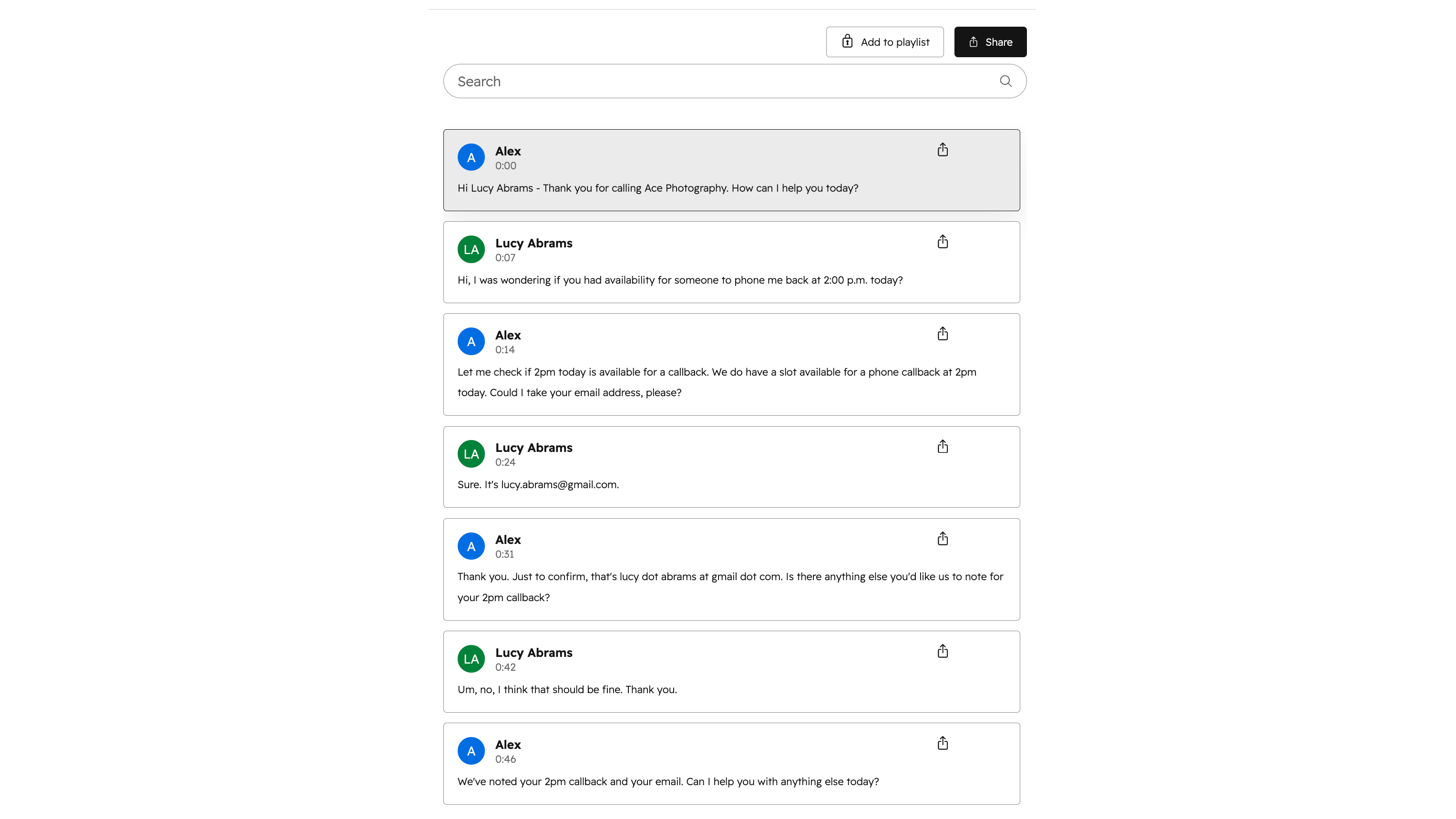
Every call logged in HubSpot with full context
When your AI receptionist finishes a call, Cyberstaff writes it straight to the contact's timeline as a logged call, with an AI summary, the reason they called, and the full transcript. Your team picks up exactly where the conversation left off, with no note-taking and nothing lost between calls.
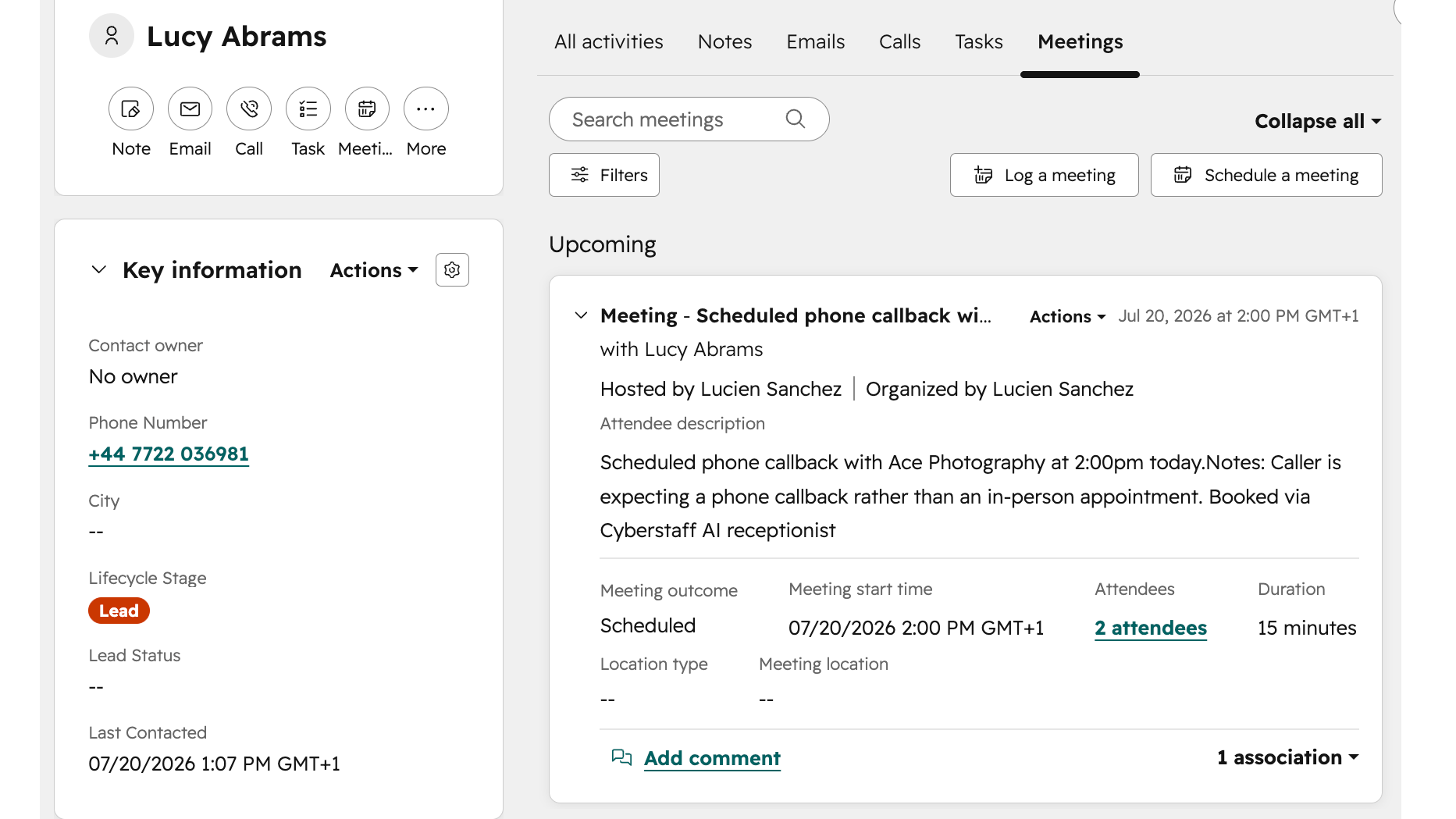
Book appointments straight into HubSpot
When a caller asks to book and you approve it, Cyberstaff schedules it in HubSpot for you. It can add a meeting to the contact's timeline, place it on the right team member's calendar, or book a slot through one of your scheduling pages, so your diary stays up to date without anyone typing it in.
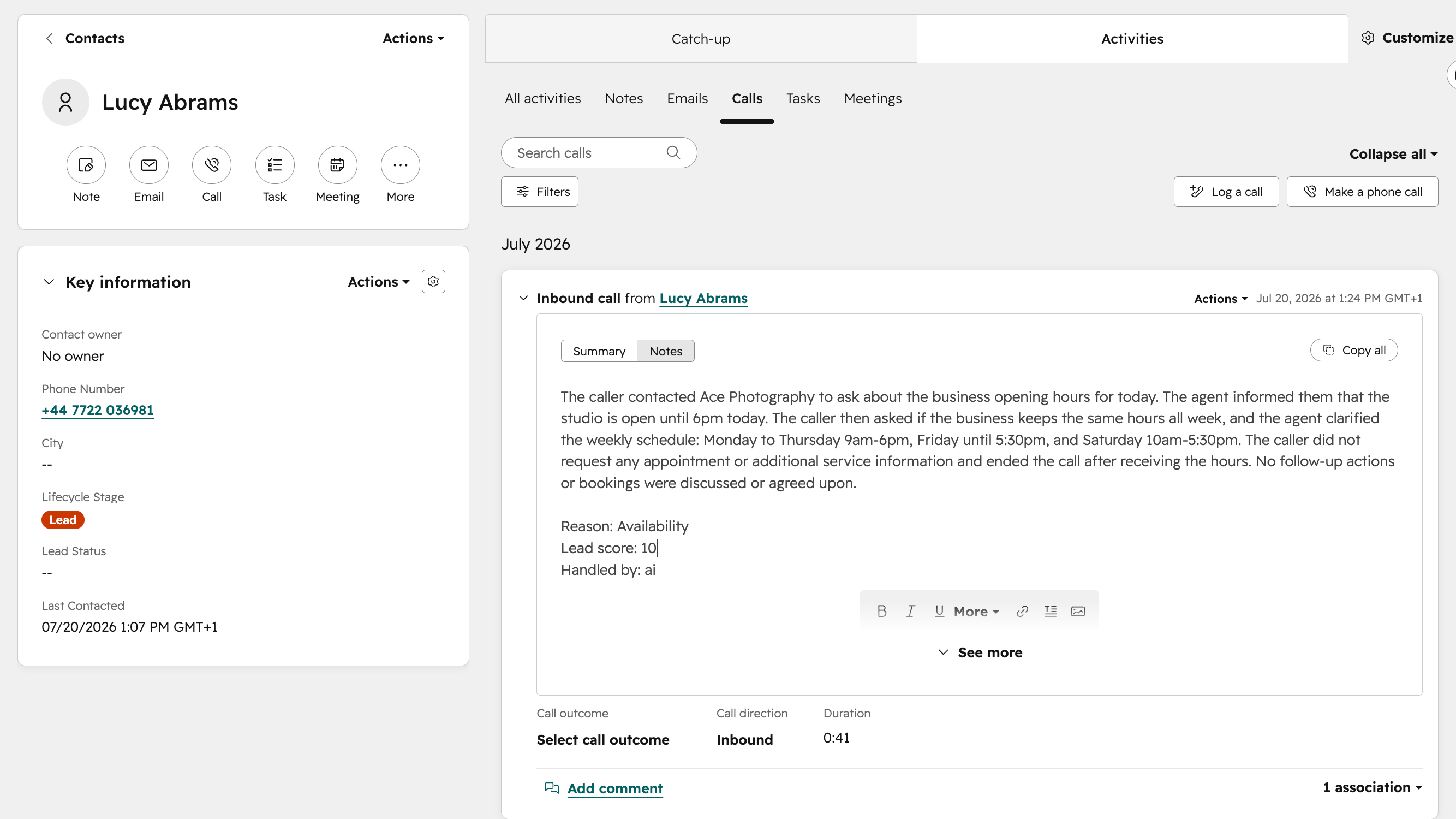
Know who's calling before you answer
Cyberstaff checks every incoming caller against your HubSpot contacts, so returning customers are recognised and greeted by name instead of starting from scratch. Anyone who isn't in HubSpot yet is added as a new contact automatically, so your database keeps building itself with every call you take.
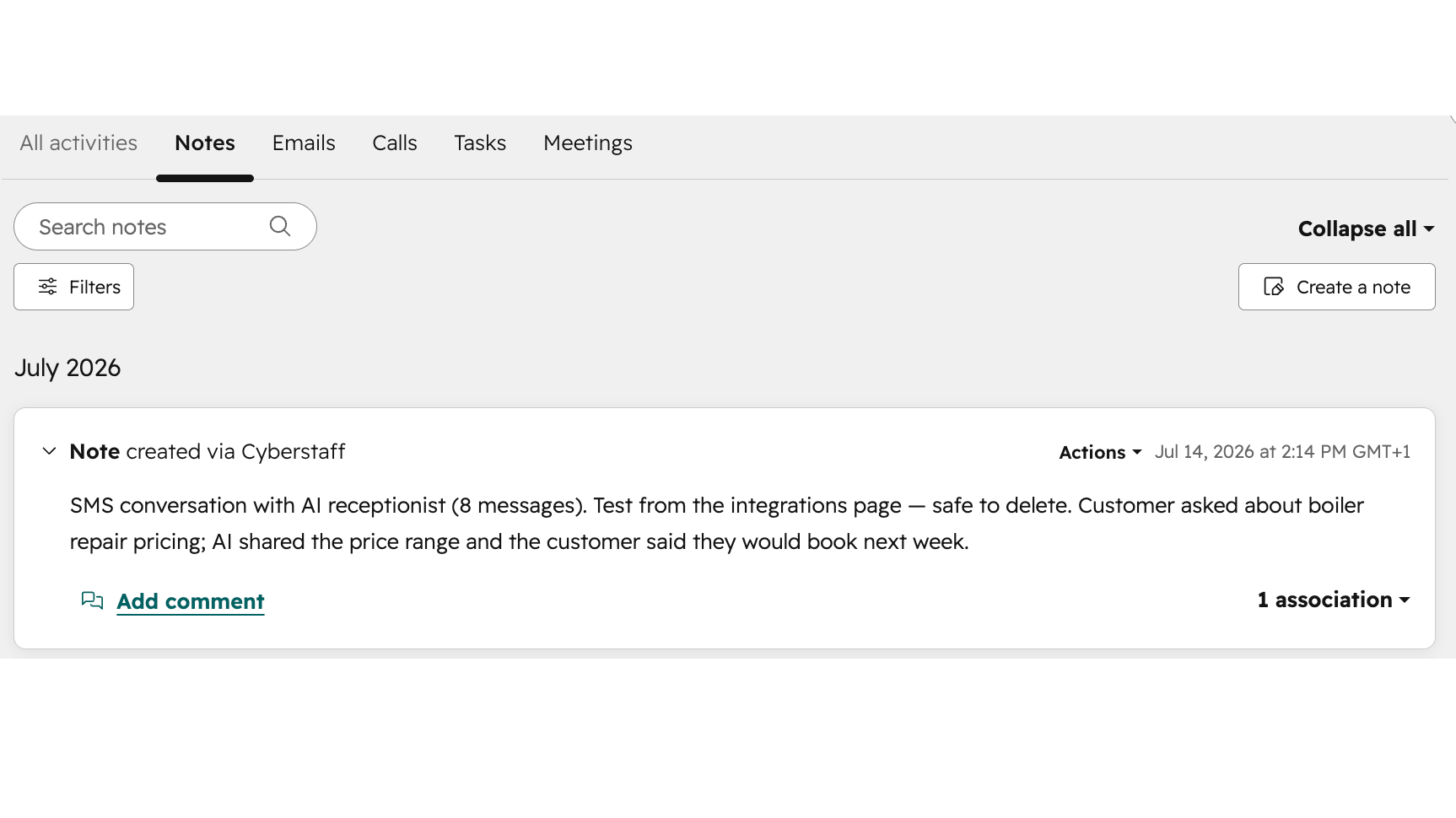
Log text conversations in HubSpot too
Cyberstaff doesn't just handle phone calls. When it answers over SMS or WhatsApp, the whole conversation is saved to the contact's timeline with an AI summary followed by the full thread, so every channel your customers use lives in one place in HubSpot.
App Functionality
Shared Data
Caller/customer details | ||
Team members | ||
Appointments/scheduling pages | ||
Tickets | ||
Deals |
Cyberstaff keeps HubSpot in sync with what happens on your calls and messages, in both directions.
What Cyberstaff reads from HubSpot:
Before answering, it looks up the caller by phone or email in your contacts so it can recognise them and greet them by name. It also reads your owners and your scheduling pages' availability, so it only offers appointment slots you are genuinely free for.
What Cyberstaff writes to HubSpot:
When a caller isn't in your contacts yet, it creates a new contact automatically. Every completed call is logged on the contact's timeline as a Call engagement with an AI summary and the reason they called, and the full transcript is attached to that call. Confirmed bookings are written as a meeting on the timeline, an event on a team member's calendar, or a slot through your scheduling pages, depending on how you set it up. Declined requests are saved as a note, and SMS or WhatsApp conversations are logged as a message with a summary and the full thread.
What stays private:
Cyberstaff only matches and writes to a contact identified by phone or email, and data only flows for the events you choose to enable. You stay in control of what gets created in HubSpot.
Reviews
Pricing
Starter
£30
/monthFor small businesses who need AI to answer calls when they can't
£30 per monthStarter
£30
/monthFor small businesses who need AI to answer calls when they can't
£30 per month* The pricing here is for display purposes only. All prices do not include taxes, incentives, discounts, or other pricing variables. You should contact the partner for the most up to date and correct pricing information. HubSpot does not take any responsibility for this pricing information, which is provided by our partners. Pricing last updated: 09/10/2026
More info
Built by - CYBERSTAFF LTD
Installs - 10+ installs
Categories Languages this app is available in English - United Kingdom
Most popular

Gmail
Bring HubSpot to your inbox with the HubSpot integration for Gmail.

Google Calendar
Book meetings quickly and easily with HubSpot and Google Calendar.
