

OTP Verification
Built by - OpsAgent
Installs - <10 installs
Requirements
HubSpot Plan HubSpot Account permissions - View the required account permissions
Access Type Shared OTP Verification Subscription - Free Trial or Pay-as-you-go plans
Overview
1/4
Managing secure verification flows inside HubSpot can be challenging. Whether you need to confirm a contact's email address, authorize a sensitive action, or add two-factor authentication to your customer-facing processes, there has been no native way to generate and verify one-time passwords within HubSpot workflows -- until now.
OTP Verification brings secure, time-limited one-time password generation and verification directly into your HubSpot automation. With a custom workflow action -- Generate OTP -- you can build complete verification flows without relying on external tools or custom development. The app generates cryptographically secure codes in numeric, alphanumeric, or alpha-only formats, with configurable length and expiration windows.
When a code is generated, you have flexible delivery options. The app can automatically send a branded verification email to the contact, write the code to a HubSpot contact property for use in your own HubSpot emails — including the Transactional Email API — or both. To verify a contact's identity — for example on a support call — your team simply asks the contact to read the code back and compares it against the active code shown in the CRM sidebar card, which displays the current code and its expiration in real time. Codes expire automatically after the configured window.
A CRM sidebar card also lets support agents generate and resend OTP codes directly from a contact record, without needing to trigger a workflow. Combined with the in-app settings page where you configure code format, expiry, and email content, OTP Verification gives your team everything needed to run secure verification flows at scale.
Features
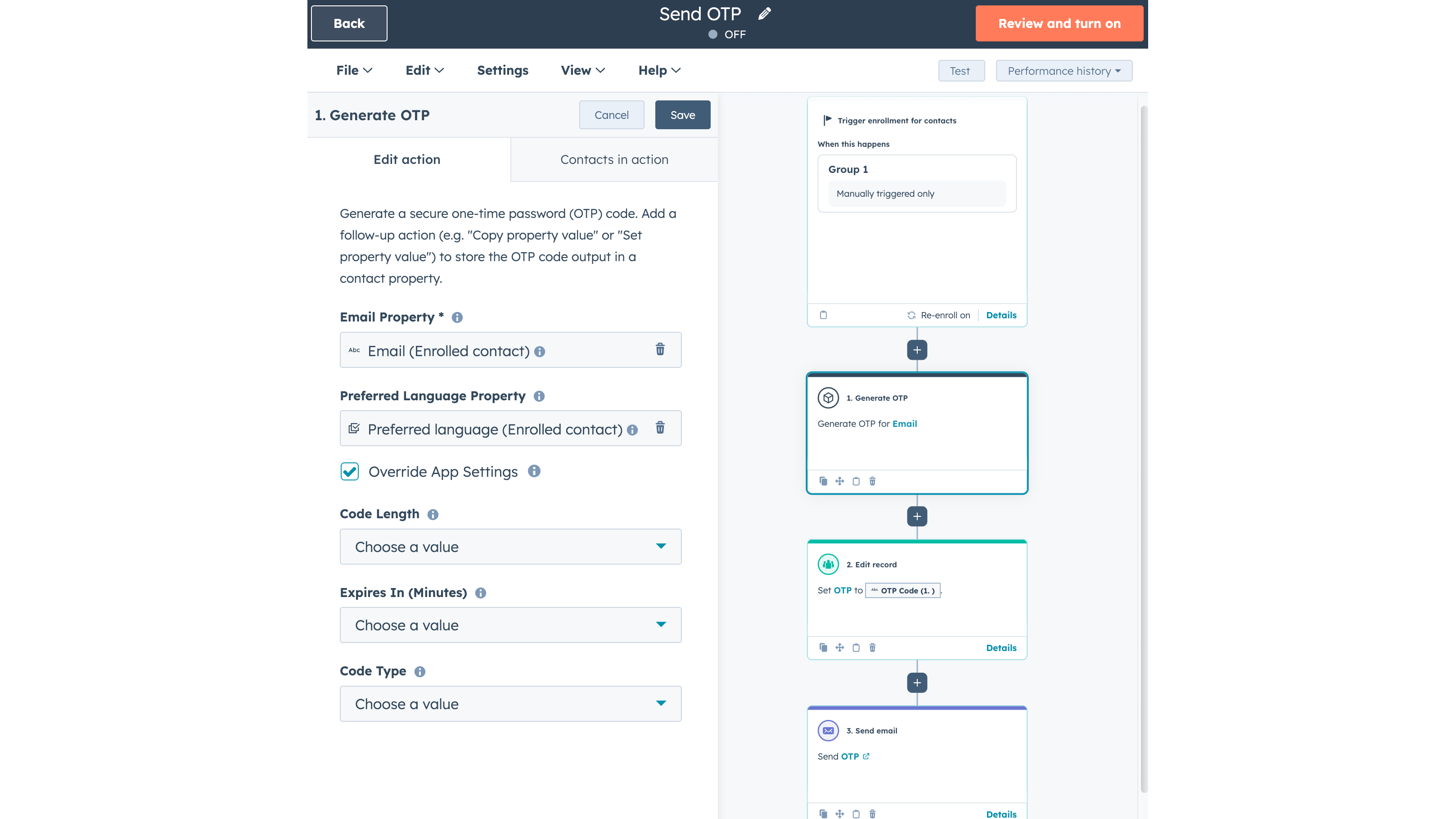
Generate OTP Workflow Action
Add a Generate OTP step to any HubSpot workflow. It creates a cryptographically secure code in your chosen format (numeric, alphanumeric, or alpha-only) with configurable length and expiration. Use it to verify email addresses, confirm transactions, or build two-factor authentication flows.
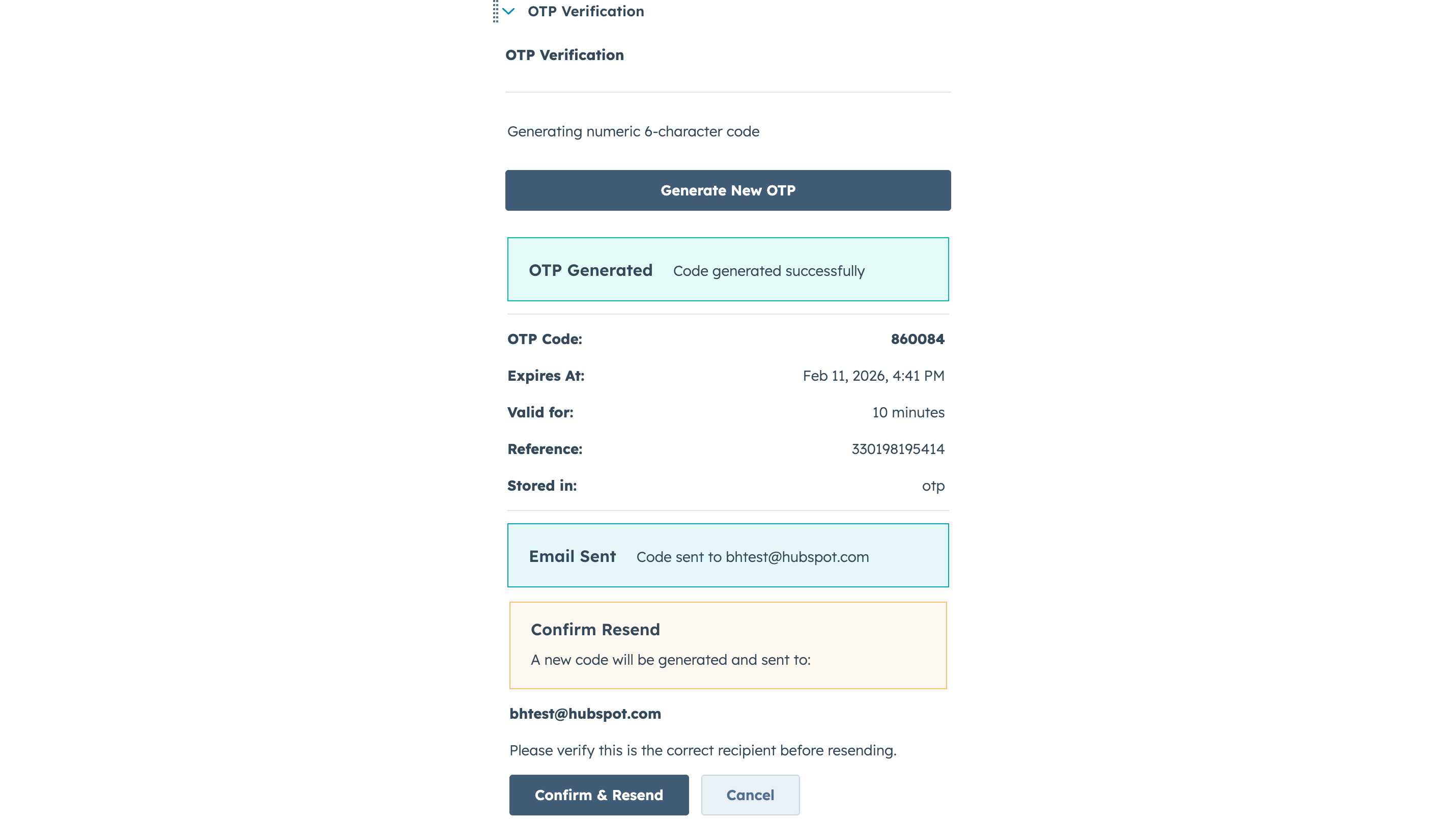
CRM Sidebar Card for Manual OTP Generation
Support agents can generate and resend OTP codes directly from a contact record without triggering a workflow. The sidebar card shows the generated code, expiration time, email delivery status, and provides a one-click resend with confirmation. Active codes are displayed automatically when viewing a contact.
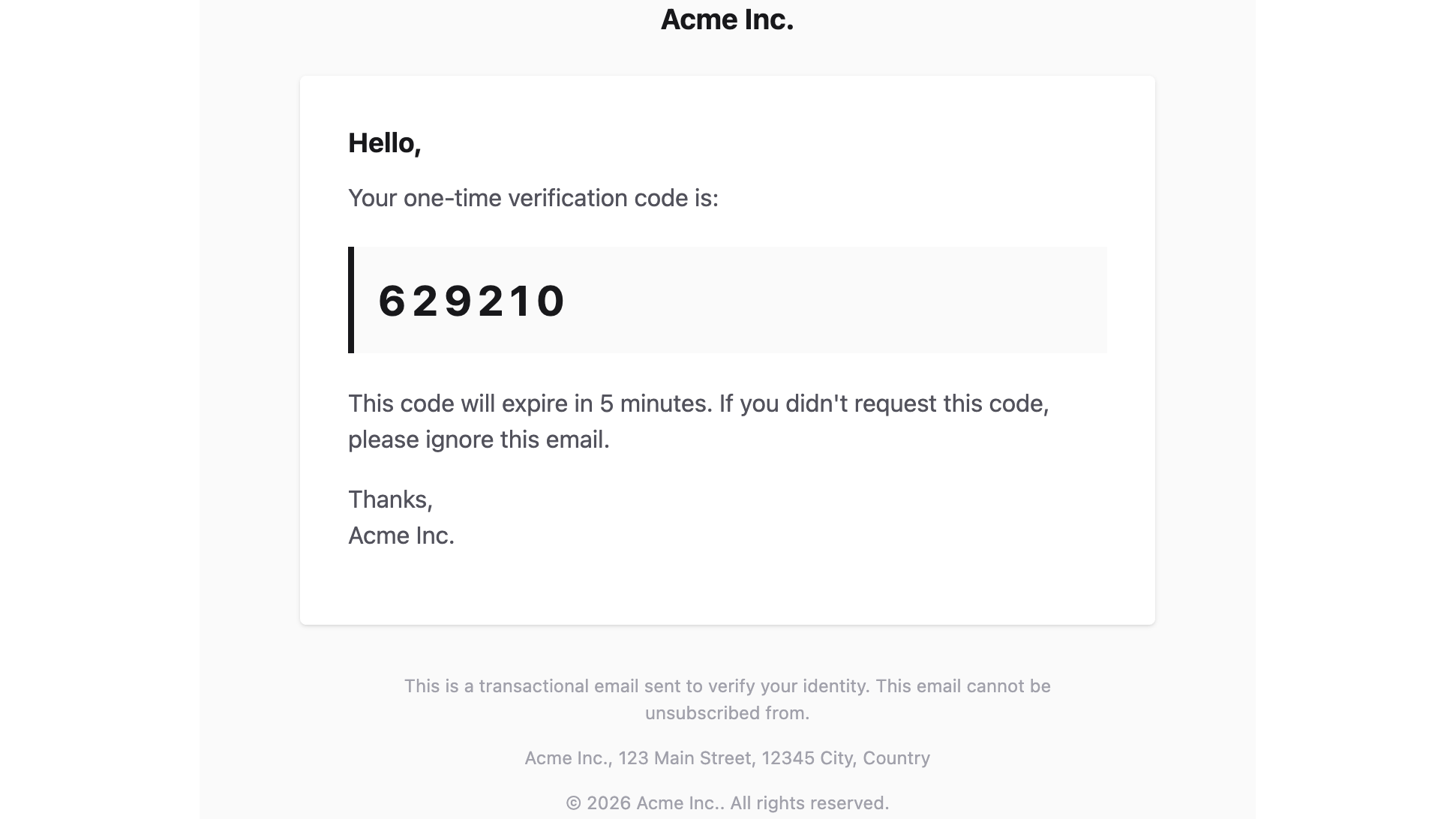
Send OTP via email
Send the OTP via email directly from OpsAgent. In any language! Automated by Preferred Language of contact.
App Functionality
OTP Records |
How is OTP Verification working?
You generate an OTP with a click of a button.
If OpsAgent is set up to send a mail, we send the OTP via email to the contact's email address. We do not store a copy of the email message.
If you choose a property to store the OTP, we write this property.
We store the generated OTP together with the contact's email and record ID so the code can be displayed on the CRM card and delivered by email. No other CRM data is pulled or saved.
That's it.
Reviews
Pricing
Free Trial
$0
$20 of free usage to try it out
Generate OTP via Card
Generate OTP via Workflow Action
Send OTP via Email
Store OTP in a HubSpot contact property
Unlimited Users
Free Support
Free Trial
$0
$20 of free usage to try it out
Generate OTP via Card
Generate OTP via Workflow Action
Send OTP via Email
Store OTP in a HubSpot contact property
Unlimited Users
Free Support
* The pricing here is for display purposes only. All prices do not include taxes, incentives, discounts, or other pricing variables. You should contact the partner for the most up to date and correct pricing information. HubSpot does not take any responsibility for this pricing information, which is provided by our partners. Pricing last updated: 08/14/2026
Getting attention today

Windsor.ai
Move HubSpot data into dashboards, spreadsheets, or a data warehouse

Google Drive
Link drives, folders, and files to CRM records, automate file and folder management through workflows, and get AI-powered document overviews — all without leaving HubSpot.
