

Dialpad
Connect your business phone system with HubSpot and automate activity.
Built by - Dialpad, Inc.
Installs - 5K installs
Rating 3.7
(210)

Leading
Requirements
HubSpot Plan HubSpot Account permissions - View the required account permissions
Access Type Shared Dialpad Subscription - Pro or Enterprise plans
Overview
1/6 - Video summarizing Dialpad’s native HubSpot CRM integration, showing AI-powered calling and messaging
Dialpad brings powerful Ai and SMS capabilities directly into your HubSpot workflows, giving you greater reach in your HubSpot interactions.
Unify Your Communications
Bring all your communications from Dialpad into HubSpot CRM and back, to create unified and actionable visibility of your customers.
Automate Workflows for Greater Efficiency
Configure automatic ticket creation in HubSpot based on activities, like inbound and outbound calls, SMS, and missed calls.
Complete Customer Interaction History
Create new HubSpot contacts from Dialpad, match existing HubSpot contacts to Dialpad contacts, display the contact profile plus past and open activities.
Features
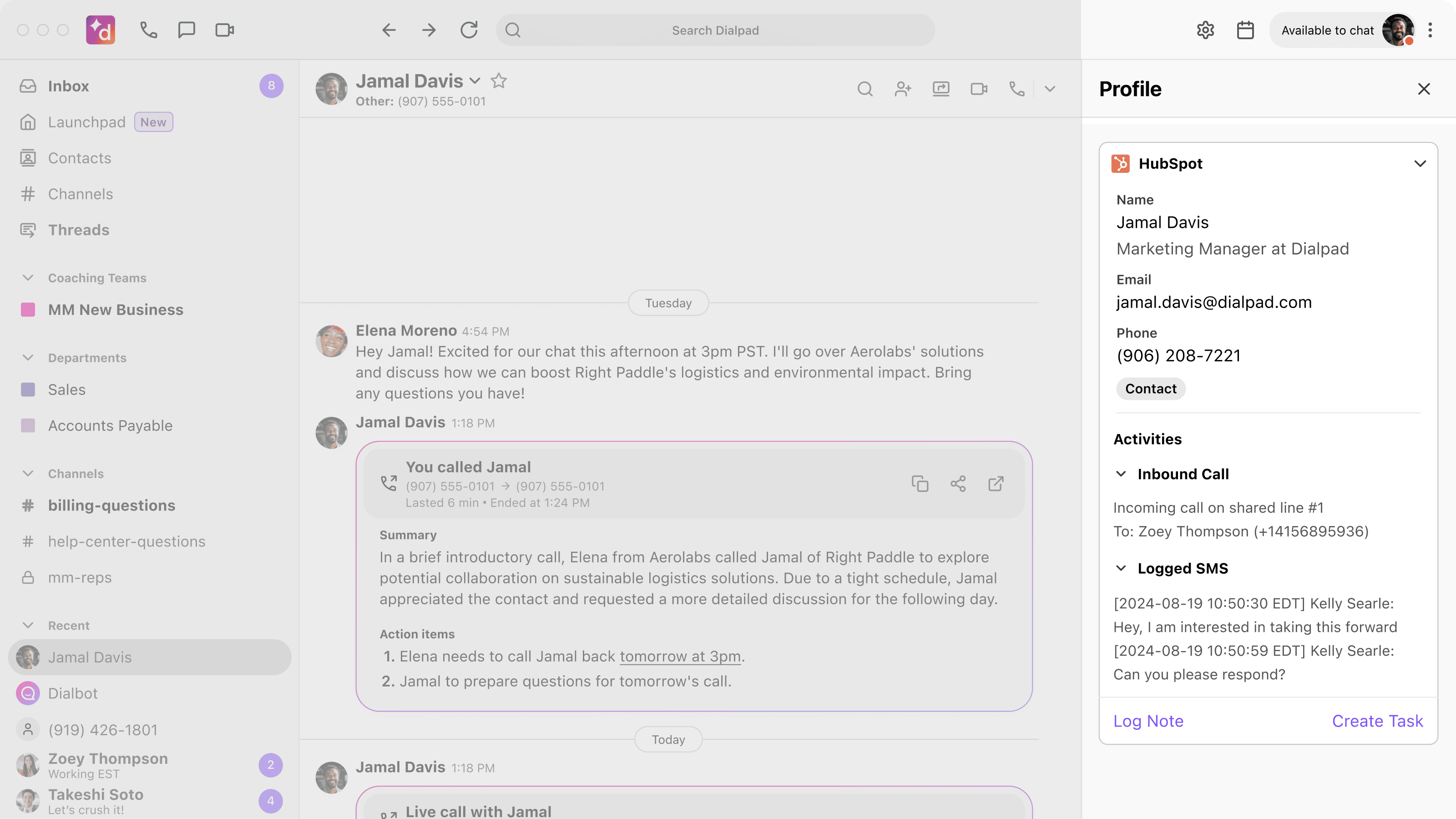
Complete Contact View
Get a full, unified view of your contacts’ activities. Essential HubSpot contact details appear in Dialpad when you make or receive calls or SMS messages, helping you make a great first impression. All calls are logged in HubSpot and automatically matched with existing contacts, providing a rich, up-to-date history.
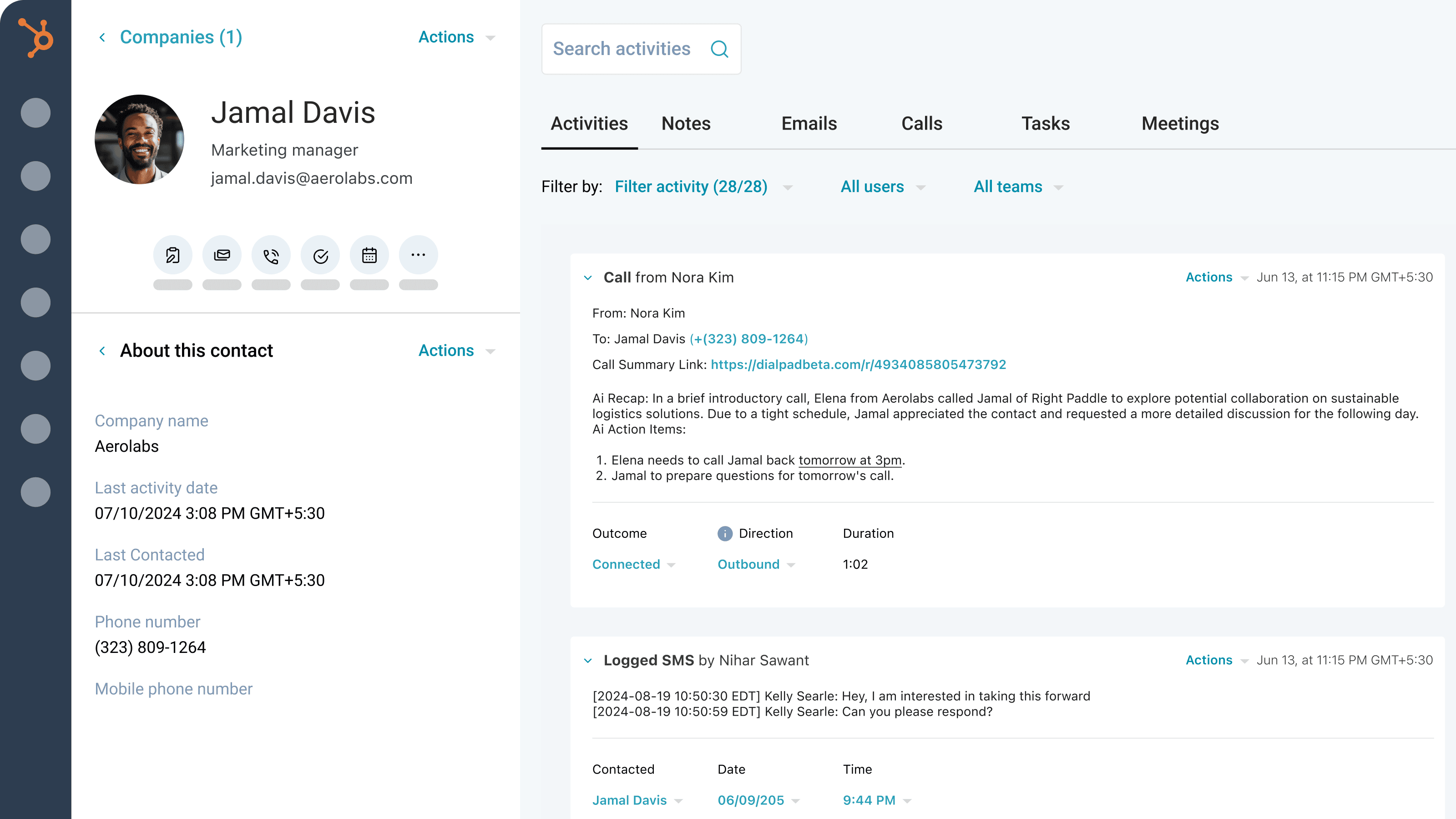
AI-Powered Call & SMS Logging
Capture the complete picture of every interaction. Dialpad Ai automatically generates and logs rich call insights like action items, summaries, CSAT scores, purpose, and outcome. We also log all your SMS messages. Enhance these logs with outcomes, associated deals, and call recordings directly within HubSpot.
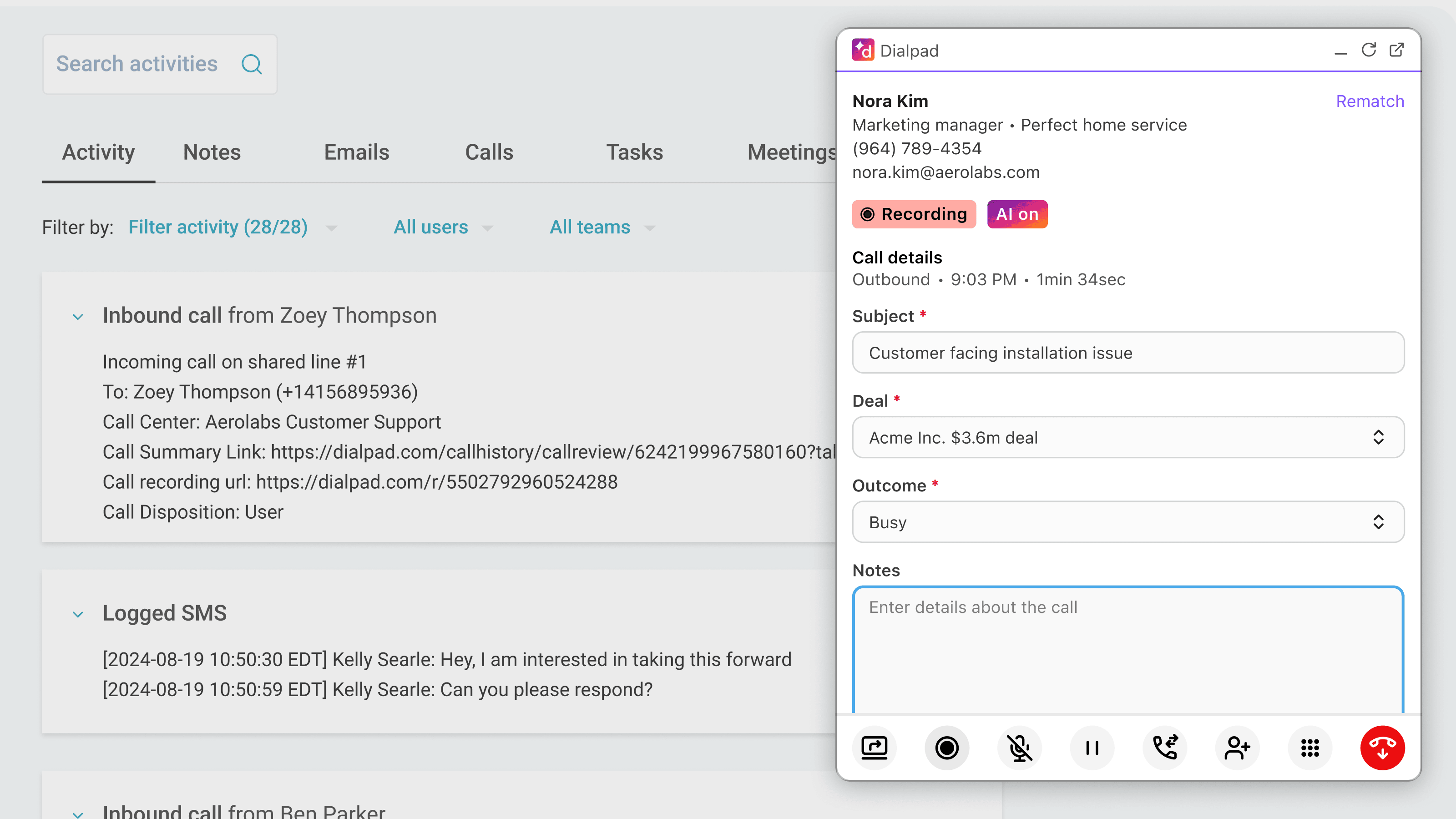
Streamlined Communication
Manage all your communications without juggling apps. Make and receive calls directly within HubSpot using Dialpad, eliminating the need to switch screens.
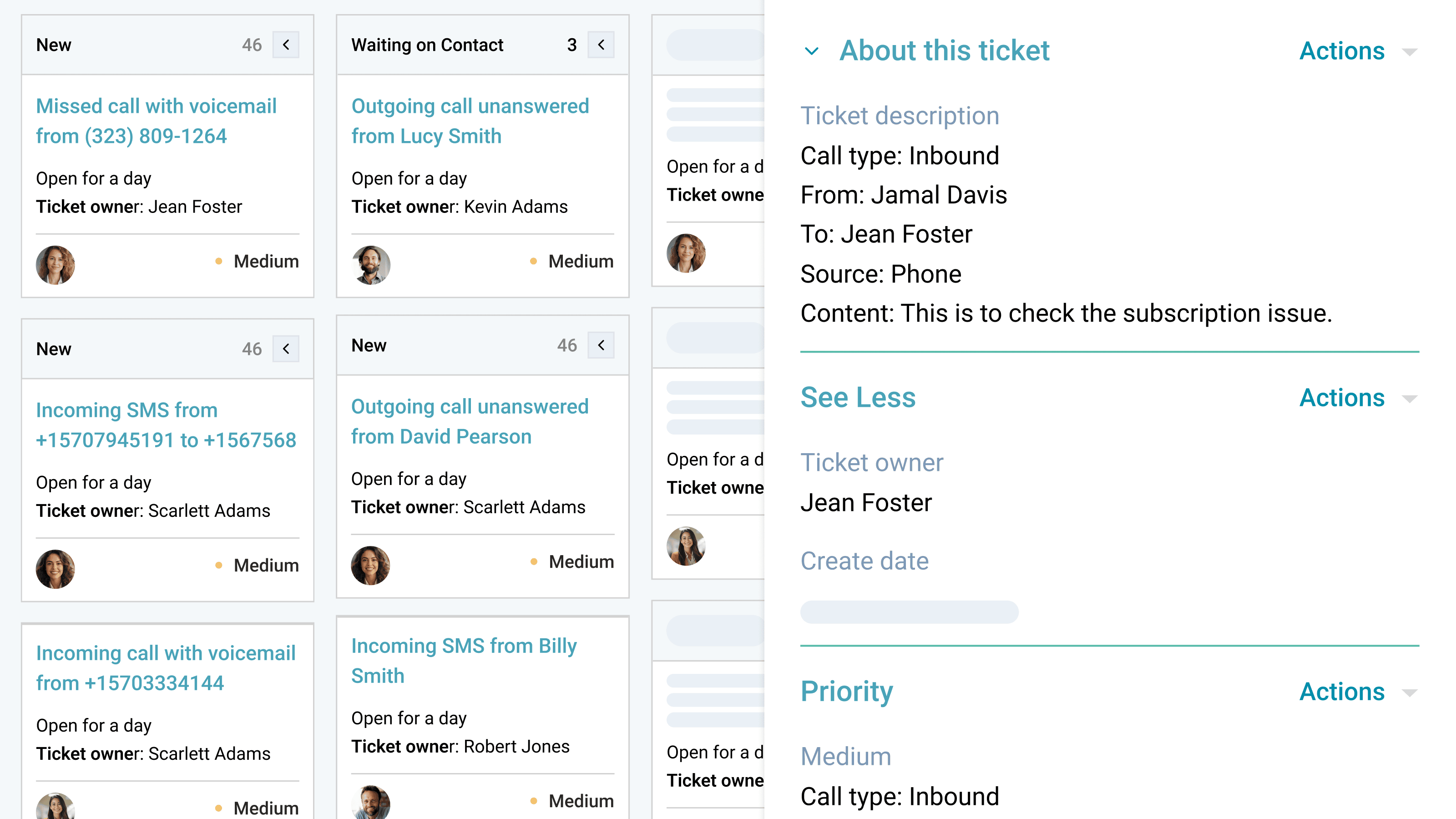
Automated Follow-Up & Ticketing
Never miss a beat or a follow-up opportunity. The Dialpad integration automatically creates tickets for missed calls or messages on shared lines or personal numbers. This ensures your team can follow up immediately, providing timely responses and improving customer service without any manual effort.
App Functionality
Shared Data
Calls | ||
Calls | ||
Calls | ||
Sidebar and calling widget | ||
Sidebar and calling widget | ||
Sidebar and calling widget | ||
Sidebar and calling widget | ||
SMS | ||
SMS | ||
SMS |
Reviews
3.7
210
3.7
210
- Apr 6, 2026
Started Great But Audio Issues After HubSpot Integration Make Half My Calls Unusable
At first all calls were accurate and dialed well. Once I downloaded HubSpot there have been errors. I do not have any audio on 50% of my calls.
Asberry, M.
- Apr 3, 2026
Recent integration update ruined auto-logging functionality, making cold call management a manual nightmare
Used to work great, then dialpad updated the integration recently and it's terrible. We'll be switching. Dialpad used to auto-log calls to HubSpot. Now, when making calls, dialpad will no longer auto-log calls. I reached out to support and they affirmed to me that it was a design decision and only calls associated with tickets will be auto-logged - or calls that are associated with an already-existing contact. We make a lot of cold calls and now we have a ton of work to do to log calls manually. Dialpad support iterated to me that this would be the way it works going forward.
Reynolds, J.
Pricing
Pro
$25
/monthBoost productivity with advanced integrations, 24/7 support, and multi-office management—ideal for growing businesses needing more flexibility.
Unlimited HD voice calling
Business phone numbers
Voicemail
Toll-free numbers
25 department and 10 offices
Hold queues
Custom call routing and forwarding
Number porting and forwarding
Call recording
Auto spam dectection
Contact syncing
SMS, MMS, & team messaging
International SMS
File share
Real-time call and voicemail transcriptions
Real-time analytics & reporting
Pro
$25
/monthBoost productivity with advanced integrations, 24/7 support, and multi-office management—ideal for growing businesses needing more flexibility.
Unlimited HD voice calling
Business phone numbers
Voicemail
Toll-free numbers
25 department and 10 offices
Hold queues
Custom call routing and forwarding
Number porting and forwarding
Call recording
Auto spam dectection
Contact syncing
SMS, MMS, & team messaging
International SMS
File share
Real-time call and voicemail transcriptions
Real-time analytics & reporting
* The pricing here is for display purposes only. All prices do not include taxes, incentives, discounts, or other pricing variables. You should contact the partner for the most up to date and correct pricing information. HubSpot does not take any responsibility for this pricing information, which is provided by our partners. Pricing last updated: 01/09/2026
New arrivals

-1-2.jpeg)
