

BothSync
Built by - BothSync
Installs - <10 installs
Requirements
HubSpot Plan HubSpot Account permissions - View the required account permissions
Access Type Shared BothSync Subscription - BothSync plan
Overview
1/9 - BothSync demo: installing the app, setting up a rule and daily use with HubSpot and ClickUp
When a deal is won, BothSync creates the project in ClickUp: the task with its subtasks, checklists, due dates and assignee, and its fields filled from the deal. From then on the two stay in step. The task's status, its latest comment and a link to it show on the HubSpot record, the fields you pair sync in the direction you choose, and finishing the task can move the deal to the next stage.
Tickets reaching a status and companies reaching a lifecycle stage can start work the same way. It runs on every HubSpot plan, Free and Starter included, without HubSpot workflows.
Made for agencies and service teams that sell in HubSpot and deliver in ClickUp, so nobody retypes a closed deal into a project.
Features
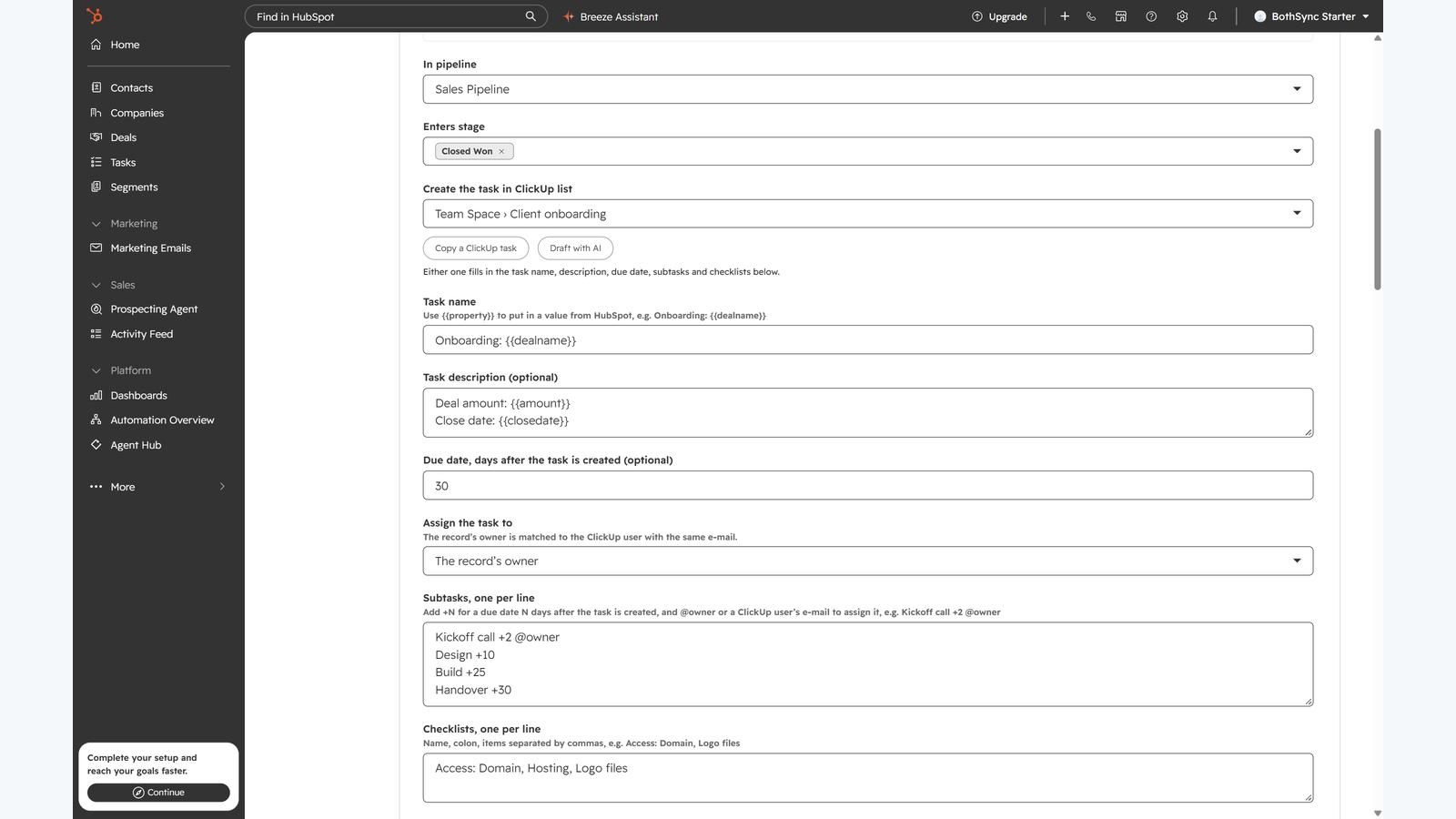
Deals become ClickUp projects
Choose a pipeline, the stages that start work and the ClickUp list for the task. When a deal enters one of those stages, BothSync creates the task from your template: name and description filled from the deal, subtasks with their own due dates and assignees, checklists, and the deal owner as assignee. One task per deal and rule, never a duplicate.
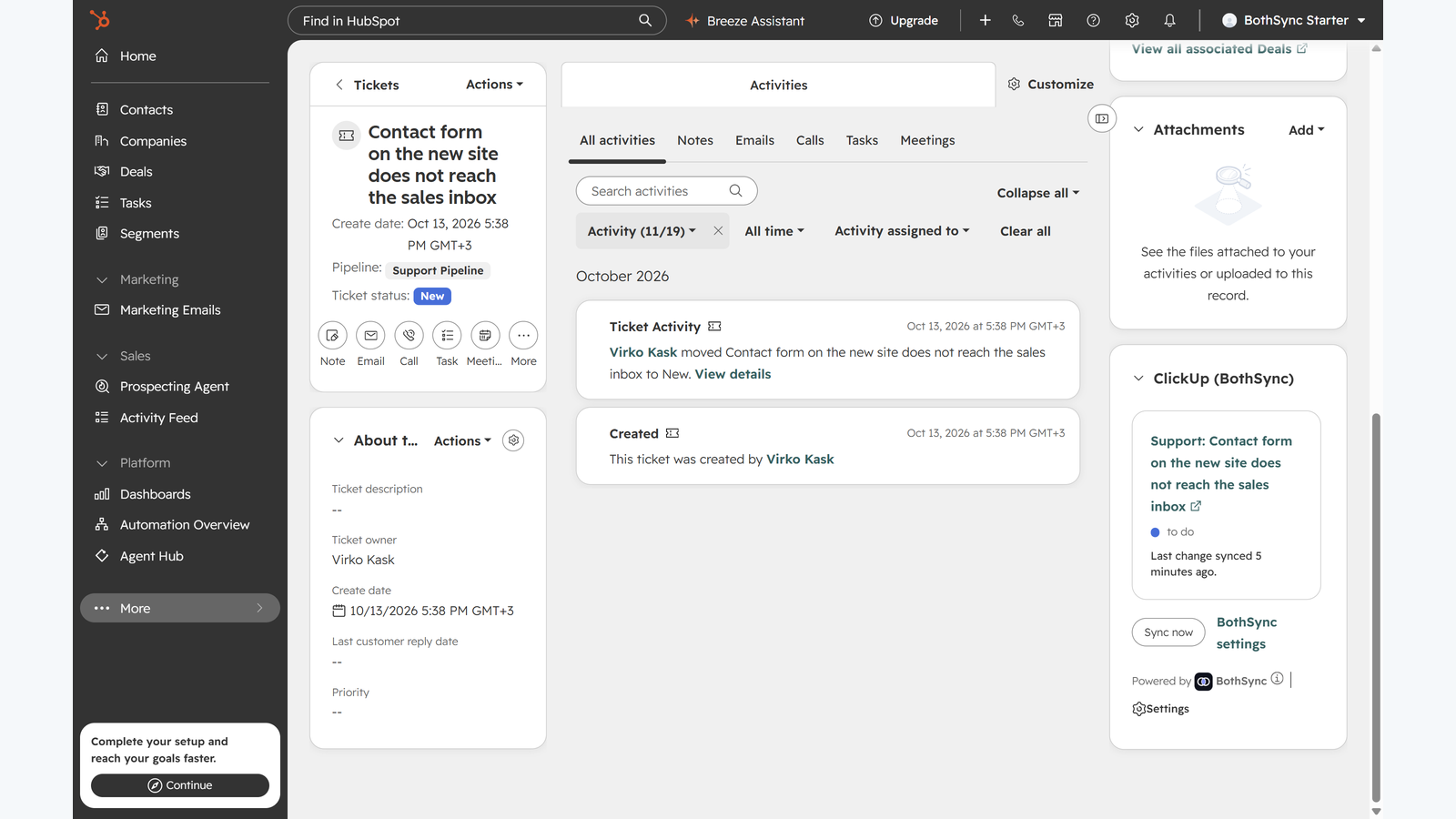
Tickets and companies too
A ticket reaching a status or a company reaching a lifecycle stage, such as Customer, starts work the same way, each with its own template and ClickUp list.
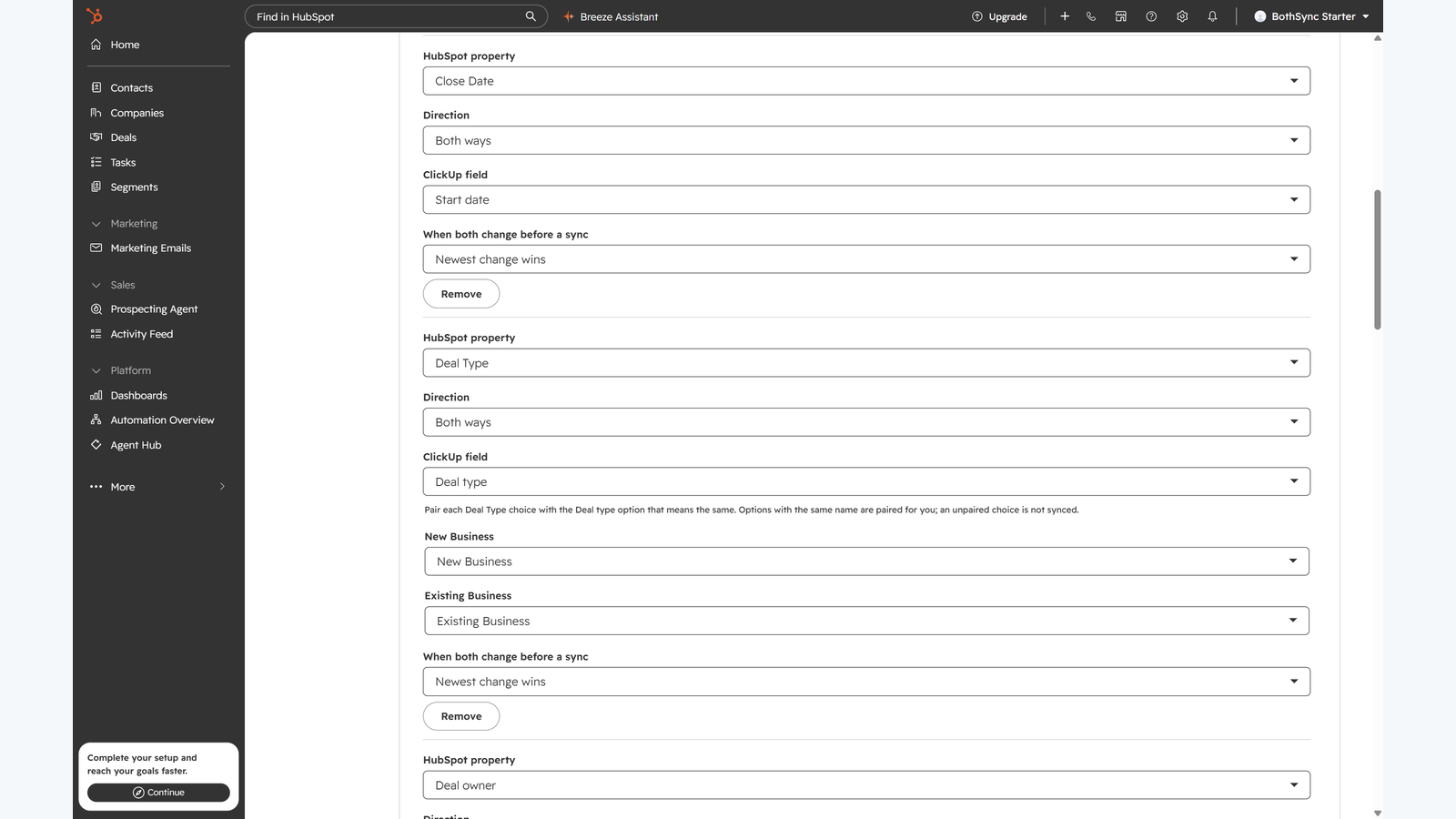
Two-way field mapping
Pair HubSpot properties with ClickUp fields: text, numbers, dates, dropdowns, and the owner with the task's assignees. Choose the direction for each pair, and for both ways, whether the newest change, HubSpot or ClickUp wins. Suggest mappings proposes pairs from field names, never from record data. Custom fields count toward ClickUp's plan limits.
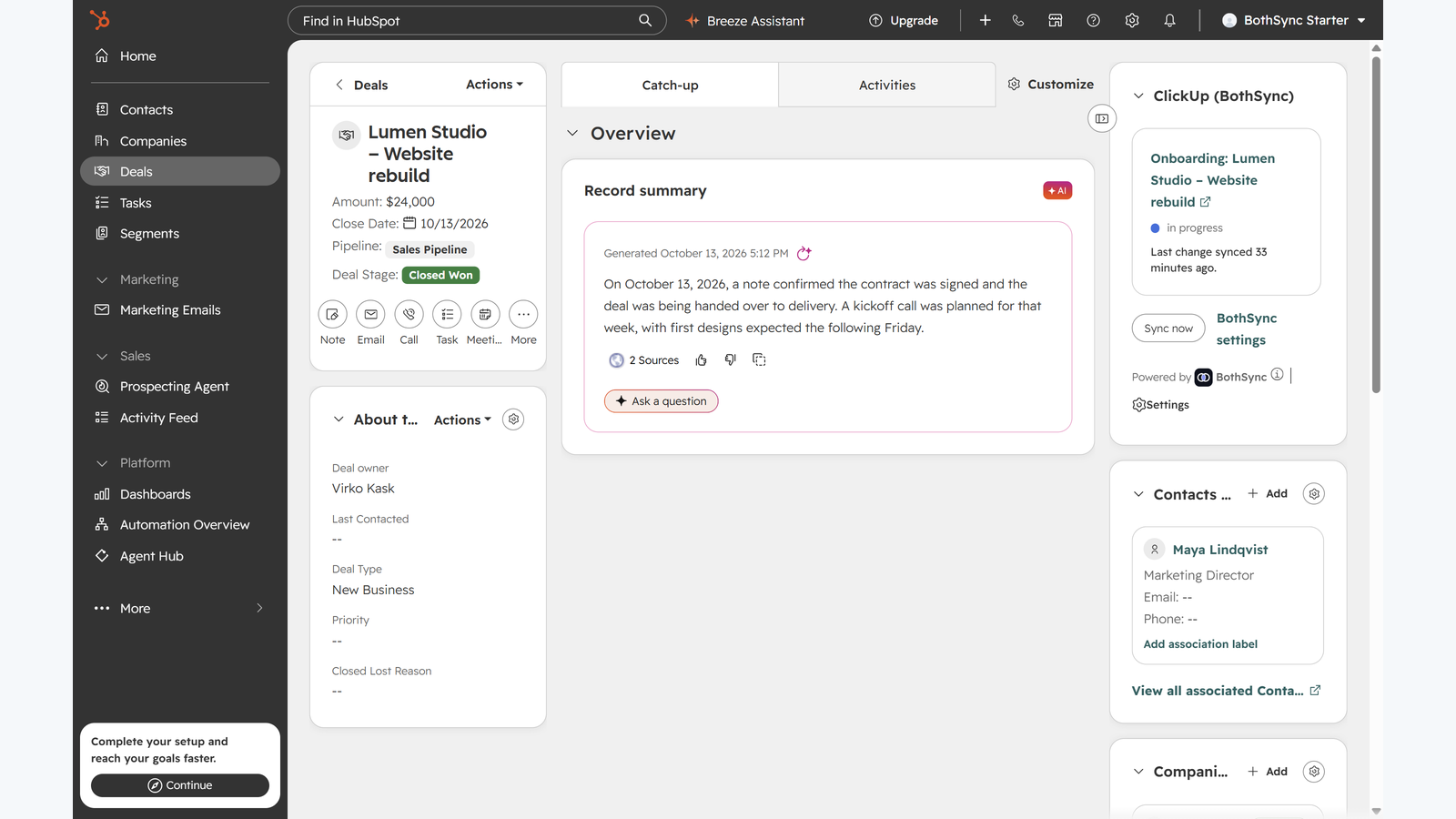
ClickUp progress on the record
The ClickUp card in the record's sidebar shows each task, its status and when it last synced, with Sync now. The task's status, its latest comment and its link are also written to HubSpot properties, ready for views, filters and reports, and the record's timeline keeps each status change and comment.
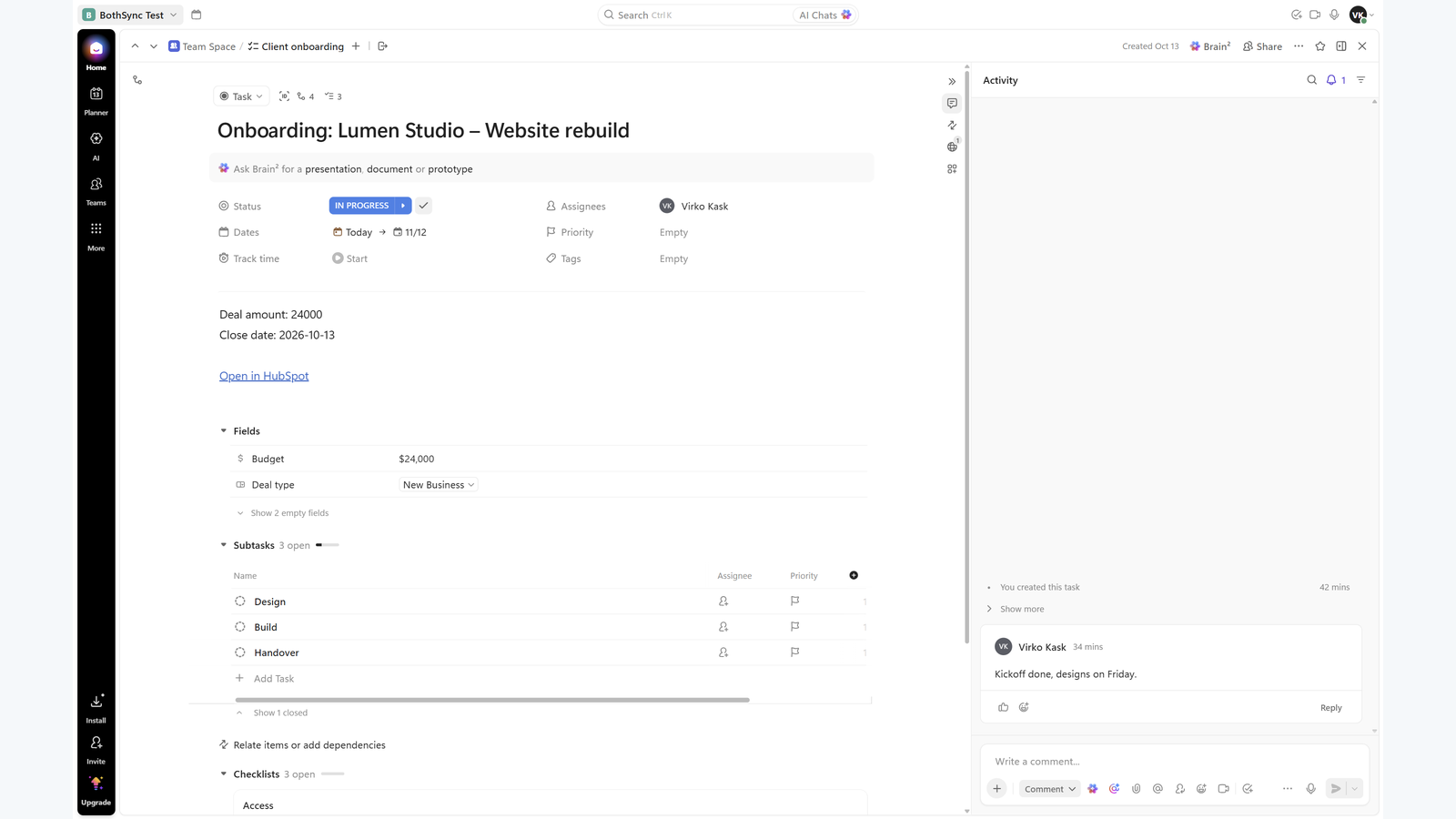
Done in ClickUp, done in HubSpot
Completing the task can move the deal or ticket to the stage you choose, such as Delivered or Closed.
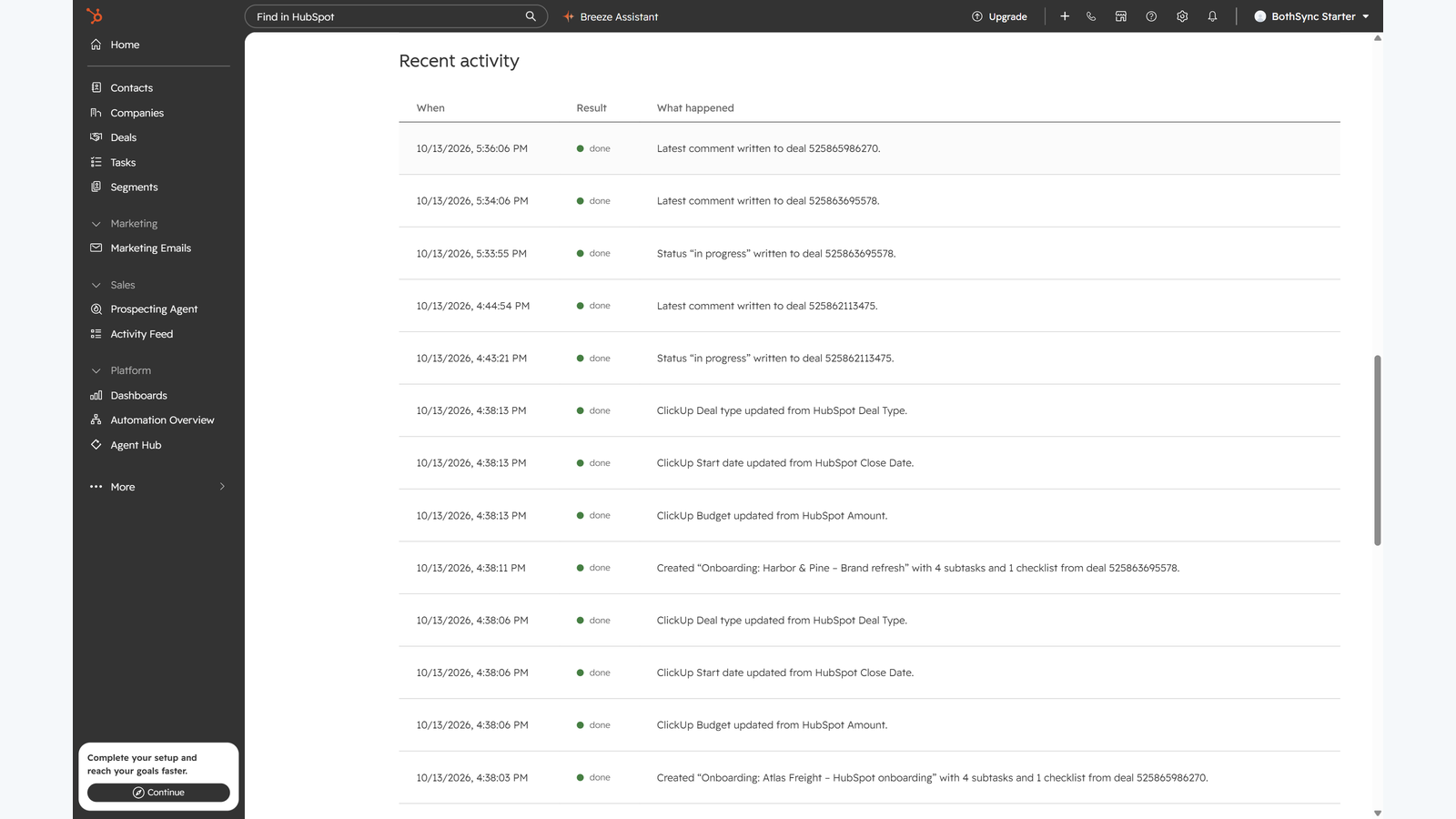
An activity log you can read
The settings page lists the last 30 things BothSync did and anything it skipped, with the reason.
App Functionality
Shared Data
Task | ||
Task | ||
Task | ||
User | ||
Custom field | ||
Custom field |
BothSync creates a ClickUp task for each HubSpot record that reaches a rule's stage, then keeps the fields you pair in step in the direction you choose. It adds three properties to the record (ClickUp task, ClickUp status, ClickUp last comment), so HubSpot views and reports can show the progress.
Reviews
Pricing
BothSync
$49
/monthOne price per HubSpot portal
Cancel at any time
14-day free trial
No per-seat fees
Every feature, on every HubSpot plan
BothSync
$49
/monthOne price per HubSpot portal
Cancel at any time
14-day free trial
No per-seat fees
Every feature, on every HubSpot plan
* The pricing here is for display purposes only. All prices do not include taxes, incentives, discounts, or other pricing variables. You should contact the partner for the most up to date and correct pricing information. HubSpot does not take any responsibility for this pricing information, which is provided by our partners. Pricing last updated: 11/09/2026
New arrivals

Aline
Launch your templates and run trusted legal AI agents to intelligently manage your contracts.

Verify Company
Verify a Company's VAT/registration number against the EU's official VIES system — right from a HubSpot workflow — and map the result onto Company properties.
