

Ringside
สร้างโดย - Voll Studios Limited
ติดตั้ง - <10 การติดตั้ง
ข้อกำหนด
แผน HubSpot สิทธิ์บัญชี HubSpot - ดูสิทธิ์บัญชี ที่จำเป็น
ประเภทสิทธิ์การเข้าถึง แชร์แล้ว การสมัครใช้บริการ Ringside - Starter, Pro หรือ Team แพ็กเกจ
ภาพรวม
1/9 - Ringside demo: one HubSpot call from pre-call brief to logged record, with live coaching in the calling pane.
Ringside is a power dialler for HubSpot with real-time AI coaching.
Reps dial from the contact record, from HubSpot's universal call remote, or from the Ringside dashboard on a desktop or phone browser. Ringside rings the rep's own handset first, then bridges the prospect. From the dashboard, a rep can take the call in the browser on a headset instead.
Pick a HubSpot list and Ringside power-dials it. The rep answers once, and after each disposition Ringside dials the next prospect into the same held line.
During the call, Ringside transcribes both sides live and scores the conversation against your framework: MEDDIC, SPIN, BANT, a discovery rubric, or one you write yourself. Nudges flag what the conversation has not covered yet. Recent calls, meetings, notes and emails on the HubSpot contact give the coach background on the account.
When the rep picks an outcome and clicks Log call, Ringside creates a call engagement on the contact with the outcome, an AI summary, action items and the full transcript. If your organisation has recording on, the engagement links to the recording on the Ringside review page. Managers get scorecards, analytics and a review queue.
Live transcription runs in English, Spanish, French, German, Italian, Portuguese and Norwegian.
ฟีเจอร์
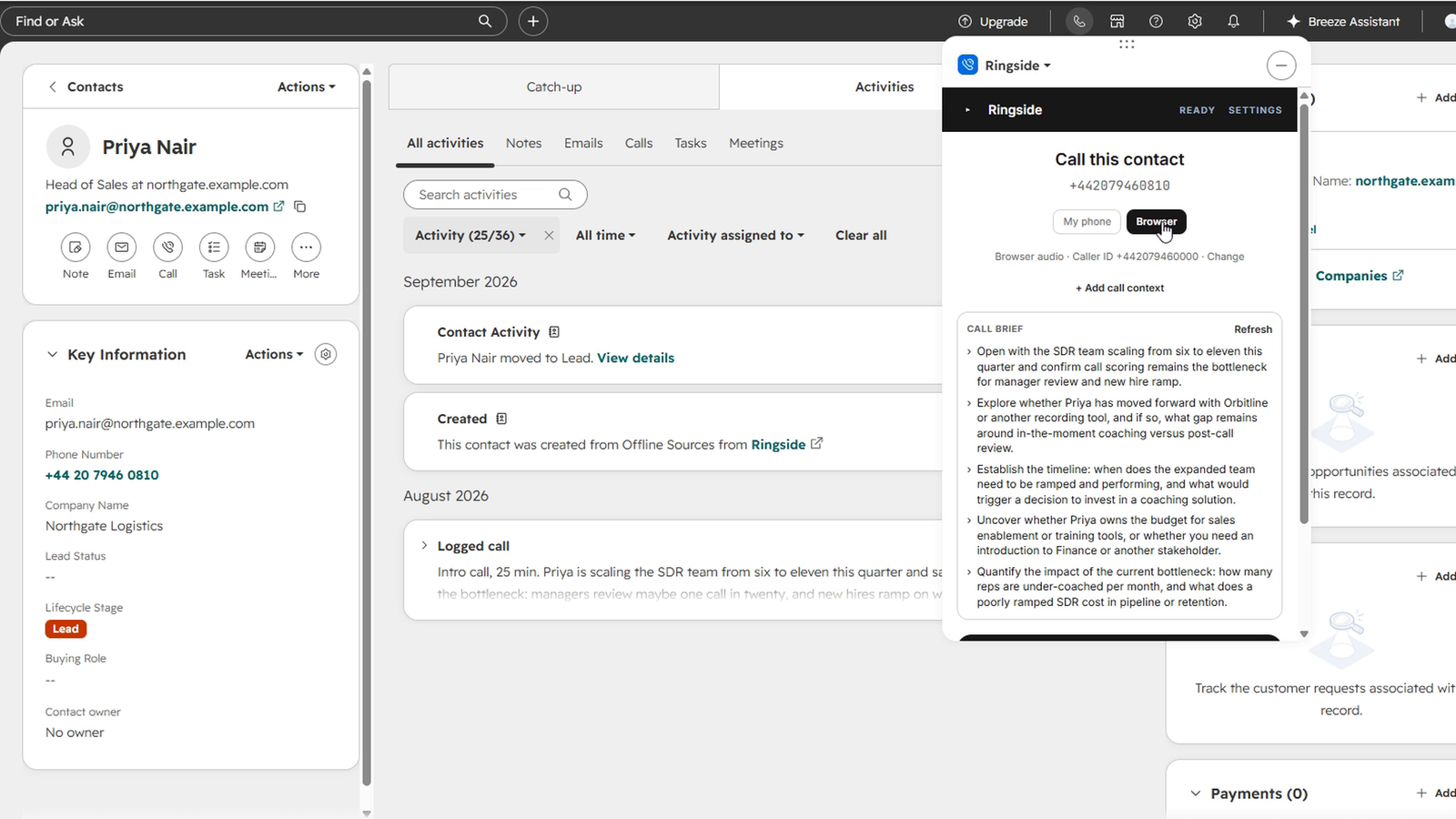
Dialling from the contact record
Click Call on a HubSpot contact and the Ringside panel opens with the number, name, company and job title from the record. Press Call contact. Ringside rings your own handset first, then bridges the prospect.
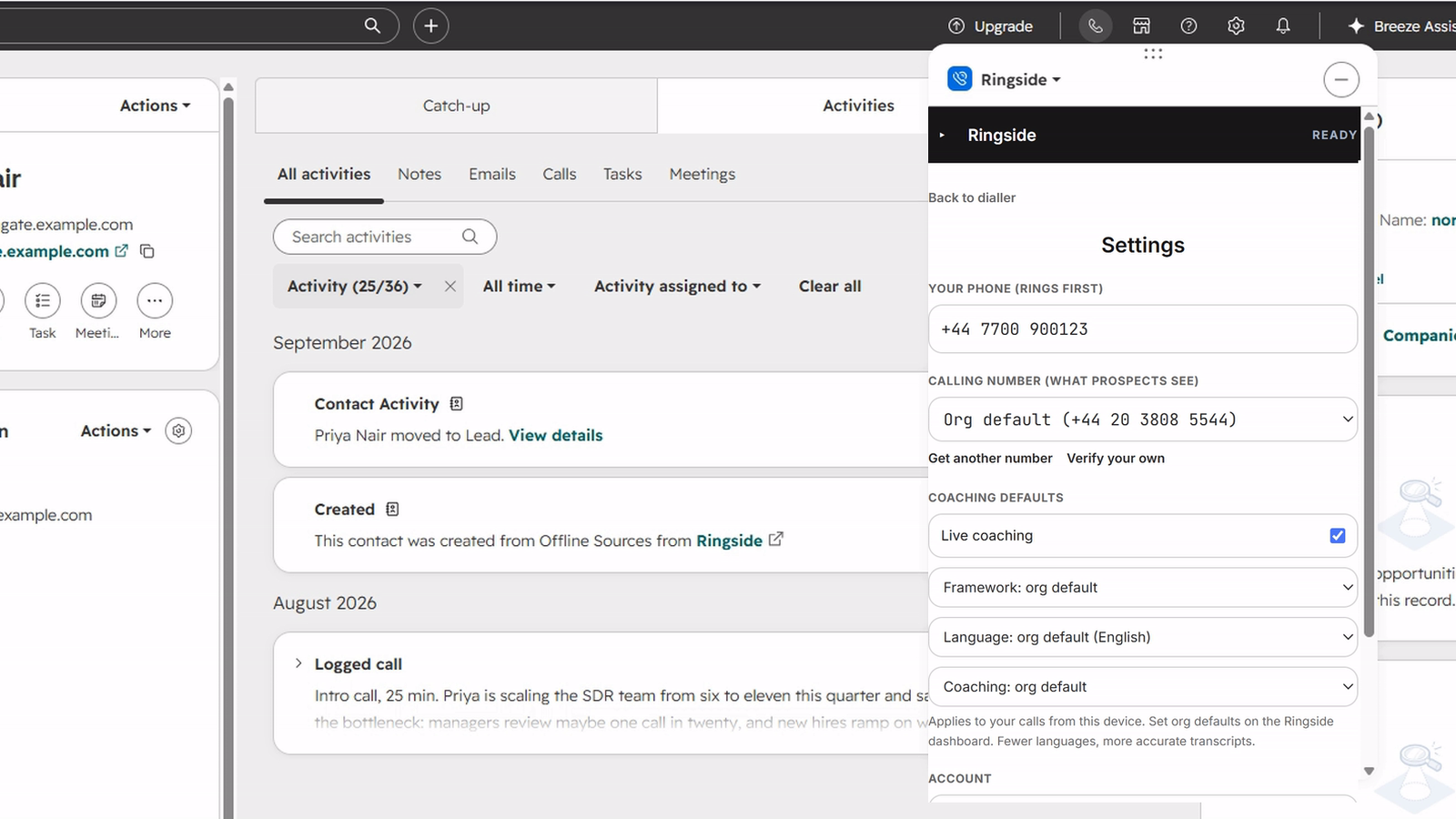
Calling from the universal call remote
Ringside is registered as a HubSpot calling provider, so the call remote offers it on any page. If HubSpot navigation reloads the pane during a call, the panel re-attaches to the call in progress.
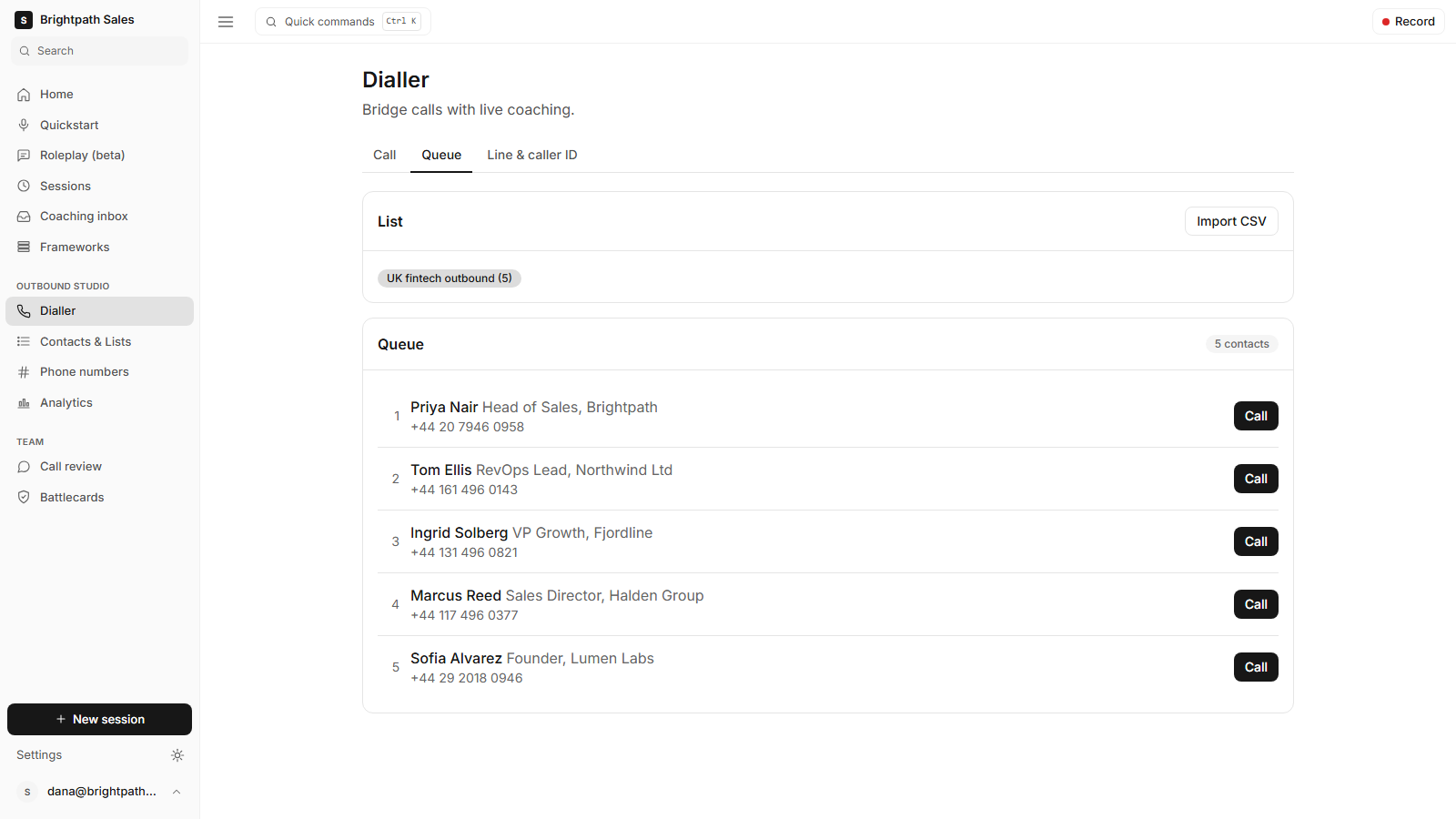
HubSpot lists as dial queues
Pick a HubSpot list and Ringside power-dials it. Your line stays held between calls, and after you disposition one call Ringside dials the next prospect on the list.
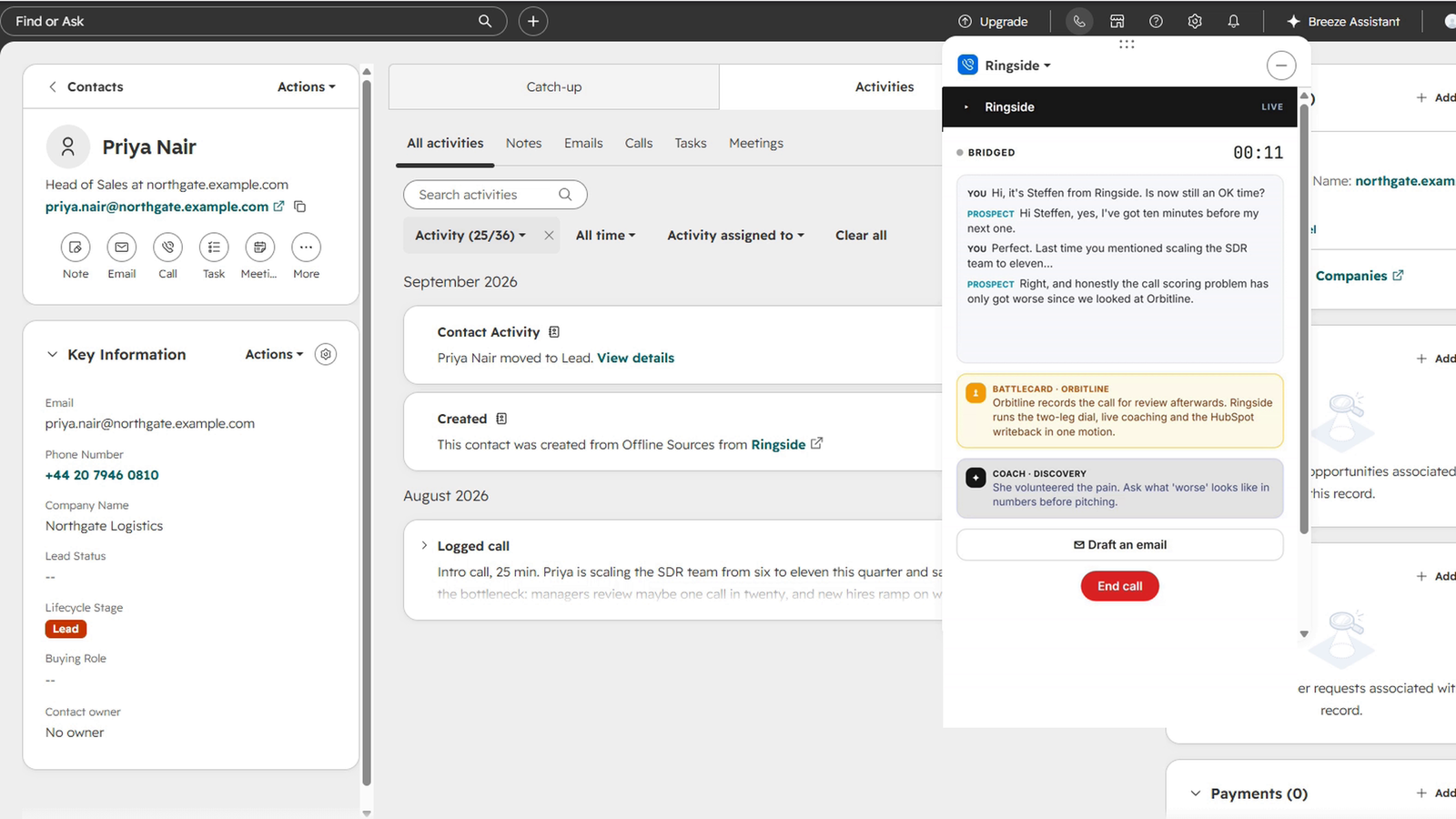
Live transcription and coaching
Ringside transcribes both sides of the call live and scores the conversation against MEDDIC, SPIN, BANT, a discovery rubric or a framework you define. Nudges appear during the call for the areas you have not covered yet.
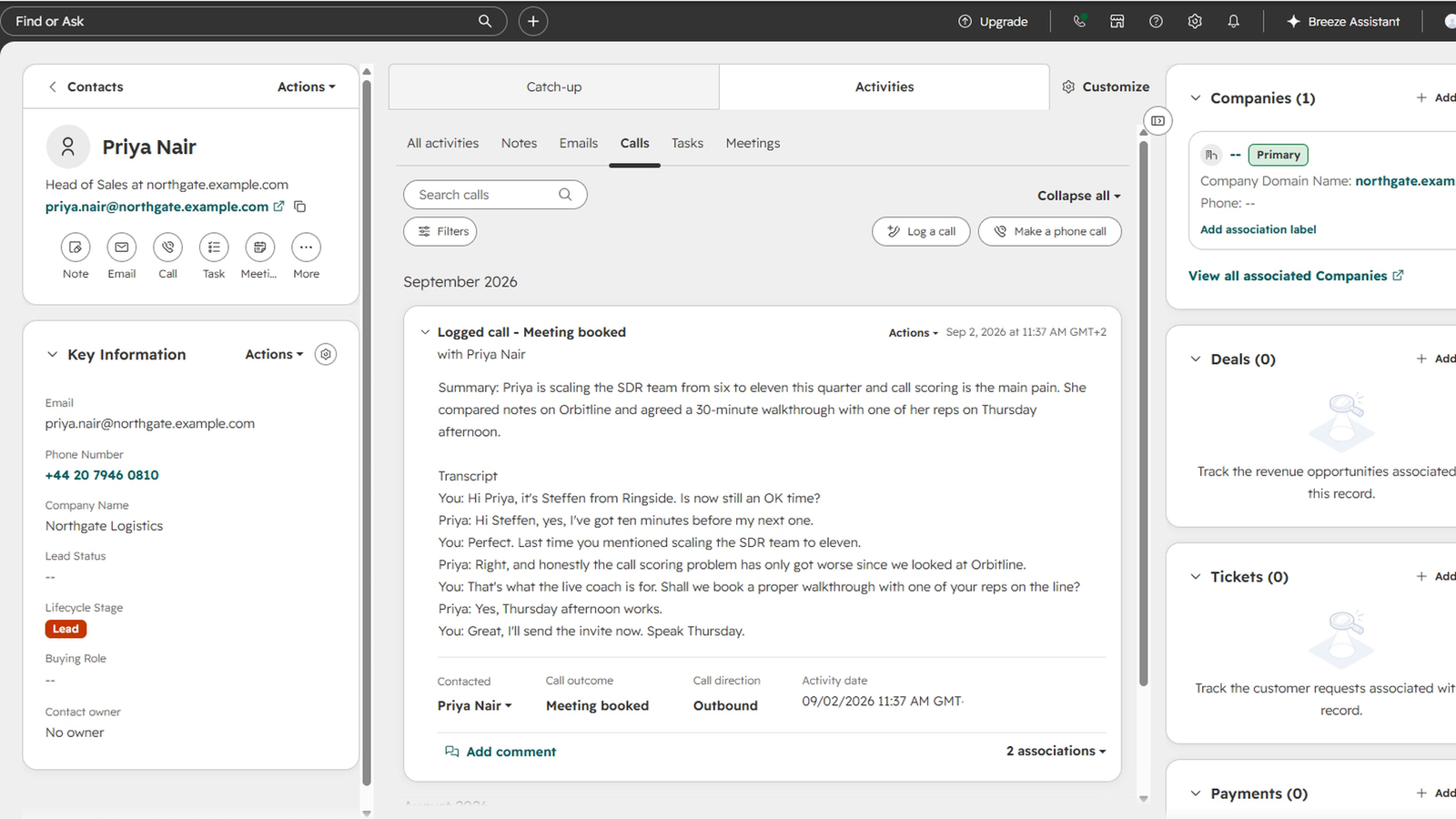
Call logging to the contact timeline
In wrap-up, pick an outcome and click Log call. Ringside creates a call engagement on the contact with the outcome, AI summary, action items, full transcript and talk duration, using the portal's own disposition set. If your organisation has recording on, the engagement links to the recording.
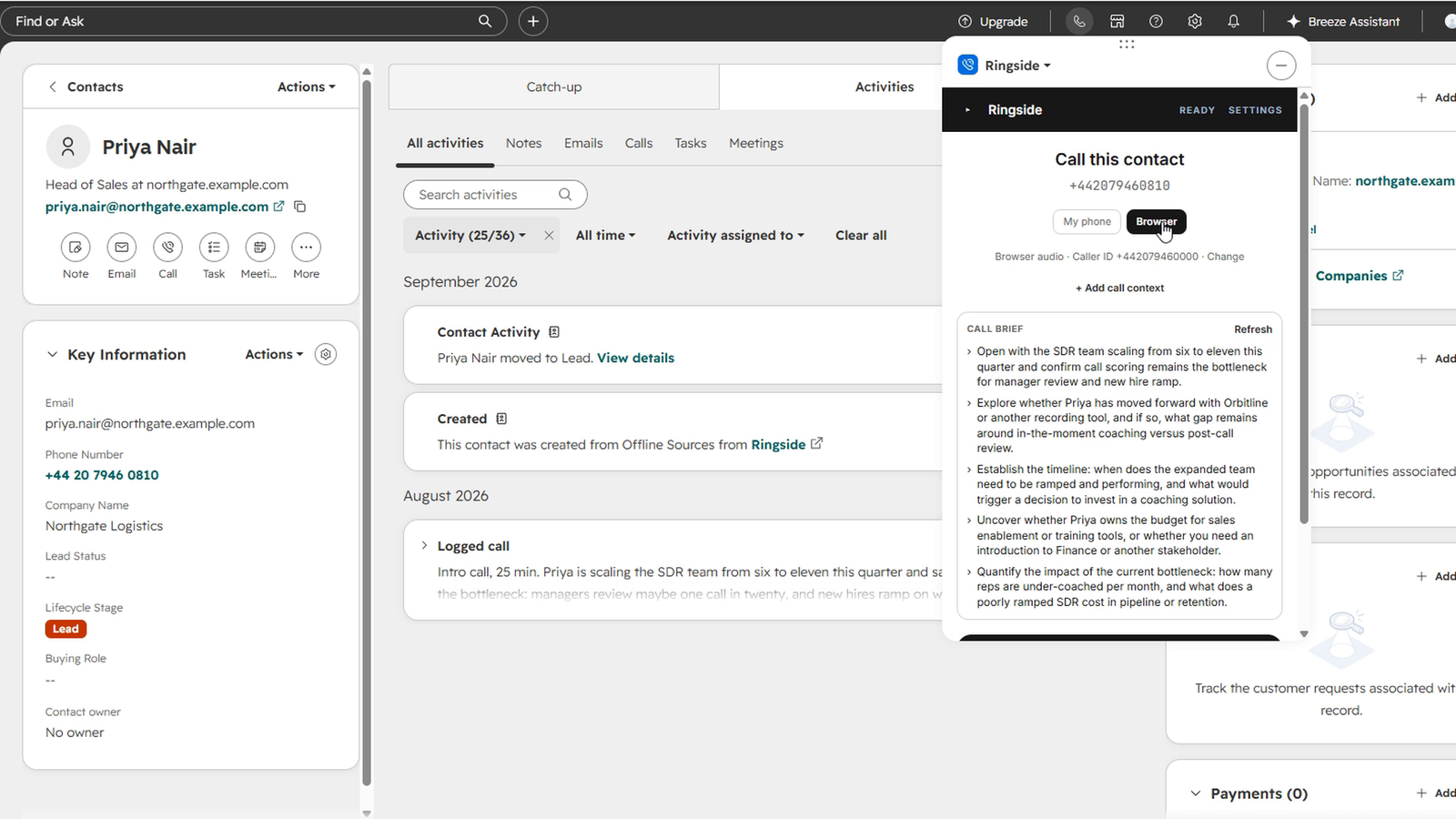
CRM context for the coach
For the pre-call brief and at call start, Ringside reads the recent calls, meetings, notes and emails on the contact, sanitises and caps them, and passes them to the brief and the coach as background. Emails carry their direction, so the coach can tell the contact's words from the rep's. The coach uses that history alongside the live transcript.
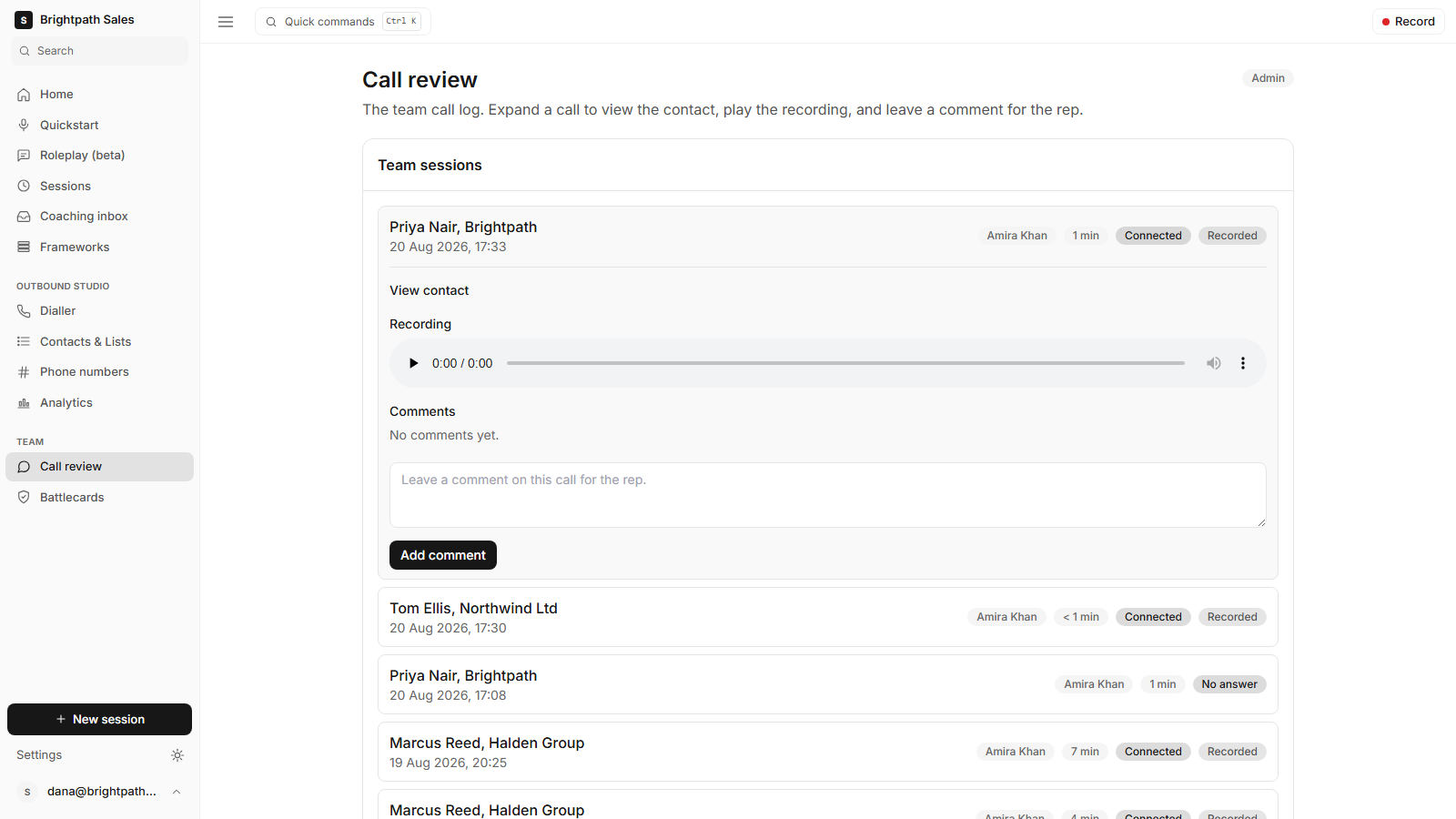
Call recording and review
If your organisation turns recording on, Ringside records the bridged call and plays it on the Ringside review page beside the transcript and framework scorecard. The logged HubSpot call links to that page.
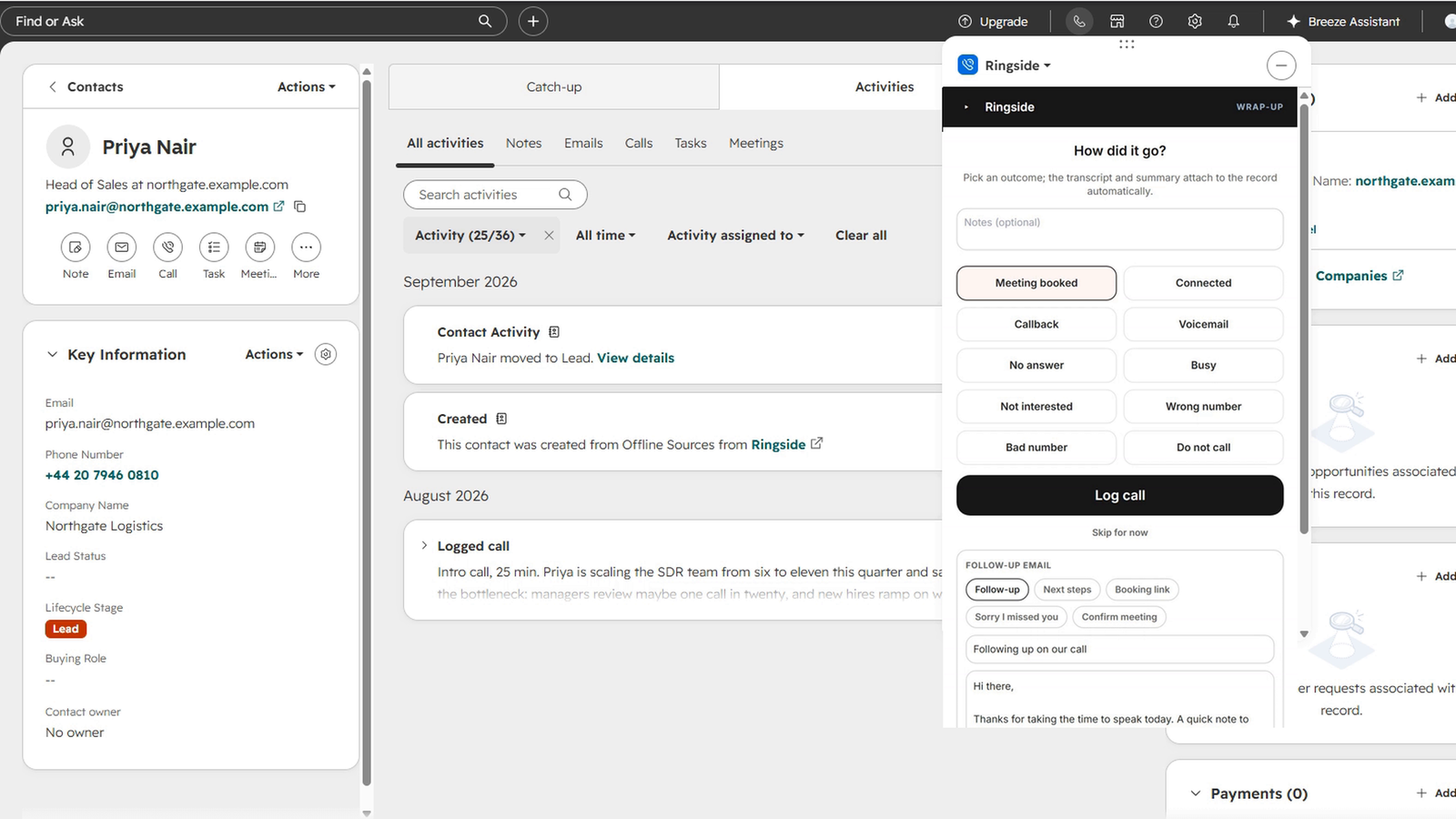
Follow-up email drafted from the call
When the call ends, Ringside drafts a follow-up email from the conversation and the agreed next steps. You edit the subject and body in the panel, then copy the email out and send it from your own mail client.
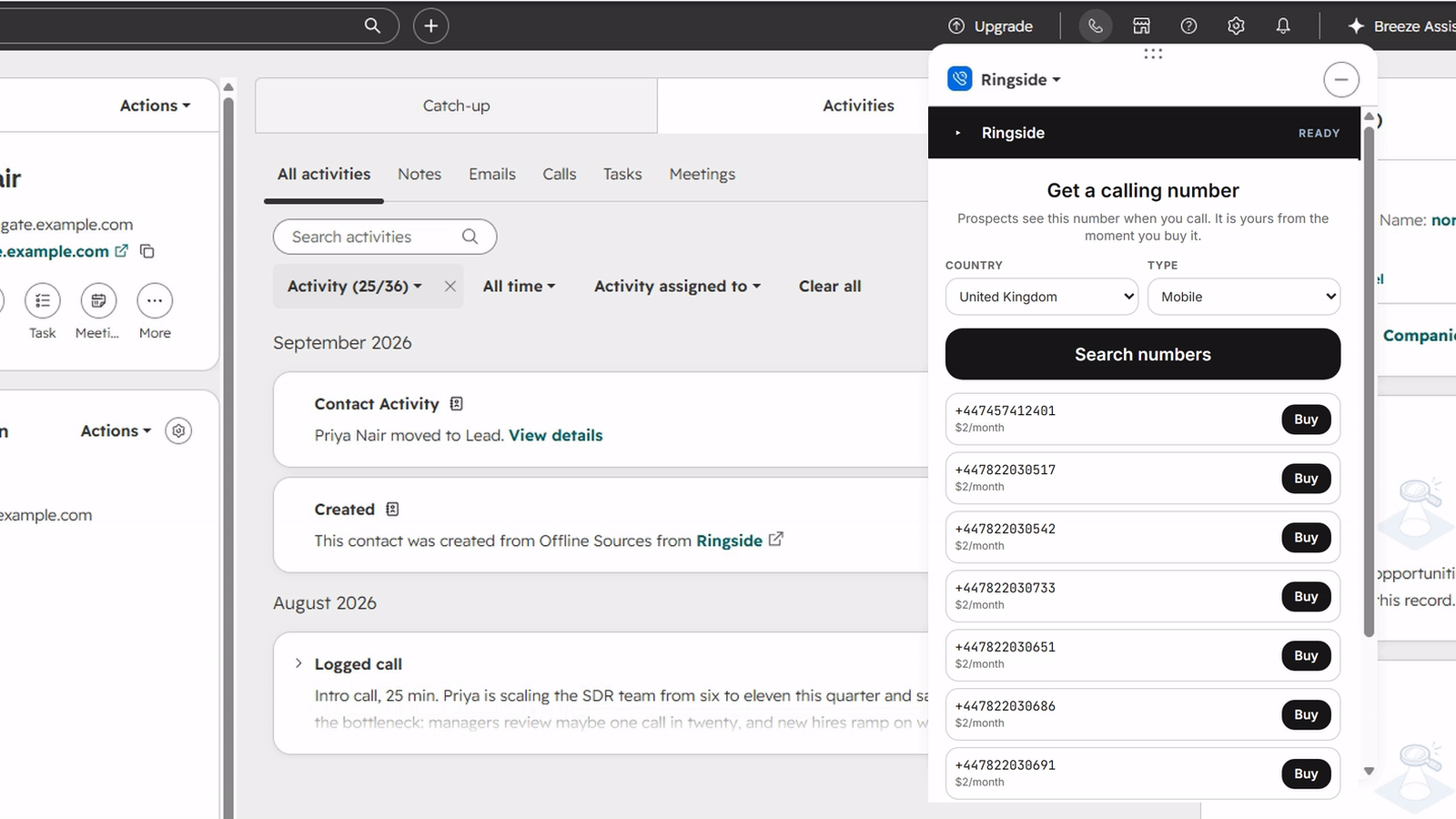
Caller ID from a verified or purchased number
Verify a number you already own with a code, or buy a UK or US calling number inside the panel. The first usable number becomes your organisation's default caller ID.
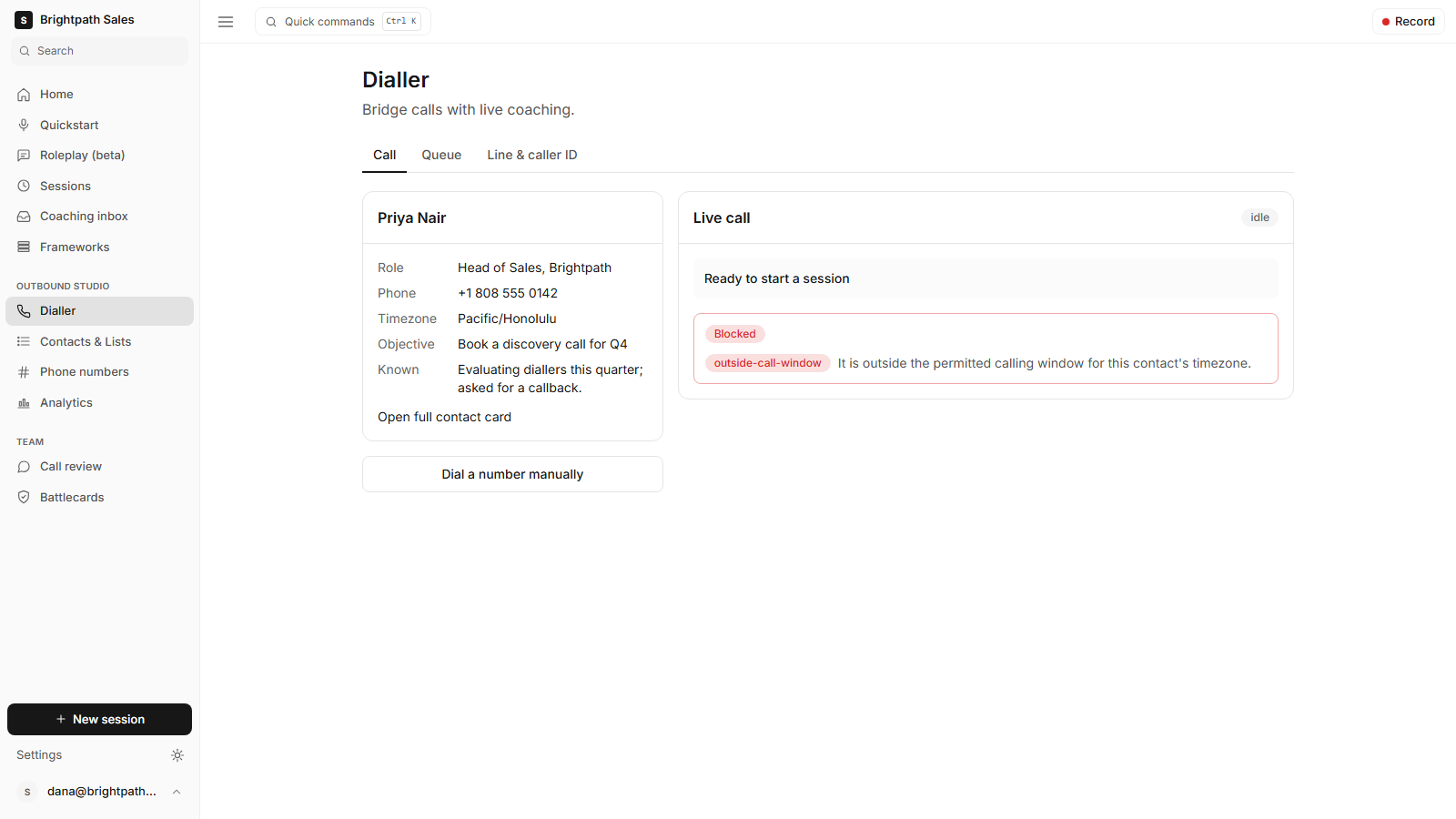
Compliance gate before every dial
Before each dial, Ringside checks the number against do-not-call and, where the contact's timezone is known, the local calling hours, and blocks the dial when a check fails. Each session records a consent acknowledgement.
ฟังก์ชันการทำงานแอป
ข้อมูลที่แบ่งปัน
Dial queue | ||
Contact | ||
Coaching context | ||
Company |
The call engagement is the only object Ringside creates in HubSpot. Ringside reads contact properties and does not update them.
Ringside writes the transcript into hs_call_body as the call record's body, capped and HTML-escaped.
Ringside fetches disposition GUIDs from /calling/v1/dispositions per portal at runtime. The outcome maps to that portal's own disposition set.
รีวิว
การกำหนดราคา
Starter
US$39
/เดือนFor solo reps and small teams getting started.
Fair use call minutes with transcription and AI coaching included
Automatic call summaries
CSV list import
Live AI coaching nudges
Single line bridge dialler
Starter
US$39
/เดือนFor solo reps and small teams getting started.
Fair use call minutes with transcription and AI coaching included
Automatic call summaries
CSV list import
Live AI coaching nudges
Single line bridge dialler
* ราคาที่แสดงนี้มีไว้เพื่อแสดงข้อมูลเท่านั้น ราคาทั้งหมดยังไม่รวมภาษี สิทธิพิเศษ ส่วนลด หรือตัวแปรราคาอื่นๆ คุณควรติดต่อพาร์ทเนอร์เพื่อรับข้อมูลราคาล่าสุดและถูกต้องที่สุด HubSpot จะไม่รับผิดชอบใดๆ ต่อข้อมูลราคานี้ซึ่งจัดทำโดยพาร์ทเนอร์ของเรา การกำหนดราคาอัปเดตล่าสุด: 08/09/2026
ข้อมูลเพิ่มเติม
สร้างโดย - Voll Studios Limited
ติดตั้ง - <10 การติดตั้ง
หมวดหมู่ ภาษาที่แอปนี้สามารถใช้ได้ อังกฤษ
สินค้ามาใหม่

ProjectOps
Turn HubSpot Projects into a complete project management workspace. ProjectOps extends HubSpot Projects with reusable project templates, automated project setup, resource capacity, time tracking, budget visibility, project health, and delivery management. Keep project execution connected to the companies, contacts, deals, users, tasks, and customer context already managed inside HubSpot.

APIANT.ai
Connect HubSpot to any API, at any depth. Describe what you need to Claude Code in plain language, and it builds the integration, tests every branch before it ships, and keeps it running.
