

Microsoft SharePoint & OneDrive
สร้างโดย - HubSpot
ติดตั้ง - 20+ การติดตั้ง
ข้อกำหนด
แผน HubSpot สิทธิ์บัญชี HubSpot ไม่จำเป็นต้องมีสิทธิ์ ประเภทสิทธิ์การเข้าถึง ส่วนตัว การสมัครใช้บริการ Microsoft SharePoint & OneDrive - Free (no commitment), Microsoft 365 Business Basic, Microsoft 365 Business Standard with Copilot หรือ Microsoft 365 Business Premium with Copilot แพ็กเกจ
ภาพรวม
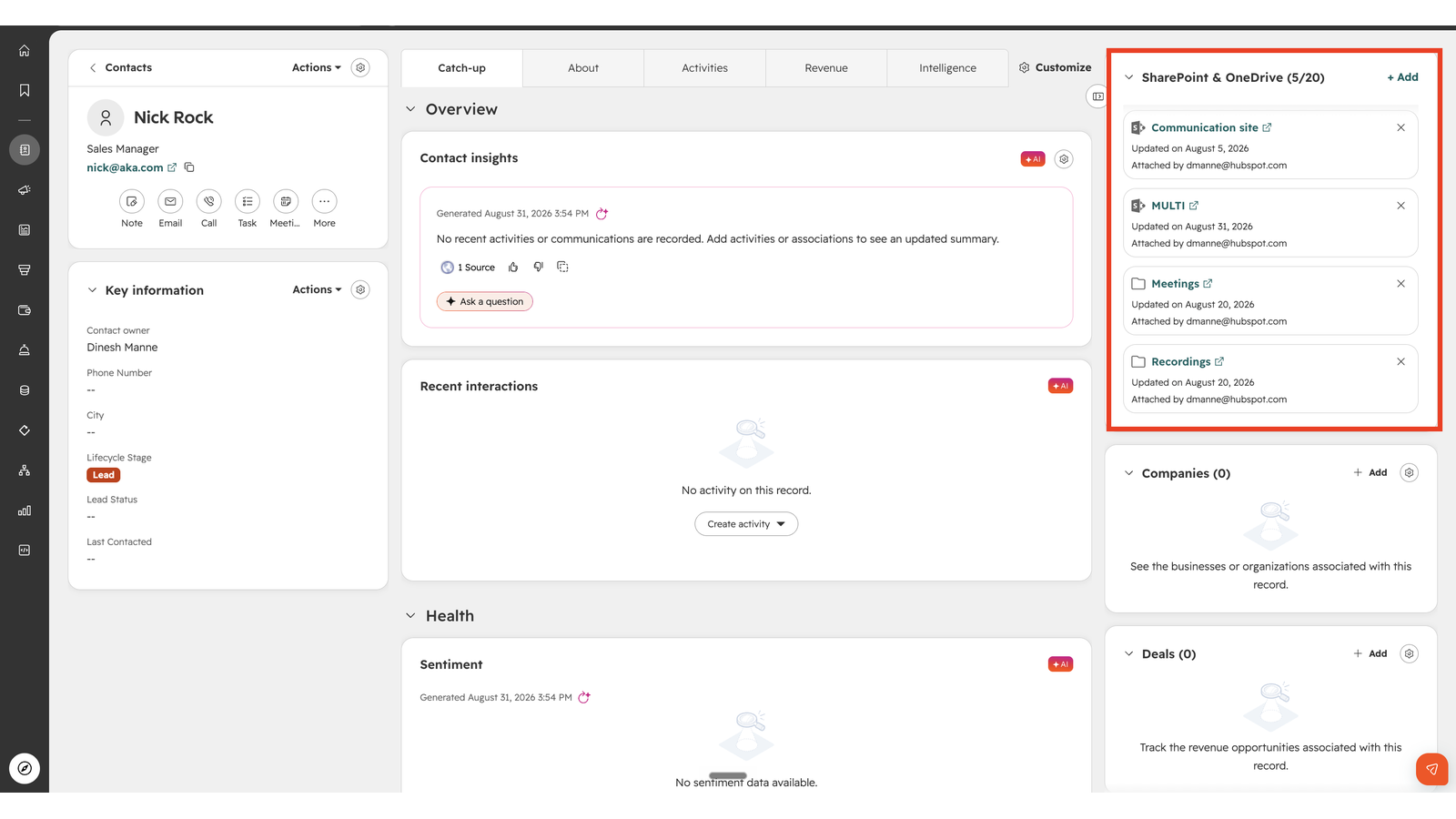
1/4 - View document directly on record pages
Your team stores critical documents in Microsoft 365 — proposals, contracts, onboarding guides, project files. Getting them into HubSpot usually means manual work, lost context during handoffs, and no clear view of what's been shared with a customer.
The Microsoft SharePoint & OneDrive integration brings that content directly into your CRM, so the right document is always with the right record — and your team can automate the busywork as deals and accounts move forward.
Attach SharePoint and OneDrive content to any record
Link or browse files, folders, sites, and document libraries from a SharePoint and OneDrive card on contacts, companies, deals, tickets, and other records. Your team always works from the right document, with one-click open in Microsoft or copy a share link.
Create folders automatically with workflows
Trigger folder creation from CRM events using your own naming and subfolder templates. Every customer gets a consistent, organized home for their documents — with no manual setup.
Upload files automatically with workflows
Send HubSpot files and attachments straight to the right OneDrive or SharePoint folder as part of a workflow. Documents land where your team expects them, automatically.
Link existing content with workflows
Automatically link an existing OneDrive or SharePoint site, document library, folder, or file to the record that triggers the workflow. Connect the content you already have to the right customer, at scale.
ฟีเจอร์
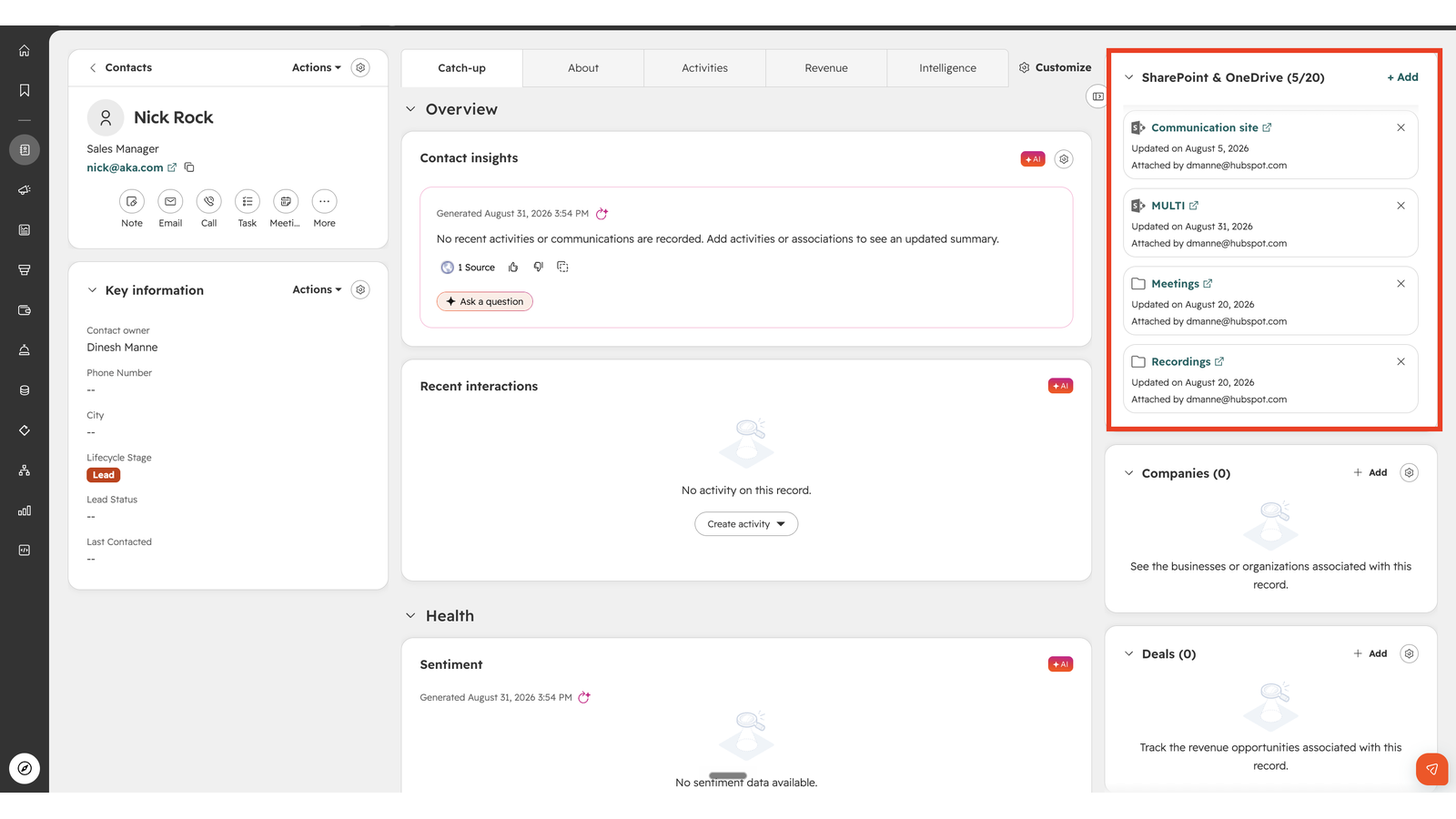
Attach OneDrive and SharePoint files to any record
Connect your Microsoft 365 files to the customers they belong to. Attach any OneDrive or SharePoint file or folder to a contact, company, deal, ticket or other CRM records. The right document stays with the right record, always!
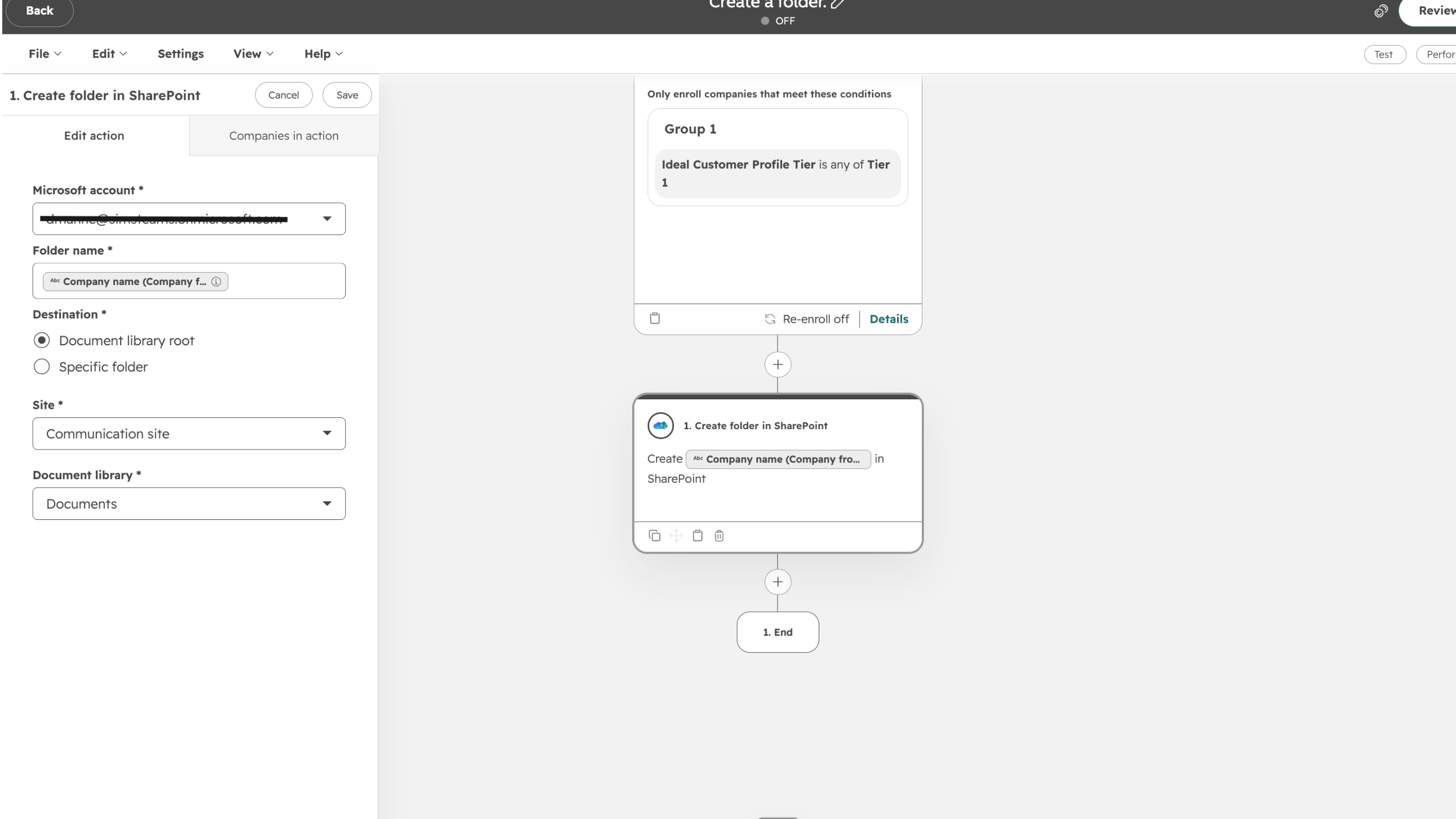
Auto-create customer folders with workflows
Keep every customer's documents organized automatically. Workflows create a OneDrive or SharePoint folder using your own naming and subfolder templates when a record reaches a chosen stage. You get consistent, predictable folder structures across your business with no manual setup.

Upload files to OneDrive & SharePoint automatically
Keep your Microsoft 365 storage current without manual work. A workflow uploads HubSpot files and attachments, including files, straight to the folder tied to a record. Documents land in the right place automatically, ready for your team to find and use.
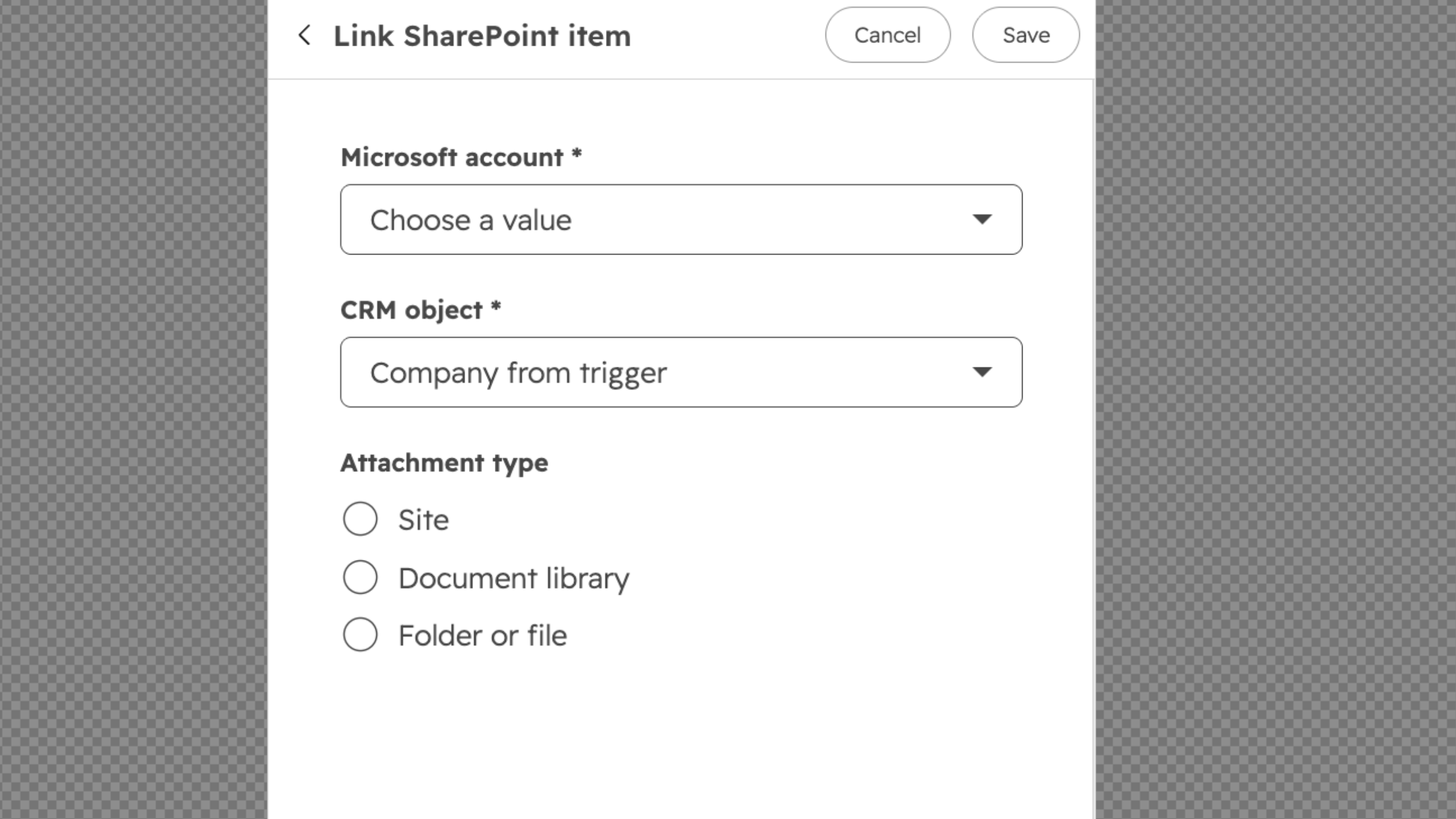
Link existing files, folders & sites to records
Automatically connect Microsoft 365 content to your records. This workflow action links a OneDrive or SharePoint site, document library, folder, or file to the CRM record. So content you already have gets attached automatically, no manual work per record.
ฟังก์ชันการทำงานแอป
ข้อมูลที่แบ่งปัน
Files and Folders |
รีวิว
การกำหนดราคา
Free (no commitment)
US$0
Free (no commitment)
US$0
* ราคาที่แสดงนี้มีไว้เพื่อแสดงข้อมูลเท่านั้น ราคาทั้งหมดยังไม่รวมภาษี สิทธิพิเศษ ส่วนลด หรือตัวแปรราคาอื่นๆ คุณควรติดต่อพาร์ทเนอร์เพื่อรับข้อมูลราคาล่าสุดและถูกต้องที่สุด HubSpot จะไม่รับผิดชอบใดๆ ต่อข้อมูลราคานี้ซึ่งจัดทำโดยพาร์ทเนอร์ของเรา การกำหนดราคาอัปเดตล่าสุด: 09/09/2026
ข้อมูลเพิ่มเติม
สร้างโดย - HubSpot
ติดตั้ง - 20+ การติดตั้ง
หมวดหมู่ ภาษาที่แอปนี้สามารถใช้ได้ อังกฤษ
ยอดนิยม

Gmail
Bring HubSpot to your inbox with the HubSpot integration for Gmail.

Google Calendar
Book meetings quickly and easily with HubSpot and Google Calendar.
