

DeepCall CTI
Built by - Sarv
Installs - <10 installs
Requirements
HubSpot Plan HubSpot Account permissions - View the required account permissions
Access Type Shared DeepCall CTI Subscription - Custom Pricing plan
Overview
1/9 - deepcall-hubspot-demo
Deepcall Telephony brings your phone system directly into HubSpot, so your sales and support teams can make and receive calls without ever leaving the CRM.
Most teams struggle with switching between their phone system and CRM — calls go unlogged, leads are missed, and agents waste time manually updating contact records after every call. Deepcall solves this by embedding a fully functional calling widget inside HubSpot that works automatically in the background.
Key problems it solves:
- Missed context on inbound calls — when a call comes in, HubSpot automatically opens the caller's contact record so your agent has full history before saying hello.
- Manual call logging — every call is automatically logged under the contact record with direction, duration, timestamp, disposition, and notes — no manual entry needed
- Fragmented workflows — agents can make outbound calls with a single click on any phone number in HubSpot, without switching tabs or tools.
- No visibility into call activity — all calls appear in HubSpot's activity feed and reports, giving managers full visibility into team performance
Features
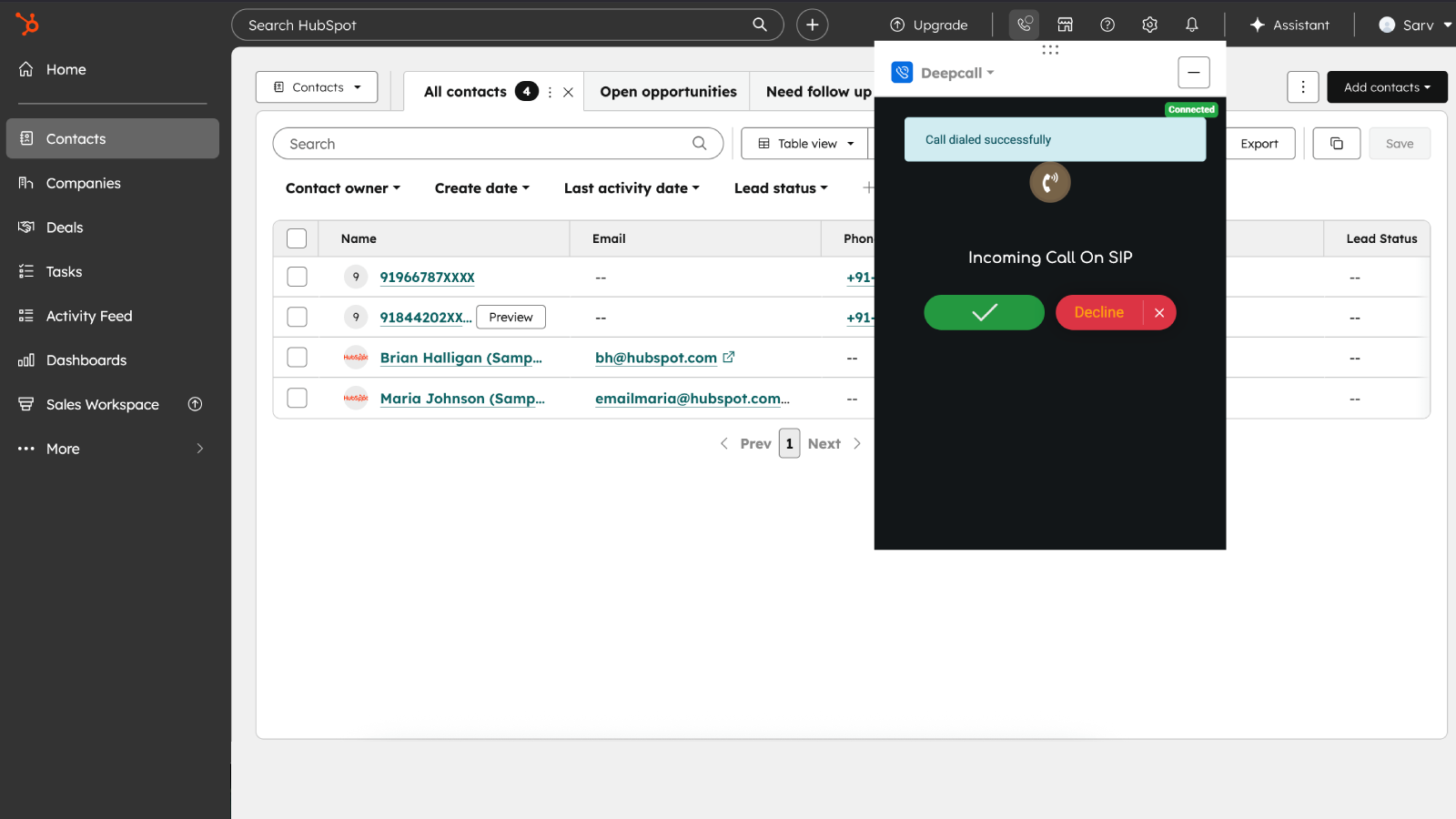
Click-to-Call — Make Calls Directly from HubSpot
Sales and support agents can initiate outbound calls with a single click on any phone number within HubSpot — from contact records, company records. No need to manually dial or switch to a separate phone app. This eliminates dialing errors and saves agents time on every call, letting them focus on the conversation instead of the process.
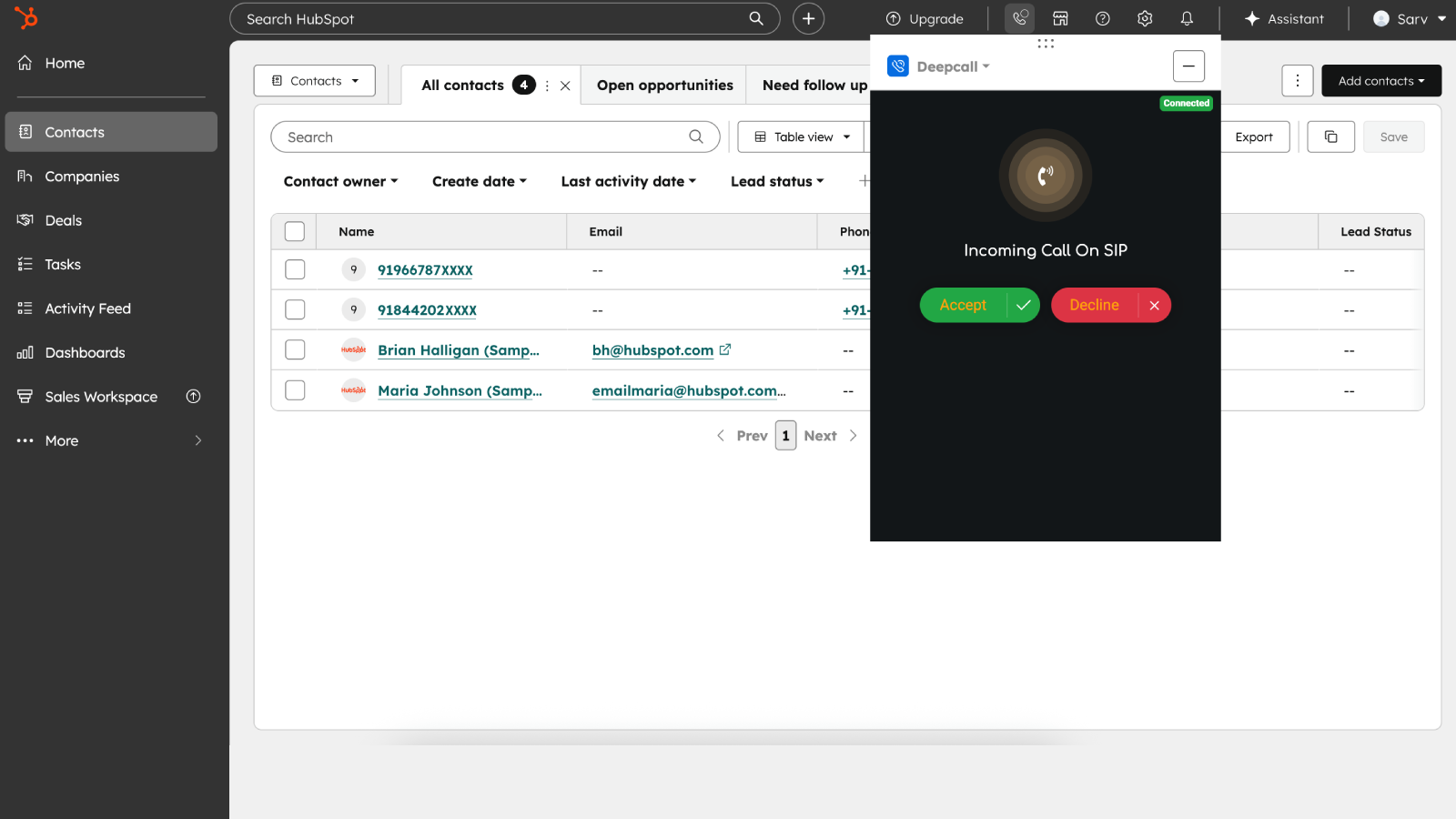
Inbound Call Screen Pop — Caller Context Before You Say Hello
When an inbound call arrives, HubSpot automatically opens the matching contact record based on the caller's phone number. Agents instantly see the caller's name, history, and previous interactions just after call answer — no more asking "who is this?" or scrambling to find the record mid-call.
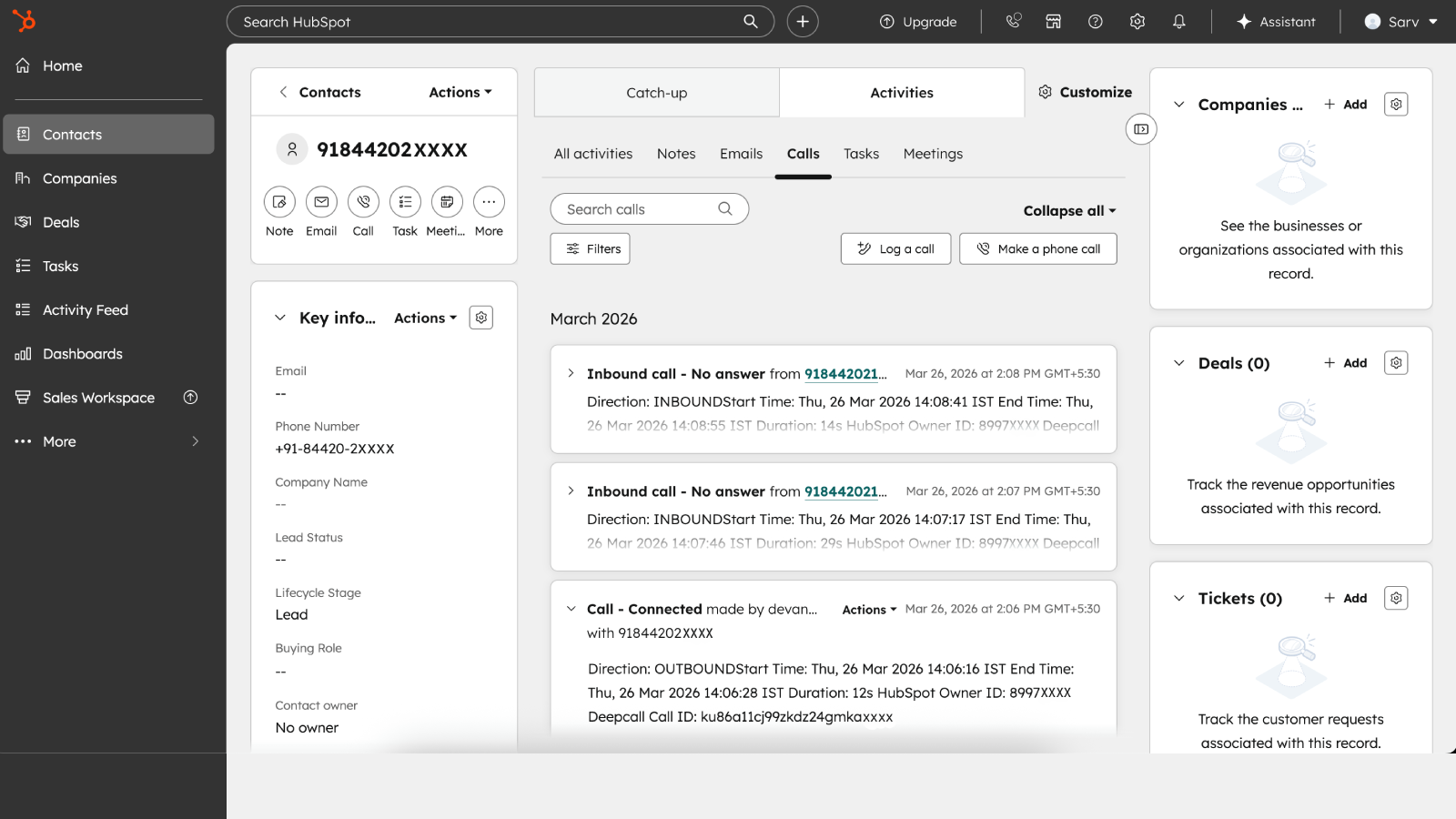
Automatic Call Logging — Every Call Recorded Without Manual Entry
Every call — inbound or outbound — is automatically logged under the relevant contact record in HubSpot's activity feed. The log includes call direction, duration, timestamp, agent name, and disposition. No manual data entry needed, ensuring your CRM data stays accurate and complete even during high call volumes.
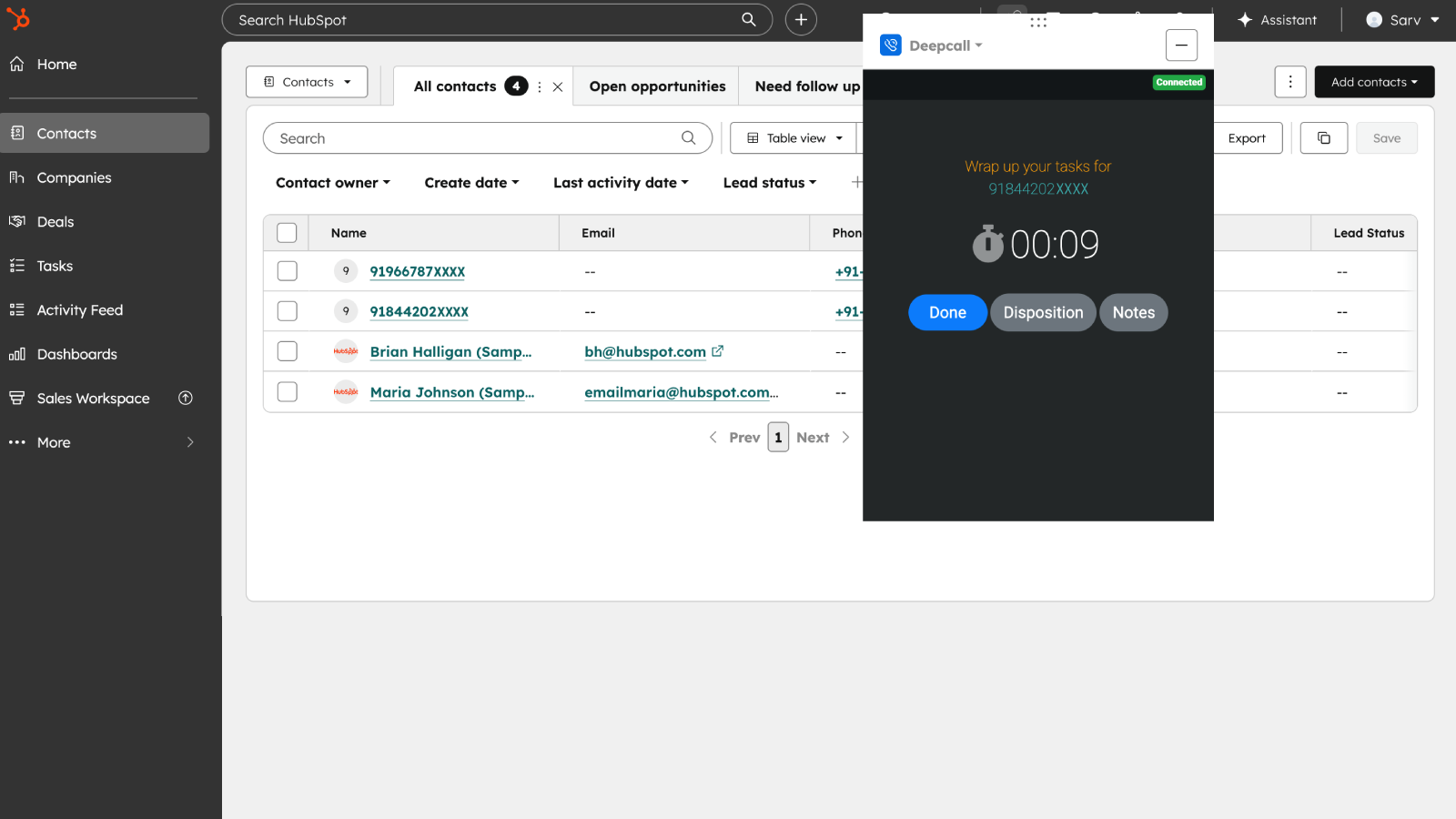
Call Disposition & Notes — Capture Outcomes on Every Call
After each call, agents can set a call disposition and add notes directly from the Deepcall widget inside HubSpot. These are saved against the contact record automatically, giving sales managers full visibility into call outcomes without chasing agents for updates.
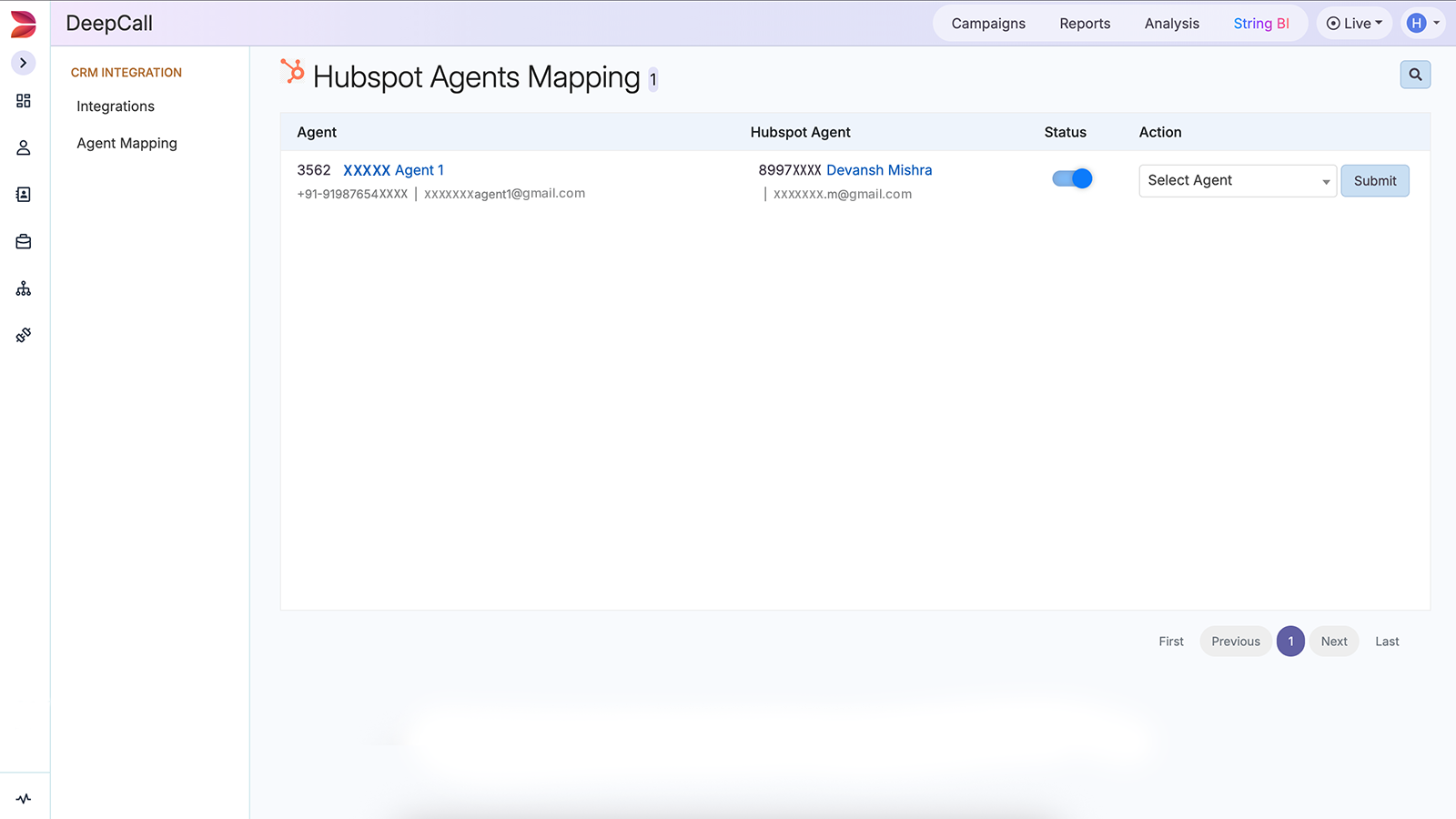
Agent Mapping — Calls Logged Against the Right HubSpot Owner
Each Deepcall agent is mapped to their corresponding HubSpot user, so all call activity is attributed to the correct owner in HubSpot. This ensures accurate reporting, correct contact ownership, and reliable activity tracking across your sales and support teams.
App Functionality
Shared Data
Inbound Call | ||
Outbound Call Log | ||
Caller Phone Number | ||
Deepcall Agent |
Reviews
Pricing
Custom Pricing
₹100
/monthContact sales for pricing
Contact sales for pricingCustom Pricing
₹100
/monthContact sales for pricing
Contact sales for pricing* The pricing here is for display purposes only. All prices do not include taxes, incentives, discounts, or other pricing variables. You should contact the partner for the most up to date and correct pricing information. HubSpot does not take any responsibility for this pricing information, which is provided by our partners. Pricing last updated: 04/30/2026
Getting attention today

Microsoft Teams
Use Microsoft Teams and HubSpot for meetings, conversations, and more!

Slack
Manage CRM records, get AI-powered assistance from Breeze, send real-time notifications, and collaborate with your team — without leaving Slack.
